
Comparison Lenovo LOQ 15ARP9 [83JC009CUS] vs Asus TUF Gaming A15 2023 FA507NUR [FA507NUR-LP005]
Add to comparison | 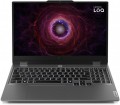 |  |
|---|---|---|
| Lenovo LOQ 15ARP9 [83JC009CUS] | Asus TUF Gaming A15 2023 FA507NUR [FA507NUR-LP005] | |
from $1,201.75 | Outdated Product | |
| User reviews | ||
| TOP sellers | ||
The laptop has a Lenovo LA AI chip. | ||
| Type | laptop | laptop |
Screen | ||
| Screen size | 15.6 " | 15.6 " |
| Screen type | IPS | IPS |
| Surface treatment | matte | matte |
| Screen resolution | 1920x1080 (16:9) | 1920x1080 (16:9) |
| Refresh rate | 144 Hz | 144 Hz |
| Brightness | 300 nt | 250 nt |
| Contrast | 1000 :1 | 1000 :1 |
| Colour gamut (sRGB) | 100 % | 100 % |
| Colour gamut (Adobe RGB) | 75 % | |
| TÜV Rheinland certificate |  |  |
| NVIDIA G-Sync | | |
CPU | ||
| Series | Ryzen 7 | Ryzen 7 |
| Model | 7435HS | 7435HS |
| Processor code name | Rembrandt R (Zen 3+) | Rembrandt R (Zen 3+) |
| Processor cores | 8 | 8 |
| Total threads | 16 | 16 |
| CPU speed | 3.1 GHz | 3.1 GHz |
| TurboBoost / TurboCore frequency | 4.5 GHz | 4.5 GHz |
| CPU TDP | 45 W | 45 W |
| Test Passmark CPU Mark | 24869 points | 24869 points |
RAM | ||
| RAM | 16 GB | 16 GB |
| Maximum installed RAM capacity | 32 GB | 32 GB |
| RAM type | DDR5 | DDR5 |
| RAM memory frequency | 4800 MHz | 4800 MHz |
| Amount of RAM slots | 2 | 2 |
Graphics card | ||
| Graphics card type | dedicated | dedicated |
| Graphics card series | NVIDIA GeForce | NVIDIA GeForce |
| Graphics card model | RTX 4070 | RTX 4050 |
| Video memory | 8 GB | 6 GB |
| Video card memory type | GDDR6 | GDDR6 |
| GPU TDP | 115 W | 140 W |
| Advanced Optimus | | |
| VR | | |
| Test 3DMark06 | 55349 points | 51372 points |
| Test 3DMark Vantage P | 97153 points | 85660 points |
Storage | ||
| Drive type | SSD M.2 NVMe | SSD M.2 NVMe |
| Drive capacity | 512 GB | 512 GB |
| M.2 drive interface | PCIe 4.0 4x | PCIe 4.0 4x |
| M.2 drive size | 22x42 mm | 22x80 mm |
| Additional M.2 connector | 1 | |
| Addittional M.2 connectors interface | PCI-E 4.0 4x | |
| Additional M.2 drive size | 22x80 mm | |
Connections | ||
| Connection ports | HDMI v2.1 | HDMI v2.1 |
| Card reader | | |
| USB-A 5Gbps | 3 pcs | 2 pcs |
| USB-C 10Gbps | 1 pcs | 2 pcs |
| Alternate Mode | | |
| Monitors connection | 2 | 3 |
| LAN (RJ-45) | 1 Gbps | 1 Gbps |
| Wi-Fi | Wi-Fi 6 (802.11ax) | Wi-Fi 6 (802.11ax) |
| Bluetooth | v5.2 | v5.3 |
Multimedia | ||
| Webcam | 1280x720 (HD) | 1280x720 (HD) |
| Camera shutter | | |
| Speakers | 2 pcs | 2 pcs |
| Audio decoders | Dolby Atmos | |
| Security | kensington / Noble lock | |
Keyboard | ||
| Backlight | white | RGB |
| Key design | island type | island type |
| Num block | | |
| Additional keys | 4 | |
| Input device | touchpad | touchpad |
Battery | ||
| Battery capacity | 60 W*h | 90 W*h |
| Operating time | 4 h | |
| Power Delivery via USB-C | | |
| Power Delivery | 140 W | |
| Fast charge | | |
| Charging time | 50% in 30 min | 50% in 30 min |
| Power supply Included | 230 W | 240 W |
General | ||
| Preinstalled OS | Win 11 Home | without OS |
| MIL-STD-810 Military Standard | | |
| Material | matte plastic | aluminium / plastic |
| Dimensions (WxDxT) | 360x259x24 mm | 354x251x25 mm |
| Weight | 2.38 kg | 2.2 kg |
| Color | ||
| Added to E-Catalog | november 2024 | july 2024 |


Compare Lenovo 83JC009CUS and Asus FA507NUR-LP005 Lenovo LOQ 15ARP9 и Asus TUF Gaming A15 (2023) FA507NUR?
You may be interested in
My comparisons
Lenovo LOQ 15ARP9 often compared


Asus TUF Gaming A15 (2023) FA507NUR often compared


Glossary
Brightness
The maximum brightness that a laptop screen can provide.
The brighter the ambient light, the brighter the laptop screen should be, otherwise the image on it may be difficult to read. And vice versa: in dim ambient light, high brightness is unnecessary — it greatly burdens the eyes (however, in this case, modern laptops provide brightness control). Thus, the higher this indicator, the more versatile the screen is, the wider the range of conditions in which it can be effectively used. The downside of these benefits is an increase in price and energy consumption.
As for specific values, many modern laptops have a brightness of 250 – 300 nt and even lower. This is quite enough for working under artificial lighting of medium intensity, but in bright natural light, visibility may already be a problem. For use in sunny weather (especially outdoors), it is desirable to have a brightness margin of at least 300 – 350 nt. And in the most advanced models, this parameter can be 350 – 400 nt and even more.
The brighter the ambient light, the brighter the laptop screen should be, otherwise the image on it may be difficult to read. And vice versa: in dim ambient light, high brightness is unnecessary — it greatly burdens the eyes (however, in this case, modern laptops provide brightness control). Thus, the higher this indicator, the more versatile the screen is, the wider the range of conditions in which it can be effectively used. The downside of these benefits is an increase in price and energy consumption.
As for specific values, many modern laptops have a brightness of 250 – 300 nt and even lower. This is quite enough for working under artificial lighting of medium intensity, but in bright natural light, visibility may already be a problem. For use in sunny weather (especially outdoors), it is desirable to have a brightness margin of at least 300 – 350 nt. And in the most advanced models, this parameter can be 350 – 400 nt and even more.
Colour gamut (Adobe RGB)
The colour gamut of the laptop matrix according to the Adobe RGB colour model.
Colour gamut describes the range of colours that can be displayed on the screen. It is indicated as a percentage, but not relative to the entire variety of visible colours, but relative to the conditional colour space (colour model). This is due to the fact that no modern screen is able to display all the colours visible to humans. However, the larger the colour gamut, the wider the screen's capabilities, the better its colour reproduction.
The Adobe RGB colour model was originally developed for print applications; the range of colours covered by it corresponds to the capabilities of professional printing equipment. Therefore, theoretically, the extensive coverage of this model will be useful to those involved in the design and layout of high-end printed products. However most laptop screens have very limited Adobe RGB values, rarely exceeding 74%; however, you can also find high-end models where this figure approaches 100%. Of course, the cost of such laptops will also be appropriate; therefore, it makes sense to pay attention to them, first of all, when the ability to work with colour “on the go” is of key importance. If this is to be done in one place, it may be more justified to buy a separate monitor with a wide colour gamut (especially since a monitor with such characteristics is easier to find than a laptop).
Colour gamut describes the range of colours that can be displayed on the screen. It is indicated as a percentage, but not relative to the entire variety of visible colours, but relative to the conditional colour space (colour model). This is due to the fact that no modern screen is able to display all the colours visible to humans. However, the larger the colour gamut, the wider the screen's capabilities, the better its colour reproduction.
The Adobe RGB colour model was originally developed for print applications; the range of colours covered by it corresponds to the capabilities of professional printing equipment. Therefore, theoretically, the extensive coverage of this model will be useful to those involved in the design and layout of high-end printed products. However most laptop screens have very limited Adobe RGB values, rarely exceeding 74%; however, you can also find high-end models where this figure approaches 100%. Of course, the cost of such laptops will also be appropriate; therefore, it makes sense to pay attention to them, first of all, when the ability to work with colour “on the go” is of key importance. If this is to be done in one place, it may be more justified to buy a separate monitor with a wide colour gamut (especially since a monitor with such characteristics is easier to find than a laptop).
TÜV Rheinland certificate
Laptop display certification for safe blue light emission levels and panel flicker rates. The presence of a TÜV Rheinland certificate confirms that the screen is comfortable for the eyes.
TÜV Rheinland is a large international concern headquartered in Cologne, Germany, providing a wide range of audit services. The company's specialists have developed and approved a number of tests for the compliance of the screens of mobile devices, monitors and TVs with the required level of eye protection from the harmful effects of display radiation on the user's vision on the other side of the screen. The authoritative opinion of TÜV Rheinland is respected in the tech community. Certificates from this body are issued to successfully tested electronics for the implementation of blue light filtering and screen flicker suppression technologies.
TÜV Rheinland is a large international concern headquartered in Cologne, Germany, providing a wide range of audit services. The company's specialists have developed and approved a number of tests for the compliance of the screens of mobile devices, monitors and TVs with the required level of eye protection from the harmful effects of display radiation on the user's vision on the other side of the screen. The authoritative opinion of TÜV Rheinland is respected in the tech community. Certificates from this body are issued to successfully tested electronics for the implementation of blue light filtering and screen flicker suppression technologies.
Graphics card model
GeForce graphics cards from NVIDIA: RTX including RTX 2060, RTX 2060 Max-Q, RTX 2070, RTX 2070 Max-Q, RTX 2070 Super, RTX 2070 Super Max-Q, RTX 2080, RTX 2080 Max-Q, RTX 2080 Super, RTX 2080 Super Max-Q, RTX 3050, RTX 3050 Ti, RTX 3060, RTX 3060 Max-Q, RTX 3070, RTX 3070 Max-Q, RTX 3070 Ti, RTX 3080, RTX 3080 Ti, RTX 4050, RTX 4060, RTX 4070, RTX 4080, RTX 4090, RTX 5050, RTX 5060, RTX 5070, RTX 5070 Ti, RTX 5080, RTX 5090; MX1xx...including MX110, MX130, and MX150, MX2xx (MX230 and MX250), MX3xx (MX330 and MX350), MX450, GTX which includes GTX 1050, GTX 1060, GTX 1060 Max-Q, GTX 1070, GTX 1070 Max-Q, GTX 1080, GTX 1080 Max-Q, GTX 1650, GTX 1650 Max-Q, GTX 1650 Ti, GTX 1660 Ti, GTX 1660 Ti Max-Q and more. AMD offers graphics cards Radeon 520, Radeon 530 (535), Radeon 540X, Radeon 610 (625, 630), Radeon RX 550 (550X, 560), Radeon RX 640, Radeon RX 5500M, Radeon RX 6800M and Radeon Pro.
It should be noted that all the models mentioned above are discrete. Indeed, for a configuration with discrete graphics, the specific model of the separate video adapter is indicated; if it is supplemented by an integrated module, the name of this module can be clarified by the official processor specifications.
It is also worth mentioning that this section provides not the full name of the model, but only its name within the series (with the series itself mentioned separately—see above). Nevertheless, knowing the series and model, one can easily find detailed information about the graphics card.
It should be noted that all the models mentioned above are discrete. Indeed, for a configuration with discrete graphics, the specific model of the separate video adapter is indicated; if it is supplemented by an integrated module, the name of this module can be clarified by the official processor specifications.
It is also worth mentioning that this section provides not the full name of the model, but only its name within the series (with the series itself mentioned separately—see above). Nevertheless, knowing the series and model, one can easily find detailed information about the graphics card.
Video memory
The amount of native video memory installed in the laptop's graphics card. Only discrete video adapters and their advanced varieties like SLI or Dual Graphics have such memory (see "Video card type").
The more memory, the more powerful the graphics card and the better it can handle complex graphics. Of course, the specific capabilities of the adapter depend on a number of other parameters (primarily the characteristics of the graphics processor); however, the difference in the amount of memory, as a rule, is quite consistent with the difference in the overall level. In terms of specific numbers, solutions with 2 GB are entry-level, 4 GB and 6 GB are intermediate, and 8 GB - to advanced, and 12 GB and 16 GB can be found in top-end gaming laptops and high-end workstations.
The more memory, the more powerful the graphics card and the better it can handle complex graphics. Of course, the specific capabilities of the adapter depend on a number of other parameters (primarily the characteristics of the graphics processor); however, the difference in the amount of memory, as a rule, is quite consistent with the difference in the overall level. In terms of specific numbers, solutions with 2 GB are entry-level, 4 GB and 6 GB are intermediate, and 8 GB - to advanced, and 12 GB and 16 GB can be found in top-end gaming laptops and high-end workstations.
GPU TDP
The amount of heat generated by the graphics processing unit (GPU) during normal operation. TDP is expressed in watts. It allows you to evaluate the thermal characteristics of a laptop and determine its potential for working with high graphics loads. The higher the GPU TDP value, the more power the GPU consumes, which may require a more efficient cooling system to avoid overheating and ensure stable operation of the device. Laptops with higher GPU heat dissipation are better suited for gamers or graphics and video production professionals.
Advanced Optimus
In laptops, the image processed by a discrete video card first passes through the graphics built into the CPU, and only then is transmitted to the display. The MUX Switch on the motherboard of gaming laptop models allows you to choose between using integrated or discrete graphics. One of its advanced varieties is the Advanced Optimus intelligent system, which works in conjunction with video adapters from NVIDIA. It allows you to literally choose on the fly the most suitable GPU for data processing, depending on the intensity of the tasks being performed.
Test 3DMark06
The result shown by the laptop's graphics card in the 3DMark06 test.
This test primarily determines how well the graphics card handles intensive loads, particularly with detailed 3D graphics. The test result is indicated in points; the more points, the higher the performance of the video adapter. High results in 3DMark06 are especially important for gaming laptops and advanced workstations. However, their reliability is questionable because measurements are taken on graphics cards with different TDP and an averaged score is given. Thus, your laptop may have a higher or lower result than indicated — it all depends on the TDP of the installed graphics card.
This test primarily determines how well the graphics card handles intensive loads, particularly with detailed 3D graphics. The test result is indicated in points; the more points, the higher the performance of the video adapter. High results in 3DMark06 are especially important for gaming laptops and advanced workstations. However, their reliability is questionable because measurements are taken on graphics cards with different TDP and an averaged score is given. Thus, your laptop may have a higher or lower result than indicated — it all depends on the TDP of the installed graphics card.
Test 3DMark Vantage P
The result shown by the laptop's graphics card in the 3DMark Vantage P test.
Vantage P is one of the variations of the popular 3DMark test, specifically the next version of this test after 3DMark06 (see above). Like all similar tests, it is designed to assess graphics performance under high loads and presents results in points; the more points, the more powerful and efficient the graphics card is. High results in 3DMark Vantage P are especially important if the laptop is intended for demanding games. However, it's difficult to call them reliable since measurements are taken on graphics cards with different TDPs, and an overall averaged score is given. Thus, your laptop may have a result either greater than or less than the specified one, all depending on the TDP of the installed graphics card.
Vantage P is one of the variations of the popular 3DMark test, specifically the next version of this test after 3DMark06 (see above). Like all similar tests, it is designed to assess graphics performance under high loads and presents results in points; the more points, the more powerful and efficient the graphics card is. High results in 3DMark Vantage P are especially important if the laptop is intended for demanding games. However, it's difficult to call them reliable since measurements are taken on graphics cards with different TDPs, and an overall averaged score is given. Thus, your laptop may have a result either greater than or less than the specified one, all depending on the TDP of the installed graphics card.