
Comparison Pixus BIT 15 [Bit NoOS] vs Thomson NEO 14 Intel Celeron [MEAN14C8SL256FRW]
Add to comparison |  | 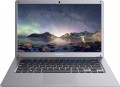 |
|---|---|---|
| Pixus BIT 15 [Bit NoOS] | Thomson NEO 14 Intel Celeron [MEAN14C8SL256FRW] | |
| Outdated Product | Outdated Product | |
| User reviews | ||
| TOP sellers | ||
| Type | laptop | laptop |
Screen | ||
| Screen size | 15.6 " | 14.1 " |
| Screen type | IPS | IPS |
| Surface treatment | matte | matte |
| Screen resolution | 1920x1080 (16:9) | 1920x1080 (16:9) |
| Refresh rate | 60 Hz | 60 Hz |
CPU | ||
| Series | Celeron | Celeron |
| Model | N5095 | N4100 |
| Processor code name | Jasper Lake (11th Gen) | |
| Processor cores | 4 | 4 |
| Total threads | 4 | 4 |
| CPU speed | 2 GHz | 1.1 GHz |
| TurboBoost / TurboCore frequency | 2.9 GHz | 2.4 GHz |
| CPU TDP | 15 W | 6 W |
| Test 3DMark06 | 5272 points | 2805 points |
| Test Passmark CPU Mark | 4085 points | 2448 points |
| SuperPI 1M | 20.51 с | 28.5 с |
RAM | ||
| RAM | 8 GB | 8 GB |
| Maximum installed RAM capacity | 16 GB | 8 GB |
| RAM type | DDR4 | DDR4 |
| RAM memory frequency | 2933 MHz | 2400 MHz |
| Amount of RAM slots | 2 | 1 |
Graphics card | ||
| Graphics card type | integrated | integrated |
| Graphics card series | Intel HD Graphics | Intel HD Graphics |
| Graphics card model | UHD Graphics | UHD Graphics 600 |
| Test 3DMark06 | 3960 points | |
| Test 3DMark Vantage P | 2189 points | |
Storage | ||
| Drive type | SSD M.2 NVMe | SSD M.2 |
| Drive capacity | 256 GB | 256 GB |
| M.2 drive interface | PCIe 3.0 2x | |
Connections | ||
| Connection ports | HDMI | miniHDMI |
| Card reader |  | |
| USB-A 2.0 | 2 pcs | 1 pcs |
| USB-A 5Gbps | 1 pcs | 2 pcs |
| USB-C 5Gbps | 1 pcs | |
| Alternate Mode |  | |
| Monitors connection | 1 | 1 |
| LAN (RJ-45) | 1 Gbps | 1 Gbps |
| Wi-Fi | Wi-Fi 5 (802.11ac) | Wi-Fi 5 (802.11ac) |
| Bluetooth | v5.0 | v4.2 |
Multimedia | ||
| Webcam | 1920x1080 (Full HD) | 640x480 (VGA) |
| Camera shutter | | |
| Speakers | 2 pcs | 2 pcs |
| Security | kensington / Noble lock | |
Keyboard | ||
| Backlight | white | in absent |
| Key design | island type | island type |
| Num block | | |
| Input device | touchpad | touchpad |
Battery | ||
| Battery capacity | 5000 mAh | 5680 mAh |
| Battery capacity | 39 W*h | |
| Battery voltage | 7.8 В | 7.4 В |
| Power Delivery via USB-C | | |
| Fast charge | | |
| DC charging port | in absent | |
General | ||
| Preinstalled OS | without OS | DOS |
| Material | matte plastic | matte plastic |
| Dimensions (WxDxT) | 357x234x20 mm | 347x230x18 mm |
| Weight | 1.6 kg | 1.35 kg |
| Color | ||
| Added to E-Catalog | october 2024 | july 2024 |


Compare Pixus Bit NoOS and Thomson MEAN14C8SL256FRW Pixus BIT 15 и Thomson NEO 14 Intel Celeron?
You may be interested in
My comparisons
Pixus BIT 15 often compared

Thomson NEO 14 Intel Celeron often compared

Glossary
Screen size
Diagonal size of laptop display.
The larger the screen, the more convenient the laptop for watching high-definition movies, modern games, working with large-format graphic materials, etc. Large screens are especially important for multimedia and gaming models. On the other hand, the diagonal of the display directly affects the size and cost of the entire device. So if portability is key, it makes sense to pay attention to relatively small solutions; especially since most modern laptops have video outputs like HDMI or DisplayPort and allow connection of large-format external monitors.
In light of all this, the actual maximum for laptops these days is 17"(17.3"); however larger devices (18") reappeared at the beginning of 2023. The standard option for general purpose laptops is 15"(15.6"), less often 16", a diagonal of 13"(13.3") or 14" is considered small by the standards of such And smaller screens can be found mainly in specific compact varieties of laptops — ultrabooks, 2 in 1, transformers, netbooks; among such devices there are solutions for 12 ", 11" and even 10" or less.
The larger the screen, the more convenient the laptop for watching high-definition movies, modern games, working with large-format graphic materials, etc. Large screens are especially important for multimedia and gaming models. On the other hand, the diagonal of the display directly affects the size and cost of the entire device. So if portability is key, it makes sense to pay attention to relatively small solutions; especially since most modern laptops have video outputs like HDMI or DisplayPort and allow connection of large-format external monitors.
In light of all this, the actual maximum for laptops these days is 17"(17.3"); however larger devices (18") reappeared at the beginning of 2023. The standard option for general purpose laptops is 15"(15.6"), less often 16", a diagonal of 13"(13.3") or 14" is considered small by the standards of such And smaller screens can be found mainly in specific compact varieties of laptops — ultrabooks, 2 in 1, transformers, netbooks; among such devices there are solutions for 12 ", 11" and even 10" or less.
Model
The specific model of the processor installed in the laptop, or rather, the processor index within its series (see above). Knowing the full name of the processor (series and model), you can find detailed information on it (up to practical reviews) and clarify its capabilities.
Processor code name
The code name of the processor installed in the laptop.
This parameter primarily characterizes the generation to which the processor belongs and the microarchitecture used in it. At the same time, chips belonging to the same microarchitecture/generation may have different code names; in such cases, they differ by other parameters—overall positioning, belonging to specific series (see above), presence/absence of certain specific features, etc.
Currently, Intel processors have the following code names: Coffee Lake, Comet Lake, Ice Lake, Tiger Lake, Jasper Lake, Alder Lake, Raptor Lake (13 Gen), Alder Lake-N, Raptor Lake Refresh (14 Gen), Meteor Lake (Series 1), Raptor Lake (Series 1), Arrow Lake (Series 2), Lunar Lake (Series 2), Raptor Lake (Series 2), Panther Lake (Series 3). For AMD, the list looks like this: Zen 2 Renoir, Zen 2 Lucienne, Zen 3 Cezanne..., Zen 3 Barcelo, Zen 3+ Rembrandt, Zen 3+ Rembrandt R, Zen 2 Mendocino, Zen 3 Barcelo R, Zen 4 Dragon Range, Zen 4 Phoenix, Zen 4 Hawk Point, Zen 5 Strix Point, Zen 5 Strix Halo, Zen 5 Krackan Point, Zen 5 Gorgon Point. Detailed data on different code names can be found in specialized sources.
This parameter primarily characterizes the generation to which the processor belongs and the microarchitecture used in it. At the same time, chips belonging to the same microarchitecture/generation may have different code names; in such cases, they differ by other parameters—overall positioning, belonging to specific series (see above), presence/absence of certain specific features, etc.
Currently, Intel processors have the following code names: Coffee Lake, Comet Lake, Ice Lake, Tiger Lake, Jasper Lake, Alder Lake, Raptor Lake (13 Gen), Alder Lake-N, Raptor Lake Refresh (14 Gen), Meteor Lake (Series 1), Raptor Lake (Series 1), Arrow Lake (Series 2), Lunar Lake (Series 2), Raptor Lake (Series 2), Panther Lake (Series 3). For AMD, the list looks like this: Zen 2 Renoir, Zen 2 Lucienne, Zen 3 Cezanne..., Zen 3 Barcelo, Zen 3+ Rembrandt, Zen 3+ Rembrandt R, Zen 2 Mendocino, Zen 3 Barcelo R, Zen 4 Dragon Range, Zen 4 Phoenix, Zen 4 Hawk Point, Zen 5 Strix Point, Zen 5 Strix Halo, Zen 5 Krackan Point, Zen 5 Gorgon Point. Detailed data on different code names can be found in specialized sources.
CPU speed
The clock speed of the processor installed in the laptop (for multi-core processors, the frequency of each individual core).
Theoretically, a higher clock speed has a positive effect on performance, as it allows the processor to perform more operations per unit of time. However, in fact, the capabilities of the CPU depend on a number of other characteristics — primarily on the series to which it belongs (see above). It even happens that of the two chips, the more performant in the overall result is the slower one. With this in mind, it makes sense to compare by clock frequency only processors of the same series, and ideally, also of the same generation; and the laptop as a whole should be judged by the complex characteristics of the system, as well as by the results of tests (see below).
Theoretically, a higher clock speed has a positive effect on performance, as it allows the processor to perform more operations per unit of time. However, in fact, the capabilities of the CPU depend on a number of other characteristics — primarily on the series to which it belongs (see above). It even happens that of the two chips, the more performant in the overall result is the slower one. With this in mind, it makes sense to compare by clock frequency only processors of the same series, and ideally, also of the same generation; and the laptop as a whole should be judged by the complex characteristics of the system, as well as by the results of tests (see below).
TurboBoost / TurboCore frequency
Processor clock speed achieved in TurboBoost or TurboCore "overclocking" mode.
Turbo Boost and Turbo Core technologies are used by different manufacturers (Intel and AMD, respectively), but they have the same principle of operation: load distribution from more loaded processor cores to less loaded ones to improve performance. The "overclocking" mode is characterized by an increased clock frequency, and it is indicated in this case.
For more information about clock speed in general, see the relevant paragraph above.
Turbo Boost and Turbo Core technologies are used by different manufacturers (Intel and AMD, respectively), but they have the same principle of operation: load distribution from more loaded processor cores to less loaded ones to improve performance. The "overclocking" mode is characterized by an increased clock frequency, and it is indicated in this case.
For more information about clock speed in general, see the relevant paragraph above.
CPU TDP
The amount of heat generated by the processor during normal operation. This parameter determines the requirements for the cooling system necessary for the normal operation of the processor, therefore it is sometimes called TDP - thermal design power, literally “thermal (cooling) system power”. Simply put, if the processor has a heat dissipation of 60 W, it needs a cooling system that can remove at least this amount of heat. Accordingly, the lower the TDP, the lower the requirements for the cooling system.
Test 3DMark06
The result shown by the laptop processor in 3DMark06.
This test is primarily focused on testing performance in games — in particular, the ability of the processor to process advanced graphics and artificial intelligence elements. Test scores are reported as scores; the higher this number, the higher the performance of the tested chip. Good 3DMark06 results are especially important for gaming laptops.
This test is primarily focused on testing performance in games — in particular, the ability of the processor to process advanced graphics and artificial intelligence elements. Test scores are reported as scores; the higher this number, the higher the performance of the tested chip. Good 3DMark06 results are especially important for gaming laptops.
Test Passmark CPU Mark
The result shown by the laptop processor in the Passmark CPU Mark test.
Passmark CPU Mark is a comprehensive test that is more detailed and reliable than the popular 3DMark06 (see above). It checks not only the gaming capabilities of the CPU, but also its performance in other modes, based on which it displays the overall score; this score can be used to fairly reliably evaluate the processor as a whole (the more points, the higher the performance).
Passmark CPU Mark is a comprehensive test that is more detailed and reliable than the popular 3DMark06 (see above). It checks not only the gaming capabilities of the CPU, but also its performance in other modes, based on which it displays the overall score; this score can be used to fairly reliably evaluate the processor as a whole (the more points, the higher the performance).
SuperPI 1M
The result shown by the laptop processor in the SuperPI 1M test.
The essence of this test is to calculate the number "pi" to the millionth decimal place. The time spent on this calculation is the final result. Accordingly, the more powerful the processor, the smaller the result will be (this SuperPI 1M is fundamentally different from many other tests).
The essence of this test is to calculate the number "pi" to the millionth decimal place. The time spent on this calculation is the final result. Accordingly, the more powerful the processor, the smaller the result will be (this SuperPI 1M is fundamentally different from many other tests).