
Comparison Kingston Fury Beast DDR4 2x16GB KF432C16BB1K2/32 vs G.Skill Aegis DDR4 2x16GB F4-2666C19D-32GIS
Add to comparison | 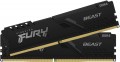 | 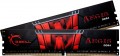 |
|---|---|---|
| Kingston Fury Beast DDR4 2x16GB KF432C16BB1K2/32 | G.Skill Aegis DDR4 2x16GB F4-2666C19D-32GIS | |
| Compare prices 2 | Compare prices 2 | |
| User reviews | ||
| TOP sellers | ||
Kingston is introducing an additional part number for modules manufactured exclusively with its own chips. You can identify them by the “WP” index. | ||
| Memory capacity | 2 х 16GB | 2 х 16GB |
| Form factor | DIMM (PC) | DIMM (PC) |
| Type | DDR4 | DDR4 |
| Memory rank | dual rank | |
Specs | ||
| Speed | 3200 MT/s | 2666 MT/s |
| Clock speed | 25600 MB/s | 21300 MB/s |
| Timing diagram | 16-18-18 | 19-19-19-43 |
| First Word Latency | 10 ns | 14.25 ns |
| Voltage | 1.35 В | 1.2 В |
| Cooling | radiator | without cooling |
| Strip profile | standard 34 mm | standard 31.2 mm |
| More features | XMP | XMP |
| Color | ||
| Added to E-Catalog | july 2021 | february 2019 |




Compare Kingston Fury KF432C16BB1K2/32 and G.Skill F4-2666C19D-32GIS Kingston Fury Beast DDR4 2x16GB и G.Skill Aegis DDR4 2x16GB?
You may be interested in
My comparisons
Kingston Fury Beast DDR4 2x16GB often compared


Glossary
Memory rank
The number of ranks provided in the memory bar.
The rank in this case is called one logical module — a chipset with a total capacity of 64 bits. If there is more than one rank, this means that several logical ones are implemented on one physical module, and they use the data transmission channel alternately. A similar design is used in order to achieve large amounts of RAM with a limited number of slots for individual brackets. At the same time, it should be said that for consumer computers, you can not pay much attention to the memory rank — more precisely, peer-to-peer modules are quite enough for them. But for servers and powerful workstations, two-, four- and even eight-rank solutions are produced.
Note that other things being equal, a larger number of ranks allows achieving larger volumes, however, it requires more computing power and increases the load on the system.
The rank in this case is called one logical module — a chipset with a total capacity of 64 bits. If there is more than one rank, this means that several logical ones are implemented on one physical module, and they use the data transmission channel alternately. A similar design is used in order to achieve large amounts of RAM with a limited number of slots for individual brackets. At the same time, it should be said that for consumer computers, you can not pay much attention to the memory rank — more precisely, peer-to-peer modules are quite enough for them. But for servers and powerful workstations, two-, four- and even eight-rank solutions are produced.
Note that other things being equal, a larger number of ranks allows achieving larger volumes, however, it requires more computing power and increases the load on the system.
Speed
The module speed affects data exchange and how fast the RAM can work in the system. The higher this rate, the greater the memory potential, but the actual result always also depends on the processor, motherboard, and settings.
For example, for a basic office or home PC, basic values such as 2400, 2666, 3200 MT/s for DDR4 or 4800, 5200, 5600 MT/s for DDR5 are often sufficient, whereas in a gaming or workstation system, a higher clock speed such as 3600 MT/s for DDR4 or 6000 – 6400 MT/s for DDR5 can provide more responsive performance.
However, a high speed alone does not automatically make a computer fast if the other components are weaker or if the memory is not operating at the stated mode. RAM speed is particularly important during assembly and upgrades because it helps understand the overall class of memory and what can be expected from it in practice.
For example, for a basic office or home PC, basic values such as 2400, 2666, 3200 MT/s for DDR4 or 4800, 5200, 5600 MT/s for DDR5 are often sufficient, whereas in a gaming or workstation system, a higher clock speed such as 3600 MT/s for DDR4 or 6000 – 6400 MT/s for DDR5 can provide more responsive performance.
However, a high speed alone does not automatically make a computer fast if the other components are weaker or if the memory is not operating at the stated mode. RAM speed is particularly important during assembly and upgrades because it helps understand the overall class of memory and what can be expected from it in practice.
Clock speed
The amount of information that a memory module can receive or transmit in one second. The speed of the memory and, accordingly, the price of it directly depend on the bandwidth. At the same time, this is a rather specific parameter, which is relevant mainly for high-performance systems — gaming and workstations, servers, etc. If the RAM module is bought for a regular home or office system, you can not pay much attention to bandwidth.
Timing diagram
Timing is a term that refers to the time it takes to complete an operation. To understand the timing scheme, you need to know that structurally RAM consists of banks (from 2 to 8 per module), each of which, in turn, has rows and columns, like a table; when accessing memory, the bank is selected first, then the row, then the column. The timing scheme shows the time during which the four main operations are performed when working with RAM, and is usually written in four digits in the format CL-Trcd-Trp-Tras, where
CL is the minimum delay between receiving a command to read data and the start of their transfer;
Trcd — the minimum time between the selection of a row and the selection of a column in it;
Trp is the minimum time to close a row, that is, the delay between the signal and the actual closing. Only one bank line can be opened at a time; Before opening the next line, you must close the previous one.
Tras — the minimum time the row is active, in other words, the shortest time after which the row can be commanded to close after it has been opened.
Time in the timing scheme is measured in cycles, so the actual memory performance depends not only on the timing scheme, but also on the clock frequency. For example, 1600 MHz 8-8-8-24 memory will run at the same speed as 800 MHz 4-4-4-12 memory—in either case timings, if expressed in nanoseconds, will be 5-5-5-15.
CL is the minimum delay between receiving a command to read data and the start of their transfer;
Trcd — the minimum time between the selection of a row and the selection of a column in it;
Trp is the minimum time to close a row, that is, the delay between the signal and the actual closing. Only one bank line can be opened at a time; Before opening the next line, you must close the previous one.
Tras — the minimum time the row is active, in other words, the shortest time after which the row can be commanded to close after it has been opened.
Time in the timing scheme is measured in cycles, so the actual memory performance depends not only on the timing scheme, but also on the clock frequency. For example, 1600 MHz 8-8-8-24 memory will run at the same speed as 800 MHz 4-4-4-12 memory—in either case timings, if expressed in nanoseconds, will be 5-5-5-15.
First Word Latency
First Word Latency shows how long it takes for RAM to start delivering the first block of data after a request. The lower this value, the faster the memory responds, which is particularly interesting in gaming systems and high-performance PCs, where responsiveness and minimal delays are important.
For memory, this is a more illustrative indicator of latency than just CAS Latency, because it takes into account not only the timings but also the operating frequency. This is why two sets of RAM with different CL values can actually have a very similar response speed: for example, DDR4-3200 CL16 and DDR5-6000 CL30 both deliver approximately 10 ns of First Word Latency.
For memory, this is a more illustrative indicator of latency than just CAS Latency, because it takes into account not only the timings but also the operating frequency. This is why two sets of RAM with different CL values can actually have a very similar response speed: for example, DDR4-3200 CL16 and DDR5-6000 CL30 both deliver approximately 10 ns of First Word Latency.
Voltage
The nominal voltage required for the operation of the memory module. When choosing memory, you must pay attention to the fact that the appropriate voltage is supported by the motherboard.
Cooling
Type of cooling provided in the design of RAM.
— No refrigeration. The lack of special cooling is typical for memory modules with low and medium power — they do not emit so much heat that it needs to be specially removed.
— Radiator. A device in the form of a metal structure with a characteristic ribbed surface — this form increases the area of \u200b\u200bcontact with air, which, in turn, improves heat transfer. The simplest type of cooling system is inferior in efficiency to a radiator with a cooler and even more so to a water circuit (see below), but it does not create noise, does not consume excess energy and does not require additional power or tubes. And the mentioned efficiency is enough even for quite powerful RAM modules.
— Radiator with cooler. Radiator cooling(see above), supplemented by a block with a fan (fans) for forced air circulation. This add-on significantly increases the efficiency of the heatsink; it can be used even in fairly powerful RAM sets. On the other hand, the fan creates noise during operation and significantly increases power consumption.
— Water cooling. Cooling in the form of a liquid heat exchanger connected to the water cooling circuit of the computer system. A distinctive external feature of such cooling are two characteristic pipes. Water systems are very efficient and suitable even for the mo...st powerful and “hot” sticks, but they are difficult to connect and require expensive external equipment, and therefore they are mainly used among top RAM models, in which such cooling is in principle indispensable. Note that some of these models allow operation “dry”, without water, but this is not recommended — failures may occur at high loads.
— Liquid-air. In accordance with the name, this option involves the use of two types of cooling at once — air (radiator) and water. See above for both, but it is worth noting that in this case water cooling can be provided in a somewhat “truncated” form — not in the form of pipes for connecting to a common cooling circuit, but in the form of a sealed capsule with a heat-conducting liquid. In terms of efficiency, such systems, of course, noticeably lose to classical liquid ones — but they do not require complex connections; and the capsule somehow improves the efficiency of the radiator, and it looks unusual.
— No refrigeration. The lack of special cooling is typical for memory modules with low and medium power — they do not emit so much heat that it needs to be specially removed.
— Radiator. A device in the form of a metal structure with a characteristic ribbed surface — this form increases the area of \u200b\u200bcontact with air, which, in turn, improves heat transfer. The simplest type of cooling system is inferior in efficiency to a radiator with a cooler and even more so to a water circuit (see below), but it does not create noise, does not consume excess energy and does not require additional power or tubes. And the mentioned efficiency is enough even for quite powerful RAM modules.
— Radiator with cooler. Radiator cooling(see above), supplemented by a block with a fan (fans) for forced air circulation. This add-on significantly increases the efficiency of the heatsink; it can be used even in fairly powerful RAM sets. On the other hand, the fan creates noise during operation and significantly increases power consumption.
— Water cooling. Cooling in the form of a liquid heat exchanger connected to the water cooling circuit of the computer system. A distinctive external feature of such cooling are two characteristic pipes. Water systems are very efficient and suitable even for the mo...st powerful and “hot” sticks, but they are difficult to connect and require expensive external equipment, and therefore they are mainly used among top RAM models, in which such cooling is in principle indispensable. Note that some of these models allow operation “dry”, without water, but this is not recommended — failures may occur at high loads.
— Liquid-air. In accordance with the name, this option involves the use of two types of cooling at once — air (radiator) and water. See above for both, but it is worth noting that in this case water cooling can be provided in a somewhat “truncated” form — not in the form of pipes for connecting to a common cooling circuit, but in the form of a sealed capsule with a heat-conducting liquid. In terms of efficiency, such systems, of course, noticeably lose to classical liquid ones — but they do not require complex connections; and the capsule somehow improves the efficiency of the radiator, and it looks unusual.