
Comparison Hisense 50A7NQ vs Hisense 50E7NQ
Add to comparison | 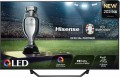 |  |
|---|---|---|
| Hisense 50A7NQ | Hisense 50E7NQ | |
| Outdated Product | Outdated Product | |
| TOP sellers | ||
Improved image smoothness. Built-in light sensor. | Improved image smoothness. Built-in light sensor. | |
| Size | 50 " | 50 " |
| Operating system | Smart TV (proprietary system) | Smart TV (proprietary system) |
Display | ||
| Matrix | QLED | QLED |
| Backlight type | Direct LED | Direct LED |
| Screen surface | glossy | glossy |
| Resolution | 3840x2160 px | 3840x2160 px |
| Upscaling | up to 4K | up to 4K |
| Brightness | 350 cd/m² | 330 cd/m² |
| Static contrast | 4 000:1 | 4 000:1 |
| Frame rate | 50/60 Hz | 50/60 Hz |
| HDR support | HDR10, Dolby Vision | HDR10, Dolby Vision |
Multimedia | ||
| Sound power | 20 W | 20 W |
| Number of speakers | 2 | 2 |
| Audio decoders | Dolby Atmos, DTS | Dolby Atmos, DTS |
| Digital tuner | DVB-T2 (terrestrial) DVB-C (cable) DVB-S (satellite) DVB-S2 (satellite) | DVB-T2 (terrestrial) DVB-C (cable) DVB-S (satellite) DVB-S2 (satellite) |
Features | ||
| Features | AirPlay 2 Wi-Fi 5 (802.11ac) Miracast Bluetooth voice control Amazon Alexa Google Assistant | AirPlay 2 Wi-Fi 5 (802.11ac) Miracast Bluetooth voice control Amazon Alexa Google Assistant |
Connectors | ||
| HDMI | 3 | 3 |
| HDMI version | v 2.0 | v 2.0 |
| HDMI technologies | eARC, ALLM, VRR | eARC, ALLM, VRR |
| Additional inputs | USB-A 2 pcs LAN composite AV input | USB-A 2 pcs LAN composite AV input |
| Outputs | mini-Jack (3.5 mm) headphones optical | mini-Jack (3.5 mm) headphones optical |
General | ||
| Wall mount | VESA 300x200 mm | VESA 200x400 mm |
| Stand shape | monolithic | 2 separate legs |
| Power consumption | 145 W | 120 W |
| Energy efficiency class (new) | E | E |
| Dimensions (WxHxD) | 1117x705x251 mm | 1119x702x274 mm |
| Dimensions without stand (WxHxD) | 1117x647x77 mm | 1119x649x80 mm |
| Weight | 11.8 kg | 10 kg |
| Color | ||
| Added to E-Catalog | june 2024 | june 2024 |


Compare Hisense 50A7NQ and 50E7NQ
Televisions Hisense 50A7NQ and Hisense 50E7NQ have similar features, such as a 50-inch diagonal size, 3840x2160 pixel resolution, and support for HDR10, Dolby Vision. However, the A7NQ is slightly brighter with a brightness of 350 cd/m² compared to 330 cd/m² for the E7NQ. Additionally, the A7NQ has a VESA 300x200 mm mount, whereas the E7NQ has a VESA 200x400 mm mount. Both televisions have 20 W of sound and the same number of ports, but the A7NQ has an integrated stand, while the E7NQ has separate legs.
You may be interested in
My comparisons
Hisense 50A7NQ often compared


Hisense 50E7NQ often compared


Glossary
Brightness
The maximum brightness of the image provided by the TV screen.
The image on the screen should be bright enough so that you do not have to strain your eyes unnecessarily to view it. However, too high brightness is undesirable — it will also lead to fatigue. The optimal brightness level depends on the surrounding conditions: the more intense the ambient light, the brighter the TV screen should be. So, on a sunny day, the screen may have to be “turned up” to the maximum, and in the evening, in dimmed light, a relatively dim image will be more comfortable. In addition note that large screens require higher brightness, since they are designed for a greater distance from the viewer.
Thus, the higher the number in this paragraph, the greater the margin of brightness this model has, the better it will show itself in intense ambient light. The lowest indicator sufficient for more or less comfortable viewing in any conditions is 300 cd/m² for models with a diagonal of up to 32", 400 cd/m² for models in the range of 32 – 55" and 600 cd/m² for large screens of 60" and more. In this case, the brightness margin anyway will not be superfluous. But with lower indicators, you may have to darken the room somewhat for comfortable viewing.
The image on the screen should be bright enough so that you do not have to strain your eyes unnecessarily to view it. However, too high brightness is undesirable — it will also lead to fatigue. The optimal brightness level depends on the surrounding conditions: the more intense the ambient light, the brighter the TV screen should be. So, on a sunny day, the screen may have to be “turned up” to the maximum, and in the evening, in dimmed light, a relatively dim image will be more comfortable. In addition note that large screens require higher brightness, since they are designed for a greater distance from the viewer.
Thus, the higher the number in this paragraph, the greater the margin of brightness this model has, the better it will show itself in intense ambient light. The lowest indicator sufficient for more or less comfortable viewing in any conditions is 300 cd/m² for models with a diagonal of up to 32", 400 cd/m² for models in the range of 32 – 55" and 600 cd/m² for large screens of 60" and more. In this case, the brightness margin anyway will not be superfluous. But with lower indicators, you may have to darken the room somewhat for comfortable viewing.
Wall mount
Most TVs have a VESA wall mount which may vary in size. The basis for such mount is a rectangular plate with four holes for screws in the corners. The main characteristic of such a mount is the distance between the holes — it is measured along the sides of the rectangle and is expressed in two numbers. The original VESA format is 100x100, these mounts are used for most medium-sized LCD TVs. For small screens, 75x75 mounts are provided, for large ones — 200x200 and more (up to 800x400).
However, there are also models that are equipped with a standard (proprietary) mount from the manufacturer. Mostly these are either ultra-thin TVs or designer lines. Anyway, the mount in the kit is suitable only for the selected model.
However, there are also models that are equipped with a standard (proprietary) mount from the manufacturer. Mostly these are either ultra-thin TVs or designer lines. Anyway, the mount in the kit is suitable only for the selected model.
Stand shape
— 2 separate legs. Two legs as support are usually located on different sides of the lower face of the TV panel body. Such a design involves placing the TV on a large flat surface that extends along the entire lower side of the device. The TV is often more stable on two "legs" than on one leg.
— 1 leg on the platform. A support for the TV with a round or rectangular platform, which is in contact with the surface of the TV panel (table, stand, etc.) with its entire plane.
— 1 leg with supports. Stands of this kind consist of a single leg and a base of various geometric shapes that holds the TV. This solution ensures reliable stability of the TV panel, and in terms of design, it is a stylish element of the design of the structure.
— Monolithic. A solid stand with two or more attachment points to the bottom of the TV and monolithic frames as a solid support for installing the TV panel on a flat surface of a table or stand.
— 1 leg on the platform. A support for the TV with a round or rectangular platform, which is in contact with the surface of the TV panel (table, stand, etc.) with its entire plane.
— 1 leg with supports. Stands of this kind consist of a single leg and a base of various geometric shapes that holds the TV. This solution ensures reliable stability of the TV panel, and in terms of design, it is a stylish element of the design of the structure.
— Monolithic. A solid stand with two or more attachment points to the bottom of the TV and monolithic frames as a solid support for installing the TV panel on a flat surface of a table or stand.
Power consumption
The electrical power normally consumed by the TV. This parameter strongly depends on the screen size and sound power (see above), however, it can be determined by other parameters — primarily additional features and technologies implemented in the design. It is worth noting that most modern LCD TVs are quite economical, and most often this parameter does not play a significant role — in most cases, power consumption is about several tens of watts. And even large models with a diagonal of 70 – 90" consume about 200 – 300 W — this can be compared with the system unit of a low-power desktop PC.