
Comparison TCL 75C655 vs TCL 75C805
Add to comparison |  | 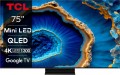 |
|---|---|---|
| TCL 75C655 | TCL 75C805 | |
| Outdated Product | Outdated Product | |
| User reviews | ||
| TOP sellers | ||
120 Hz at 1920x1080 resolution. | ||
| Size | 75 " | 75 " |
| Operating system | Google TV (Android TV) | Google TV (Android TV) |
Display | ||
| Matrix | QLED | QLED |
| Backlight type | Direct LED | Mini LED |
| Screen surface | matte | anti-glare |
| Resolution | 3840x2160 px | 3840x2160 px |
| Upscaling | up to 4K | up to 4K |
| Brightness | 450 cd/m² | |
| Static contrast | 6 000:1 | |
| Frame rate | 50/60 Hz | 100/120 Hz |
| Frame rate (game mode) | 144 Hz | |
| HDR support | HDR10+, Dolby Vision | HDR10+, Dolby Vision |
| Brightness / contrast enhancement |  | |
| Colour enhancement | | |
| AMD compatible | AMD FreeSync Premium Pro | |
Multimedia | ||
| Speaker system | ONKYO | |
| Sound power | 50 W | 30 W |
| Number of speakers | 2 | 2 |
| Subwoofer | |  |
| Audio decoders | Dolby Atmos, DTS Virtual:X, DTS-HD, Dolby AC4, Dolby TrueHD | Dolby AC4, Dolby TrueHD, Dolby Atmos, DTS |
| Digital tuner | DVB-T2 (terrestrial) DVB-C (cable) DVB-S2 (satellite) | DVB-T2 (terrestrial) DVB-C (cable) DVB-S2 (satellite) |
| Picture-in-picture | | |
Features | ||
| Features | Wi-Fi 5 (802.11ac) Miracast Google Cast (Chromecast) Bluetooth v5.0 voice control Amazon Alexa Google Assistant | Wi-Fi 5 (802.11ac) Google Cast (Chromecast) Bluetooth voice control Amazon Alexa Google Assistant |
Connectors | ||
| HDMI | 3 | 4 |
| HDMI version | v 2.1 | v 2.1 |
| HDMI technologies | ALLM, CEC, eARC, VRR | eARC, VRR, ALLM |
| Additional inputs | USB-A 2 pcs LAN composite AV input | USB-A LAN composite AV input |
| Outputs | optical | mini-Jack (3.5 mm) headphones optical |
General | ||
| RAM | 3 GB | |
| Built-in memory | 32 GB | |
| Wall mount | VESA 400x400 mm | VESA 400x400 mm |
| Stand shape | 2 separate legs | 1 leg on the platform |
| Power consumption | 128 W | 140 W |
| Energy efficiency class (new) | F | G |
| Dimensions (WxHxD) | 1666x1035x343 mm | 1668x1022x331 mm |
| Dimensions without stand (WxHxD) | 1666x958x75 mm | 1668x966x75 mm |
| Weight | 29.6 kg | 29.6 kg |
| Color | ||
| Added to E-Catalog | april 2024 | september 2023 |


Compare TCL 75C655 and 75C805
You may be interested in
My comparisons
TCL 75C655 often compared


TCL 75C805 often compared


Glossary
Backlight type
— Edge LED — side backlight of the matrix. In this case, the LEDs are distributed around the perimeter of the screen. To evenly distribute the backlight, the background of the matrix has a special reflector. An important advantage of TVs with Edge LED backlighting is the minimum thickness of the device. Among the shortcomings, one can note the presence of glare at the edges, which appear under certain conditions. Glare may be visible in scenes where dark hues predominate.
— Direct LED — rear matrix backlight. In this case, the LEDs are evenly distributed over the entire screen area. The Direct LED backlight makes the image contrast and bright at the same time. TVs with this technology have good colour reproduction. Among the shortcomings can be noted increased power consumption and increased dimensions. Additionally, such TVs have a large delay (Input lag), which is why Direct LED backlit screens are poorly suited for dynamic games.
— FALD (Full-Array Local Dimming) is a backlight technology widely used in LG TVs. A close analogue of FALD is the Direct LED backlight. The LEDs are also evenly spaced across the entire surface of the matrix, but FALD technology provides a bright, colour-rich image with high contrast. Another distinctive feature of FALD is the ability to reproduce natural blacks. When black is displayed on the screen, the LEDs are turn...ed off in groups, by sector, which allows to make black extremely saturated. Of course, the abundance of LEDs on the matrix makes the TV more massive, and at the same time heavy. The appetite for electricity in such models is above average.
— Mini LED. Screen backlight system on a substrate of reduced LEDs (hence the Mini prefix). On the same plane of the TV panel, the number of LEDs has increased several times, if we draw parallels with traditional LED systems. As a result, the canvas with Mini LED backlight has many times more local dimming zones of the picture (Local Dimming), which is necessary for the correct operation of the extended dynamic range image technology. For playing HDR content, Mini LED systems are much better than ordinary LCDs.
— Dual LED. Proprietary backlight system used in Samsung TVs. The technology involves illuminating the image on the screen with two types of LEDs: one emits light in a cold spectrum, the other in a warm one. The Dual LED enhances colour reproduction and enhances detail contrast by adapting the colour tone of the picture according to the content on the screen.
— Dual LED. Proprietary backlight system used in Samsung TVs. The technology involves illuminating the image on the screen with two types of LEDs: one emits light in a cold spectrum, the other in a warm one. The Dual LED enhances colour reproduction and enhances detail contrast by adapting the colour tone of the picture according to the content on the screen.
Screen surface
The type of coating used on the TV screen.
— Matte. Historically, the first type of coating for LCD screens, which is often found today. Screens with such a coating generally have average characteristics of brightness, saturation and colour reproduction quality, in terms of these indicators they are inferior to glossy counterparts. However, the matte coating has one important advantage: it has virtually no glare from ambient light. In some situations, this can be an important advantage — for example, if the TV is installed opposite the window. And for some users it is more pleasant to look at the screen without glare, albeit relatively dim.
— Glossy. A coating designed to improve the brightness and colour quality of the visible image compared to matte screens. The creators have managed to achieve this goal: "glossy" screens really provide rich, vibrant colours and a brighter image. The key disadvantage of such screens is the appearance of glare from ambient light on them — this can ruin the whole viewing experience. Because of this, the classic glossy coating is practically not used today, anti-glare solutions have taken its place (see below).
— Glossy (anti-glare). Modification of the glossy coating, created, as the name implies, in order to eliminate the main drawback of the classic gloss — glare from external lighting. This is not to say th...at such screens do not glare at all, but there are much less reflections on them than on ordinary glossy ones. As for the image quality, it is at least not much worse, and often even better (especially since such coatings are constantly being improved). Thanks to all this, most modern TVs of all price categories are equipped with anti-glare screens.
— Matte. Historically, the first type of coating for LCD screens, which is often found today. Screens with such a coating generally have average characteristics of brightness, saturation and colour reproduction quality, in terms of these indicators they are inferior to glossy counterparts. However, the matte coating has one important advantage: it has virtually no glare from ambient light. In some situations, this can be an important advantage — for example, if the TV is installed opposite the window. And for some users it is more pleasant to look at the screen without glare, albeit relatively dim.
— Glossy. A coating designed to improve the brightness and colour quality of the visible image compared to matte screens. The creators have managed to achieve this goal: "glossy" screens really provide rich, vibrant colours and a brighter image. The key disadvantage of such screens is the appearance of glare from ambient light on them — this can ruin the whole viewing experience. Because of this, the classic glossy coating is practically not used today, anti-glare solutions have taken its place (see below).
— Glossy (anti-glare). Modification of the glossy coating, created, as the name implies, in order to eliminate the main drawback of the classic gloss — glare from external lighting. This is not to say th...at such screens do not glare at all, but there are much less reflections on them than on ordinary glossy ones. As for the image quality, it is at least not much worse, and often even better (especially since such coatings are constantly being improved). Thanks to all this, most modern TVs of all price categories are equipped with anti-glare screens.
Brightness
The maximum brightness of the image provided by the TV screen.
The image on the screen should be bright enough so that you do not have to strain your eyes unnecessarily to view it. However, too high brightness is undesirable — it will also lead to fatigue. The optimal brightness level depends on the surrounding conditions: the more intense the ambient light, the brighter the TV screen should be. So, on a sunny day, the screen may have to be “turned up” to the maximum, and in the evening, in dimmed light, a relatively dim image will be more comfortable. In addition note that large screens require higher brightness, since they are designed for a greater distance from the viewer.
Thus, the higher the number in this paragraph, the greater the margin of brightness this model has, the better it will show itself in intense ambient light. The lowest indicator sufficient for more or less comfortable viewing in any conditions is 300 cd/m² for models with a diagonal of up to 32", 400 cd/m² for models in the range of 32 – 55" and 600 cd/m² for large screens of 60" and more. In this case, the brightness margin anyway will not be superfluous. But with lower indicators, you may have to darken the room somewhat for comfortable viewing.
The image on the screen should be bright enough so that you do not have to strain your eyes unnecessarily to view it. However, too high brightness is undesirable — it will also lead to fatigue. The optimal brightness level depends on the surrounding conditions: the more intense the ambient light, the brighter the TV screen should be. So, on a sunny day, the screen may have to be “turned up” to the maximum, and in the evening, in dimmed light, a relatively dim image will be more comfortable. In addition note that large screens require higher brightness, since they are designed for a greater distance from the viewer.
Thus, the higher the number in this paragraph, the greater the margin of brightness this model has, the better it will show itself in intense ambient light. The lowest indicator sufficient for more or less comfortable viewing in any conditions is 300 cd/m² for models with a diagonal of up to 32", 400 cd/m² for models in the range of 32 – 55" and 600 cd/m² for large screens of 60" and more. In this case, the brightness margin anyway will not be superfluous. But with lower indicators, you may have to darken the room somewhat for comfortable viewing.
Static contrast
The level of static contrast provided by the TV screen.
Contrast in a general sense is the ratio in brightness between the brightest whites and the darkest blacks that the screen can produce. Other things being equal, the higher the screen contrast, the better the quality of colour reproduction and detail, the lower the likelihood that it will be impossible to see details in too bright or too dark areas of the image. Static contrast, on the other hand, describes the maximum difference in brightness that can be achieved within one frame without changing the brightness of the image — this is its difference from dynamic contrast (see below).
The values of static contrast are much lower than those of dynamic, but this characteristic is the most "honest". It is on it that the properties of the image seen on the screen at a particular moment depend, it is describes the basic properties of the screen, without taking into account the software tricks provided by the manufacturer in the hardware of the TV.
Contrast in a general sense is the ratio in brightness between the brightest whites and the darkest blacks that the screen can produce. Other things being equal, the higher the screen contrast, the better the quality of colour reproduction and detail, the lower the likelihood that it will be impossible to see details in too bright or too dark areas of the image. Static contrast, on the other hand, describes the maximum difference in brightness that can be achieved within one frame without changing the brightness of the image — this is its difference from dynamic contrast (see below).
The values of static contrast are much lower than those of dynamic, but this characteristic is the most "honest". It is on it that the properties of the image seen on the screen at a particular moment depend, it is describes the basic properties of the screen, without taking into account the software tricks provided by the manufacturer in the hardware of the TV.
Frame rate
The true panel frequency of a TV without marketing enhancements and interpolation; today there are two classes: 50/60 Hz and 100/120 Hz. The pair of 50 and 60 Hz exists due to historical video signal standards (Europe 25/50, USA/Asia 30/60), with modern TVs typically accepting both. It is reasonable to consider the 100/120 Hz pair as one: it is the same high-end hardware platform, simply operating in multiples of its "native" content (100 Hz for 50 Hz sources, 120 Hz for 60 Hz). This class provides smoother motion in sports and 24p movies (at 120 Hz — in a multiple of 5:5 without stuttering) and unlocks 4K@120 Hz/VRR for gaming; 50/60 Hz remains the basic option for TV and streaming without gaming ambitions.
Frame rate (game mode)
The maximum frequency at which the TV can operate at its primary screen resolution. Models with a high refresh rate, such as 144 or 165 Hz, can generally achieve it only when Game Mode is activated. In Game Mode, heavy image processing is disabled, which reduces input lag, frees up CPU resources, and allows the panel to render more frames per second — movements become smoother, making it easier to track targets in shooters and turns in racing games.
AMD compatible
TV compatibility with special frame synchronization technologies used in AMD graphics cards.
You should pay attention to this parameter if you plan to use the TV as a gaming monitor for a PC or laptop with an AMD graphics adapter. Special timing technologies are used to match the screen refresh rate to the frame rate of the incoming video signal. Such a need arises for the reason that the frame rate issued by the graphics card can “float” when the load on the video adapter changes (this is especially true for demanding games); and if this frequency does not match the screen refresh rate – tears and other unwanted artifacts appear on the image.
The AMD technology used to eliminate this effect is called FreeSync. Nowadays, it is presented on the market in three versions — the original FreeSync and two extended ones:
– AMD FreeSync Premium Pro. The most advanced and functional version, formerly known as AMD FreeSync 2 HDR. In addition to refresh rate sync, it also includes support for HDR (see above), output at a frame rate of at least 120 Hz at Full HD resolution, as well as low frame rate compensation (LFC). The essence of LFC is that when the frame rate of the original video signal falls below the minimum frequency supported by the screen, the same frame is displayed on the screen several times, which allows to maintain the maximum smoothness of the “picture”.
— AMD FreeSync Premium. A somewhat s...implified version compared to FreeSync Premium Pro. It does not provide working with HDR, otherwise it is completely similar.
You should pay attention to this parameter if you plan to use the TV as a gaming monitor for a PC or laptop with an AMD graphics adapter. Special timing technologies are used to match the screen refresh rate to the frame rate of the incoming video signal. Such a need arises for the reason that the frame rate issued by the graphics card can “float” when the load on the video adapter changes (this is especially true for demanding games); and if this frequency does not match the screen refresh rate – tears and other unwanted artifacts appear on the image.
The AMD technology used to eliminate this effect is called FreeSync. Nowadays, it is presented on the market in three versions — the original FreeSync and two extended ones:
– AMD FreeSync Premium Pro. The most advanced and functional version, formerly known as AMD FreeSync 2 HDR. In addition to refresh rate sync, it also includes support for HDR (see above), output at a frame rate of at least 120 Hz at Full HD resolution, as well as low frame rate compensation (LFC). The essence of LFC is that when the frame rate of the original video signal falls below the minimum frequency supported by the screen, the same frame is displayed on the screen several times, which allows to maintain the maximum smoothness of the “picture”.
— AMD FreeSync Premium. A somewhat s...implified version compared to FreeSync Premium Pro. It does not provide working with HDR, otherwise it is completely similar.
Speaker system
The brand of the speaker system installed in the TV.
This item is indicated if the TV is equipped with advanced sound system, which is noticeably superior in quality to conventional speakers. Such information further emphasizes the high level of the device. At the same time, the specifications usually do not contain the full name of the speaker system, but only the brand name — for example, Bang & Olufsen, Harman Kardon, JBL, etc.: even such information is quite enough in this case.
This item is indicated if the TV is equipped with advanced sound system, which is noticeably superior in quality to conventional speakers. Such information further emphasizes the high level of the device. At the same time, the specifications usually do not contain the full name of the speaker system, but only the brand name — for example, Bang & Olufsen, Harman Kardon, JBL, etc.: even such information is quite enough in this case.
Sound power
The nominal power of the sound produced by the TV's sound system.
The larger the screen and the greater the estimated distance to the viewer, the more powerful the sound system must be in order to be heard normally. Manufacturers take this moment into account, moreover, most often they also provide a solid volume margin. So if a TV is bought for home viewing in a quiet, calm environment, you can not pay much attention to the sound power: it is guaranteed to be enough for such a usage. It makes sense to specifically look for models with high-power speakers for a noisy environment — for example, a cafe or other public space. Detailed recommendations on this matter can be found in special sources, but here we note that even in such cases, connecting external speakers can be a good alternative.
The larger the screen and the greater the estimated distance to the viewer, the more powerful the sound system must be in order to be heard normally. Manufacturers take this moment into account, moreover, most often they also provide a solid volume margin. So if a TV is bought for home viewing in a quiet, calm environment, you can not pay much attention to the sound power: it is guaranteed to be enough for such a usage. It makes sense to specifically look for models with high-power speakers for a noisy environment — for example, a cafe or other public space. Detailed recommendations on this matter can be found in special sources, but here we note that even in such cases, connecting external speakers can be a good alternative.