
Comparison Sony KD-55X85L vs Sony KD-55X75WL
Add to comparison | 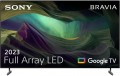 | 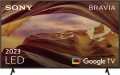 |
|---|---|---|
| Sony KD-55X85L | Sony KD-55X75WL | |
from $999.00 | from $799.00 | |
| TOP sellers | ||
Full-array local dimming. Google TV OS. | ||
| Size | 55 " | 55 " |
| Operating system | Google TV (Android TV) | Google TV (Android TV) |
| CPU | Sony X1 | Sony X1 |
Display | ||
| Backlight type | FALD | Direct LED |
| Screen surface | anti-glare | anti-glare |
| Resolution | 3840x2160 px | 3840x2160 px |
| Upscaling | up to 4K | up to 4K |
| Frame rate | 100/120 Hz | 50/60 Hz |
| HDR support | HDR10, Dolby Vision | HDR10, Dolby Vision |
| Brightness / contrast enhancement |  |  |
| Colour enhancement | | |
Multimedia | ||
| Sound power | 20 W | 20 W |
| Number of speakers | 2 | 2 |
| Audio decoders | Dolby Atmos, DTS | Dolby Atmos, DTS |
| Digital tuner | DVB-T2 (terrestrial) DVB-C (cable) DVB-S (satellite) DVB-S2 (satellite) | DVB-T2 (terrestrial) DVB-C (cable) DVB-S (satellite) DVB-S2 (satellite) |
| Picture-in-picture | | |
Features | ||
| Features | AirPlay 2 Wi-Fi 5 (802.11ac) Google Cast (Chromecast) Bluetooth v4.2 voice control Google Assistant | AirPlay 2 Wi-Fi 5 (802.11ac) Google Cast (Chromecast) Bluetooth v4.2 voice control Google Assistant |
Connectors | ||
| HDMI | 4 | 4 |
| HDMI version | v 2.1 | |
| HDMI technologies | VRR, ALLM, eARC | ALLM, eARC |
| Additional inputs | USB-A 2 pcs LAN composite AV input | USB-A 2 pcs LAN composite AV input |
| Outputs | optical | optical |
General | ||
| Built-in memory | 32 GB | 32 GB |
| Wall mount | VESA 300x300 mm | VESA 300x300 mm |
| Stand shape | 2 separate legs | 2 separate legs |
| Power consumption | 76 W | |
| Energy efficiency class (new) | F | |
| Dimensions (WxHxD) | 1228x784x336 mm | 1243x789x334 mm |
| Dimensions without stand (WxHxD) | 1228x709x56 mm | 1243x721x71 mm |
| Weight | 17.4 kg | 15.6 kg |
| Color | ||
| Added to E-Catalog | august 2023 | april 2023 |


Compare Sony KD-55X85L and 55X75WL
You may be interested in
My comparisons
Sony KD-55X85L often compared


Sony KD-55X75WL often compared


Glossary
Backlight type
— Edge LED — side backlight of the matrix. In this case, the LEDs are distributed around the perimeter of the screen. To evenly distribute the backlight, the background of the matrix has a special reflector. An important advantage of TVs with Edge LED backlighting is the minimum thickness of the device. Among the shortcomings, one can note the presence of glare at the edges, which appear under certain conditions. Glare may be visible in scenes where dark hues predominate.
— Direct LED — rear matrix backlight. In this case, the LEDs are evenly distributed over the entire screen area. The Direct LED backlight makes the image contrast and bright at the same time. TVs with this technology have good colour reproduction. Among the shortcomings can be noted increased power consumption and increased dimensions. Additionally, such TVs have a large delay (Input lag), which is why Direct LED backlit screens are poorly suited for dynamic games.
— FALD (Full-Array Local Dimming) is a backlight technology widely used in LG TVs. A close analogue of FALD is the Direct LED backlight. The LEDs are also evenly spaced across the entire surface of the matrix, but FALD technology provides a bright, colour-rich image with high contrast. Another distinctive feature of FALD is the ability to reproduce natural blacks. When black is displayed on the screen, the LEDs are turn...ed off in groups, by sector, which allows to make black extremely saturated. Of course, the abundance of LEDs on the matrix makes the TV more massive, and at the same time heavy. The appetite for electricity in such models is above average.
— Mini LED. Screen backlight system on a substrate of reduced LEDs (hence the Mini prefix). On the same plane of the TV panel, the number of LEDs has increased several times, if we draw parallels with traditional LED systems. As a result, the canvas with Mini LED backlight has many times more local dimming zones of the picture (Local Dimming), which is necessary for the correct operation of the extended dynamic range image technology. For playing HDR content, Mini LED systems are much better than ordinary LCDs.
— Dual LED. Proprietary backlight system used in Samsung TVs. The technology involves illuminating the image on the screen with two types of LEDs: one emits light in a cold spectrum, the other in a warm one. The Dual LED enhances colour reproduction and enhances detail contrast by adapting the colour tone of the picture according to the content on the screen.
— Dual LED. Proprietary backlight system used in Samsung TVs. The technology involves illuminating the image on the screen with two types of LEDs: one emits light in a cold spectrum, the other in a warm one. The Dual LED enhances colour reproduction and enhances detail contrast by adapting the colour tone of the picture according to the content on the screen.
Frame rate
The true panel frequency of a TV without marketing enhancements and interpolation; today there are two classes: 50/60 Hz and 100/120 Hz. The pair of 50 and 60 Hz exists due to historical video signal standards (Europe 25/50, USA/Asia 30/60), with modern TVs typically accepting both. It is reasonable to consider the 100/120 Hz pair as one: it is the same high-end hardware platform, simply operating in multiples of its "native" content (100 Hz for 50 Hz sources, 120 Hz for 60 Hz). This class provides smoother motion in sports and 24p movies (at 120 Hz — in a multiple of 5:5 without stuttering) and unlocks 4K@120 Hz/VRR for gaming; 50/60 Hz remains the basic option for TV and streaming without gaming ambitions.
Brightness / contrast enhancement
TV support for one or another brightness / contrast enhancement technology.
Usually, in this case, software image processing is implied, in such a way as to improve brightness and/or contrast (if necessary). Specific processing methods may be different — in particular, in some cases we are actually talking about turning standard content into HDR (see above), and some manufacturers do not specify technical details at all. The effectiveness of different technologies can also be different, and besides, it is highly dependent on the specific content: in some cases, the improvement will be obvious, in others it may be almost imperceptible. Also note that this feature is not always useful, so in most models it is turned off.
Usually, in this case, software image processing is implied, in such a way as to improve brightness and/or contrast (if necessary). Specific processing methods may be different — in particular, in some cases we are actually talking about turning standard content into HDR (see above), and some manufacturers do not specify technical details at all. The effectiveness of different technologies can also be different, and besides, it is highly dependent on the specific content: in some cases, the improvement will be obvious, in others it may be almost imperceptible. Also note that this feature is not always useful, so in most models it is turned off.
HDMI version
About the interface itself, see above, and its different versions differ in maximum resolution and other features. Here are the options found in modern TVs:
— v 1.4. The oldest of the current versions, released in 2009. However, it supports 3D video, capable of working with resolutions up to 4096x2160 at 24 fps, and in Full HD resolution, the frame rate can reach 120 fps. In addition to the original v.1.4, there are also improved modifications — v.1.4a and v.1.4b; they are similar in terms of basic features, in both cases the improvements affected mainly work with 3D content.
– v 2.0. Significant update to HDMI introduced in 2013. In this version, the maximum frame rate in 4K has increased to 60 fps, and the audio bandwidth has increased to 32 channels and 4 separate streams simultaneously. Also from the innovations, we can mention support for the ultra-wide format 21:9. In the v.2.0a update HDR support was added to the interface capabilities, in v.2.0b this feature was improved and expanded.
— v 2.1. Despite the similarity in name to v.2.0, this version, released in 2017, was a very large-scale update. In particular, it added support for 8K and even 10K at speeds up to 120 fps, as well as even more expanded features for working with HDR. Under this version, its own cable was released — HDMI Ultra High Speed, all HDMI 2.1 features are available only when using cables of this standard, although basic functio...ns can be used with simpler cords.
— v 1.4. The oldest of the current versions, released in 2009. However, it supports 3D video, capable of working with resolutions up to 4096x2160 at 24 fps, and in Full HD resolution, the frame rate can reach 120 fps. In addition to the original v.1.4, there are also improved modifications — v.1.4a and v.1.4b; they are similar in terms of basic features, in both cases the improvements affected mainly work with 3D content.
– v 2.0. Significant update to HDMI introduced in 2013. In this version, the maximum frame rate in 4K has increased to 60 fps, and the audio bandwidth has increased to 32 channels and 4 separate streams simultaneously. Also from the innovations, we can mention support for the ultra-wide format 21:9. In the v.2.0a update HDR support was added to the interface capabilities, in v.2.0b this feature was improved and expanded.
— v 2.1. Despite the similarity in name to v.2.0, this version, released in 2017, was a very large-scale update. In particular, it added support for 8K and even 10K at speeds up to 120 fps, as well as even more expanded features for working with HDR. Under this version, its own cable was released — HDMI Ultra High Speed, all HDMI 2.1 features are available only when using cables of this standard, although basic functio...ns can be used with simpler cords.
HDMI technologies
— VRR. VRR (Variable Refresh Rate) adaptive frame rate synchronization technology allows you to adjust the refresh rate of the image on the TV screen in real time in accordance with the frame rate output by the game console or connected computer. The function ensures smooth rendering of dynamic scenes, eliminates frame breaks, and guarantees comfortable and stable gameplay. Realizable technology with standard HDMI v 2.1.
— ALLM. Automatic low latency mode for games (Auto Low Latency Mode). The TV switches to game mode when it detects a game console connection. Reducing the output delay on the TV panel screen is provided by suspending part of the image processing functions. The ALLM mode can also be useful for karaoke and video calls.
eARC. HDMI v 2.1 has an enhanced eARC (enhanced Audio Return Channel). The technology allows you to send higher quality audio from your TV to your soundbar or AV receiver. It claims to support the latest high bit rate audio formats up to 192 kHz, uncompressed 5.1 and 7.1, and 32-channel uncompressed audio. eARC also supports Dolby TrueHD, DTS-HD Master Audio, DTS:X, Dolby Atmos.
— CEC. The CEC (Consumer Electronics Control) system is designed for remote control of equipment connected to the TV using a single remote control. The devices are connected to the TV panel using an HDMI cable.
— ALLM. Automatic low latency mode for games (Auto Low Latency Mode). The TV switches to game mode when it detects a game console connection. Reducing the output delay on the TV panel screen is provided by suspending part of the image processing functions. The ALLM mode can also be useful for karaoke and video calls.
eARC. HDMI v 2.1 has an enhanced eARC (enhanced Audio Return Channel). The technology allows you to send higher quality audio from your TV to your soundbar or AV receiver. It claims to support the latest high bit rate audio formats up to 192 kHz, uncompressed 5.1 and 7.1, and 32-channel uncompressed audio. eARC also supports Dolby TrueHD, DTS-HD Master Audio, DTS:X, Dolby Atmos.
— CEC. The CEC (Consumer Electronics Control) system is designed for remote control of equipment connected to the TV using a single remote control. The devices are connected to the TV panel using an HDMI cable.
Power consumption
The electrical power normally consumed by the TV. This parameter strongly depends on the screen size and sound power (see above), however, it can be determined by other parameters — primarily additional features and technologies implemented in the design. It is worth noting that most modern LCD TVs are quite economical, and most often this parameter does not play a significant role — in most cases, power consumption is about several tens of watts. And even large models with a diagonal of 70 – 90" consume about 200 – 300 W — this can be compared with the system unit of a low-power desktop PC.
Energy efficiency class (new)
This parameter characterizes the efficiency of electricity consumption. Classes are designated in Latin letters from A to G, in ascending order of energy consumption. Actually, this was originally conceived, until more energy-efficient models pulled up to class A, which eventually received the marking A +, A ++, A +++. Further development of technology has made it possible to go even further, and in order not to produce pluses in energy efficiency labeling, in March 2021, manufacturers returned to the previous indices from G to A, where A is the most energy efficient TV. Accordingly, the 2021 models will have modern markings, while older models will be marked in the same way. Accordingly, now energy efficiency G, F, E has become the most popular, and models with energy efficiency A, D, C are rare.