
Comparison MSI G274PF 27 " black vs MSI G274F 27 " black
Add to comparison | 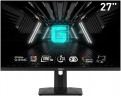 |  |
|---|---|---|
| MSI G274PF 27 " black | MSI G274F 27 " black | |
from $176.50 | from $130.00 | |
| TOP sellers | ||
| Product type | gaming | gaming |
| Size | 27 " | 27 " |
Screen | ||
| Panel type | IPS | IPS |
| Surface treatment | anti-glare | anti-glare |
| Resolution | 1920x1080 (16:9) | 1920x1080 (16:9) |
| FPS | 180 Hz | 180 Hz |
| Pixel size | 0.31 mm | 0.31 mm |
| Response time (GtG) | 1 ms | 1 ms |
| Vertical viewing angle | 178 ° | 178 ° |
| Horizontal viewing angle | 178 ° | 178 ° |
| Brightness | 250 cd/m² | 250 cd/m² |
| Static contrast | 1 000:1 | 1 000:1 |
| Dynamic Contrast | 100 000 000:1 | 100 000 000:1 |
| Colour depth | 6-bit + FRC (16.7M Colors) | 6-bit + FRC (16.7M Colors) |
| Colour space (sRGB) | 134 % | 134 % |
| Colour space (Adobe RGB) | 94 % | 94 % |
| Colour gamut (DCI-P3) | 98 % | 98 % |
| HDR | + | + |
| TÜV Rheinland certificate |  | |
Connection | ||
| Video transmission | DisplayPort v1.2 2xHDMI v2.0 | DisplayPort v1.2 2xHDMI v2.0 |
| Connectors (optional) | mini-Jack output (3.5 mm) | mini-Jack output (3.5 mm) |
Features | ||
| Features | Flicker-Free NVIDIA G-Sync Compatible | Flicker-Free NVIDIA G-Sync Compatible |
| Screen swivel | |  |
| Height adjustment | | |
| Game Features | brighten darker areas | brighten darker areas |
General | ||
| Wall mount | VESA 75x75mm | VESA 75x75mm |
| External power supply | | |
| Dimensions (WxHxD) | 614x472x232 mm | 614x472x232 mm |
| Dimensions without stand (WxHxD) | 614x363x70 mm | |
| Weight | 5.3 kg | 5.3 kg |
| Weight without stand | 3.95 kg | |
| Color | ||
| Added to E-Catalog | february 2024 | february 2024 |


Compare MSI G274PF and G274F
You may be interested in
Glossary
Screen swivel
The presence of a swivel stand in the design of the monitor allows you to change not only the angle of the screen (of course everyone has it), but also its rotation to the right and left. The angle of rotation depends on the model, but anyway, even a slight deviation allows you to quickly adjust the position of the monitor to your needs.
Height adjustment
The ability to move the monitor screen up and down relative to the base. This feature is very convenient for adjusting the height of the screen — moving it on the mount is much easier than looking for a stand or resorting to other tricks.