
Comparison UleFone Armor Pad 3 Pro 256 GB vs Blackview Active 8 Pro 256 GB
Add to comparison |  | 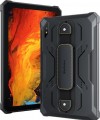 |
|---|---|---|
| UleFone Armor Pad 3 Pro 256 GB | Blackview Active 8 Pro 256 GB | |
from $299.99 | from $289.99 | |
| User reviews | ||
| TOP sellers | ||
Powerful tourist flashlight (483 LED elements, 1100 lm, 5.5 W). Powerful battery. Possibility of connecting external devices via the uSmart connector (endoscopes E01, E02, microscope C01). NFC with payment support. LED notification indicator above the screen. The kit includes a protective film (installed), a strap for the back cover of the case and a kit for its installation. Possibility of connecting an exclusive music system Sound Kit (8-pin pogo). | 8 GB RAM expansion function. Leather carrying handle on the case back. Operating temperature from -30° C to 60° C. Algorithms for creating ArcSoft 4.0 photos. Video recording by the main camera in 2K resolution. The sampling rate of the sensor layer is 120 Hz. Graphite cooling system. | |
| Operating system | Android 13 | Android 13 |
Screen | ||
| Screen | 10.36 " 2000х1200 px 225 ppi IPS 60 Hz Gorilla Glass v5 light sensor | 10.36 " 2000х1200 px 225 ppi IPS 60 Hz Gorilla Glass v5 light sensor |
| Brightness | 500 nit | 400 nit |
| Screen to body ratio | 70 % | 72 % |
| TÜV Rheinland certificate |  |  |
Hardware | ||
| Processor (graphics) | MediaTek MT8788 (Mali-G72) | Helio G99 (Mali-G57) |
| CPU speed | 2 GHz | 2.2 GHz |
| CPU cores | 8 | 8 |
| RAM | 8 GB | 8 GB |
| RAM type | ||
| Storage capacity | 256 GB | 256 GB |
| Storage type | ||
| Card reader | | |
| Max. memory card storage | 2048 GB | 1024 GB |
Test results | ||
| AnTuTu Benchmark | 225 000 points | 416 000 points |
Communication | ||
| SIM card | x2 nano-SIM | x2 nano-SIM |
| Communication standard | 4G (LTE) | 4G (LTE) |
| Wi-Fi | Wi-Fi 5 (802.11aс) | Wi-Fi 5 (802.11aс) |
| Bluetooth | v4.2 | v5.0 |
| NFC | | |
| Connections | USB-C HDMI mini-Jack (3.5 mm) | USB-C mini-Jack (3.5 mm) |
Navigation | ||
| GPS | | |
| GLONASS | | |
| Galileo support | | |
| Digital compass | | |
Camera | ||
| Main | 50 MP autofocus flash | 48 MP autofocus flash |
| Full HD filming (1080p) | 1920x1080 px 30 fps | 1920x1080 px 30 fps |
| 2K video recording | 30 к/с | |
| Camera (front) | 32 MP | 16 MP |
Features | ||
| More features | FM receiver fingerprint scanner on the side gyroscope | FM receiver |
| Acoustics | stereo | stereo sound from Harman Kardon |
Power source | ||
| Battery capacity | 33280 mAh | 22000 mAh |
| Operating time (PCMark) | 21.57 | |
| Fast charging | Power Delivery | Power Delivery |
| Charger power | 66 W | 33 W |
General | ||
| Stylus | | |
| Waterproof | IP68/IP69K | IP68/IP69K |
| Shockproof | MIL-STD-810 | MIL-STD-810 |
| Material | plastic | plastic |
| Size | 261.7x166.8x21.2 mm | 256.3x165.8x16.8 mm |
| Weight | 1243 g | 976 g |
| Color | ||
| Added to E-Catalog | april 2024 | june 2023 |


Compare UleFone Armor Pad 3 Pro and Blackview Active 8 Pro
You may be interested in
My comparisons
UleFone Armor Pad 3 Pro often compared


Blackview Active 8 Pro often compared


Glossary
Brightness
The maximum brightness in nits provided by the tablet screen.
The brighter the display, the more readable the picture remains on it under intense ambient light. Also, high brightness is important for the correct display of HDR content. However, a large margin for this indicator affects the cost and power consumption of the screen. Manufacturers can specify standard, maximum, and peak brightness values. At the same time, an equal sign cannot be put between the maximum and peak brightness. The first indicates the ability of the screen to produce the specified brightness over its entire area, while the peak one - in a limited area and for a short time (mainly for HDR content).
The brighter the display, the more readable the picture remains on it under intense ambient light. Also, high brightness is important for the correct display of HDR content. However, a large margin for this indicator affects the cost and power consumption of the screen. Manufacturers can specify standard, maximum, and peak brightness values. At the same time, an equal sign cannot be put between the maximum and peak brightness. The first indicates the ability of the screen to produce the specified brightness over its entire area, while the peak one - in a limited area and for a short time (mainly for HDR content).
Screen to body ratio
This parameter shows how much of the tablet's front panel area is on the display. The higher the display/body ratio, the thinner the frames and the more compact the tablet (with the same diagonal), the more elegant and aesthetically pleasing it looks. This indicator is also important when holding the tablet with both hands at once (for example, in games): thin frames or even frameless models allow you to reach further with your fingers without removing your hands from the device.
TÜV Rheinland certificate
TÜV Rheinland certified for reduced screen emissions and good eye protection.
Processor (graphics)
The processor is the "heart" of the device. It is responsible for performing all computing operations necessary for the normal functioning of the tablet and largely determines its overall performance. By knowing the specific model name of the processor, you can easily find detailed information about it, including comparisons with other models.
Nowadays, the most popular chips are Qualcomm's Snapdragon (especially top solutions like the Snapdragon series 7 and Snapdragon series 8), MediaTek (budget and "mid-range" processors such as MediaTek Helio and the advanced chipset line MediaTek Dimensity with 5G support), Unisoc. Among Windows tablets, Intel processors are common (mostly from the Intel Core family). And we must not forget about Apple's powerful processors M3, M4, M5.
The model of the graphics card installed in the tablet is indicated in parentheses. In such devices, the graphics card is not a separate unit but part of the processor; nevertheless, it still has a clear specialization and is responsible for graphics.
Accordingly, the graphics capabilities of the tablet directly de...pend on the characteristics of the graphics accelerator. In theory, by knowing the name, you can find detailed specifications of the graphics card, reviews, test results, and other information to assess how well it suits your needs. At the same time, in most cases, delving into such details is unnecessary— all system components, including the graphics card, are usually selected to fit the overall class of the tablet and the necessary capabilities for that class.
Nowadays, the most popular chips are Qualcomm's Snapdragon (especially top solutions like the Snapdragon series 7 and Snapdragon series 8), MediaTek (budget and "mid-range" processors such as MediaTek Helio and the advanced chipset line MediaTek Dimensity with 5G support), Unisoc. Among Windows tablets, Intel processors are common (mostly from the Intel Core family). And we must not forget about Apple's powerful processors M3, M4, M5.
The model of the graphics card installed in the tablet is indicated in parentheses. In such devices, the graphics card is not a separate unit but part of the processor; nevertheless, it still has a clear specialization and is responsible for graphics.
Accordingly, the graphics capabilities of the tablet directly de...pend on the characteristics of the graphics accelerator. In theory, by knowing the name, you can find detailed specifications of the graphics card, reviews, test results, and other information to assess how well it suits your needs. At the same time, in most cases, delving into such details is unnecessary— all system components, including the graphics card, are usually selected to fit the overall class of the tablet and the necessary capabilities for that class.
CPU speed
The clock speed of the processor installed in the tablet is actually the maximum number of operations performed by one processor core per second. This indicator is important for the speed of the system, but a high clock frequency in itself does not guarantee speed. The actual speed of the processor also depends on its architecture, the number of cores and many other features, and the overall speed of the device also depends on the amount of “RAM”, the installed OS, etc. Therefore, situations are not uncommon when powerful advanced tablets have a lower CPU frequency than more modest models.
Max. memory card storage
The largest amount of memory card with which the tablet is able to work correctly. For more information about the cards themselves, see "Memory Card Slot"; here we note that capacious media often use advanced technologies that are not supported by early models, and sometimes tablets simply do not have enough power to process large amounts of data. Therefore, for the convenience of choosing in our catalog, the maximum supported volume is indicated.
In fact, there are cases when some devices may exceed the claimed characteristics — for example, work with 8 GB of media with the claimed 4 GB of maximum capacity. However, it is worth focus on official data, because. if they are exceeded, normal operation with the card is not guaranteed.
In fact, there are cases when some devices may exceed the claimed characteristics — for example, work with 8 GB of media with the claimed 4 GB of maximum capacity. However, it is worth focus on official data, because. if they are exceeded, normal operation with the card is not guaranteed.
AnTuTu Benchmark
The result shown by a device when undergoing a performance test (benchmark) in the AnTuTu Benchmark.
AnTuTu Benchmark is a comprehensive test designed specifically for mobile devices, primarily smartphones and tablets. It evaluates the performance of the processor, memory, graphics, and input/output systems, providing a clear impression of the system's capabilities. The better the performance, the higher the score. According to AnTuTu, top models are those that score more than 1M points.
As with any benchmark, this test does not provide absolute precision; for more details on measurement inaccuracies, see the "3DMark Gamer's Benchmark" section.
AnTuTu Benchmark is a comprehensive test designed specifically for mobile devices, primarily smartphones and tablets. It evaluates the performance of the processor, memory, graphics, and input/output systems, providing a clear impression of the system's capabilities. The better the performance, the higher the score. According to AnTuTu, top models are those that score more than 1M points.
As with any benchmark, this test does not provide absolute precision; for more details on measurement inaccuracies, see the "3DMark Gamer's Benchmark" section.
Bluetooth
Bluetooth version supported by the tablet.
Bluetooth itself is a technology for direct wireless communication between various electronic devices. It can be used for various purposes, in particular, exchanging files with another Bluetooth device (laptop, mobile phone), connecting wireless headphones and headsets, peripheral devices (keyboards, mice), etc. The Bluetooth connection does not require both devices to be in line of sight and is stable as they move within range. The range and additional features depend on the connection version:
Bluetooth itself is a technology for direct wireless communication between various electronic devices. It can be used for various purposes, in particular, exchanging files with another Bluetooth device (laptop, mobile phone), connecting wireless headphones and headsets, peripheral devices (keyboards, mice), etc. The Bluetooth connection does not require both devices to be in line of sight and is stable as they move within range. The range and additional features depend on the connection version:
- 2.0. The earliest of the Bluetooth variations used in today's tablets. Provides a data transfer rate of about 2.1 Mbps.
- 2.1. This version differs from 2.0 in a number of improvements: enhanced security, reduced power consumption and compatibility with NFC technology.
- 3.0. This version is a combination of a Bluetooth 2.1 module and a high-speed add-on that allows you to transfer data at speeds up to 24 Mbps. Thanks to this, the connection is able to automatically adapt to the situation: for small amounts of data, a slow channel is used that does not consume much energy, and for large volumes, the high-speed part is used.
- 4.0. June 2010 version. It is notable for the fact that it combines three protocols: classic, high-speed and BLE (low power consumption). The latter is the most economical at the time of release - the power consumption is so low that the CR2032 "tablet" batteries la...st for several years of operation. The data transfer rate via the BLE protocol is up to 1 Mbps. According to the classical and high-speed protocol, Bluetooth 4.0 is almost the same as version 3.0 (see above).
- 4.1. Development of the version 4.0 described above. One of the key improvements was the optimization of collaboration with LTE cellular modules in order to avoid mutual interference. In addition, it became possible to operate Bluetooth devices simultaneously in several roles (for example, to broadcast audio to a headset and remotely control another device).
- 4.2. The next, after 4.1, is a key update to the Bluetooth standard. Introduced a number of key innovations for working in the "Internet of Things" (Internet of Things), as well as general improvements in speed and noise immunity.
- 5.0. Bluetooth version 5.0, introduced in 2016. In general, it continued the trend set by the 4.2 standard, has even more extensive opportunities for working with the Internet of Things. In particular, in the Bluetooth Low Energy protocol (see "4.0" above), it became possible to double the data transfer rate (up to 2 Mbps) at the cost of reducing the range, as well as quadruple the range at the cost of reducing the speed; in addition, a number of improvements have been introduced regarding simultaneous operation with a large number of connected devices.
- Bluetooth v 5.1. Update of the version described above v 5.0. In addition to general improvements in the quality and reliability of communication, this update has implemented such an interesting feature as determining the direction from which the Bluetooth signal is coming. Thanks to this, it becomes possible to determine the location of connected devices with an accuracy of a centimeter, which can be useful when searching for various accessories - for example, Bluetooth headphones or a wireless gamepad.
- Bluetooth v 5.2. The next, after 5.1, is the Bluetooth 5th generation update. The main innovations in this version are a number of security improvements, additional power optimization in LE mode, and a new audio signal format for synchronized parallel playback on multiple devices.
- Bluetooth v5.3. The Bluetooth v5.3 wireless protocol was introduced at the dawn of 2022. Among the innovations, it accelerated the process of negotiating the communication channel between the controller and the device, implemented the function of quickly switching between the state of operation in a small duty cycle and high-speed mode, improved the throughput and stability of the connection by reducing the susceptibility to interference. In case of unexpected interference in the Low Energy mode of operation, the procedure for selecting a communication channel for switching is now accelerated. There are no fundamental innovations in protocol 5.3, but a number of qualitative improvements are seen in it.
Connections
— microUSB. A smaller version of the USB connector, widely used in modern tablets as a universal interface. MicroUSB is mainly used for charging the battery and connecting the device to a computer, and with USB OTG support, flash drives and other accessories can also be connected (of course, an adapter will be required to work with a full-sized USB plug in such cases). This connector is gradually being replaced by the more convenient and advanced USB-C (see below), but it is still a long way from completely disappearing.
— USB-C. It has similar dimensions to microUSB (see above) and has replaced it, but differs in connector design—it is symmetrical, allowing the plug to be connected either way. In terms of application, this interface is also similar to microUSB, with the caveat that USB-C often features support for the advanced standard of 10Gbps, which provides speeds up to 10 Gbps. Moreover, implementing fast charging through such a connector is easier—some fast charging technologies were initially created for USB-C.
— USB4. A high-speed revision of the USB interface introduced in 2019. It only uses symmetrical USB-C type connectors and does not have its own data format—instead, such a connection is used to transmit information across multiple standards: USB 20Gbps and DisplayPort as mandatory, and PCI-E as an option. Anoth...er feature is that USB4 is based on the Thunderbolt protocol. It should also be noted that this USB revision allows for "daisy chain" device connections and by default supports Power Delivery technology, optimizing the charging process of external gadgets (provided that they also implement this technology).
The maximum data transfer speed for such a connector should not be less than 10 Gbps, but variants with speeds of 20 Gbps and even 40 Gbps are often found (depending on the technologies and standards supported by the specific port). Meanwhile, USB4 ports are fully compatible with USB-C interface peripherals.
— DisplayPort Alt Mode. A function that allows transmitting video signals through a USB-C port. This means that a tablet can be connected to an external display (monitor, TV, etc.) directly via a USB-C cable, without the need for additional adapters or converters. For using DisplayPort Alt Mode, support is required on both the gadget and the connected device (monitor, TV), as well as a suitable USB-C cable capable of transmitting video. Note that this capability is often implemented in tablets with two USB-C ports, where one supplies power and the other outputs a signal to an additional monitor.
— USB-A 2.0. A full-sized USB port that complies with version 2.0. This port allows connecting standard USB peripherals to a tablet, such as flash drives or keyboards; however, due to its large size, it is rarely found, mainly in business models and "hybrids" equipped with docking stations (in such cases, the port may be located on the docking station). Version 2.0 supports data transfer speeds up to 480 Mbps.
— USB-A 5Gbps. A version of USB previously known as USB 3.2 gen1 or USB 3.0. It uses the traditional full-sized USB connector and provides operation speeds up to 4.8 Gbps—10 times higher than the previous 2.0 version—as well as higher power capacity. Additionally, USB-A 2.0 peripherals can also be connected to these connectors.
— HDMI. A digital interface specifically created for transmitting HD content: high-definition video and multi-channel sound. It is very popular in video equipment, particularly used in almost all modern TVs and often found in projectors, media players, and so on. Therefore, HDMI support will be very useful if you plan to stream video from your tablet to an external screen. In portable devices, a reduced miniHDMI or microHDMI connector is usually used; however, finding a cable for such a port is not problematic.
— Mini-jack (3.5 mm). A standard 3.5 mm mini-Jack socket. This plug is used by the vast majority of modern wired headphones, headsets, and portable speakers, which is why the 3.5 mm port typically plays the role of an audio jack in most tablets. While there are generally no issues with headphones and speakers, it doesn't hurt to check separately for compatibility with headsets—these devices have their own connection specifics. It should also be noted that there are tablets without a 3.5 mm jack—they are usually designed for specialized accessories connected via a proprietary connector or for wireless Bluetooth audio equipment.
— USB-C. It has similar dimensions to microUSB (see above) and has replaced it, but differs in connector design—it is symmetrical, allowing the plug to be connected either way. In terms of application, this interface is also similar to microUSB, with the caveat that USB-C often features support for the advanced standard of 10Gbps, which provides speeds up to 10 Gbps. Moreover, implementing fast charging through such a connector is easier—some fast charging technologies were initially created for USB-C.
— USB4. A high-speed revision of the USB interface introduced in 2019. It only uses symmetrical USB-C type connectors and does not have its own data format—instead, such a connection is used to transmit information across multiple standards: USB 20Gbps and DisplayPort as mandatory, and PCI-E as an option. Anoth...er feature is that USB4 is based on the Thunderbolt protocol. It should also be noted that this USB revision allows for "daisy chain" device connections and by default supports Power Delivery technology, optimizing the charging process of external gadgets (provided that they also implement this technology).
The maximum data transfer speed for such a connector should not be less than 10 Gbps, but variants with speeds of 20 Gbps and even 40 Gbps are often found (depending on the technologies and standards supported by the specific port). Meanwhile, USB4 ports are fully compatible with USB-C interface peripherals.
— DisplayPort Alt Mode. A function that allows transmitting video signals through a USB-C port. This means that a tablet can be connected to an external display (monitor, TV, etc.) directly via a USB-C cable, without the need for additional adapters or converters. For using DisplayPort Alt Mode, support is required on both the gadget and the connected device (monitor, TV), as well as a suitable USB-C cable capable of transmitting video. Note that this capability is often implemented in tablets with two USB-C ports, where one supplies power and the other outputs a signal to an additional monitor.
— USB-A 2.0. A full-sized USB port that complies with version 2.0. This port allows connecting standard USB peripherals to a tablet, such as flash drives or keyboards; however, due to its large size, it is rarely found, mainly in business models and "hybrids" equipped with docking stations (in such cases, the port may be located on the docking station). Version 2.0 supports data transfer speeds up to 480 Mbps.
— USB-A 5Gbps. A version of USB previously known as USB 3.2 gen1 or USB 3.0. It uses the traditional full-sized USB connector and provides operation speeds up to 4.8 Gbps—10 times higher than the previous 2.0 version—as well as higher power capacity. Additionally, USB-A 2.0 peripherals can also be connected to these connectors.
— HDMI. A digital interface specifically created for transmitting HD content: high-definition video and multi-channel sound. It is very popular in video equipment, particularly used in almost all modern TVs and often found in projectors, media players, and so on. Therefore, HDMI support will be very useful if you plan to stream video from your tablet to an external screen. In portable devices, a reduced miniHDMI or microHDMI connector is usually used; however, finding a cable for such a port is not problematic.
— Mini-jack (3.5 mm). A standard 3.5 mm mini-Jack socket. This plug is used by the vast majority of modern wired headphones, headsets, and portable speakers, which is why the 3.5 mm port typically plays the role of an audio jack in most tablets. While there are generally no issues with headphones and speakers, it doesn't hurt to check separately for compatibility with headsets—these devices have their own connection specifics. It should also be noted that there are tablets without a 3.5 mm jack—they are usually designed for specialized accessories connected via a proprietary connector or for wireless Bluetooth audio equipment.