
Comparison Mercusys MS105G vs Tenda SG105
Add to comparison | 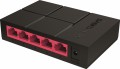 | 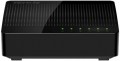 |
|---|---|---|
| Mercusys MS105G | Tenda SG105 | |
from $10.25 | Compare prices 3 | |
| TOP sellers | ||
| Type | unmanaged | unmanaged |
| Mount | desktop | desktop |
| Bandwidth | 10 Gbps | |
Ports | ||
| Gigabit Ethernet | 5 | 5 |
General | ||
| PSU | external | external |
| Supply voltage | 5 В | |
| Dimensions (WxDxH) | 105x70x25 mm | 96x23x66 mm |
| Added to E-Catalog | december 2019 | april 2017 |



Compare Mercusys MS105G and Tenda SG105
What is the difference between Mercusys MS105G and Tenda SG105?
Mercusys MS105G and Tenda SG105 are both simple unmanaged 5‑port Gigabit desktop switches, so day‑to‑day performance and setup will feel essentially the same for home or small office use. The main practical difference is size and power details: the SG105 has a slightly smaller footprint, while the MS105G lists a 10 Gbps switching capacity and a 5 V external power supply, which the SG105 does not specify.
Which is better?
Better pick for most buyers: Mercusys MS105G. It is the safer choice if you want guaranteed full 5‑port Gigabit switching capacity, since its total bandwidth is explicitly rated at 10 Gbps, while this value is not specified for the SG105.
Both MS105G and SG105 are unmanaged desktop switches with 5 Gigabit Ethernet ports, so day‑to‑day use is equally simple and plug‑and‑play. Both also use an external power supply, which is convenient to replace if needed. If you care about the smallest footprint, the SG105 is slightly more compact, while the MS105G is a bit wider.
Price comparison
You may be interested in
My comparisons
Mercusys MS105G often compared


Tenda SG105 often compared


Glossary
Bandwidth
The bandwidth of a switch is the maximum amount of traffic that it can handle. Specified in gigabits per second.
This parameter directly depends on the number of network ports in the device (excluding Uplink). Actually, even if the bandwidth is not given in the specifications, it can still be calculated using the following formula: the number of ports multiplied by the bandwidth of an individual port and multiplied by two (since both incoming and outgoing traffic are taken into account). For example, a model with 8 Gigabit Ethernet connectors and 2 SFP ports will have a bandwidth of (8*1 + 2*1)*2 = 20 Gbps.
The choice for this indicator is quite obvious: you need to evaluate the expected traffic volumes in the serviced network segment and make sure that the switch's bandwidth will cover it with a margin of at least 10-15% (this will give an additional guarantee in case of emergency situations). At the same time, if you plan to often work at high, close to maximum, loads, it will not hurt to clarify such a characteristic as the internal bandwidth of the switch. It is usually given in a detailed technical description, and if this value is less than the total throughput, serious problems may arise under significant loads.
This parameter directly depends on the number of network ports in the device (excluding Uplink). Actually, even if the bandwidth is not given in the specifications, it can still be calculated using the following formula: the number of ports multiplied by the bandwidth of an individual port and multiplied by two (since both incoming and outgoing traffic are taken into account). For example, a model with 8 Gigabit Ethernet connectors and 2 SFP ports will have a bandwidth of (8*1 + 2*1)*2 = 20 Gbps.
The choice for this indicator is quite obvious: you need to evaluate the expected traffic volumes in the serviced network segment and make sure that the switch's bandwidth will cover it with a margin of at least 10-15% (this will give an additional guarantee in case of emergency situations). At the same time, if you plan to often work at high, close to maximum, loads, it will not hurt to clarify such a characteristic as the internal bandwidth of the switch. It is usually given in a detailed technical description, and if this value is less than the total throughput, serious problems may arise under significant loads.
Supply voltage
The amount of voltage required by the switch for uninterrupted operation. The power supply voltage of network equipment can vary from 5 V to 230 V, which allows you to power compatible devices from either a low-voltage USB socket on your computer or a standard household outlet. Values in the middle assume that the switch is powered by the appropriate power supply.