
Comparison World Vision T624M3 vs World Vision T624D3
Add to comparison | 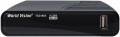 | 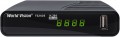 |
|---|---|---|
| World Vision T624M3 | World Vision T624D3 | |
from $9.79 up to $16.17 | from $10.95 up to $17.24 | |
| TOP sellers | ||
| Type | TV tuner | TV tuner |
| Digital tuner | DVB-T (terrestrial) DVB-T2 (terrestrial) DVB-C (cable) | DVB-T (terrestrial) DVB-T2 (terrestrial) DVB-C (cable) |
Connectivity and interfaces | ||
| Wi-Fi | Wi-Fi ready | Wi-Fi ready |
| IPTV support |  | |
Connectors | ||
| HDMI | 1 | 1 |
| USB-A 2.0 | 2 pcs | 2 pcs |
| AV output | | |
| Antenna input | | |
| More features | Weather, RSS, Megogo | |
General | ||
| Video decoders | H.264 | H.264 |
| Audio decoders | Dolby Digital | |
| Screen |  | |
| Remote control | + | + |
| Dimensions (WxHxD) | 120x28x63 mm | |
| Added to E-Catalog | march 2021 | march 2021 |


Compare World Vision T624M3 and T624D3
You may be interested in
My comparisons
World Vision T624D3 often compared


Glossary
Audio decoders
The set of audio codecs supported by the device
Codec — from the phrase "Encoder-DEcoder" — in this case, the format used for encoding and compressing sound in digital form during storage/transmission and decoding — during playback (digital sound is basically impossible without encoding, and compression allows to reduce the amount of data). Information about supported codecs is relevant primarily for assessing whether the player will be able to work with sound in a particular video file. The fact is that even in video files of the same format (see below), sound can be compressed by different codecs; and if the player supports the file format, but does not support the codec, sound playback will become impossible.
Theoretically, these rules are also relevant for audio files and online broadcasts (all formats — TV, video, audio). However, in fact, when working with such content, you can ignore codec data. So, for each audio file format, usually, its own standard codec is used, and file type support automatically means codec support. Broadcasts usually use generally accepted audio decoders like MPEG-1 or MPEG-2, which are practically guaranteed to be supported by any modern player designed for such broadcasts.
As for specific codecs, detailed information on them can be found in special sources, however, with the standard use of devices, such details are usually not needed.
Codec — from the phrase "Encoder-DEcoder" — in this case, the format used for encoding and compressing sound in digital form during storage/transmission and decoding — during playback (digital sound is basically impossible without encoding, and compression allows to reduce the amount of data). Information about supported codecs is relevant primarily for assessing whether the player will be able to work with sound in a particular video file. The fact is that even in video files of the same format (see below), sound can be compressed by different codecs; and if the player supports the file format, but does not support the codec, sound playback will become impossible.
Theoretically, these rules are also relevant for audio files and online broadcasts (all formats — TV, video, audio). However, in fact, when working with such content, you can ignore codec data. So, for each audio file format, usually, its own standard codec is used, and file type support automatically means codec support. Broadcasts usually use generally accepted audio decoders like MPEG-1 or MPEG-2, which are practically guaranteed to be supported by any modern player designed for such broadcasts.
As for specific codecs, detailed information on them can be found in special sources, however, with the standard use of devices, such details are usually not needed.
Screen
The device has its own external screen. Such a screen has a small size and performs an auxiliary role; various additional information can be displayed on it: operating mode, selected media, file name and location, playback time, etc.