
Comparison SteelSeries Aerox 3 Wireless 2022 Edition vs SteelSeries Aerox 3 Wireless
Add to comparison | 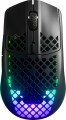 | 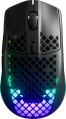 |
|---|---|---|
| SteelSeries Aerox 3 Wireless 2022 Edition | SteelSeries Aerox 3 Wireless | |
| Compare prices 5 | Compare prices 3 | |
| User reviews | ||
| TOP sellers | ||
Waterproof according to IP56 standard New and improved mouse revision Aerox 3 Wireless. One of the main differences is the new Teflon legs, which occupy a large area, unlike the previous revision. Switches have also been improved, the resource of which is now 80 million clicks. | Waterproof according to IP56 standard | |
| Product type | mouse | mouse |
| Connection | radio / Bluetooth / wired | radio / Bluetooth / wired |
| Bluetooth version | v5.0 | v5.0 |
| Multi-Device |  | |
| Sensor | optical | optical |
| Type | for game | for game |
Sensor and control | ||
| Sensor | TrueMove Air | TrueMove Air |
| Sensor resolution | 100 – 18000 DPI | 100 – 18000 DPI |
| Max. acceleration | 40 G | 40 G |
| Max. speed | 400 ips | 400 ips |
| Max. polling rate | 1000 Hz (1 ms) | |
| Number of buttons | 5 | 5 |
| Side buttons | | |
| DPI-button | | |
| Switches | mechanical | mechanical |
| Switch resource | 80 million clicks | |
| Scroll wheels | 1 | 1 |
Additional features | ||
| Suitable for left-handers | | |
| Perforated body | | |
| Optimal grip | finger, claw | palmar, digital, claw |
| Programmable buttons | | |
| Built-in memory | | |
| Lighting | RGB | RGB |
| Lighting effects | + | + |
| Feet material | teflon (PTFE) | teflon (PTFE) |
| Waterproof | IP56 | IP56 |
Connection and power supply | ||
| Cable | USB-A removable braided | USB-A removable braided |
| Power source | battery | battery |
| Battery life | 200 h | |
| Port on the device | USB-C | USB-C |
General | ||
| In box | USB-A dongle | USB-A dongle |
| Size (LxWxH) | 121x67x38 mm | 121x67x38 mm |
| Weight | 68 g | 66 g |
| Color | ||
| Added to E-Catalog | january 2022 | may 2021 |




Compare SteelSeries Aerox 3 Wireless 2022 Edition and Aerox 3 Wireless
Both mice, SteelSeries Aerox 3 Wireless 2022 Edition and SteelSeries Aerox 3 Wireless, have similar features such as connectivity types (radio, Bluetooth, and wired), TrueMove Air sensor with a resolution of up to 18000 DPI, and water resistance with an IP56 standard. However, the key difference lies in the mechanical switch lifespan: the 2022 Edition model is rated for 80 million clicks, while the original version is rated for 60 million. It is also worth noting that the weight of the Aerox 3 Wireless is 66g, while the 2022 Edition is 68g. Otherwise, both mice offer similar functions, including RGB lighting and programmable buttons.
You may be interested in
SteelSeries Aerox 3 Wireless 2022 Edition often compared


SteelSeries Aerox 3 Wireless often compared
Glossary
Max. polling rate
The polling rate shows how often the mouse sensor exchanges data with the computer about cursor movement. This parameter is measured in hertz (Hz), with one second being taken as the unit of time for its assessment. The smoothness and speed of cursor movement directly depend on the polling rate of the sensor. Directly connected to it is the mouse response time — this is the time interval required for the signal about the manipulator's movement to reach the display of the cursor position change on the screen. Response time is measured in milliseconds (ms). The higher the mouse's "hertz rate," the lesser the response time it demonstrates. The most common value can be considered 1000 Hz with a response time of 1 millisecond. For competitive games, attention should be paid to faster mice, including 2000 Hz, 4000 Hz, and 8000 Hz. Values below might negatively manifest just in gaming scenarios.
Switch resource
The durability of mouse switches is measured by the number of clicks the keys can withstand before they begin to show signs of wear or malfunction. Switches can have a lifespan of several million to tens of millions of clicks. In laboratory conditions, this parameter is checked using special testing machines, which diligently press the keys the required number of times, on the basis of which a verdict is made regarding the approximate service life of the switches.
Optimal grip
Grip — a way of holding in the hand — for which this model is best suited.
Grip types are divided according to the position of the hand on the mouse. This parameter is relevant primarily in games: for maximum efficiency, the player needs a mouse that matches the usual type of grip. This is especially important for professional eSports, where any little thing can be the key to victory or defeat. Therefore, the types of grip are indicated mainly for gaming mice (see "By Direction"). At the same time, one can come across statements that certain types of grip are best suited for certain genres of games, but this is not entirely true: the main selection criterion is the user's personal preferences and characteristics. For example, some players quite successfully use a "slow" palm grip in dynamic shooters, compensating for the reduced speed with a good reaction; and others, even in quests, prefer a "quick" claw or finger hold.
Here is a more detailed description of the most popular grip options:
— Palmar. A holding method in which the mice touch both the entire fingers and most of the palm. In other words, with such a grip, the palm with fingers rests on the mouse, making maximum contact with it. It is under this option that most of the "rodents" are initially made, it is also popular in gaming models. Most models, specialized specifically for the palm grip, have a large length, as well as a characteristic asymmetrical design with protrusions...and depressions on the body — for maximum ergonomics; although there are exceptions. Anyway, the main advantages of this method of holding the mouse are the minimum strain on the wrist, as well as good smoothness and accuracy of movements. On the other hand, the speed of moving the mouse may be somewhat slower than with other types of grip.
— Claw. A claw grip is a grip in which the user's hand forms an arc and touches the mouse only with the lower part of the palm and fingertips. At the same time, the classic claw grip assumes an almost perpendicular arrangement of the fingertips relative to the buttons, but this requirement is not strictly necessary — the fingers can also lie at a slight angle. Anyway, due to the reduction of the contact area and the greater degree of freedom for the hand, such a hold provides more speed than the palm hold, and at the same time it is easier to master than the finger hold. Therefore, many gamers consider the claw grip to be the best option for shooters, action games and real-time strategies where reaction speed is important. Specialized mice for this method of holding are usually somewhat shorter than traditional "palm mice", and they often have a characteristic "hump" in the back of the case.
— Finger. A grip where the user only touches the mouse with their fingertips, with no hand contact with the mouse (but the wrist remains stationary). This type of grip allows you to achieve a high reaction rate, but it is quite difficult to master and does not differ in accuracy, especially if you are not used to it. However, many users use this method of retention intuitively, without thinking; the finger grip is specially mastered mainly by professional players and enthusiastic enthusiasts. Mice of this format usually have a small weight with a centre of gravity shifted closer to the front, and the body is made relatively short, most often symmetrical, and the “hump” (protrusion) is located closer to the centre of the body, or even absent (based on the fact that the palm still does not touch the mouse).
Note that there are models that combine several grip options — up to all three at once. The design of such mice may provide adjustment for one or another method of retention, however, the presence of such an adjustment does not interfere with clarifying separately.
Grip types are divided according to the position of the hand on the mouse. This parameter is relevant primarily in games: for maximum efficiency, the player needs a mouse that matches the usual type of grip. This is especially important for professional eSports, where any little thing can be the key to victory or defeat. Therefore, the types of grip are indicated mainly for gaming mice (see "By Direction"). At the same time, one can come across statements that certain types of grip are best suited for certain genres of games, but this is not entirely true: the main selection criterion is the user's personal preferences and characteristics. For example, some players quite successfully use a "slow" palm grip in dynamic shooters, compensating for the reduced speed with a good reaction; and others, even in quests, prefer a "quick" claw or finger hold.
Here is a more detailed description of the most popular grip options:
— Palmar. A holding method in which the mice touch both the entire fingers and most of the palm. In other words, with such a grip, the palm with fingers rests on the mouse, making maximum contact with it. It is under this option that most of the "rodents" are initially made, it is also popular in gaming models. Most models, specialized specifically for the palm grip, have a large length, as well as a characteristic asymmetrical design with protrusions...and depressions on the body — for maximum ergonomics; although there are exceptions. Anyway, the main advantages of this method of holding the mouse are the minimum strain on the wrist, as well as good smoothness and accuracy of movements. On the other hand, the speed of moving the mouse may be somewhat slower than with other types of grip.
— Claw. A claw grip is a grip in which the user's hand forms an arc and touches the mouse only with the lower part of the palm and fingertips. At the same time, the classic claw grip assumes an almost perpendicular arrangement of the fingertips relative to the buttons, but this requirement is not strictly necessary — the fingers can also lie at a slight angle. Anyway, due to the reduction of the contact area and the greater degree of freedom for the hand, such a hold provides more speed than the palm hold, and at the same time it is easier to master than the finger hold. Therefore, many gamers consider the claw grip to be the best option for shooters, action games and real-time strategies where reaction speed is important. Specialized mice for this method of holding are usually somewhat shorter than traditional "palm mice", and they often have a characteristic "hump" in the back of the case.
— Finger. A grip where the user only touches the mouse with their fingertips, with no hand contact with the mouse (but the wrist remains stationary). This type of grip allows you to achieve a high reaction rate, but it is quite difficult to master and does not differ in accuracy, especially if you are not used to it. However, many users use this method of retention intuitively, without thinking; the finger grip is specially mastered mainly by professional players and enthusiastic enthusiasts. Mice of this format usually have a small weight with a centre of gravity shifted closer to the front, and the body is made relatively short, most often symmetrical, and the “hump” (protrusion) is located closer to the centre of the body, or even absent (based on the fact that the palm still does not touch the mouse).
Note that there are models that combine several grip options — up to all three at once. The design of such mice may provide adjustment for one or another method of retention, however, the presence of such an adjustment does not interfere with clarifying separately.
Battery life
Battery life of the mouse (see “Power”) on a single charge.
The battery life in this case is rather approximate: it is given for an average usage scenario, and the actual autonomy may turn out to be less or more than stated, depending on the usage patterns. Nevertheless, it is a fairly reliable indicator, allowing different battery models to be evaluated and compared with each other: the difference in the stated battery life usually correlates well with the actual autonomy difference.
The battery life in this case is rather approximate: it is given for an average usage scenario, and the actual autonomy may turn out to be less or more than stated, depending on the usage patterns. Nevertheless, it is a fairly reliable indicator, allowing different battery models to be evaluated and compared with each other: the difference in the stated battery life usually correlates well with the actual autonomy difference.
Weight
The total weight of the mouse. For models with a wired connection, usually, it is indicated without cable, and for devices with weight adjustment (see above) — without weights.
This parameter is important primarily for professional gaming applications, although it is often relevant for ordinary users. Theoretically, less weight promotes speed and reduces fatigue. At the same time, in fact, much depends on the personal habits and preferences of the user: a mouse that is too light may “not be felt in the hands” and not give familiar feedback. Therefore, although most mice have a lower weight limit of 60 – 80 g, however, even among professional gaming models there are much more massive devices — 120 – 140 g or more. The lightest variety of "rodents" is laptop (see "In the direction"), among them devices come across and less than 60 g.
Also note that the weight to some extent depends on the size and “tricked out” of the device, but there is no unambiguous dependence here: models similar in size and functionality can differ markedly in weight.
This parameter is important primarily for professional gaming applications, although it is often relevant for ordinary users. Theoretically, less weight promotes speed and reduces fatigue. At the same time, in fact, much depends on the personal habits and preferences of the user: a mouse that is too light may “not be felt in the hands” and not give familiar feedback. Therefore, although most mice have a lower weight limit of 60 – 80 g, however, even among professional gaming models there are much more massive devices — 120 – 140 g or more. The lightest variety of "rodents" is laptop (see "In the direction"), among them devices come across and less than 60 g.
Also note that the weight to some extent depends on the size and “tricked out” of the device, but there is no unambiguous dependence here: models similar in size and functionality can differ markedly in weight.