
Comparison SteelSeries Prime Mini Wireless vs SteelSeries Prime Wireless
Add to comparison | 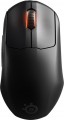 | 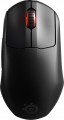 |
|---|---|---|
| SteelSeries Prime Mini Wireless | SteelSeries Prime Wireless | |
| Compare prices 2 | Compare prices 2 | |
| User reviews | ||
| TOP sellers | ||
| Product type | mouse | mouse |
| Connection | radio | radio |
| Sensor | optical | optical |
| Type | for game | for game |
Sensor and control | ||
| Sensor | TrueMove Air | TrueMove Air |
| Sensor resolution | 100 – 18000 DPI | 100 – 18000 DPI |
| Max. acceleration | 40 G | 40 G |
| Max. speed | 400 ips | 400 ips |
| Number of buttons | 4 | 4 |
| Side buttons |  | |
| DPI-button | | |
| Scroll wheels | 1 | 1 |
Additional features | ||
| Optimal grip | palmar, digital, claw | palmar, digital, claw |
| Programmable buttons | | |
| Built-in memory | | |
| Lighting | RGB | RGB |
| Lighting effects | + | + |
| Feet material | teflon (PTFE) | |
General | ||
| Suitable for left-handers | | |
| In box | USB-A dongle | USB-A dongle |
| Size (LxWxH) | 120x66x41 mm | 125x68x42 mm |
| Weight | 73 g | 80 g |
| Color | ||
| Added to E-Catalog | december 2021 | june 2021 |



Compare SteelSeries Prime Mini Wireless and Prime Wireless
SteelSeries Prime Mini Wireless and SteelSeries Prime Wireless represent two versions of the same series, but with some key differences. The Prime Mini Wireless is lighter (73 g vs 80 g) and has a lower height, making it more comfortable for users with smaller hands. Both devices feature the same TrueMove Air optical sensor with a resolution of up to 18,000 DPI, however, the Mini Wireless offers a slightly lower click latency. While both mice have RGB lighting, the Prime Wireless features higher quality feet, providing smoother glide. Additionally, the Prime Wireless has a wider range of CPI settings and more precise adjustment, which can be important for gamers. Overall, the choice between them depends on the user's hand size and preferences in weight and settings.
Price comparison
You may be interested in
My comparisons
SteelSeries Prime Wireless often compared


Glossary
Feet material
- Teflon (PTFE). Polytetrafluoroethylene (PTFE) glides - also known as Teflon - are characterized by an extremely low coefficient of friction. As a result, mice with Teflon feet boast excellent glide and high cursor speed on any type of surface. The minimum level of friction allows you to easily control the movements of the mouse. Manipulators with Teflon gliders perform well in dynamic games and reduce wrist strain during prolonged work at the computer.
— Metal. When properly sanded, the metal feet provide excellent glide for the mouse, and they also have a long service life before abrasion. Note that manipulators with metal gliders are best used on plastic or other hard-wearing playing surfaces. Using a mouse without a mouse pad runs the risk of scratching the surface.
— Metal. When properly sanded, the metal feet provide excellent glide for the mouse, and they also have a long service life before abrasion. Note that manipulators with metal gliders are best used on plastic or other hard-wearing playing surfaces. Using a mouse without a mouse pad runs the risk of scratching the surface.
Weight
The total weight of the mouse. For models with a wired connection, usually, it is indicated without cable, and for devices with weight adjustment (see above) — without weights.
This parameter is important primarily for professional gaming applications, although it is often relevant for ordinary users. Theoretically, less weight promotes speed and reduces fatigue. At the same time, in fact, much depends on the personal habits and preferences of the user: a mouse that is too light may “not be felt in the hands” and not give familiar feedback. Therefore, although most mice have a lower weight limit of 60 – 80 g, however, even among professional gaming models there are much more massive devices — 120 – 140 g or more. The lightest variety of "rodents" is laptop (see "In the direction"), among them devices come across and less than 60 g.
Also note that the weight to some extent depends on the size and “tricked out” of the device, but there is no unambiguous dependence here: models similar in size and functionality can differ markedly in weight.
This parameter is important primarily for professional gaming applications, although it is often relevant for ordinary users. Theoretically, less weight promotes speed and reduces fatigue. At the same time, in fact, much depends on the personal habits and preferences of the user: a mouse that is too light may “not be felt in the hands” and not give familiar feedback. Therefore, although most mice have a lower weight limit of 60 – 80 g, however, even among professional gaming models there are much more massive devices — 120 – 140 g or more. The lightest variety of "rodents" is laptop (see "In the direction"), among them devices come across and less than 60 g.
Also note that the weight to some extent depends on the size and “tricked out” of the device, but there is no unambiguous dependence here: models similar in size and functionality can differ markedly in weight.