
Comparison Asus RT-AX57 vs Asus RT-AX58U
Add to comparison | 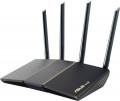 | 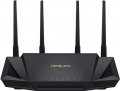 |
|---|---|---|
| Asus RT-AX57 | Asus RT-AX58U | |
| Compare prices 3 | Compare prices 2 | |
| User reviews | ||
| TOP sellers | ||
AiMesh, Dual WAN support. Built-in AiProtection protection system. | The router is compatible with ASUS AiMesh technology, which allows you to expand coverage. The adaptive QoS system allows you to flexibly configure traffic priority. The total throughput of Wi-Fi networks in two bands reaches ~ 3000 Mbps. | |
| Product type | router | router |
| Data input (WAN-port) | Ethernet (RJ45) Wi-Fi | Ethernet (RJ45) Wi-Fi 3G modem (USB) 4G (LTE) modem (USB) |
Wireless Wi-Fi connection | ||
| Wi-Fi standards | Wi-Fi 3 (802.11g) Wi-Fi 4 (802.11n) Wi-Fi 5 (802.11ac) Wi-Fi 6 (802.11ax) | Wi-Fi 3 (802.11g) Wi-Fi 4 (802.11n) Wi-Fi 5 (802.11ac) Wi-Fi 6 (802.11ax) |
| Frequency band | 2.4GHz 5 GHz | 2.4GHz 5 GHz |
| Operating ranges | dual-band (2.4 GHz and 5 GHz) | dual-band (2.4 GHz and 5 GHz) |
| Wireless speed 2.4 GHz | 574 Mbps | 574 Mbps |
| Wireless speed 5 GHz | 2402 Mbps | 2402 Mbps |
| Bandwidth | 160 MHz | 160 MHz |
Connection and LAN | ||
| WAN | 1 port 1 Gbps | 1 port 1 Gbps |
| LAN | 4 ports 1 Gbps | 4 ports 1 Gbps |
| USB-A 5Gbps | 1 pcs | |
Antenna and transmitter | ||
| Number of antennas | 4 | 4 |
| Antenna type | external | external |
| MU-MIMO |  | |
| 2.4 / 5 GHz antennas | 4 | |
| Transmitter power | 27.4 dBm | |
| Signal strength 2.4 GHz | 19.8 dBm | |
| Signal strength 5 GHz | 27.4 dBm | |
Hardware | ||
| CPU | Broadcom BCM6750 | |
| CPU cores | 4 | 3 |
| Clock Speed | 1.7 GHz | 1.5 GHz |
| RAM | 256 MB | 512 MB |
| Flash memory | 128 MB | 256 MB |
Functions | ||
| Features | load balancing (Dual WAN) Amazon Alexa NAT bridge mode repeater MESH mode Beamforming firewall | NAT MESH mode Beamforming firewall CLI (Telnet) |
| More features | DHCP server VPN DDNS DMZ | DHCP server FTP server file server media server (DLNA) print server torrent client VPN DDNS DMZ |
Security | ||
| Safety standards | WPA WEP WPA2 WPA3 802.1x | WPA WEP WPA2 WPA3 802.1x |
General | ||
| Operating temperature | 0 °C ~ +40 °C | |
| Dimensions | 224x154x160 mm | |
| Weight | 374 g | 538 g |
| Color | ||
| Added to E-Catalog | march 2023 | february 2020 |



Compare Asus RT-AX57 and RT-AX58U
When comparing routers Asus RT-AX57 and Asus RT-AX58U, several key differences can be highlighted. Both devices support Wi-Fi 6 and operate in dual bands (2.4 GHz and 5 GHz) with a maximum speed of 2402 Mbps on 5 GHz and 574 Mbps on 2.4 GHz. However, the RT-AX58U offers USB 3.2 for connecting 3G/4G modems, making it more versatile for users needing mobile internet. While the RT-AX57 has quad-core with a clock speed of 1.7 GHz and 256 MB of RAM, the RT-AX58U features a triple-core processor at 1.5 GHz and 512 MB of RAM, which may provide better performance in multitasking mode. Both routers support AiMesh technology for network coverage expansion, but the RT-AX58U has a more powerful transmitter (27.4 dBm), increasing the coverage area.
Price comparison
You may be interested in
My comparisons
Asus RT-AX57 often compared


Asus RT-AX58U often compared


Glossary
Data input (WAN-port)
Methods for connecting to the Internet (or other external network, such as in bridge mode) supported by the device.
The classic, most common version of such a connection nowadays is LAN (Ethernet), but this is not limited to this. A wired connection can also be made via ADSL or SFP fiber, and wirelessly via mobile networks (using a SIM card, SIM card 5G or an external modem for 3G or 4G), as well as via Wi-Fi. Here is a more detailed description of each option:
— Ethernet (RJ45). Classic wired connection via a network cable via an RJ-45 connector. Also known as "LAN", although this designation is not entirely correct. Nowadays, it is one of the most common methods of wired Internet connection, and is also widely used in local networks. This is due to the fact that the speed of Ethernet is actually limited only by the capabilities of network controllers; at the same time, even the simplest modules support up to 100 Mbps, and in advanced equipment this value can reach 10 Gbps.
— ADSL. A technology primarily used for wired Internet connections over existing landline telephone lines. This is its main advantage — you can use ready-made lines without fiddling with laying numerous addi...tional wires; at the same time, ADSL works independently of telephone calls and does not interfere with them. At the same time, the speed of such a connection is noticeably lower than via Ethernet — even in advanced equipment it does not exceed 24 Mbps. In addition, ADSL traffic is distributed asymmetrically: full speed is achieved only when working for reception, data transmission speed is much lower, which creates problems for video communication and some other tasks. So nowadays, ADSL is gradually being replaced by more advanced standards, although the complete disappearance of this technology is still far away.
— Wi-Fi. Connect to an external data source via Wi-Fi. By definition, this format of operation is used by Wi-Fi adapters (see "Device type"), as well as by most MESH equipment. (However, if the MESH system package includes both nodes and the main control device for them, then the WAN input can be specified for the control device, and often this is not Wi-Fi). Also, this type of data input can be provided in other types of equipment — in particular, routers and access points (for example, to work in bridge or repeater mode).
— 3G modem (USB). Internet connection via 3G mobile network using a separate external modem connected to the USB port. Most often, we are talking about UMTS networks (the development of GSM mobile communications), the most common in Europe and the post-Soviet space; however, it may also be possible to use modems for CDMA networks (EV-DO technology). These nuances, as well as compatibility with specific modem models, need to be clarified separately. However, anyway, 3G may be a good option for situations where a wired Internet connection is difficult or impossible, such as in the private sector. In addition, some Wi-Fi devices with this feature are equipped with autonomous power supplies and can even be used on the go. The data transfer speed of 3G is close to broadband wired connection (from 2 to 70 Mbps with a normal signal, depending on the specific technology); however, it is less than in 4G networks (see below), but 3G coverage is more extensive, and equipment for this standard is cheaper.
— 4G (LTE) modem (USB). Internet connection via 4G mobile network (LTE) using a separate external modem connected to the USB port. The main features are similar to the 3G connection described above, adjusted for the fact that in this case more advanced fourth-generation networks are used. The data transfer rate in such networks reaches about 150 Mbps; they are not as widespread as 3G-connection, but soon we can expect a change in the situation. In addition, it should be noted that in Europe and the post-Soviet space, LTE networks are usually deployed on the basis of 3G UMTS and GSM networks; so in the absence of full-fledged 4G coverage, modems for such networks can work according to the 3G and even GSM standard.
— SIM card. Connecting to the Internet via a mobile network using a mobile operator's SIM card installed directly in the device. The specific type of supported networks depends both on the capabilities of the router and on the conditions of a particular mobile operator; however, all such equipment is compatible with at least 3G networks, and often 4G as well. The features of these networks are described in detail above (you can also read about the advantages of a mobile Internet connection there). This option is convenient because it allows you to do without a separate USB modem — you just need to purchase a SIM card, the cost of which is negligible. In addition, the use of "sim cards" has a positive effect on compactness and ease of carrying. On the other hand, the built-in mobile communication module significantly affects the overall cost — and you will have to pay for it anyway (whereas a model with support for external modems does not have to be bought immediately with a modem, such devices usually allow wired connection). Therefore, you should pay attention to this option if you initially plan to connect to the Internet through mobile networks.
- SIM card (5G). The ability to operate Wi-Fi equipment in high-speed 5G mobile networks with a peak bandwidth of up to 20 Gbps for reception and up to 10 Gbps for data transmission. Implemented via a SIM card with appropriate 5G support. This standard reduces power consumption compared to previous versions, and it also uses a number of complex solutions aimed at improving the reliability and overall quality of communication - in particular, multi-element antenna arrays (Massive MIMO) and beamforming technologies (Beamforming).
— SFP (optics). Connection via fiber optic cable of the SFP standard. Such a connection can be carried out at high speeds (measured in gigabytes per second), and the fiber, unlike the Ethernet cable, is practically insensitive to external interference. On the other hand, the support of this standard is not cheap, and its capabilities are unnecessary for domestic use. Therefore, SFP is found mainly in professional-level Wi-Fi devices.
The classic, most common version of such a connection nowadays is LAN (Ethernet), but this is not limited to this. A wired connection can also be made via ADSL or SFP fiber, and wirelessly via mobile networks (using a SIM card, SIM card 5G or an external modem for 3G or 4G), as well as via Wi-Fi. Here is a more detailed description of each option:
— Ethernet (RJ45). Classic wired connection via a network cable via an RJ-45 connector. Also known as "LAN", although this designation is not entirely correct. Nowadays, it is one of the most common methods of wired Internet connection, and is also widely used in local networks. This is due to the fact that the speed of Ethernet is actually limited only by the capabilities of network controllers; at the same time, even the simplest modules support up to 100 Mbps, and in advanced equipment this value can reach 10 Gbps.
— ADSL. A technology primarily used for wired Internet connections over existing landline telephone lines. This is its main advantage — you can use ready-made lines without fiddling with laying numerous addi...tional wires; at the same time, ADSL works independently of telephone calls and does not interfere with them. At the same time, the speed of such a connection is noticeably lower than via Ethernet — even in advanced equipment it does not exceed 24 Mbps. In addition, ADSL traffic is distributed asymmetrically: full speed is achieved only when working for reception, data transmission speed is much lower, which creates problems for video communication and some other tasks. So nowadays, ADSL is gradually being replaced by more advanced standards, although the complete disappearance of this technology is still far away.
— Wi-Fi. Connect to an external data source via Wi-Fi. By definition, this format of operation is used by Wi-Fi adapters (see "Device type"), as well as by most MESH equipment. (However, if the MESH system package includes both nodes and the main control device for them, then the WAN input can be specified for the control device, and often this is not Wi-Fi). Also, this type of data input can be provided in other types of equipment — in particular, routers and access points (for example, to work in bridge or repeater mode).
— 3G modem (USB). Internet connection via 3G mobile network using a separate external modem connected to the USB port. Most often, we are talking about UMTS networks (the development of GSM mobile communications), the most common in Europe and the post-Soviet space; however, it may also be possible to use modems for CDMA networks (EV-DO technology). These nuances, as well as compatibility with specific modem models, need to be clarified separately. However, anyway, 3G may be a good option for situations where a wired Internet connection is difficult or impossible, such as in the private sector. In addition, some Wi-Fi devices with this feature are equipped with autonomous power supplies and can even be used on the go. The data transfer speed of 3G is close to broadband wired connection (from 2 to 70 Mbps with a normal signal, depending on the specific technology); however, it is less than in 4G networks (see below), but 3G coverage is more extensive, and equipment for this standard is cheaper.
— 4G (LTE) modem (USB). Internet connection via 4G mobile network (LTE) using a separate external modem connected to the USB port. The main features are similar to the 3G connection described above, adjusted for the fact that in this case more advanced fourth-generation networks are used. The data transfer rate in such networks reaches about 150 Mbps; they are not as widespread as 3G-connection, but soon we can expect a change in the situation. In addition, it should be noted that in Europe and the post-Soviet space, LTE networks are usually deployed on the basis of 3G UMTS and GSM networks; so in the absence of full-fledged 4G coverage, modems for such networks can work according to the 3G and even GSM standard.
— SIM card. Connecting to the Internet via a mobile network using a mobile operator's SIM card installed directly in the device. The specific type of supported networks depends both on the capabilities of the router and on the conditions of a particular mobile operator; however, all such equipment is compatible with at least 3G networks, and often 4G as well. The features of these networks are described in detail above (you can also read about the advantages of a mobile Internet connection there). This option is convenient because it allows you to do without a separate USB modem — you just need to purchase a SIM card, the cost of which is negligible. In addition, the use of "sim cards" has a positive effect on compactness and ease of carrying. On the other hand, the built-in mobile communication module significantly affects the overall cost — and you will have to pay for it anyway (whereas a model with support for external modems does not have to be bought immediately with a modem, such devices usually allow wired connection). Therefore, you should pay attention to this option if you initially plan to connect to the Internet through mobile networks.
- SIM card (5G). The ability to operate Wi-Fi equipment in high-speed 5G mobile networks with a peak bandwidth of up to 20 Gbps for reception and up to 10 Gbps for data transmission. Implemented via a SIM card with appropriate 5G support. This standard reduces power consumption compared to previous versions, and it also uses a number of complex solutions aimed at improving the reliability and overall quality of communication - in particular, multi-element antenna arrays (Massive MIMO) and beamforming technologies (Beamforming).
— SFP (optics). Connection via fiber optic cable of the SFP standard. Such a connection can be carried out at high speeds (measured in gigabytes per second), and the fiber, unlike the Ethernet cable, is practically insensitive to external interference. On the other hand, the support of this standard is not cheap, and its capabilities are unnecessary for domestic use. Therefore, SFP is found mainly in professional-level Wi-Fi devices.
USB-A 5Gbps
The number of USB 3.2 gen1 ports provided in the device design.
USB in this case serves as a universal interface for connecting peripheral devices to the router. The specific USB devices supported and their applications can vary. Examples include working with a USB flash drive as a storage device for FTP or file server mode (see "Features/Capabilities"), connecting to a printer in print server mode (see same section), connecting a 3G modem (see "Data Input (WAN-port)"), etc.
Specifically, the USB 3.2 gen1 version (formerly known as USB 3.0 and USB 3.1 gen1) is the direct successor to USB 2.0, notably offering a tenfold increase (up to 4.8 Gbps) in maximum data transfer speed and increased power supply. However, despite its general popularity, this standard is still relatively rare in Wi-Fi devices—USB 2.0 is sufficient for many tasks. Nevertheless, the situation is gradually changing; among advanced equipment such as gaming routers, solutions with 2 or more ports USB 3.2 gen1 can be found.
USB in this case serves as a universal interface for connecting peripheral devices to the router. The specific USB devices supported and their applications can vary. Examples include working with a USB flash drive as a storage device for FTP or file server mode (see "Features/Capabilities"), connecting to a printer in print server mode (see same section), connecting a 3G modem (see "Data Input (WAN-port)"), etc.
Specifically, the USB 3.2 gen1 version (formerly known as USB 3.0 and USB 3.1 gen1) is the direct successor to USB 2.0, notably offering a tenfold increase (up to 4.8 Gbps) in maximum data transfer speed and increased power supply. However, despite its general popularity, this standard is still relatively rare in Wi-Fi devices—USB 2.0 is sufficient for many tasks. Nevertheless, the situation is gradually changing; among advanced equipment such as gaming routers, solutions with 2 or more ports USB 3.2 gen1 can be found.
2.4 / 5 GHz antennas
The total number of antennas in the router that can operate on both 5 GHz and 2.4 GHz frequencies. For details about the number of antennas, see "Total antennas", about the range — "Frequency range".
Transmitter power
Rated power of the Wi-Fi transmitter used in the device. If multiple bands are supported (see “Ranges of operation”) the power for different frequencies may be different, for such cases the maximum value is indicated here.
The total transmitting power provided by the device directly depends on this parameter. This power can be calculated by adding the transmitter power and the antenna gain (see above): for example, a 20 dBm transmitter coupled with a 5 dBi antenna results in a total power of 25 dBm (in the main antenna coverage area). For simple domestic use (for example, buying a router in a small apartment), such details are not required, but in the professional field it often becomes necessary to use wireless devices of a strictly defined power. Detailed recommendations on this matter for different situations can be found in special sources, but here we note that the total value of 26 dBm or more allows the device to be classified as equipment with a powerful transmitter. At the same time, such capabilities are not always required in fact: excessive power can create a lot of interference both for surrounding devices and for the transmitter itself (especially in urban and other similar conditions), as well as degrade the quality of the connection with low-power electronics. And for effective communication over a long distance, both the equipment itself and external devices must have the appropriate power (which is far from alway...s achievable). So, when choosing, you should not chase the maximum number of decibels, but take into account the recommendations for a particular case; in addition, a Wi-Fi amplifier or MESH system often turns out to be a good alternative to a powerful transmitter.
The total transmitting power provided by the device directly depends on this parameter. This power can be calculated by adding the transmitter power and the antenna gain (see above): for example, a 20 dBm transmitter coupled with a 5 dBi antenna results in a total power of 25 dBm (in the main antenna coverage area). For simple domestic use (for example, buying a router in a small apartment), such details are not required, but in the professional field it often becomes necessary to use wireless devices of a strictly defined power. Detailed recommendations on this matter for different situations can be found in special sources, but here we note that the total value of 26 dBm or more allows the device to be classified as equipment with a powerful transmitter. At the same time, such capabilities are not always required in fact: excessive power can create a lot of interference both for surrounding devices and for the transmitter itself (especially in urban and other similar conditions), as well as degrade the quality of the connection with low-power electronics. And for effective communication over a long distance, both the equipment itself and external devices must have the appropriate power (which is far from alway...s achievable). So, when choosing, you should not chase the maximum number of decibels, but take into account the recommendations for a particular case; in addition, a Wi-Fi amplifier or MESH system often turns out to be a good alternative to a powerful transmitter.
Signal strength 2.4 GHz
The power of the transmitter installed in the equipment when operating in the 2.4 GHz band (see "Frequency Band").
This parameter directly affects the overall power and, accordingly, the communication efficiency. For more on this, see p. "Transmitter power" above, but here we separately emphasize that high power is not always required, and in some cases it is frankly harmful.
This parameter directly affects the overall power and, accordingly, the communication efficiency. For more on this, see p. "Transmitter power" above, but here we separately emphasize that high power is not always required, and in some cases it is frankly harmful.
Signal strength 5 GHz
The power of the transmitter installed in the equipment when operating in the 5 GHz band (see "Frequency Band").
This parameter directly affects the overall power and, accordingly, the communication efficiency. For more on this, see p. "Transmitter power" above, but here we separately emphasize that high power is not always required, and in some cases it is frankly harmful.
This parameter directly affects the overall power and, accordingly, the communication efficiency. For more on this, see p. "Transmitter power" above, but here we separately emphasize that high power is not always required, and in some cases it is frankly harmful.
CPU
The model of the processor installed in the device. The processor is responsible for processing network traffic and running software. Knowing its name, you can get more detailed data on the speed capabilities of the equipment and understand how much such a powerful or, on the contrary, mediocre element is needed on board. In new models of Wi-Fi equipment, coprocessors or so-called NPU modules are often installed, which relieve the load from the main processor.
Most often, Wi-Fi equipment is equipped with processors from Broadcom, MediaTek, Realtek and Qualcomm.
Most often, Wi-Fi equipment is equipped with processors from Broadcom, MediaTek, Realtek and Qualcomm.
CPU cores
The number of cores in the processor installed in the device. The core in this case refers to the part of the processor that executes one thread of instructions. Accordingly, the presence of multiple cores (there are 2-core models, 3 and on 4 cores) allows you to work with multiple threads simultaneously, which has a positive effect on performance.
Clock Speed
The number of cycles per second that the processor produces in its normal operating mode. A clock is a single electrical impulse used to process data and synchronize the processor with the rest of the computer system. Different operations may require fractions of a clock or several clocks, but anyway, the clock frequency is one of the main parameters characterizing the performance and speed of the processor — all other things being equal, a processor with a higher clock frequency will work faster and better cope with significant loads.