
Comparison Gamemax Infinity white vs Jonsbo D41 Mesh white
Add to comparison | 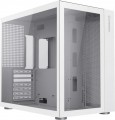 | 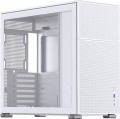 |
|---|---|---|
| Gamemax Infinity white | Jonsbo D41 Mesh white | |
from $51.99 | from $105.00 | |
| User reviews | ||
| TOP sellers | ||
| Features | gaming | gaming |
| Form factor | Midi Tower | Midi Tower |
| Mount | vertical | vertical |
| Motherboard support | ATX | ATX |
| Board placement | vertical | vertical |
| Dual chamber body |  |  |
| PSU form factor | ATX (regular) | ATX (regular) |
Computer case | ||
| Dimensions (HxWxD) | 399x273x420 mm | 407x205x452 mm |
| Graphics card max lenght | 360 mm | 330 mm |
| Fan max height | 170 mm | 168 mm |
| Weight | 7.5 kg | |
| Material | steel | steel |
| Sidewall thickness | 0.8 mm | 0.6 mm |
| Rubber feet | | |
| Side panel | removable | removable |
Storage | ||
| PSU | | |
| PSU mount | top | top |
| 3.5" bays | 2 | 2 |
| internal 2.5" compartments | 3 | 3 |
| Expansion slots | 7 | 7 |
Cooling | ||
| Fans (back) | 1x120mm | 1x120mm |
| Fans (front) | 1x120mm | |
| Fans (side) | 3x120mm | |
| Fans (top) | 3x120mm | 2x140mm |
| Fans (bottom) | 3x120mm | 2x140mm |
| Fan mounts total | 10 | 8 |
| Dust filter | + | + |
| Liquid cooling system support | | |
Liquid cooling system | ||
| Liquid cooling (rear) | 120 mm | 120 mm |
| Liquid cooling (side) | 280mm | |
| Liquid cooling (top) | 360mm | 360mm |
| Liquid cooling (bottom) | 360mm | 360mm |
| Liquid cooling mounts | 4 | 3 |
Connectors and functions | ||
| Placement | on top of the case | on the front |
| USB-A 5Gbps | 1 pcs | 1 pcs |
| USB-C 5Gbps | 1 pcs | |
| USB-C 10Gbps | 1 pcs | |
| Audio (microphone/headphones) | | |
More features | ||
| Front panel | glass | lattice |
| Side panel window | tempered glass | tempered glass |
| More features | hidden wiring CPU cooling mount window | removable HDD cage CPU cooling mount window |
| Color | ||
| Added to E-Catalog | april 2023 | march 2023 |


Compare Gamemax Infinity and Jonsbo D41 Mesh
You may be interested in
My comparisons
Gamemax Infinity often compared


Jonsbo D41 Mesh often compared


Glossary
Dual chamber body
A PC case with the interior split into a main chamber for the motherboard and GPU, and an auxiliary one for the PSU, cables, and drives. Dual‑chamber case improves airflow to hot components, makes cable management easier, lowers noise, and gives a cleaner look; compared to single‑chamber models, it’s easier to achieve low temperatures without turbine‑level fan speeds and to get a neat showcase appearance. Common in mid/full‑tower cases and showcase builds with a tempered‑glass side panel; in practice, it’s convenient to mount AIO radiators in the main chamber, and move the PSU and SSD/HDD cages into the second chamber, resulting in a quiet, cool, and aesthetically clean build for gaming, streaming, and work.
Graphics card max lenght
The maximum length of a graphics card that can be installed in this case.
Modern mid-range and top-end video cards with high performance often differ in considerable length, which is why such a card can not fit into any case. So before collecting components, it is worth evaluating the length of the proposed graphics card and choosing a case in which it is guaranteed to fit. This forethought is useful anyway, but it's especially true if you're building a system that requires a powerful graphics adapter, such as a high-end gaming PC or 3D design workstation.
Modern mid-range and top-end video cards with high performance often differ in considerable length, which is why such a card can not fit into any case. So before collecting components, it is worth evaluating the length of the proposed graphics card and choosing a case in which it is guaranteed to fit. This forethought is useful anyway, but it's especially true if you're building a system that requires a powerful graphics adapter, such as a high-end gaming PC or 3D design workstation.
Fan max height
The highest cooler height allowed for this case.
In this case, we mean a cooler used to cool the processor — such a component is found in the vast majority of modern PCs. Height is measured relative to the motherboard.
In this case, we mean a cooler used to cool the processor — such a component is found in the vast majority of modern PCs. Height is measured relative to the motherboard.
Sidewall thickness
The thickness of the side walls used in the case. When choosing a thickness, manufacturers have to compromise between several points at once. On the one hand, thin walls are inexpensive and heat dissipates faster through them, which has a positive effect on cooling efficiency. On the other hand, powerful systems inevitably require thick walls, otherwise the case may simply not withstand the weight of advanced high-performance components. Thirdly, steel is a fairly durable material even with a relatively small thickness. In light of all this, in most models this indicator does not exceed 0.7 — 0.8 mm, and more often it is about 0.5 – 0.6 mm.
Fans (front)
The number of fan slots on the front of the case, and the size of the fans these slots are designed for. The presence of the fans themselves in the kit should be specified separately.
The larger the fan, the more advanced it is considered: a large diameter allows you to work efficiently at relatively low speeds, which reduces the noise level and energy consumption. Case fans are available in several standard diameters; specifically for the front panel, the size up to 92 mm is considered relatively small, 120 mm — medium, 140 mm — large, and in the most advanced solutions, fans of 180 mm or even more can be installed.
Also note that most often the holes for installing fans are designed for one specific size, however, there are also “multi-size” seats, for 2-3 options. Moreover, these options may differ both in diameter and in quantity: for example, it may be possible to install two 140 mm fans or three 120 mm fans.
The larger the fan, the more advanced it is considered: a large diameter allows you to work efficiently at relatively low speeds, which reduces the noise level and energy consumption. Case fans are available in several standard diameters; specifically for the front panel, the size up to 92 mm is considered relatively small, 120 mm — medium, 140 mm — large, and in the most advanced solutions, fans of 180 mm or even more can be installed.
Also note that most often the holes for installing fans are designed for one specific size, however, there are also “multi-size” seats, for 2-3 options. Moreover, these options may differ both in diameter and in quantity: for example, it may be possible to install two 140 mm fans or three 120 mm fans.
Fans (side)
The number of fan slots on the sides of the case, as well as the size of the fans that these slots are designed for. The presence of the fans themselves in the kit should be specified separately.
The larger the fan, the more advanced it is considered: a large diameter allows you to work efficiently at relatively low speeds, which reduces the noise level and energy consumption. Case fans are available in several standard diameters, and the seats for them can be designed for both one and several sizes — for example, 120 / 140 mm. At the same time, in some models, the available number of seats also depends on the chosen size: for example, there are gaming cases where you can install either one 180 mm fan or four 120 mm fans at once.
The larger the fan, the more advanced it is considered: a large diameter allows you to work efficiently at relatively low speeds, which reduces the noise level and energy consumption. Case fans are available in several standard diameters, and the seats for them can be designed for both one and several sizes — for example, 120 / 140 mm. At the same time, in some models, the available number of seats also depends on the chosen size: for example, there are gaming cases where you can install either one 180 mm fan or four 120 mm fans at once.
Fans (top)
The number of fan slots on the top side of the case, and the size of the fans these slots are designed for. The presence of the fans themselves in the kit should be specified separately.
The larger the fan, the more advanced it is considered: a large diameter allows you to work efficiently at relatively low speeds, which reduces the noise level and energy consumption. Case fans are available in several standard diameters, and the seats under them can be designed for both one and several sizes — for example, 120 / 140 mm. At the same time, in some models, the available number of seats also depends on the chosen size: for example, there are gaming cases where you can install either one 180 mm fan or four 120 mm fans at once.
The larger the fan, the more advanced it is considered: a large diameter allows you to work efficiently at relatively low speeds, which reduces the noise level and energy consumption. Case fans are available in several standard diameters, and the seats under them can be designed for both one and several sizes — for example, 120 / 140 mm. At the same time, in some models, the available number of seats also depends on the chosen size: for example, there are gaming cases where you can install either one 180 mm fan or four 120 mm fans at once.
Fans (bottom)
The number of fan slots on the underside of the case, as well as the size of the fans that these slots are designed for. The presence of the fans themselves in the kit should be specified separately.
The larger the fan, the more advanced it is considered: a large diameter allows you to work efficiently at relatively low speeds, which reduces the noise level and energy consumption. Case fans are available in several standard diameters, and the seats under them can be designed for both one and several sizes — for example, 120 / 140 mm. At the same time, in some models, the available number of seats also depends on the selected size: for example, it may be possible to install either one 180 mm fan or two 140 mm fans.
The larger the fan, the more advanced it is considered: a large diameter allows you to work efficiently at relatively low speeds, which reduces the noise level and energy consumption. Case fans are available in several standard diameters, and the seats under them can be designed for both one and several sizes — for example, 120 / 140 mm. At the same time, in some models, the available number of seats also depends on the selected size: for example, it may be possible to install either one 180 mm fan or two 140 mm fans.
Fan mounts total
The total number of places for installing fans provided in the chassis design.
The more performant the system, the more components it includes — the more powerful cooling it will need; therefore, the number of places for fans, usually, is directly related to the size and purpose of the case. It is also worth considering that with the same number, the installation location of individual fans may be different — behind, on the side, on top, etc.
The more performant the system, the more components it includes — the more powerful cooling it will need; therefore, the number of places for fans, usually, is directly related to the size and purpose of the case. It is also worth considering that with the same number, the installation location of individual fans may be different — behind, on the side, on top, etc.