
Comparison Seagate BarraCuda Compute ST2000DM006 2 TB 64/7200 vs WD RE WD2001FYYG 2 TB SAS
Add to comparison | 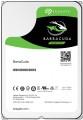 | 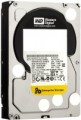 |
|---|---|---|
| Seagate BarraCuda Compute ST2000DM006 2 TB 64/7200 | WD RE WD2001FYYG 2 TB SAS | |
| Compare prices 3 | Compare prices 4 | |
| User reviews | ||
| TOP sellers | ||
| Placement | built-in | built-in |
| Type | HDD | HDD |
| Features | for PC | server |
| Volume | 2 TB | 2 TB |
| Form factor | 3.5 " | 3.5 " |
| Connection | SATA3 | SAS |
| Manufacturer's warranty | 2 years | 5 years |
Technical specs | ||
| Cache memory | 64 MB | 32 MB |
| RPM | 7200 rpm | 7200 rpm |
| Data transfer rate | 156 MB/s | 170 MB/s |
| Plates | 2 | |
| Operation power consumption | 8 W | 10.7 W |
| Standby power consumption | 5.4 W | 1.5 W |
| Shockproof | 300 G | |
| Reading noise level | 34 dB | |
| Standby mode noise level | 31 dB | |
| MTBF (on/off) | 300 K | 600 K |
Features | ||
| Features | for video surveillance | |
General | ||
| Size | 147x102x26 mm | |
| Weight | 626 g | |
| Added to E-Catalog | september 2016 | june 2013 |



Compare Seagate BarraCuda Compute ST2000DM006 and WD RE WD2001FYYG
You may be interested in
My comparisons
Seagate BarraCuda Compute often compared


WD RE often compared


Glossary
Features
The general purpose of a hard drive is the type of devices for which it was originally intended.
— For PC. Hard drives designed for use with conventional consumer computers and laptops. At the same time, the possibility of installing an internal HDD (see "Performance") directly depends on the form factor (see the relevant paragraph), while external models are not subject to such restrictions — it is enough for them to have the appropriate connection connector. Also note that almost all external hard drives are designed specifically for PCs; making server models external is not technically justified.
— For the server. Hard drives designed for servers have increased speed and reliability, because they constantly have to receive and give large amounts of information. To ensure speed, they may provide an increased rotation speed (up to 15,000 rpm). Such drives are made only internal (see "Performance"), and, in addition to SATA, they can use other, more specific connection methods — for example, SAS(see "Connection interfaces").
— For game console. Specialized hard drives designed for use with game consoles. They are made only external (see "Performance"), they are intended mainly for storing games — including saves and user settings profiles. The main difference between such devices and classic external HDDs is...precisely the optimization for working with game consoles, including the availability of special software tools for improved integration. Many of these drives are originally designed for a specific model or family of set-top boxes.
— For PC. Hard drives designed for use with conventional consumer computers and laptops. At the same time, the possibility of installing an internal HDD (see "Performance") directly depends on the form factor (see the relevant paragraph), while external models are not subject to such restrictions — it is enough for them to have the appropriate connection connector. Also note that almost all external hard drives are designed specifically for PCs; making server models external is not technically justified.
— For the server. Hard drives designed for servers have increased speed and reliability, because they constantly have to receive and give large amounts of information. To ensure speed, they may provide an increased rotation speed (up to 15,000 rpm). Such drives are made only internal (see "Performance"), and, in addition to SATA, they can use other, more specific connection methods — for example, SAS(see "Connection interfaces").
— For game console. Specialized hard drives designed for use with game consoles. They are made only external (see "Performance"), they are intended mainly for storing games — including saves and user settings profiles. The main difference between such devices and classic external HDDs is...precisely the optimization for working with game consoles, including the availability of special software tools for improved integration. Many of these drives are originally designed for a specific model or family of set-top boxes.
Connection
— SATA. Nowadays, it is the most popular interface for connecting internal hard drives. The first version of SATA provides a data transfer rate of about 1.2 Gbps, SATA 2 has a practical data transfer rate of about 2.4 Gbps (300 MB/s), and the most advanced generation SATA 3 offers a speed of 4.8 Gbps (600 MB/s).
— eSATA. A modification of the SATA interface designed for connecting external hard drives; it is not compatible with internal SATA. The practical data transfer rate is similar to SATA 2 and amounts to about 2.4 Gbps (300 MB/s).
— SAS. A modification of the SCSI interface, provides data transfer speeds up to 6 Gbps (750 MB/s). It is predominantly used in servers, and is practically not used in desktop PCs and laptops.
— USB-A 2.0. The earliest of the USB standards found in modern hard drives, exclusively external ones (see "Design"). It involves connecting to a traditional full-sized USB-A port, allows data transfer speeds up to 480 Mbps, and has fairly low power supply, which often requires additional power for drives with this type of connection. In light of all this and the emergence of more advanced standards like USB 5Gbps / 10 Gbps, USB 2.0 is considered outdated today and is found very rarely, mainly in inexpensive and early models of drives. However, a drive with this interface can also be connected...to a newer USB-A port—provided the connectors match.
— USB-A 5Gbps (previously known as USB 3.2 gen1 and USB 3.0). The standard for connecting external HDDs, which replaced the aforementioned USB 2.0. It uses the traditional full-sized USB-A connector, provides data transfer speeds up to 4.8 Gbps (600 MB/s), and has higher power supply, which makes it easier for such drives to manage without external power. However, for the same reason, attention is needed when connecting USB 5Gbps drives to older USB 2.0 connectors—as such a connector may not have enough power to supply the newer drive.
— USB-A 10Gbps. A further development of the USB 5Gbps standard (formerly known as USB 3.2 gen2 and USB 3.1). In this version, the maximum data transfer speed has been increased to 10 Gbps, and the power supply can reach up to 100W (with USB Power Delivery support). Meanwhile, drives with this type of connection can work with older versions of full-sized USB-A connectors—provided there is enough power supply.
— USB-C 5Gbps (previously known as USB-C 3.2 gen1 and USB-C 3.0). Connection through a USB-C type connector, corresponding to the capabilities of USB 5Gbps. The possibilities are described above, and the difference from USB-A 5Gbps in this case lies only in the type of connector: it is a relatively small (slightly larger than microUSB) socket with a reversible design. Due to its compact size, USB-C is found in both full-sized PCs and laptops, as well as compact gadgets such as smartphones and tablets; some drives with this connection initially allow "mobile" use.
— USB-C 10Gbps (previously known as USB-C 3.2 gen2 and USB-C 3.1). An update and improvement of the above-mentioned USB-C 5Gbps—the same USB-C connector and an increased data transfer speed up to 10 Gbps (as in "regular" USB-A 10Gbps).
— Thunderbolt. A high-speed interface for connecting external peripherals. It is primarily used in Apple computers and laptops, although it is also found in technologies from other manufacturers. Note that in modern HDDs, two versions of Thunderbolt are mainly encountered, differing in not only speed but also connector: Thunderbolt v2 (up to 20 Gbps) uses a miniDisplayPort type plug, and Thunderbolt v3 (up to 40 Gbps) uses a USB-C type plug (see above). In light of this, in some hard drives, USB-C and Thunderbolt connections are implemented through a single hardware connector that automatically determines which computer input the device is connected to.
— eSATA. A modification of the SATA interface designed for connecting external hard drives; it is not compatible with internal SATA. The practical data transfer rate is similar to SATA 2 and amounts to about 2.4 Gbps (300 MB/s).
— SAS. A modification of the SCSI interface, provides data transfer speeds up to 6 Gbps (750 MB/s). It is predominantly used in servers, and is practically not used in desktop PCs and laptops.
— USB-A 2.0. The earliest of the USB standards found in modern hard drives, exclusively external ones (see "Design"). It involves connecting to a traditional full-sized USB-A port, allows data transfer speeds up to 480 Mbps, and has fairly low power supply, which often requires additional power for drives with this type of connection. In light of all this and the emergence of more advanced standards like USB 5Gbps / 10 Gbps, USB 2.0 is considered outdated today and is found very rarely, mainly in inexpensive and early models of drives. However, a drive with this interface can also be connected...to a newer USB-A port—provided the connectors match.
— USB-A 5Gbps (previously known as USB 3.2 gen1 and USB 3.0). The standard for connecting external HDDs, which replaced the aforementioned USB 2.0. It uses the traditional full-sized USB-A connector, provides data transfer speeds up to 4.8 Gbps (600 MB/s), and has higher power supply, which makes it easier for such drives to manage without external power. However, for the same reason, attention is needed when connecting USB 5Gbps drives to older USB 2.0 connectors—as such a connector may not have enough power to supply the newer drive.
— USB-A 10Gbps. A further development of the USB 5Gbps standard (formerly known as USB 3.2 gen2 and USB 3.1). In this version, the maximum data transfer speed has been increased to 10 Gbps, and the power supply can reach up to 100W (with USB Power Delivery support). Meanwhile, drives with this type of connection can work with older versions of full-sized USB-A connectors—provided there is enough power supply.
— USB-C 5Gbps (previously known as USB-C 3.2 gen1 and USB-C 3.0). Connection through a USB-C type connector, corresponding to the capabilities of USB 5Gbps. The possibilities are described above, and the difference from USB-A 5Gbps in this case lies only in the type of connector: it is a relatively small (slightly larger than microUSB) socket with a reversible design. Due to its compact size, USB-C is found in both full-sized PCs and laptops, as well as compact gadgets such as smartphones and tablets; some drives with this connection initially allow "mobile" use.
— USB-C 10Gbps (previously known as USB-C 3.2 gen2 and USB-C 3.1). An update and improvement of the above-mentioned USB-C 5Gbps—the same USB-C connector and an increased data transfer speed up to 10 Gbps (as in "regular" USB-A 10Gbps).
— Thunderbolt. A high-speed interface for connecting external peripherals. It is primarily used in Apple computers and laptops, although it is also found in technologies from other manufacturers. Note that in modern HDDs, two versions of Thunderbolt are mainly encountered, differing in not only speed but also connector: Thunderbolt v2 (up to 20 Gbps) uses a miniDisplayPort type plug, and Thunderbolt v3 (up to 40 Gbps) uses a USB-C type plug (see above). In light of this, in some hard drives, USB-C and Thunderbolt connections are implemented through a single hardware connector that automatically determines which computer input the device is connected to.
Manufacturer's warranty
Manufacturer's warranty provided for this model.
In fact, this is the minimum service life promised by the manufacturer, subject to the rules of operation. Most often, the actual service life of the device is much longer than the guaranteed one.
In fact, this is the minimum service life promised by the manufacturer, subject to the rules of operation. Most often, the actual service life of the device is much longer than the guaranteed one.
Cache memory
The amount of internal hard drive memory. This memory is an intermediate link between the high-speed computer RAM and the relatively slow mechanics responsible for reading and writing information on disk platters. In particular, the buffer is used to store the most frequently requested data from the disk — thus, the access time to them is reduced.
Technically, the size of the buffer affects the speed of the hard drive — the larger the buffer, the faster the drive. However, this influence is rather insignificant, and at the level of human perception, a significant difference in performance is noticeable only when the buffer size of the two drives differs many times — for example, 8 MB and 64 MB.
Technically, the size of the buffer affects the speed of the hard drive — the larger the buffer, the faster the drive. However, this influence is rather insignificant, and at the level of human perception, a significant difference in performance is noticeable only when the buffer size of the two drives differs many times — for example, 8 MB and 64 MB.
Data transfer rate
The speed of data transfer between the disk and client devices is determined by the type of drive, spindle speed, memory buffer size and connection connectors. The last parameter is the most important, since it is impossible to exceed the bandwidth of a particular interface.
Plates
The number of platters provided in the design of the hard drive.
Physically, a hard disk consists of one or more platters, on which information is recorded. Several plates can be provided in order to achieve the desired volume without increasing the form factor. At the same time, it is also necessary to install an appropriate number of reading heads in such a drive, which complicates the design, reduces its reliability, and increases the cost. Therefore, manufacturers choose the number of plates based on a reasonable compromise between these points, and for selection, this parameter is more of a reference than practically significant.
Physically, a hard disk consists of one or more platters, on which information is recorded. Several plates can be provided in order to achieve the desired volume without increasing the form factor. At the same time, it is also necessary to install an appropriate number of reading heads in such a drive, which complicates the design, reduces its reliability, and increases the cost. Therefore, manufacturers choose the number of plates based on a reasonable compromise between these points, and for selection, this parameter is more of a reference than practically significant.
Operation power consumption
The amount of power consumed by the disk when reading and writing information. In fact, this is the peak power consumption, it is in these modes that the drive consumes the most energy.
HDD power consumption data is needed primarily to calculate the overall system power consumption and power supply requirements for the system. In addition, for laptops that are planned to be used often "in isolation from outlets", it is advisable to choose more economical drives.
HDD power consumption data is needed primarily to calculate the overall system power consumption and power supply requirements for the system. In addition, for laptops that are planned to be used often "in isolation from outlets", it is advisable to choose more economical drives.
Standby power consumption
The amount of power consumed by the disk "idle". In the on state, the disk platters rotate regardless of whether information is being written or read or not — maintaining this rotation takes the energy consumed while waiting.
The lower the power consumption while waiting, the more economical the disk is, the less energy it consumes. At the same time, we note that in fact this parameter is relevant mainly when choosing a drive for a laptop, when energy efficiency is crucial. For stationary PCs, “idle” power consumption does not play a special role, and when calculating the requirements for a power supply, it is necessary to take into account not this indicator, but the power consumption during operation (see above).
The lower the power consumption while waiting, the more economical the disk is, the less energy it consumes. At the same time, we note that in fact this parameter is relevant mainly when choosing a drive for a laptop, when energy efficiency is crucial. For stationary PCs, “idle” power consumption does not play a special role, and when calculating the requirements for a power supply, it is necessary to take into account not this indicator, but the power consumption during operation (see above).
Shockproof
A parameter that determines the resistance of the hard drive to drops and shocks during operation (that is, in the on state). Shock resistance is measured in G — units of overload, 1 G corresponds to the usual force of gravity. The higher the G number, the more resistant the disc is to various kinds of concussions and the less likely it is to be damaged, say, in the event of a fall. This setting is especially important for external drives and drives used in laptops.