
Comparison Sapphire Radeon RX 7900 XTX NITRO+ Vapor-X vs Sapphire Radeon RX 7900 XTX PULSE
Add to comparison | 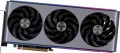 | 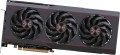 |
|---|---|---|
| Sapphire Radeon RX 7900 XTX NITRO+ Vapor-X | Sapphire Radeon RX 7900 XTX PULSE | |
| Compare prices 3 | Compare prices 2 | |
| User reviews | ||
| TOP sellers | ||
| Interface | PCIe v4.0 16x | PCIe v4.0 16x |
GPU | ||
| Model GPU | Radeon RX 7900 XTX | Radeon RX 7900 XTX |
| Architecture | Navi 3X (RDNA 3) | Navi 3X (RDNA 3) |
| Memory size | 24 GB | 24 GB |
| Memory type | GDDR6 | GDDR6 |
| Memory bus | 384 bit | 384 bit |
| Maximum frequency (Boost Clock) | 2680 MHz | 2525 MHz |
| Memory speed | 20000 Mbps | 20000 Mbps |
| Lithography | 5 nm | 5 nm |
| Max. resolution | 7680x4320 px | 7680x4320 px |
Connections | ||
| HDMI | 2 | 2 |
| HDMI version | v2.1 | v2.1 |
| DisplayPort | 2 | 2 |
| DisplayPort version | v.2.1 | v.2.1 |
Software | ||
| DirectX | 12 Ultimate | 12 Ultimate |
| OpenGL | 4.6 | 4.6 |
| Stream processors | 6144 | 6144 |
| Passmark G3D Mark test | 31355 points | 31355 points |
General | ||
| Monitors connection | 4 | 4 |
| Cooling | active (fan) | active (fan) |
| Fans | 3 pcs | 3 pcs |
| Lighting | multi compatibility | |
| Power consumption | 420 W | 370 W |
| Additional power | 8 + 8 + 8 pin | 8 + 8 + 8 pin |
| Minimum PSU recommendation | 800 W | 800 W |
| Length | 320 mm | 313 mm |
| Height | 136 mm | 134 mm |
| Occupies slots | 3.5 | 2.7 |
| Added to E-Catalog | february 2023 | january 2023 |



Compare Sapphire Radeon RX 7900 XTX NITRO+ Vapor-X and Radeon RX 7900 XTX PULSE
You may be interested in
My comparisons
Sapphire Radeon RX 7900 XTX NITRO+ Vapor-X often compared


Sapphire Radeon RX 7900 XTX PULSE often compared


Glossary
Maximum frequency (Boost Clock)
The clock frequency of the GPU core, to which the GPU can automatically overclock under suitable conditions for temperature, cooling, and power supply. This parameter is necessary for the card to temporarily or quite long operate faster than the nominal level and deliver more performance in games, 3D graphics, and other heavy tasks.
The higher the Boost Clock, the more potential the graphics card has under load, especially in dynamic scenes where additional processing speed is important. However, this is not a constant value; it is the maximum or close to maximum operating mode, which depends on the specific system and the quality of cooling.
For example, in a game or during rendering, a graphics card with a high Boost Clock can noticeably more confidently maintain performance if the case is well ventilated and there is no overheating. Therefore, Boost Clock is particularly interesting for those choosing a model for gaming, editing, streaming, or other resource-intensive tasks.
The higher the Boost Clock, the more potential the graphics card has under load, especially in dynamic scenes where additional processing speed is important. However, this is not a constant value; it is the maximum or close to maximum operating mode, which depends on the specific system and the quality of cooling.
For example, in a game or during rendering, a graphics card with a high Boost Clock can noticeably more confidently maintain performance if the case is well ventilated and there is no overheating. Therefore, Boost Clock is particularly interesting for those choosing a model for gaming, editing, streaming, or other resource-intensive tasks.
Lighting
The graphics card has a backlight system. This feature gives the board an original appearance, which is especially appreciated by gamers and fans of external PC modding. The backlight may have a different colour, in some models this colour may even change. At the same time, note that this feature does not affect the functionality of the graphics card, but it significantly affects the cost. So it's worth specifically looking for a graphics card with backlighting only in cases where an unusual design is no less important to you than performance. It should also be borne in mind that such adapters must be installed in the appropriate cases — open or with a viewing window, otherwise the backlight will simply not be visible.
Many models have a lighting synchronization technology. By itself, synchronization allows you to "match" the backlight of the graphics card with the backlight of other system components — the motherboard, case, keyboard, mouse, etc. Thanks to this matching, all components can change colour synchronously, turn on / off at the same time, etc. Specific features the operation of such backlighting depends on the synchronization technology used, and, usually, each manufacturer has its own (Mystic Light Sync for MSI, RGB Fusion for Gigabyte, etc.). The compatibility of the components also depends on this: they must all support the same technology. So the easiest way to achieve backlight com...patibility is to collect components from the same manufacturer.
Many models have a lighting synchronization technology. By itself, synchronization allows you to "match" the backlight of the graphics card with the backlight of other system components — the motherboard, case, keyboard, mouse, etc. Thanks to this matching, all components can change colour synchronously, turn on / off at the same time, etc. Specific features the operation of such backlighting depends on the synchronization technology used, and, usually, each manufacturer has its own (Mystic Light Sync for MSI, RGB Fusion for Gigabyte, etc.). The compatibility of the components also depends on this: they must all support the same technology. So the easiest way to achieve backlight com...patibility is to collect components from the same manufacturer.
Power consumption
Maximum power consumed by the graphics card during operation. This parameter is important for calculating the total power consumed by the entire system and selecting a power supply that provides the appropriate power.
Length
The total length of the graphics card.
In this case, the length means the size of the device from the plate with connectors (which is attached to the back wall of the system unit) to the opposite side. The plate itself and the outwardly protruding connectors are usually not taken into account.
Data on the length of the graphics card is needed primarily in order to assess whether there is enough space for it in a particular case. In addition, longer boards, usually, have more advanced characteristics (although there is no hard dependence here, and video adapters of similar class may have different lengths). As for specific values, the most compact solutions nowadays have a size of 150 – 200 mm or less ; an indicator of 200 – 250 mm can still be considered relatively small, 250 – 290 mm — medium, and many models (mostly advanced) have a length of more than 290 mm.
In this case, the length means the size of the device from the plate with connectors (which is attached to the back wall of the system unit) to the opposite side. The plate itself and the outwardly protruding connectors are usually not taken into account.
Data on the length of the graphics card is needed primarily in order to assess whether there is enough space for it in a particular case. In addition, longer boards, usually, have more advanced characteristics (although there is no hard dependence here, and video adapters of similar class may have different lengths). As for specific values, the most compact solutions nowadays have a size of 150 – 200 mm or less ; an indicator of 200 – 250 mm can still be considered relatively small, 250 – 290 mm — medium, and many models (mostly advanced) have a length of more than 290 mm.
Height
The parameter shows how "wide" the cooling system shroud has turned out to be, meaning the space the cooler's casing takes up around the radiator and fans. This is important for assembly compatibility: wider shrouds are often made for more efficient and quieter cooling, but because of them, the graphics card might conflict with nearby elements — such as the side panel, power cables, drive cages, rails, or closely positioned components in compact cases. Therefore, when assembling in a small case, you need to check the width in the specifications in advance to ensure the shroud doesn’t hit the wall and allows for neat cable management.
Occupies slots
The number of slots occupied by the graphics card on the back of the system unit.
This indicator allows you to estimate the amount of space required to install a video adapter. It is relevant in the light of the fact that modern video cards can have a fairly extensive set of connectors, and for this set there has long been little standard lanyard for 1 slot. This is especially true for powerful performant models. Thus, many solutions, especially mid-range and top-end ones, occupy two or even three slots at once.
Separately, it is worth touching on models for which the characteristics indicate a fractional number of slots — usually 2.5 or 2.7. This detail is provided by the manufacturer for promotional purposes — as confirmation that the graphics card is smaller than a full-fledged 3-slot solution. However, in fact there is no difference between these options: adapters for 2.5 or 2.7 slots still block the third slot (albeit partially), making it unusable.
This indicator allows you to estimate the amount of space required to install a video adapter. It is relevant in the light of the fact that modern video cards can have a fairly extensive set of connectors, and for this set there has long been little standard lanyard for 1 slot. This is especially true for powerful performant models. Thus, many solutions, especially mid-range and top-end ones, occupy two or even three slots at once.
Separately, it is worth touching on models for which the characteristics indicate a fractional number of slots — usually 2.5 or 2.7. This detail is provided by the manufacturer for promotional purposes — as confirmation that the graphics card is smaller than a full-fledged 3-slot solution. However, in fact there is no difference between these options: adapters for 2.5 or 2.7 slots still block the third slot (albeit partially), making it unusable.