
Comparison Hator Skyfall 2 TKL PRO vs Hator Skyfall TKL PRO
Add to comparison | 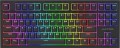 | 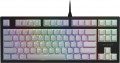 |
|---|---|---|
| Hator Skyfall 2 TKL PRO | Hator Skyfall TKL PRO | |
| Outdated Product | Outdated Product | |
| User reviews | ||
| TOP sellers | ||
| Connection | wired | wired |
| Cable length | 1.8 m | 1.8 m |
| Type | for game | for game |
| Form factor | 80% (TKL, without Numpad) | 80% (TKL, without Numpad) |
| Layout | ANSI | ANSI |
Keyboard | ||
| Key profile | high | high |
| Key type | classic type | classic type |
| Switch technology | mechanical | mechanical |
| Switches | Hator Aurum Orange (Linear) | Kailh Red (Linear) |
| Switch resource | 70 million clicks | 80 million clicks |
| PBT keycaps |  |  |
| Hot Swap | | |
| Anti-Ghosting | | |
| #KRO | N-KRO | N-KRO |
| Fn key | | |
Features | ||
| Cyrillic colour | transparent | transparent |
| Volume control | fn | fn |
| Game mode | | |
| Lighting | RGB | RGB |
| Lighting effects | + | + |
Connection and power supply | ||
| Cable | USB-A removable braided | USB-A removable braided |
General | ||
| Waterproof | | |
| Size | 365x133x36 mm | 365x133x36 mm |
| Weight | 1140 g | 1140 g |
| Added to E-Catalog | november 2023 | december 2022 |


Compare Hator Skyfall 2 TKL PRO and Skyfall TKL PRO
Keyboards Hator Skyfall 2 TKL PRO and Hator Skyfall TKL PRO have a similar compact format and wired connection, but differ in switch type and some characteristics. The Skyfall 2 TKL PRO uses Hator Aurum Orange switches with a lifespan of 70 million keystrokes, while the Skyfall TKL PRO is equipped with Kailh Red switches with a lifespan of 80 million keystrokes and supports Hot Swap. In terms of construction, the Skyfall TKL PRO features a metal base and water resistance, which the Skyfall 2 TKL PRO lacks. Both devices offer RGB backlighting and gaming modes, but the Skyfall TKL PRO may be preferable for users looking for more durable switches and additional protection.
You may be interested in
My comparisons
Hator Skyfall 2 TKL PRO often compared


Hator Skyfall TKL PRO often compared


Glossary
Switches
The model of switches (switches) used in the keyboard - switching mechanisms installed under each individual key. These details are given if the design uses advanced mechanics, positioned as a better option than traditional switches. Mostly gaming keyboards are equipped with such mechanics.
The most popular switch brands in our time are Cherry MX, considered the "classic of the genre" for high-quality mechanics; Gateron, practically not inferior to him; not so advanced, but also cheaper Kailh and Keychron, as well as ultra-budget Outemu. For all these brands, different types of switches have a different stem color, which can be used to determine the features of the keyboard. It is also worth saying that modern mechanical switches are divided into three main varieties: linear, tactile and clicky.
- Linear. Such solutions are closest to conventional membrane keyboards: the key travel is uniform along the entire length, with minimal resistance and the absence of a clear actuation point. There is an opinion that the linear "mechanics" is best suited for games where you have to deal with fast and frequent clicks; however, in practice, this moment largely depends on the personal tastes of th...e user, nothing prevents the use of such keyboards for working with texts.
- Tactile. Switches with a clearly defined actuation point - a kind of barrier to the path of the key. Such a "barrier" allows you to clearly determine by touch whether the key has worked or not. Tactile keyboards are valued primarily by tech who have to type large volumes of texts.
- Tactile-auditory (Clicky). In such switches, the actuation point is felt not only by touch, but also by ear: the actuation of the key is accompanied by a clearly audible click, which is often compared to the sound of the keys of a typewriter. Due to this, this option is also very popular among users dealing with texts. Some people consider switches of this type not very suitable for games, since they are supposedly not very convenient for frequent, fast pressing; however, a quality Clicky switch is as good as a linear switch in this regard, and the choice depends solely on personal preference. But the unequivocal disadvantages of such keyboards include a rather loud click sound, which in some situations may be superfluous.
As for specific colors, here are their features:
- Red (red). Linear type switches with minimum resistance. They are popular, in particular, among professional gamers who deal with dynamic games and try by all means to speed up their reaction to gaming events. On the other hand, a low force increases the likelihood of accidentally pressing an unnecessary button.
— Black. Another type of linear switches. They have a tighter move compared to Red, which, on the one hand, requires a little more effort, on the other hand, minimizes the chance of accidentally pressing the wrong key.
Blue. Switches in clicky format, with tactile feedback and a click.
— Brown. Switches with tactile feedback, but no "click". The Brown action is great for when you want a keyboard with tactile feedback and at the same time you want to avoid unnecessary noise (although the sound is still louder than on a membrane keyboard). In addition, it is considered a good option for tech who are just starting to get acquainted with mechanical keyboards.
— Silver. Linear switches designed for maximum operating speed. They have a very low stroke - about 1 - 1.2 mm - as well as a very small pressing force, which contributes to high speed. At the same time, the use of such a keyboard requires a certain skill, since even a small effort from an accidental touch usually leads to the operation of a key.
The most popular switch brands in our time are Cherry MX, considered the "classic of the genre" for high-quality mechanics; Gateron, practically not inferior to him; not so advanced, but also cheaper Kailh and Keychron, as well as ultra-budget Outemu. For all these brands, different types of switches have a different stem color, which can be used to determine the features of the keyboard. It is also worth saying that modern mechanical switches are divided into three main varieties: linear, tactile and clicky.
- Linear. Such solutions are closest to conventional membrane keyboards: the key travel is uniform along the entire length, with minimal resistance and the absence of a clear actuation point. There is an opinion that the linear "mechanics" is best suited for games where you have to deal with fast and frequent clicks; however, in practice, this moment largely depends on the personal tastes of th...e user, nothing prevents the use of such keyboards for working with texts.
- Tactile. Switches with a clearly defined actuation point - a kind of barrier to the path of the key. Such a "barrier" allows you to clearly determine by touch whether the key has worked or not. Tactile keyboards are valued primarily by tech who have to type large volumes of texts.
- Tactile-auditory (Clicky). In such switches, the actuation point is felt not only by touch, but also by ear: the actuation of the key is accompanied by a clearly audible click, which is often compared to the sound of the keys of a typewriter. Due to this, this option is also very popular among users dealing with texts. Some people consider switches of this type not very suitable for games, since they are supposedly not very convenient for frequent, fast pressing; however, a quality Clicky switch is as good as a linear switch in this regard, and the choice depends solely on personal preference. But the unequivocal disadvantages of such keyboards include a rather loud click sound, which in some situations may be superfluous.
As for specific colors, here are their features:
- Red (red). Linear type switches with minimum resistance. They are popular, in particular, among professional gamers who deal with dynamic games and try by all means to speed up their reaction to gaming events. On the other hand, a low force increases the likelihood of accidentally pressing an unnecessary button.
— Black. Another type of linear switches. They have a tighter move compared to Red, which, on the one hand, requires a little more effort, on the other hand, minimizes the chance of accidentally pressing the wrong key.
Blue. Switches in clicky format, with tactile feedback and a click.
— Brown. Switches with tactile feedback, but no "click". The Brown action is great for when you want a keyboard with tactile feedback and at the same time you want to avoid unnecessary noise (although the sound is still louder than on a membrane keyboard). In addition, it is considered a good option for tech who are just starting to get acquainted with mechanical keyboards.
— Silver. Linear switches designed for maximum operating speed. They have a very low stroke - about 1 - 1.2 mm - as well as a very small pressing force, which contributes to high speed. At the same time, the use of such a keyboard requires a certain skill, since even a small effort from an accidental touch usually leads to the operation of a key.
Switch resource
Keyboard switch durability is measured by the number of presses the keys can withstand before they begin to show signs of wear or malfunction. Switches can have a lifespan of several million to tens of millions of clicks. In laboratory conditions, this parameter is checked using special testing machines, which diligently press the keys the required number of times, on the basis of which a verdict is made regarding the approximate service life of the switches.
PBT keycaps
Keycaps made from polybutylene terephthalate (PBT), one of the toughest and most durable plastics for keyboards. Unlike ABS keycaps, they are more wear-resistant, do not become glossy over time, and are resistant to mechanical abrasion. This durability is also aided by high-quality symbol application methods, such as double-shot molding or laser engraving. PBT keycaps have a textured surface that feels pleasant to touch and provide a clearer and more tactile feedback when typing.
Hot Swap
"Hot" replacement of mechanical keyboard switches without the procedure of disassembling and soldering the manipulator. Hot Swap technology allows you to change one switch for another in a matter of seconds. This is convenient both when the switches fail, and when using the keyboard in different scenarios. Most often, the technology is used in advanced gaming devices.
Waterproof
Protecting the keyboard from spilling liquid on it. Most waterproof keyboards do not have a full-fledged sealed case and are designed to remain operational in the event of accidental contact with a relatively small amount of liquid (up to 200 mL) — for example, in the classic case of spilling coffee on the keyboard.