
Comparison Logitech Wireless Combo MK370 vs Logitech Wireless Combo MK295
Add to comparison | 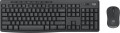 | 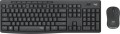 |
|---|---|---|
| Logitech Wireless Combo MK370 | Logitech Wireless Combo MK295 | |
| Compare prices 9 | Compare prices 21 | |
| User reviews | ||
| TOP sellers | ||
| In box | keyboard and mouse | keyboard and mouse |
| Connection | radio | radio |
| Form factor | 100% (full size) | 100% (full size) |
| Layout | ANSI | ANSI |
Keyboard | ||
| Key profile | low | low |
| Key type | classic type | classic type |
| Switch technology | membrane | membrane |
| Additional keys | 11 | 8 |
Features | ||
| Cyrillic colour | white | white |
| Volume control | add. keys | add. keys |
Connection and power supply | ||
| Power source | 2xAA | 2xAAA |
| Battery time | 36 months | 36 months |
| Receiver (dongle) | USB A | USB A |
General | ||
| Waterproof |  | |
| Size | 441x149x18 mm | 441x149x18 mm |
| Weight | 498 g | 498 g |
Mouse | ||
| Sensor | optical | optical |
| Number of buttons | 2 | 2 |
| Scroll wheels | 1 | 1 |
| Sensor resolution | 1000 DPI | 1000 DPI |
| Power supply (wireless) | 1xAA | 1xAA |
| Size (LxWxH) | 99x60x39 mm | 99x60x39 mm |
| Weight | 75 g | 75 g |
| Color | ||
| Added to E-Catalog | september 2023 | october 2020 |





Compare Logitech Wireless Combo MK370 and MK295
Keyboards Logitech Wireless Combo MK370 and MK295 have similar features such as connection type (radio), range (10 m), and battery life (36 months for the keyboard and 18 months for the mouse). However, the MK370 offers 11 additional keys, while the MK295 only has 8. Both devices feature low-profile keys and a membrane design, but the MK295 is available in a wider variety of colors, including white. Users note that both keyboards are comfortable to use, but the MK370 may be preferable for those who need more additional features.
Price comparison
You may be interested in
My comparisons
Logitech Wireless Combo MK295 often compared


Glossary
Additional keys
The number of additional keys provided in the design of the keyboard.
Such keys do not belong to the standard layout and are intended for quick access to specific functions or individual applications — for example, to control the media player or open mail with one click. This function is convenient because commands from additional keys are usually recognized by the system regardless of what is on the screen — thanks to this, for example, you do not have to close the text editor to switch tracks in the player.
Note that in this case we are talking about individual keys that have a strictly defined purpose and corresponding markings. Programmable buttons, the Fn key (see below) and the functions of the main keys implemented through Fn are not taken into account in this paragraph.
Such keys do not belong to the standard layout and are intended for quick access to specific functions or individual applications — for example, to control the media player or open mail with one click. This function is convenient because commands from additional keys are usually recognized by the system regardless of what is on the screen — thanks to this, for example, you do not have to close the text editor to switch tracks in the player.
Note that in this case we are talking about individual keys that have a strictly defined purpose and corresponding markings. Programmable buttons, the Fn key (see below) and the functions of the main keys implemented through Fn are not taken into account in this paragraph.
Power source
The type of power used in wireless keyboards. It can be a replaceable battery or its own built-in battery.
As replaceable batteries in modern keyboards, batteries or accumulators of the AA (“finger”) or AAA (“mini-finger”) format can be used. The main advantage of this power supply is the ability to quickly replace dead batteries with new ones — if there are any left, a few seconds are enough, and the keyboard is ready to work again. However, batteries are often not included and must be purchased separately. In addition, anyway, you have to buy new batteries as the old ones wear out — or fork out for rather expensive batteries and, possibly, a charger.
Built-in battery, in turn, relieves the user of the need to purchase batteries. On the other hand, in the event of a discharge, such a battery cannot be quickly replaced, and the only option to continue working is to charge it, which can take quite a long time.
As replaceable batteries in modern keyboards, batteries or accumulators of the AA (“finger”) or AAA (“mini-finger”) format can be used. The main advantage of this power supply is the ability to quickly replace dead batteries with new ones — if there are any left, a few seconds are enough, and the keyboard is ready to work again. However, batteries are often not included and must be purchased separately. In addition, anyway, you have to buy new batteries as the old ones wear out — or fork out for rather expensive batteries and, possibly, a charger.
Built-in battery, in turn, relieves the user of the need to purchase batteries. On the other hand, in the event of a discharge, such a battery cannot be quickly replaced, and the only option to continue working is to charge it, which can take quite a long time.