
Comparison Epson EcoTank L121 vs HP Ink Tank 115
Add to comparison | 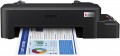 | 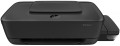 |
|---|---|---|
| Epson EcoTank L121 | HP Ink Tank 115 | |
| Outdated Product | Outdated Product | |
| User reviews | ||
| TOP sellers | ||
| Print formats | A4 | A4 |
| Print type | inkjet | inkjet |
| Output type | colour | colour |
| Number of colors | 4 | 4 |
Print | ||
| Max. resolution | 720x720 dpi | 1200x1200 dpi |
| First page print time | 14 с | |
| Mono print | 9 ppm | 19 ppm |
| Colour print | 4.5 ppm | 16 ppm |
Printing supplies | ||
| Monthly resource | 1 K pages | |
| Mono cartridge resource | 4500 page | 6000 page |
| Colour cartridge resource | 7500 page | 8000 page |
| Built-in CISS |  | |
| Ink type | water soluble | water soluble |
Features | ||
| Data transfer | PC connection (USB-B) | PC connection (USB-B) |
| Screen | no display | no display |
Hardware | ||
| Grammage (min) | 64 g/m² | 60 g/m² |
| Grammage (max) | 95 g/m² | 300 g/m² |
| Clock Speed | 360 MHz | |
General | ||
| Feed tray | 50 sheets | 60 sheets |
| Output tray | 25 sheets | |
| Power consumption | 10 W | |
| Dimensions (WxDxH) | 461x215x130 mm | 523x284x139 mm |
| Weight | 2.4 kg | 3.4 kg |
| Color | ||
| Added to E-Catalog | july 2021 | september 2018 |


Compare Epson EcoTank L121 and HP Ink Tank 115
You may be interested in
Epson EcoTank L121 often compared


HP Ink Tank 115 often compared


Glossary
Max. resolution
The maximum resolution of the image to be printed. It is usually indicated by two numbers denoting the number of dpi (DPI) horizontally and vertical: 600x600, 1200x600, 1200x1200, 2400x600, 2400x1200, 4800x600, 4800x1200, 4800x2400, 5760x1440, 9600x600, 9600x2400. The detail of the image depends on this parameter - the higher the resolution, the more fine details the printer is able to convey and the better their image will be. High print resolution is important, first of all, when working with graphic material; low resolution is sufficient for high-quality text display. So
First page print time
The time from the receipt of a print command to the exit from the printer of the first page printed in black and white, in other words, how long after pressing the "Print" button, the user will receive the first page. Most often indicated for draft (fastest) print mode, higher quality will take longer. You should pay attention to this parameter if you often need to print small documents (on one or several pages) on the printer.
Mono print
The black and white print speed provided by the printer. It should be noted that this parameter is often indicated for low quality when the device is running at maximum performance; at a higher quality (even at standard), the actual speed can be noticeably lower, so you should choose with a certain margin. Also note that high speed significantly affects the price, power consumption and noise level. Therefore, it does not always make sense to chase maximum performance — for simple applications (for example, at home or in a small office), a relatively slow and inexpensive device may be the best choice.
As for specific values, speeds up to 20 ppm are considered relatively low, 20 – 30 ppm — average, 31 – 40 ppm — decent, and the fastest models are capable of delivering more than 40 pages per minute.
As for specific values, speeds up to 20 ppm are considered relatively low, 20 – 30 ppm — average, 31 – 40 ppm — decent, and the fastest models are capable of delivering more than 40 pages per minute.
Colour print
Colour print speed provided by the printer. Usually, the specifications give speed at low quality, when performance is highest; on standard and especially high settings, the print speed can be noticeably lower, so it’s worth choosing with a certain margin. It is also worth considering that high speed significantly affects the price, power consumption and noise level. Therefore, it does not always make sense to chase maximum performance — for simple applications and small print volumes, a relatively slow and inexpensive device may be the best choice.
The "slowest" colour printers today are capable of delivering less than 10 pages per minute. A more decent value is considered 10 – 20 ppm, a speed of more than 20 ppm can already be called quite good, and in the fastest models this figure exceeds 30 ppm.
The "slowest" colour printers today are capable of delivering less than 10 pages per minute. A more decent value is considered 10 – 20 ppm, a speed of more than 20 ppm can already be called quite good, and in the fastest models this figure exceeds 30 ppm.
Monthly resource
The maximum number of pages the printer can print in a month while still operating at full capacity.
Mono cartridge resource
The maximum number of pages that the printer's ink (toner) can print. The value is rather conditional, in reality the deviations from the norm are very large (up or down). In inkjet printers, the cartridge life is relatively small and amounts to several hundred prints. In laser and LED devices, the bill is already in the thousands.
Colour cartridge resource
The maximum number of pages that the printer's ink (toner) can print. The value is rather conditional, in reality the deviations from the norm are very large (up or down). In inkjet printers, the cartridge life is relatively small and amounts to several hundred prints. In laser and LED devices, the bill is already in the thousands.
Grammage (min)
The minimum grammage on which the printer can produce normal print quality. Density is expressed in grams per square metre; accordingly, the thicker the paper, the thicker it is, and the greater the difference between the minimum and maximum paper weights, the greater the range of materials the printer can work with. The standard, most common A4 office paper has a density of 80 g/m² and is supported by the absolute majority of printers. If you use paper that is lighter than the minimum weight for this printer, you may experience problems such as wrinkled sheets or multiple sheets being picked up by the printer at the same time.
Grammage (max)
The maximum grammage on which the printer can produce normal print quality. For details about the weight, see "Paper Weight (Min)". An attempt to print on paper of a greater density than the maximum for this printer will, at best, end in nothing (the printer simply cannot capture the sheet), at worst, it can lead to a sheet jam in the printer, followed by the hassle of removing it.