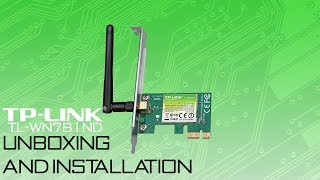
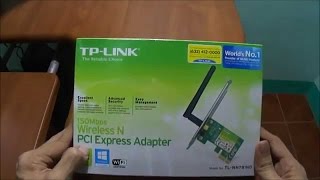
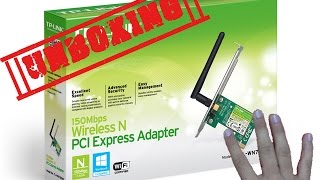
TP-LINK TL-WN781ND
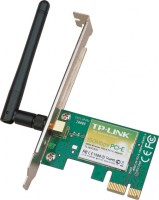 | Outdated Product Wireless network adapter for stationary personal computers with PCIe interface. The manufacturer is positioned as a simple and reliable entry-level low-cost device for establishing a connection with a remote wireless router. Thus, it is possible to build a sufficiently performant local network without the need for cabling. Unlike cheaper, small-sized and affordable Wi-Fi-USB adapters, this device is equipped with a full-fledged antenna, which is important in a situation where there are significant obstacles between the PC and the router (reinforced concrete or ordinary walls, partitions) or a significant distance. Under such conditions, the TP-LINK TL-WN781ND Wireless Network Adapter provides a more stable connection and noticeably better throughput. It has excellent compatibility with any...motherboard equipped with PCIe slots, it can work properly in x1, x2, x8, or x16 slots. Provides support for 802.11g/n standards and data transfer rates up to 150 Mbps. Supports the latest security protocols (WPA, WEP, WPA2) and strong traffic encryption methods. Designed for installation in home or office PCs. It has a modest overall dimensions, can be used in ultra-compact mini-ITX cases. E-Catalog uses affiliate links compensated by our partners. |


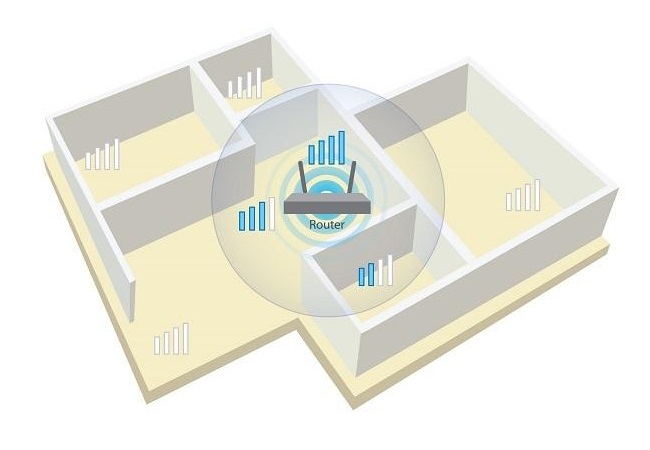
Wireless network adapter for stationary personal computers with PCIe interface. The manufacturer is positioned as a simple and reliable entry-level low-cost device for establishing a connection with a remote wireless router. Thus, it is possible to build a sufficiently performant local network without the need for cabling. Unlike cheaper, small-sized and affordable Wi-Fi-USB adapters, this device is equipped with a full-fledged antenna, which is important in a situation where there are significant obstacles between the PC and the router (reinforced concrete or ordinary walls, partitions) or a significant distance.
Under such conditions, the TP-LINK TL-WN781ND Wireless Network Adapter provides a more stable connection and noticeably better throughput. It has excellent compatibility with any motherboard equipped with PCIe slots, it can work properly in x1, x2, x8, or x16 slots. Provides support for 802.11g/n standards and data transfer rates up to 150 Mbps. Supports the latest security protocols (WPA, WEP, WPA2) and strong traffic encryption methods. Designed for installation in home or office PCs. It has a modest overall dimensions, can be used in ultra-compact mini-ITX cases.
|
| |||||||||||||||||||||||||||||||||||||||||||||||

Always clarify the specifications and configuration of the product with the online store manager before purchasing.
Catalog TP-LINK 2026 - new arrivals, bestsellers, and the most relevant models TP-LINK.
The bastards write 150 mbsec on the box and 2.4 Hz in small font below. But I don’t understand why my speed is not 90 but 40. price and only They are fooling people!! use TP-LINK TL-WN781ND less than month |
In general, I figured out the problem. The adapter was failing due to the originally incorrect MAC address from the provider, I deleted the line from the left-hand software that was installed for internet performance optimization. Additionally, I set the correct mode configuration to 11bgn and the channel width to 20MHz. Out of the 50 Mbps declared by the provider, 46 Mbps are currently reaching the computer with a ping of 3 ms. Fire for your money, the main thing is to set it up correctly Dealt with them, not yet  Grigoriy: use TP-LINK TL-WN781ND few months Grigoriy: use TP-LINK TL-WN781ND few months |
I think there are other more interesting and cheaper alternatives. Low price, compact size, easy installation I thought it was a problem with the router, but it turned out not to be. The delay is 3000ms ping, despite the fact that the router is in the same room Grigoriy: just bought TP-LINK TL-WN781ND i recommend it don't buy |