
Asus P5KC
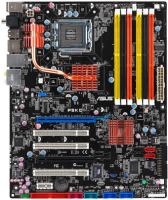 | Outdated Product Socket: LGA 775; Form factor: ATX; Size (mm): 305x244; Chipset: Intel P35; DDR3 (slots): 2; Memory module: DIMM; RAM frequency (MHz): 1333; Max. memory (GB): 8; eSATA connector: 1; Sound (channels): 7.1; Optical S/PDIF; Coaxial output; LAN: 1 Gbps; USB-A 2.0 (pcs): 6; Main power socket: 24-pin E-Catalog uses affiliate links compensated by our partners. |


Asus P5KC
Towards:home / office
Form Factor:ATX
Socket:LGA 775
Chipset:Intel P35
BIOS:Ami
RAM slots:DDR3 2 sl
RAM form factor:DIMM
RAM clock:1333 MHz
Sound (channels):7.1
Connectors:eSATA
Power connector:24-pin
Processor power:4-pin
All specifications
Specifications P5KC
|
| |||||||||||||||||||||||||||||||||||||||||||||||||||||||||||||||||||||||||||||||||||||||||||||||||||||||||||


The information in the model description is for reference purposes.
Always clarify the specifications and configuration of the product with the online store manager before purchasing.
Catalog Asus 2026 - new arrivals, bestsellers, and the most relevant models Asus.
Always clarify the specifications and configuration of the product with the online store manager before purchasing.
Catalog Asus 2026 - new arrivals, bestsellers, and the most relevant models Asus.
AccessoriesAll accessories for Asus P5KC →



I have been using this motherboard since 2008. I didn’t notice any glitches until I installed the latest BIOS firmware. When loading it hangs with a drop in the BIOS. I found the problem is that two screws (one with systems on both, one with one system and the other as storage) are IMPOSSIBLE. As I said above, the BIOS with the settings that we will load appears. As a result, two screws were covered in this way. I also tried to experiment with the memory, at the moment it costs 4 sticks according to Giga DDR2 800, the flight is normal for 4 years. But auto 4 Giga on DDR 3 did not work under any circumstances. So here it is. The reviews above do not allow me to write anything new. Described above use Asus P5KC month or more |
Add Review
We recommendCompare using chart →
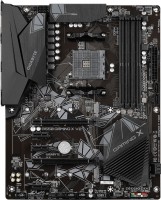
ATX, socket AM4, chipset AMD B550, 4 x DDR4, DIMM, 4733 MHz, USB-C, HDMI, M.2, no backlight
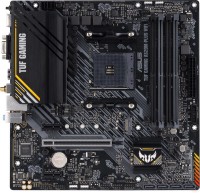
micro-ATX, socket AM4, chipset AMD A520, 4 x DDR4, DIMM, 4866 MHz, USB-C, HDMI, DisplayPort, M.2, Wi-Fi, M.2 cooling
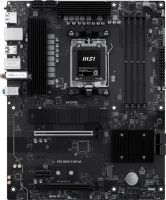
ATX, socket AM5, chipset AMD B850, 4 x DDR5, DIMM, 8200 MHz, USB-C, HDMI, DisplayPort, M.2, LAN 2.5 Gbps, Wi-Fi, M.2 cooling, no backlight

ATX, socket AM5, chipset AMD B850, 4 x DDR5, DIMM, 8000 MHz, USB-C, HDMI, DisplayPort, M.2, LAN 2.5 Gbps, Wi-Fi, M.2 cooling, no backlight, White Edition
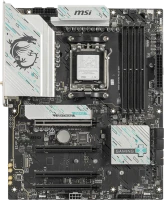
ATX, socket AM5, chipset AMD B850, 4 x DDR5, DIMM, 8200 MHz, USB-C, DisplayPort, M.2, LAN 5 Gbps, Wi-Fi, M.2 cooling, no backlight
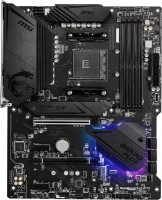
ATX, socket AM4, chipset AMD B550, 4 x DDR4, DIMM, 4400 MHz, USB-C, HDMI, DisplayPort, M.2, > 4 SATA3, CrossFire, M.2 cooling
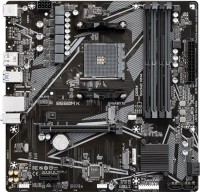
micro-ATX, socket AM4, chipset AMD B550, 4 x DDR4, DIMM, 4733 MHz, USB-C, HDMI, DisplayPort, M.2, no backlight
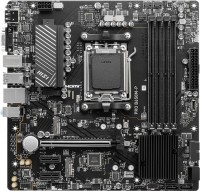
micro-ATX, socket AM5, chipset AMD B650, 4 x DDR5, DIMM, 6000 MHz, USB-C, HDMI, DisplayPort, M.2, LAN 2.5 Gbps, no backlight
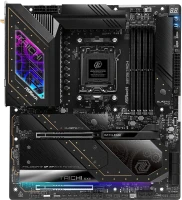
E-ATX, socket AM5, chipset AMD X870E, 4 x DDR5, DIMM, 8200 MHz, USB-C, USB4, HDMI, M.2, > 4 SATA3, LAN 5 Gbps, CrossFire, Wi-Fi, M.2 cooling
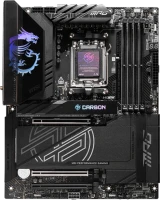
ATX, socket AM5, chipset AMD X870E, 4 x DDR5, DIMM, 8400 MHz, USB-C, USB4, HDMI, M.2, LAN 5 Gbps, Wi-Fi, M.2 cooling
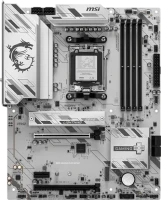
ATX, socket AM5, chipset AMD B850, 4 x DDR5, DIMM, 8200 MHz, USB-C, HDMI, DisplayPort, M.2, LAN 2.5 Gbps, Wi-Fi, M.2 cooling, no backlight, White Edition
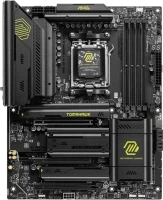
ATX, socket AM5, chipset AMD X870, 4 x DDR5, DIMM, 8400 MHz, USB-C, USB4, HDMI, M.2, LAN 5 Gbps, Wi-Fi, M.2 cooling, no backlight