
Logitech Signature MK950 for Business
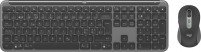 | Outdated Product In box: keyboard and mouse; Connection: Bluetooth / radio; Bluetooth version: v5.1; Multi-Device; Form factor: 100% (full size); Layout: ISO; Key profile: low; Additional keys: 5; Fn key; CMD / OPT keys; Volume control: fn; Cable: Power source: 1xAAA; Size (mm): 434x135x23; Weight (g): 685 E-Catalog uses affiliate links compensated by our partners. |


We recommend products in stockKeyboards Logitech →
punch hole, membrane, with a mouse, 100% (full size), Bluetooth / radio, additional keys: 4, battery
punch hole, membrane, with a mouse, 100% (full size), Bluetooth / radio, additional keys: 4, battery

punch hole, membrane, with a mouse, 100% (full size), Bluetooth / radio, additional keys: 4, battery
punch hole, membrane, with a mouse, 100% (full size), Bluetooth / radio, additional keys: 4, battery
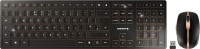
punch hole, membrane, with a mouse, 100% (full size), Bluetooth / radio, additional keys: 4, battery
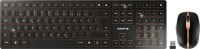
punch hole, membrane, with a mouse, 100% (full size), Bluetooth / radio, additional keys: 4, battery
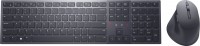
punch hole, scissor, with a mouse, 100% (full size), Bluetooth / radio, additional keys: 4, battery, up to 20 days
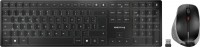
punch hole, scissor, with a mouse, 100% (full size), Bluetooth / radio, additional keys: 4, battery
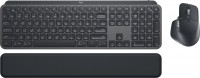
punch hole, scissor, with a mouse, 100% (full size), Bluetooth / radio, BT v 5, additional keys: 7, backlight, battery, 1500 mAh, up to 10 days
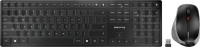
punch hole, scissor, with a mouse, 100% (full size), Bluetooth / radio, additional keys: 4, battery
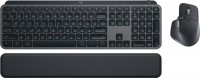
punch hole, scissor, with a mouse, 100% (full size), Bluetooth / radio, BT v 5, additional keys: 7, backlight, battery, 1500 mAh, up to 10 days
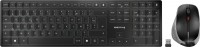
punch hole, scissor, with a mouse, 100% (full size), Bluetooth / radio, additional keys: 4, battery
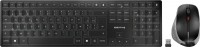
punch hole, scissor, with a mouse, 100% (full size), Bluetooth / radio, additional keys: 4, battery
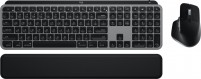
punch hole, scissor, with a mouse, 100% (full size), Bluetooth / radio, BT v 5, additional keys: 7, backlight, battery, 1500 mAh, up to 10 days
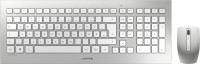
Logitech Signature MK950 for Business | |||||||||||||||||||||||||||||||||||||||||||||||||||||||||||||||||||||||||||||||||||||||
|
| ||||||||||||||||||||||||||||||||||||||||||||||||||||||||||||||||||||||||||||||||||||||


The information in the model description is for reference purposes.
Always clarify the specifications and configuration of the product with the online store manager before purchasing.
Catalog Logitech 2026 - new arrivals, bestsellers, and the most relevant models Logitech.
Always clarify the specifications and configuration of the product with the online store manager before purchasing.
Catalog Logitech 2026 - new arrivals, bestsellers, and the most relevant models Logitech.
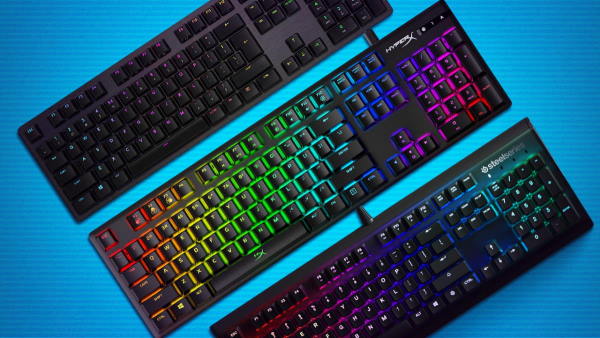
How to choose a gaming keyboardLet's look at the differences between the types of switches and additional equipment for gaming keyboards
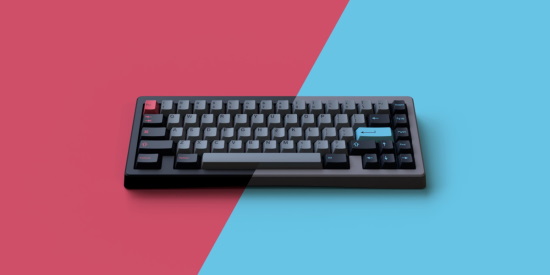
Differences between different types of keyboards, their sizes and types of layoutsUnderstanding how a full-sized keyboard differs from TKL and what is the difference between layouts
Series Logitech MK Series (kits)Compare using chart →

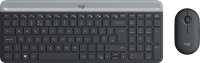
membrane, with a mouse, 100% (full size), radio, additional keys: 8, water resistance, 2xAAA
membrane, with a mouse, 100% (full size), radio, additional keys: 8, water resistance, 2xAAA
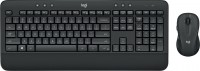
membrane, with a mouse, 100% (full size), radio, additional keys: 6, water resistance, 2xAA
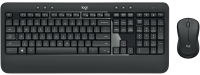
membrane, with a mouse, 100% (full size), radio, additional keys: 6, water resistance, 2xAA
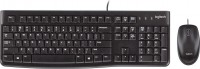
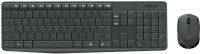
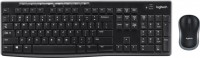
membrane, with a mouse, 100% (full size), radio, additional keys: 8, water resistance, 2xAAA


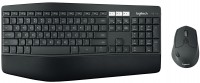
ergonomic, membrane, with a mouse, 100% (full size), Bluetooth, BT v 5, additional keys: 3, with macros, 2xAA
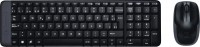
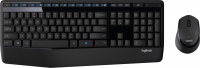
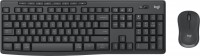
membrane, with a mouse, 100% (full size), radio, additional keys: 11, water resistance, 2xAA
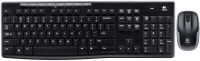
membrane, with a mouse, 100% (full size), radio, additional keys: 8, water resistance, 2xAAA
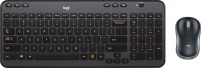
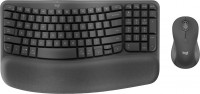
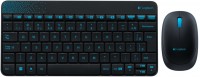
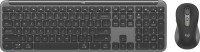
punch hole, with a mouse, 100% (full size), Bluetooth / radio, BT v 5, additional keys: 5, 2xAAA
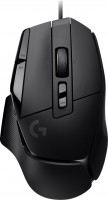




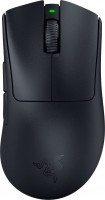
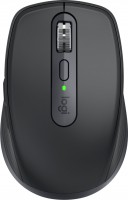
The keyboard is good. The mouse scroll does not work correctly. It is advisable to look at the M950 without the mouse if the price difference is noticeable. Also note that the keyboard and mouse have a slot inside for the UBS adapter, as usual, but they are empty. Instead, there is ONE adapter that works simultaneously with both devices, meaning you cannot unpair the mouse and keyboard to use them separately. Keyboard: Pleasant classic, without unnecessary "gimmicks." Works without visible delays. There are indicators for Caps Lock, connected device, and power. Mouse: clicks are quiet. Side buttons enable browsing in the browser (forward buttons in the browser are tied to the side buttons of the mouse). Both the keyboard and mouse connect with a single USB adapter. Keyboard: no NumLock indicator Mouse: at the beginning of use, it's easy to accidentally hit the side buttons. But the worst part is the wheel... It has a VERY noticeable delay. If you scroll a lot in one direction and then suddenly in the other, there will be no reaction in the other direction...  Max: use Logitech Signature MK950 for Business few months Max: use Logitech Signature MK950 for Business few months |
Add Review