
BenQ EX2780Q 27 " (9H.LJ8LA.TBE)
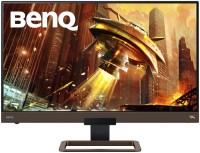 | Outdated Product High-quality 27-inch gaming monitor with HDR10 support, wide colour gamut and built-in speaker system with subwoofer. The manufacturer is positioned as a product of the upper price category, aimed at demanding gamers, e-sportsmen and enthusiastic computer gamers. The physical size of the glossy thin-frame screen is 597x335 mm, and it is based on a 10-bit (8-bit + FRC) AAS IPS matrix with W-LED backlight without tiring high-frequency flicker (Flicker-Free technology). Such a matrix has an increased maximum brightness of up to 350 cd / m2, an extended colour gamut (95% of the DCI P3 colour space) and excellent viewing angles (up to 178 ° in all directions). With 30-bit colour support, the BenQ EX2780Q monitor can display over a billion colours, greatly enhancing HDR image detail in shadows a...nd highlights (VESA DisplayHDR 400 certified). A pixel density of 109 ppi is enough to accurately display ultra-detailed textures and small fonts. With a refresh rate of up to 144Hz and Advanced Motion Acceleration technology, the monitor is capable of displaying high-definition images even in the most dynamic gaming scenes. E-Catalog uses affiliate links compensated by our partners. |


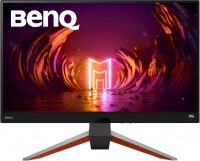
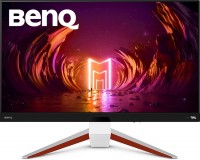
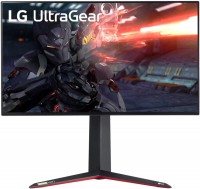
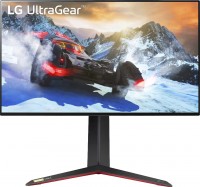
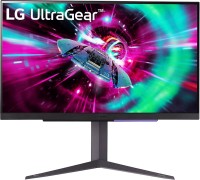
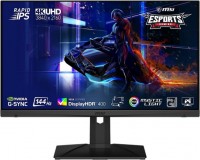
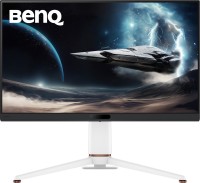
High-quality 27-inch gaming monitor with HDR10 support, wide colour gamut and built-in speaker system with subwoofer. The manufacturer is positioned as a product of the upper price category, aimed at demanding gamers, e-sportsmen and enthusiastic computer gamers. The physical size of the glossy thin-frame screen is 597x335 mm, and it is based on a 10-bit (8-bit + FRC) AAS IPS matrix with W-LED backlight without tiring high-frequency flicker (Flicker-Free technology).
Such a matrix has an increased maximum brightness of up to 350 cd / m2, an extended colour gamut (95% of the DCI P3 colour space) and excellent viewing angles (up to 178 ° in all directions). With 30-bit colour support, the BenQ EX2780Q monitor can display over a billion colours, greatly enhancing HDR image detail in shadows and highlights (VESA DisplayHDR 400 certified). A pixel density of 109 ppi is enough to accurately display ultra-detailed textures and small fonts. With a refresh rate of up to 144Hz and Advanced Motion Acceleration technology, the monitor is capable of displaying high-definition images even in the most dynamic gaming scenes.
|
| |||||||||||||||||||||||||||||||||||||||||||||||||||||||||||||||||||||||||||||||


Always clarify the specifications and configuration of the product with the online store manager before purchasing.
Catalog BenQ 2026 - new arrivals, bestsellers, and the most relevant models BenQ.

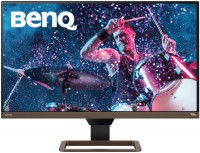
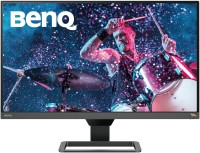
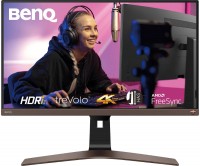





Great monitor for the money. The color was torn out of the box, as marketers think that gamers like this. Moreover, the matrix is excellent. sRGB 100% AdobeRGB 90% in the calibrator there was no assessment for DCI-P3, but by eye it will show the declared characteristics of 95% (In my copy it’s even closer to 100%). I want to immediately warn you that in order for the monitor to show normal colors, you need to disable HDR. In the video card settings, if you have NVIDIA, then set the full RGB range (0-250) on the monitor, you can also force it to RGB (0-250). Disable all dynamic backlight adjustments and set the colors to standard. Disable a dozen color degrader options. And only after that proceed to calibration. For those who need FreeSync on NVIDIA cards, it only works with DP or USB-C (Of course, if the card has one). I haven’t tested HDR with FreeSync, but you can always enable the software version of HDR on the monitor itself. A very good panel for a gaming monitor. It might suit photographers who aren’t too particular. The triangle is shifted to the red range, precisely to DCI-P3. The remote for the monitor is very convenient. At least during the setup phase. And the remote stand also fits perfectly into the monitor stand. absence of a DisplayPort cable in the package.  Alexander Korovin: use BenQ EX2780Q less than month Alexander Korovin: use BenQ EX2780Q less than month |
Excellent monitor. Excellent sound for a monitor. When I brought it home and turned it on, there were highlights in the left corners, I was a little upset. I rubbed the corners with microfiber, it became a little better. I went to bed upset. In the morning I turned on the monitor and lo and behold, the highlights disappeared on their own, it’s not clear whether that’s why that yesterday I turned it on immediately from the street and it had not yet warmed up. But today it’s just super, I turned the brightness up all the way for fun, in complete darkness it’s slightly noticeable. And at normal brightness the picture is almost perfect. By the way, the brightness reserve is huge. I turned on a 4k 60fps picture on YouTube works in 4k 60Hz mode. I was surprised. Connected via hdmi. I tried both connectors, they work the same. Later I’ll buy an additional display port cable, just for fun. When I lowered the brightness just for fun, a slight flickering of the right side of the screen began at a brightness below 7. Although I don’t use this brightness , but still. Above 7 everything is fine. Connected to the box, now you can use it as a TV, the sound picture is super. IPS.picture.remote control.sound.viewing angles.operates in 4K at 60Hz. When the brightness decreases to less than 7 units, the right side of the monitor begins to flicker slightly against a light background. Above 7 everything is fine. It’s not clear what this is? There is no display port cable included. EVGENIY BEZGINOV: just bought BenQ EX2780Q i recommend it should buy |
I've been working and playing on this monitor for a year now, everything's great - even the sound from the speakers isn't the worst, I don't even use other speakers, or I just plug in headphones. Great monitor for its price. Design, quality, price The speakers are so-so, but better than having none at all. Aleksey Vatman: use BenQ EX2780Q more than year |

