
TP-LINK TL-WN823N
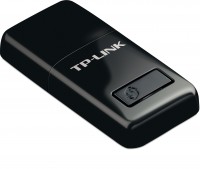 | Outdated Product A small-sized Wi-Fi adapter in USB stick format with support for Wi-Fi 4 wireless networks. It is positioned as an affordable model of the basic price category, designed to connect a desktop personal computer, HTPC system or laptop to a wireless network operating in the range of 2.4 GHz. Despite its compact overall dimensions and modest weight, the device is equipped with two internal antennas. The TP-LINK TL-WN823N Wi-Fi adapter differs from more low-cost models by its full support for MIMO technology, which provides parallel two-channel data transmission. In this case, the MIMO 2x2 mode is implemented, which, according to the manufacturer, allows you to get a theoretical throughput of up to 300 Mbps (with the support of MIMO 2x2 by the client device). The actual data transfer rate near t...he router is 100-110 Mbps and it is quite enough for comfortable viewing of FullHD-resolution streaming video, comfortable surfing, file-sharing network clients, cloud services, gaming and file transfer of significant sizes. Thanks to proprietary software, it can perform the function of a software-organized access point. E-Catalog uses affiliate links compensated by our partners. |


A small-sized Wi-Fi adapter in USB stick format with support for Wi-Fi 4 wireless networks. It is positioned as an affordable model of the basic price category, designed to connect a desktop personal computer, HTPC system or laptop to a wireless network operating in the range of 2.4 GHz. Despite its compact overall dimensions and modest weight, the device is equipped with two internal antennas.
The TP-LINK TL-WN823N Wi-Fi adapter differs from more low-cost models by its full support for MIMO technology, which provides parallel two-channel data transmission. In this case, the MIMO 2x2 mode is implemented, which, according to the manufacturer, allows you to get a theoretical throughput of up to 300 Mbps (with the support of MIMO 2x2 by the client device). The actual data transfer rate near the router is 100-110 Mbps and it is quite enough for comfortable viewing of FullHD-resolution streaming video, comfortable surfing, file-sharing network clients, cloud services, gaming and file transfer of significant sizes. Thanks to proprietary software, it can perform the function of a software-organized access point.
|
| ||||||||||||||||||||||||||||||||||||||||||||||||||||

Always clarify the specifications and configuration of the product with the online store manager before purchasing.
Catalog TP-LINK 2026 - new arrivals, bestsellers, and the most relevant models TP-LINK.
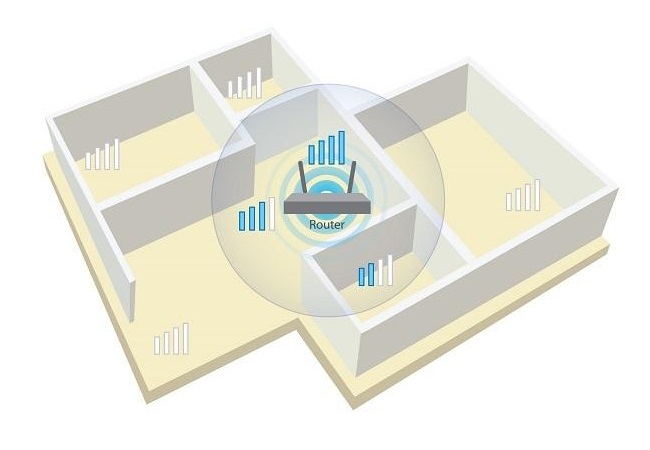
We've been using it for a month. They plugged it directly into the computer under the table without extension cords. It breaks through the walls up to the router with all 5 sticks. It maintains connection and speed no worse than an ethernet cable, but is slightly inferior in speed: 10-40 Mbit/sec versus 10-55 Mbit/sec for MGTS fiber optic (the tariff states up to 70 Mbit/sec). The adapter does not heat up - barely warm. In Windows 7 it is easy to install without programs, just confirm in connection. I didn't notice any shortcomings. use TP-LINK TL-WN823N month or more |
Works well at first. The resource of work is a maximum of six months. use TP-LINK TL-WN823N few months |


- Working in Soft AP mode
My experience.
Bought it six months ago. At first, I couldn't be happier. Range and speed were top-notch. But after four months, 5-10 minutes into operation, the adapter started to heat up, and the speed dropped almost to zero (0.01-0.05 MBps). Using the Internet became almost impossible. As long as the adapter was cold, it worked fine. I barely managed to prove the defect in service and get the adapter replaced under warranty. The new one worked fine for two months, and the same story is repeating itself. The seller now refuses to replace it with a new one, and I kind of understand him. So, I'm throwing this [censored] away and will buy an adapter from another manufacturer.