
MSI Optix G2412 23.8 " black
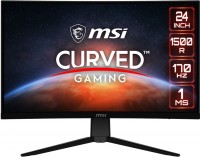
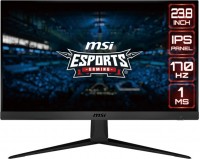 | Outdated Product MSI's low-cost 24-inch gaming monitor is a 2023 solution that has expanded the Optix branded line. The model is made, albeit in a characteristic gaming, to a very discreet design, it stands out with thin frames and the presence of an external power supply, which makes it more elegant compared to analogs with a built-in power supply. It uses an 8-bit IPS-matrix with a resolution of 1920x1080 pixels and a pixel size of 0.27 mm, which can be considered the optimal value for such a diagonal. Wide viewing angles are combined with typical contrast ratios and a base peak brightness of 250 cd/m². The MSI Optix G2412 monitor has all the features of a modern gaming solution, including fast response (1ms MPRT), high refresh rate of 170Hz, and support for FreeSync Premium synchronization technology.... Additionally, it is worth highlighting such a gaming option as Night Vision - highlighting dark scenes. Other advantages of the model include good color quality, as well as good color gamut (102.5% of the sRGB space). A tandem of Anti-Flicker and Less Blue Light is responsible for eye protection, that is, preventing backlight flickering and filtering blue light, and TÜV Rheinland certificate is available to confirm eye safety. E-Catalog uses affiliate links compensated by our partners. |


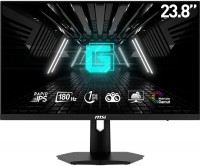



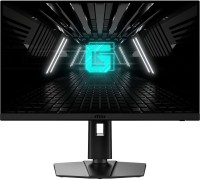
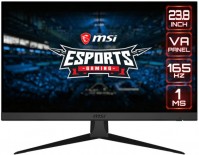
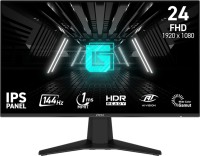
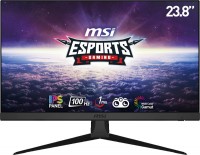
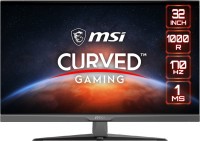
MSI's low-cost 24-inch gaming monitor is a 2023 solution that has expanded the Optix branded line. The model is made, albeit in a characteristic gaming, to a very discreet design, it stands out with thin frames and the presence of an external power supply, which makes it more elegant compared to analogs with a built-in power supply. It uses an 8-bit IPS-matrix with a resolution of 1920x1080 pixels and a pixel size of 0.27 mm, which can be considered the optimal value for such a diagonal.
Wide viewing angles are combined with typical contrast ratios and a base peak brightness of 250 cd/m². The MSI Optix G2412 monitor has all the features of a modern gaming solution, including fast response (1ms MPRT), high refresh rate of 170Hz, and support for FreeSync Premium synchronization technology. Additionally, it is worth highlighting such a gaming option as Night Vision - highlighting dark scenes. Other advantages of the model include good color quality, as well as good color gamut (102.5% of the sRGB space). A tandem of Anti-Flicker and Less Blue Light is responsible for eye protection, that is, preventing backlight flickering and filtering blue light, and TÜV Rheinland certificate is available to confirm eye safety.
|
| ||||||||||||||||||||||||||||||||||||||||||||||||||||||||||||||||||||||||||||||||||


Always clarify the specifications and configuration of the product with the online store manager before purchasing.
Catalog MSI 2026 - new arrivals, bestsellers, and the most relevant models MSI.
1 0 1 3 |
After 2.5 months of use, a noticeable red dot appeared on the screen. Apparently a dead pixel. The next day, a streak appeared across the entire screen. Then flickering and interference periodically began to appear on the screen! Operating conditions were not violated. Appearance Frequency. Stated as 170 Hz. In fact, it was only possible to set up to 165. Matrix quality  Ruslan: use MSI Optix G2412 month or more Ruslan: use MSI Optix G2412 month or more |
I've had this monitor for about a year and everything is fine with it. 170 hertz, price, metal leg, aesthetic appearance. Convenient monitor control menu, function of lighting dark areas using artificial intelligence. Ability to increase image clarity. Cheater's sight :) Maximum brightness, opponents are clearly visible in games. No terrible lighting, like on cheap IPS monitors. Contrast is good, but the matrix backlight is still clearly visible when dark colors prevail, IPS after all. The main drawback is the minimum brightness, which is very high. It's not very comfortable to use the computer in a dark room. They saved on the power button because it makes an unpleasant creaking noise. |
I bought this monitor and I am satisfied with everything. The picture quality is perfect, everything is convenient and comfortable. Picture quality, monitor functions I don't understand how to connect sound to the monitor ...: use MSI Optix G2412 less than month |