
Cooler Master MasterAir G100M (MAM-G1CN-924PC-R1)
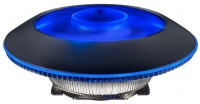 | Outdated Product Features: for CPU; Product type: air cooler; Fan size (mm): 100; Max. revolutions (rpm): 2400; Speed controller: auto (PWM); Noise level (dB): 30; Power source: 4-pin; Heatsink material: aluminum; Socket: AMD AM2/AM3/FM1/FM2; AMD AM4; Intel 775; Intel 1150; Intel 1155/1156; Intel 1366 E-Catalog uses affiliate links compensated by our partners. |


Cooler Master MasterAir G100M | |||||||||||||||||||||||||||||||||||||||||||||||||||||||||||||||||
|
| ||||||||||||||||||||||||||||||||||||||||||||||||||||||||||||||||


Changeable colour and backlight mode using the included switch.
The information in the model description is for reference purposes.
Always clarify the specifications and configuration of the product with the online store manager before purchasing.
Catalog Cooler Master 2026 - new arrivals, bestsellers, and the most relevant models Cooler Master.
Always clarify the specifications and configuration of the product with the online store manager before purchasing.
Catalog Cooler Master 2026 - new arrivals, bestsellers, and the most relevant models Cooler Master.
Air or liquid cooling — which is better?Which type of cooling to choose depending on the purpose of the PC
Which CPU cooler to choose?Nuances of choosing a CPU cooler that guarantee safety, durability and quiet operation of the PC
Series Cooler Master Master Air (air CPU)Compare using chart →
air cooler, per processor, AMD: AM4, AM5, Intel: 1150, 1155/1156, 1151/1151 v2, 1200, 1700 1851, fan: 2, 135 mm, depth 26 mm, 1550 rpm, height: 166 mm, UV glow, backplate mount
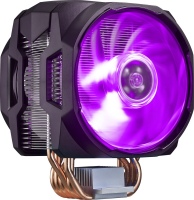
air cooler, per processor, AMD: AM2/AM3/FM1/FM2, AM4, Intel: 1150, 1155/1156, 1366, 2011 v3, 2066, 1151/1151 v2, 1200, fan: 2, 120 mm, 1800 rpm, maximum TDP 180 W, height: 167 mm, backlight, UV glow, backplate mount
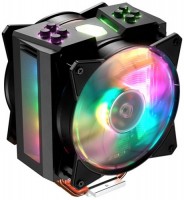
air cooler, per processor, AMD: AM2/AM3/FM1/FM2, AM4, Intel: 1150, 1155/1156, 1366, 2011 v3, 2066, 1151/1151 v2, 1200, fan: 2, 120 mm, 1800 rpm, height: 165 mm, backlight, UV glow, backplate mount
Model overview based on user reviews
The Cooler Master MasterAir G100M is a compact and stylish CPU cooler featuring RGB lighting that can be controlled via a compatible motherboard. It is designed for processors with a maximum TDP of 130W, making it suitable for various Intel and AMD sockets. Users appreciate its attractive design and efficient cooling performance, with one review noting a temperature drop from 85 to 75 degrees under load. However, some users find the installation process cumbersome, as it requires replacing the backplate, and the cooler can be noisy, especially during light tasks like web browsing. Despite these issues, it effectively manages heat and adds a visually appealing element to the setup. The cooler's low profile design is appreciated, though it may slightly obstruct access to RAM slots. Overall, it is a solid choice for those seeking a balance of aesthetics and performance, though potential buyers should be aware of the installation challenges and noise levels.
Pros
Cons
0 1 0 3 |
Compact in height. Features RGB lighting, which can be controlled by a Gigabyte motherboard. 1. Inconvenience of installation compared to boxed coolers. You need to unscrew the backplate and replace it with the one from the kit. It doesn't attach firmly and wobbles. Then secure the cooler itself from above with a special key. It's much more of a hassle compared to screwing in 4 screws of the native cooler. 2. With each mouse click while surfing the internet, the processor's temperature slightly spikes and the cooler instantly responds by increasing speed and buzzing. These constant "takeoffs" are annoying. 3. It slightly overhangs the RAM, making it difficult to access the outermost slot without removing the cooler.  Aleksey: use Cooler Master MasterAir G100M less than month Aleksey: use Cooler Master MasterAir G100M less than month |
According to the design features of the Cooler Master Master Air, with a heat supply of 130 watts, up to a processor of 125 watts, power consumption, and most often six cores. We look forward to when they will be on sale. if they were on sale and available, they might have purchased, but there is no Product and the conversation is postponed, until then. until he arrives in Ukraine, and in Taiwan for a fan it is somehow very expensive. design, large fan, presentable lighting, better green not found |
I took it to cool the i7 processor, previously it did not heat up slightly, but it remained within normal limits even in games under load. It rotates quickly and heat dissipation is efficient. With it, the pace dropped from 85 degrees at the peak to 75 degrees, and this is not a bad result. Nice, low, easy installation No problems use Cooler Master MasterAir G100M less than month |
3 out of 4 user review(s) shown
1 more user review(s)
Video reviews

Best Looking RGB Air Cooler - Cooler Master MasterAir G100M Review
15 February 2018261 607 view

UFO Shaped CPU Cooler! -- Cooler Master MasterAir G100M
21 April 201849 336 view

Cooler Master MasterAir G100M, installation
13 February 201846 163 view

Review - Cooler Master MasterAir G100M
15 May 201838 782 view

Cooler Master MasterAir G100M CPU Cooler Review
5 June 201821 251 view

Cooler Master MasterAir G100M Low Profile RGB CPU Cooler Unboxing, Intel Install and Look at Temps
14 April 201919 628 view

Cooler Masterair G100m Rgb unboxing and installation
7 March 20207 664 view

Cooler Master MasterAir G100M RGB CPU cooler Test and Review!
20 May 20195 330 view
Coolermaster MasterAir G100M & Gigabyte G1 Gaming GeForce GTX 1050 Ti 4GB Unboxing & Installation!
29 July 2018820 view

Unboxing - Cooler Cpu Cooler Master Masterair G100m
27 December 2018773 view

UnBoxing Kipas Prosessor Cooler MasterAir G100M "RGB" Mini.
6 September 2018114 view
We recommendCompare using chart →
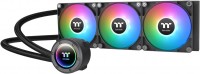
liquid cooling, per processor, AMD: AM2/AM3/FM1/FM2, AM4, AM5, Intel: 1150, 1155/1156, 1151/1151 v2, 1200, 1700 1851, fan: 3, 120 mm, depth 25 mm, 2000 rpm, backlight, UV glow, backplate mount
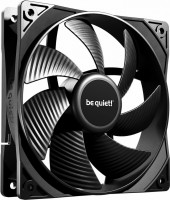

liquid cooling, per processor, AMD: AM4, AM5, Intel: 1700 1851, fan: 3, 120 mm, depth 25 mm, backlight, UV glow, backplate mount

liquid cooling, per processor, AMD: AM4, AM5, Intel: 1700 1851, fan: 3, 120 mm, depth 25 mm, 3000 rpm, UV glow, backplate mount
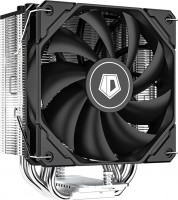
air cooler, per processor, AMD: AM4, AM5, Intel: 1150, 1155/1156, 1151/1151 v2, 1200, 1700 1851, fan: 1, 120 mm, depth 25 mm, 1500 rpm, maximum TDP 220 W, height: 151 mm, UV glow, backplate mount
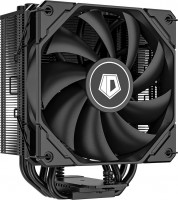
air cooler, per processor, AMD: AM4, AM5, Intel: 1150, 1155/1156, 1151/1151 v2, 1200, 1700 1851, fan: 1, 120 mm, depth 25 mm, 1500 rpm, maximum TDP 220 W, height: 151 mm, UV glow, backplate mount
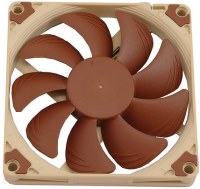
fan, on body, fan: 1, 92 mm, depth 14 mm, 2200 rpm, quiet (<20 dB), magnetic bearing, UV glow
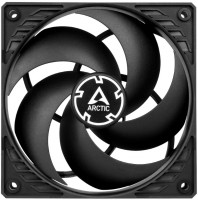
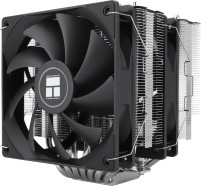
air cooler, per processor, AMD: AM4, AM5, Intel: 1150, 1155/1156, 2011 v3, 2066, 1151/1151 v2, 1200, 1700 1851, fan: 2, 120 mm, depth 25 mm, 1500 rpm, height: 154 mm, UV glow, backplate mount
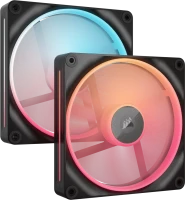
reversible fan, on body, fan: 2, 140 mm, depth 25 mm, 2000 rpm, magnetic bearing, backlight, UV glow, хаб в комплекте
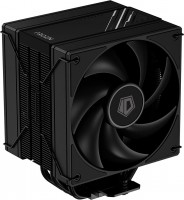
air cooler, per processor, AMD: AM4, AM5, Intel: 1150, 1155/1156, 1151/1151 v2, 1200, 1700 1851, fan: 2, 120 mm, depth 25 mm, 2000 rpm, maximum TDP 230 W, height: 152 mm, UV glow, backplate mount
AIDA64 measurements showed a processor temperature of 45 degrees without load, and when fully loaded, an average of 95 degrees, with a maximum of 101 degrees.
I solved the issue of constant speed increase, oddly enough, by setting the maximum fan mode in the BIOS. Although it’s noisy, it maintains a constant level. You get used to it.
That's how it is...