
HP Color LaserJet Pro CP1025
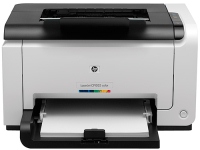 | Outdated Product Print formats: A4; Print type: laser; Output type: colour; Mono print (ppm): 16; Colour print (ppm): 4; Mono cartridge resource (page): 1200; Colour cartridge resource (pages): 1000; OPC drum resource (K pages): 14; Data transfer: PC connection (USB-B); Screen: no display; Grammage (max) (g/m²): 220 E-Catalog uses affiliate links compensated by our partners. |


HP Color LaserJet Pro CP1025
Type:colour, laser
Format:A4
Connection:USB type B
Print Resolution:600x600 dpi
B/W printing:16 ppm
Colour print:4 ppm
Number of cartridges:4
All specifications
Specifications Color LaserJet Pro CP1025
|
| ||||||||||||||||||||||||||||||||||||||||||||||||||||||||||||||||||||||||||||||||||

The information in the model description is for reference purposes.
Always clarify the specifications and configuration of the product with the online store manager before purchasing.
Catalog HP 2026 - new arrivals, bestsellers, and the most relevant models HP.
Always clarify the specifications and configuration of the product with the online store manager before purchasing.
Catalog HP 2026 - new arrivals, bestsellers, and the most relevant models HP.
Series HP LaserJet (laser, office)
monochrome, laser, A4, printing 600х600 dpi, scanning 600х600 dpi, RAM 64 MB, Wi-Fi Direct, AirPrint, Bluetooth
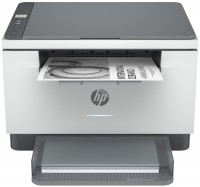
monochrome, laser, A4, printing 600х600 dpi, 2-side print, scanning 600х600 dpi, RAM 64 MB, LAN, Wi-Fi Direct, AirPrint, Bluetooth
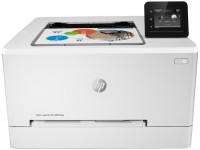
colour, flowers 4, laser, A4, 600x600 dpi, b/w 21 ppm, color 21 ppm, Wi-Fi Direct, AirPrint
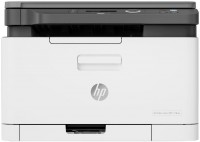
colour, flowers 4, laser, A4, printing 600х600 dpi, scanning 600х600 dpi, RAM 128 MB, LAN, Wi-Fi Direct, AirPrint
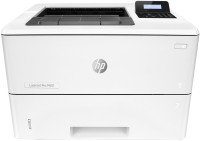
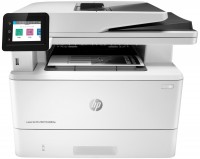
monochrome, laser, A4, printing 1200х1200 dpi, 2-side print, scanning 1200х1200 dpi, 2-side scanning, autoscan, RAM 512 MB, fast CPU, LAN, Wi-Fi Direct, AirPrint, Bluetooth, fax machine
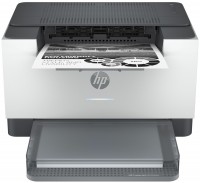
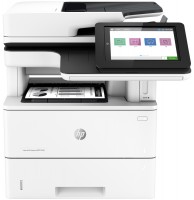
monochrome, laser, A4, printing 1200х1200 dpi, 2-side print, scanning 600х600 dpi, 2-side scanning, autoscan, RAM 1780 MB, fast CPU, LAN, fax machine, hDD, 320 GB
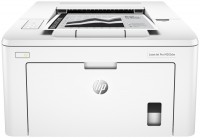
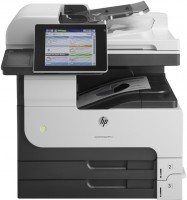
monochrome, laser, A3, printing 1200х1200 dpi, 2-side print, scanning 600х600 dpi, 2-side scanning, autoscan, RAM 1024 MB, LAN, hDD, 320 GB
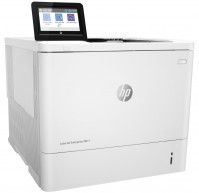
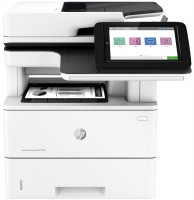
monochrome, laser, A4, printing 1200х1200 dpi, 2-side print, scanning 600х600 dpi, 2-side scanning, autoscan, RAM 1780 MB, fast CPU, LAN
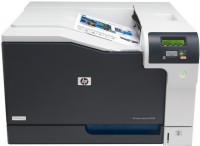
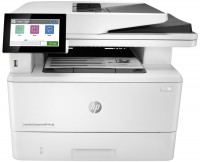
monochrome, laser, A4, printing 1200х1200 dpi, 2-side print, scanning 600х600 dpi, 2-side scanning, autoscan, RAM 2048 MB, LAN, fax machine, hDD, 16 GB
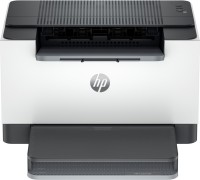
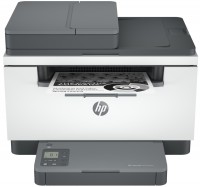
monochrome, laser, A4, printing 600х600 dpi, 2-side print, scanning 600х600 dpi, autoscan, RAM 64 MB, LAN, Wi-Fi Direct, AirPrint, Bluetooth
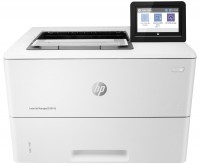
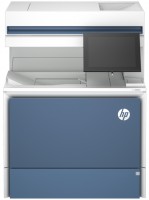
colour, laser, A4, printing 1200х1200 dpi, 2-side print, scanning 600х600 dpi, 2-side scanning, autoscan, RAM 6144 MB, fast CPU, LAN, hDD, 500 GB
0 0 4 2 |
The cost of a set of even "third-party" cartridges is almost equal to the cost of the printer. This might be easier in a big city, but in Smolensk, that's how it is. For the money it's ok Expensive consumables  Aleksandr: use HP Color LaserJet Pro CP1025 more than year Aleksandr: use HP Color LaserJet Pro CP1025 more than year |
i just received it, I'm figuring it out good design, well-known reliable company HP CP1025 Printer... !! Disappointed: the cover where the paper is fed is not designed to close!! As a result, the bottom of the printer is constantly open! - Dust gets in... Nikolay: just bought HP Color LaserJet Pro CP1025 |
an excellent middle-class printer, no special features in operation, the cartridge is enough for 400-500 sheets as in a standard laser printer, I don’t even know the color powder there, by the way, nothing dries out, I haven’t changed the color one since the purchase... so what can I say It’s difficult because of the amount of paint. I've had the printer for almost a year now. I recommend it to everyone, nothing dries out, doesn’t break, and in general, HP is HP! normal dimensions, nothing sticks out anywhere, everything is made ergonomically and there are no sharp corners, you won’t get hurt on a corner, although the weight is very heavy. Two types of printing for the price of a regular black-and-white laser printer, and then there is also color printing. Personally, the priority for me was the availability of color printing, since it’s simply impossible to find it exactly when you need it, but here it’s once every six months, but it’s at hand. Quite fast printing in black and white, and good photo printing, 4 photos in 1 minute, you can print even on A4 format. there is no way to connect via WI-FI, now almost all equipment is connected this way, no extra wiring, they could have stuck with such money. Noisy when printing, stupid after finishing the paper in the tray, it’s not enough for him to just open the tray, put the paper in and return the tray to its previous position, he also wants to press the button, why? If you start printing many pages, about more than 60 pieces, the cooling will start to turn on and it will stop printing for 2-3 minutes, and then continue for 10-20 and turn it on again... |
3 out of 6 user review(s) shown
3 more user review(s)
Video reviews

Cara Mengatasi Kertas Nyangkut pada Printer HP LaserJet CP 1025 Collor
15 June 20234 328 view

Stuck with HP CP1025 Blinking Lights? Fix It Now!
4 May 20223 050 view

HP Laserjet CP1025 Color Printer Rear Door Open False Warning
5 June 20242 403 view
We recommendCompare using chart →
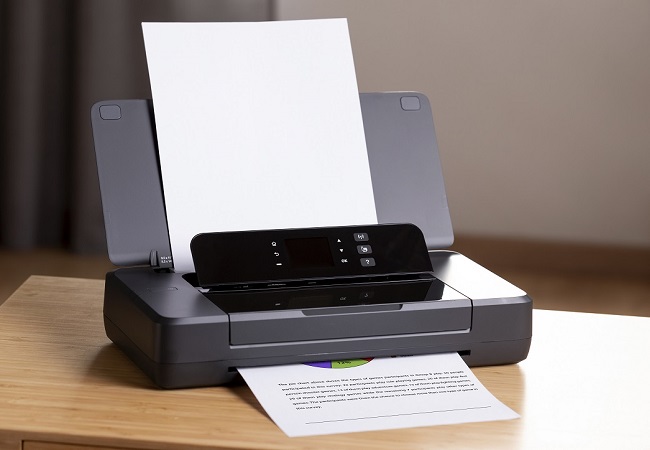
movable, colour, flowers 4, inkjet, A4, 4800x1200 dpi, b/w 10 ppm, color 7 ppm, Wi-Fi Direct, AirPrint
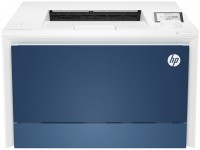
colour, flowers 4, laser, A4, 600x600 dpi, b/w 33 ppm, color 33 ppm, Wi-Fi Direct, AirPrint