
BenQ W1080ST
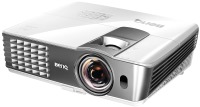 | Outdated Product Main function: universal; Brightness (lm): 2000; Dynamic contrast: 10 000:1; Technology: DLP; Resolution (px): 1920x1080; Image format support: 4:3, 16:9; Rear; Minimum distance (m): 0.45; Max. distance (m): 7.73; Image size ("): 30 – 300; Optical zoom (x): 1.2; Focus: manual; 3D support: 3D support E-Catalog uses affiliate links compensated by our partners. |


We recommend products in stockProjectors BenQ →
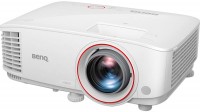
projection: coefficient 0.69:1 – 0.83:1, зум 1.2 x, rear projection, Full HD, 1920x1080 px, 3D, lamp: ANSI 3000 lm, 10 000:1, service life 4000 h, VGA, HDMI 2
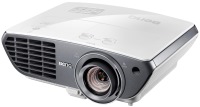
projection: from 1.5 m, up to 8 m, coefficient 1.15:1 – 1.86:1, зум 1.6 x, rear projection, lens shift, Full HD, 1920x1080 px, 3D, lamp: ANSI 2000 lm, 10 000:1, service life 2000 h, VGA, HDMI 2, speakers
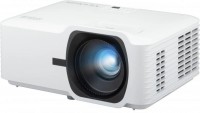
projection: from 0.75 m, up to 9.76 m, coefficient 1.13:1 — 1.47:1, зум 1.3 x, rear projection, Full HD, 1920x1080 px, 3D, lamp: Laser-LED, ANSI 5000 lm, 3 000 000:1, service life 20000 h, HDMI 2, speakers
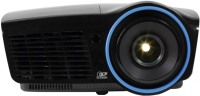
projection: from 0.65 m, up to 7.62 m, зум 1.22 x, rear projection, Full HD, 1920x1080 px, 3D, lamp: 4000 lm, service life 3000 h, VGA, DisplayPort
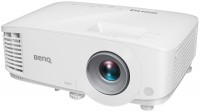
projection: from 0.9 m, up to 9.2 m, coefficient 1.15:1 – 1.5:1, зум 1.3 x, rear projection, lens shift, Full HD, 1920x1080 px, 3D, lamp: ANSI 4000 lm, 16 000:1, service life 4000 h, VGA, HDMI 2, speakers
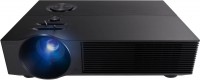
projection: from 1.15 m, up to 5.7 m, coefficient 1.3:1 – 1.56:1, зум 1.2 x, rear projection, Full HD, 1920x1080 px, 3D, lamp: LED, 3000 lm, service life 30000 h, VGA, HDMI 2, speakers
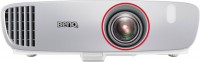
projection: from 2.54 m, up to 3.81 m, coefficient 0.69:1 –0.83:1, зум 1.2 x, Full HD, 1920x1080 px, 3D, lamp: ANSI 2200 lm, 15 000:1, service life 3500 h, VGA, HDMI 2, speakers
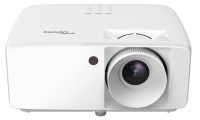
projection: from 1 m, up to 10 m, coefficient 1.48:1 — 1.62:1, rear projection, lens shift, Full HD, 1920x1080 px, HDR, 3D, lamp: Laser-LED, 4000 lm, 2 000 000:1, service life 30000 h, HDMI 2, speakers

projection: coefficient 1.48:1 — 1.62:1, зум 1.1 x, rear projection, Full HD, 1920x1080 px, HDR, 3D, lamp: Laser-LED, 4600 lm, 300 000:1, service life 30000 h, VGA, HDMI 2
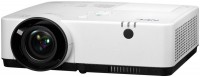
projection: from 0.75 m, up to 12.88 m, coefficient 1.2:1 – 2.0:1, зум 1.6 x, rear projection, Full HD, 1920x1200 px, 3D, lamp: ANSI 3800 lm, 16 000:1, service life 10000 h, VGA, HDMI 2, speakers
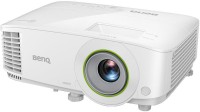
Smart TV, projection: from 1.98 m, up to 6.53 m, coefficient 1.49:1 – 1.64:1, зум 1.1 x, rear projection, Full HD, 1920x1080 px, 3D, lamp: UHP, ANSI 3500 lm, 10 000:1, service life 5000 h, VGA, HDMI 1
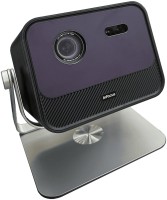
motorized, projection: coefficient 1.2:1, Full HD, 1920x1080 px, HDR, 3D, lamp: LED, 1200 lm, 100 000:1, service life 25000 h, HDMI 1, Wi-Fi, 802.11ac, speakers
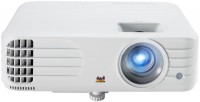
projection: from 0.97 m, up to 10.67 m, зум 1.1 x, rear projection, Full HD, 1920x1200 px, 3D, lamp: 4000 lm, 12 000:1, service life 4000 h, VGA, HDMI 2, speakers
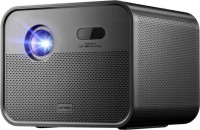
motorized, projection: from 0.53 m, up to 7.97 m, coefficient 1.2:1, rear projection, Full HD, 1920x1080 px, HDR, 3D, lamp: LED, ANSI 1800 lm, DCI-P3 120 %, HDMI 1, Wi-Fi, speakers

motorized, projection: coefficient 1.2:1, rear projection, Full HD, 1920x1080 px, HDR, 3D, lamp: LED, 1200 lm, service life 25000 h, HDMI 1, Wi-Fi, speakers
BenQ W1080ST
Lamp:2000 lm, 10 000:1, service life 3500 h
Resolution:1920x1080 px
Projection:from 0.45 m, up to 7.73 m
Connection:VGA
All specifications
Specifications W1080ST
|
| ||||||||||||||||||||||||||||||||||||||||||||||||||||||||||||||||||||||||||||||||||||||||||||


The information in the model description is for reference purposes.
Always clarify the specifications and configuration of the product with the online store manager before purchasing.
Catalog BenQ 2026 - new arrivals, bestsellers, and the most relevant models BenQ.
Always clarify the specifications and configuration of the product with the online store manager before purchasing.
Catalog BenQ 2026 - new arrivals, bestsellers, and the most relevant models BenQ.
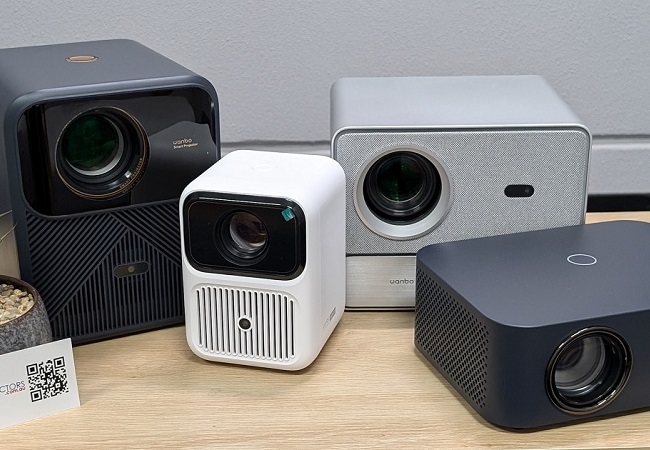
How to choose a projectorType, projection characteristics, type of lamp and matrix, as well as other criteria for choosing a projector
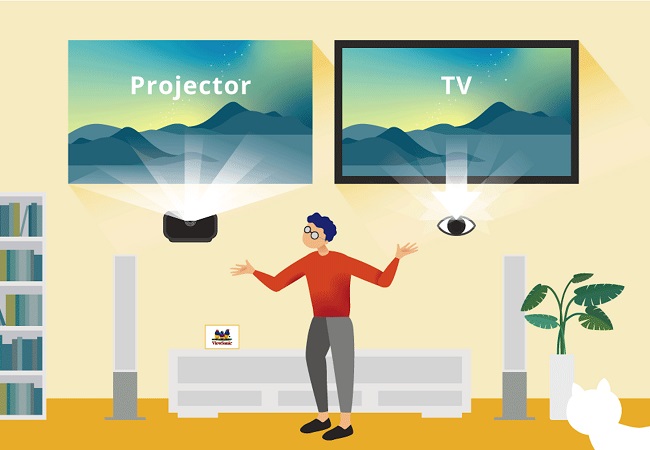
What to choose: a projector or a TV?Let's figure out when it's better to get a projector and when a TV
Series BenQ Home EntertainmentCompare using chart →
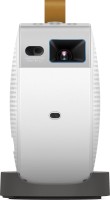
motorized, portable, projection: coefficient 1.2, Full HD, 1920x1080 px, HDR, lamp: Laser-LED, ANSI 500 lm, 100 000:1, service life 20000 h, HDMI 1, USB-C, Wi-Fi, 802.11ac, speakers, subwoofer, battery, up to 2.5 hours of work
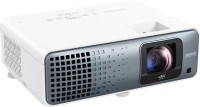
Android TV, projection: from 1.5 m, up to 2.8 m, coefficient 0.69:1 0.83– :1, зум 1.2 x, 3840x2160 px, 4K, HDR, lamp: Laser-LED, ANSI 3200 lm, 600 000:1, sRGB 95 %, service life 20000 h, HDMI 2
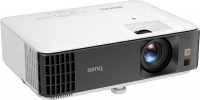
projection: from 2.5 m, up to 3.7 m, coefficient 1.13:1 – 1.46:1, зум 1.3 x, rear projection, 3840x2160 px, 4K, HDR, 3D, lamp: ANSI 3200 lm, 10 000:1, service life 4000 h, HDMI 2
projection: coefficient 0.69:1 – 0.83:1, зум 1.2 x, rear projection, Full HD, 1920x1080 px, 3D, lamp: ANSI 3000 lm, 10 000:1, service life 4000 h, VGA, HDMI 2
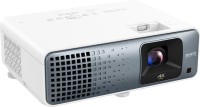
projection: from 2.5 m, up to 5 m, coefficient 1.15:1 – 1.5:1, зум 1.3 x, lens shift, 3840x2160 px, 4K, HDR, lamp: Laser-LED, ANSI 3200 lm, 600 000:1, sRGB 95 %, service life 20000 h, HDMI 2

projection: coefficient 1:1 — 1.3:1, зум 1.3 x, rear projection, 3840x2160 px, 4K, HDR, lamp: LED, ANSI 3000 lm, 600 000:1, sRGB 98 %, service life 20000 h, DisplayPort, HDMI 2, USB-C, Wi-Fi, speakers

projection: coefficient 0.8:1, rear projection, 3840x2160 px, 4K, HDR, lamp: LED, ANSI 3000 lm, 600 000:1, sRGB 98 %, service life 20000 h, DisplayPort, HDMI 2, USB-C, Wi-Fi, speakers

projection: from 0.6 m, up to 2.63 m, зум 1.1 x, rear projection, 1280x720 px, 3D, lamp: 2500 lm, 10 000:1, service life 4000 h, VGA, HDMI 2, speakers
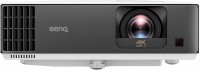
Android TV, projection: from 2.5 m, up to 3.7 m, coefficient 0.9 — 1.08:1, зум 1.2 x, rear projection, 3840x2160 px, 4K, HDR, 3D, lamp: UHE, ANSI 3200 lm, 10 000:1, service life 4000 h, HDMI 2, Wi-Fi, 802.11ac
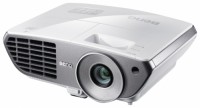
projection: from 1 m, up to 10.5 m, зум 1.2 x, rear projection, Full HD, 1920x1080 px, 3D, lamp: 2000 lm, service life 4500 h, VGA
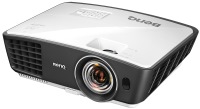
projection: from 0.64 m, up to 5.76 m, coefficient 0.72:1 – 0.87:1, зум 1.2 x, rear projection, 1280x720 px, 3D, lamp: ANSI 2500 lm, 13 000:1, service life 4000 h, VGA, HDMI 2, speakers
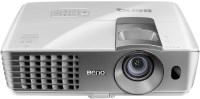
projection: rear projection, lens shift, Full HD, 1920x1080 px, 3D, lamp: 2200 lm, 10 000:1, service life 3500 h, VGA
projection: from 1.5 m, up to 8 m, coefficient 1.15:1 – 1.86:1, зум 1.6 x, rear projection, lens shift, Full HD, 1920x1080 px, 3D, lamp: ANSI 2000 lm, 10 000:1, service life 2000 h, VGA, HDMI 2, speakers

motorized, projection: from 1.6 m, up to 2.7 m, coefficient 0.499:1, Full HD, 1920x1080 px, lamp: Laser-LED, ANSI 4000 lm, 3 000 000:1, service life 20000 h, HDMI 2, speakers
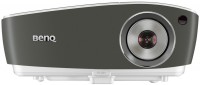
projection: from 2 m, up to 12 m, зум 1.2 x, rear projection, lens shift, Full HD, 1920x1080 px, 3D, lamp: 3000 lm, 10 000:1, service life 4000 h, VGA, HDMI 1, speakers

motorized, projection: coefficient 0.69:1 — 0.83:1, зум 1.2 x, 3840x2160 px, 4K, 3D, lamp: Laser-LED, ANSI 4000 lm, 3 000 000:1, sRGB 95 %, service life 20000 h, HDMI 2, USB-C, speakers

motorized, projection: coefficient 0.69:1 — 0.83:1, зум 1.2 x, Full HD, 1920x1080 px, 3D, lamp: Laser-LED, ANSI 4000 lm, 3 000 000:1, sRGB 95 %, service life 20000 h, HDMI 2, USB-C, speakers
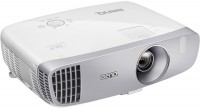
projection: зум 1.3 x, rear projection, lens shift, Full HD, 1920x1080 px, 3D, lamp: 2200 lm, 15 000:1, service life 3500 h, VGA, HDMI 2, speakers

motorized, projection: coefficient 1.52:1 — 2.45:1, зум 1.6 x, rear projection, lens shift, 3840x2160 px, 4K, HDR, 3D, lamp: Laser-LED, ANSI 2600 lm, 3 000 000:1, sRGB 100 %, DCI-P3 100 %, service life 20000 h, HDMI 2
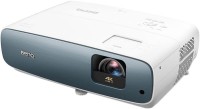
projection: from 0.75 m, up to 9.76 m, coefficient 1.13:1 – 1.47:1, rear projection, lens shift, 3840x2160 px, 4K, HDR, 3D, lamp: ANSI 3000 lm, 30 000:1, service life 4000 h, HDMI 2, speakers
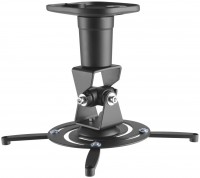
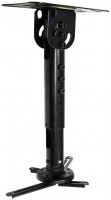
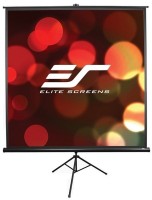
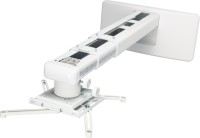
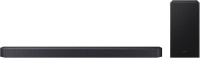
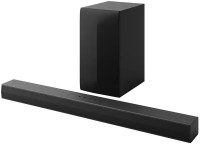
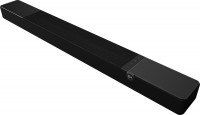
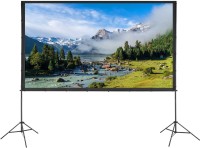
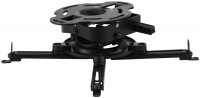
AccessoriesAll accessories for BenQ W1080ST →






Model overview based on user reviews
The BenQ W1080ST projector is a relatively affordable option that delivers very good image quality with a sharp picture and good color, free from the rainbow effect. It performs well in both well-lit and dark rooms, with an economical mode that extends lamp life. The projector is quiet and features a convenient setup, making it ideal for home theater use. While the zoom adjustment system is somewhat flimsy, it does not affect the image quality. However, the built-in sound is poor, suggesting the need for external audio solutions. Overall, the BenQ W1080ST is a good model for those looking to build an excellent home theater, offering features like 3D support and a convenient remote control.
Pros
Cons
In my opinion, it's a very good solution for building an excellent home theater. At first, I wanted to get an Epson, mainly because of the brand. Then I decided to take a closer look at other manufacturers. And I think I wasn't mistaken! At least, I haven't regretted this purchase even once. Relatively affordable and still provides very good image quality. Produces a fairly sharp picture with good color and no rainbow effect. Provides a normal black color. The projector is bright enough to be used in a fairly well-lit room. If used in a dark room, the economical mode is quite sufficient. Very attractive in appearance and well built. I'm pleased with how convenient it is to use and set up. It's quite quiet; even when the sound is off, the fan is not irritating. When watching a movie, it’s not audible at all. I'd like to highlight the Eco Blank mode — it seems like nothing special, but it will definitely allow the lamp to last longer. The remote included is very small but still very convenient. There is 3D support, but I haven't used it yet, as I'm not a fan of it. There is a zoom, but its adjustment system is somewhat flimsy—there is a noticeable play (however, it does not affect image quality and settings in any way). And the built-in sound is very poor. It would have been better not to have this option at all than to implement it like this. use BenQ W1080ST month or more i recommend it should buy |
Add Review
Video reviews

BenQ W1080ST DLP Projector Cleaning / Service P2
13 March 201888 916 view

BenQ W1080ST Unboxing
8 August 201311 880 view

BenQ W1080ST Full HD 1920x1080 Home Cockpit
11 February 20147 905 view

Benq W1080ST Projector Overview Video
27 March 2017418 view
Additional features projector BenQ W1080ST:
SmartEco mode allows the projector to automatically adjust lamp power for maximum savings while maintaining the best image contrast and brightness.
No Source Detected Mode
Automatically activates the Eco Blank mode, which, when the projector is idle for 3 minutes without a video source, turns on a blank screen and sets the lamp power to 30%.
Eco Blank Mode
Eco Blank mode allows you to turn on a blank screen and save lamp power consumption by 70%.
- Smart Eco mode
- No Source Detected Mode
- Eco Blank Mode
SmartEco mode allows the projector to automatically adjust lamp power for maximum savings while maintaining the best image contrast and brightness.
No Source Detected Mode
Automatically activates the Eco Blank mode, which, when the projector is idle for 3 minutes without a video source, turns on a blank screen and sets the lamp power to 30%.
Eco Blank Mode
Eco Blank mode allows you to turn on a blank screen and save lamp power consumption by 70%.