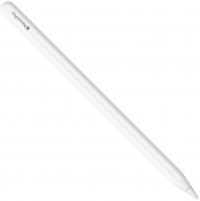
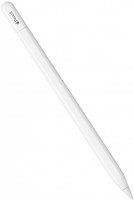
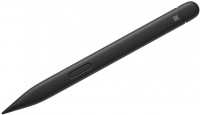
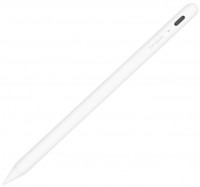
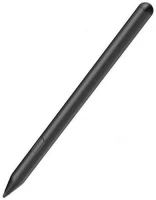
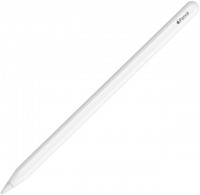
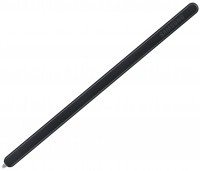
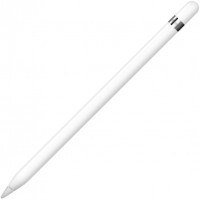
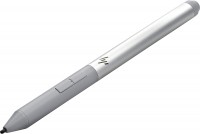
Adonit Neo Duo
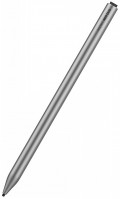 | Outdated Product A solution for Apple tablet owners, focused on simplifying the process of creating handwritten notes and digital drawings without the need for complex settings. The device works exclusively with various generations of iPad and stands out from most competitors by not requiring Bluetooth pairing — you just need to press the power button, and the device is ready to use. This approach eliminates connection delays and issues with connectivity loss that are typical for wireless accessories requiring constant synchronization. The palm rejection technology allows you to rest your hand on the screen while writing or drawing without worrying about accidental lines or marks, making it feel more like working with regular paper. The Adonit Neo Duo stylus magnetically attaches to the side of the tablet,...solving the eternal issue of losing and rolling pens off the table — the accessory is securely fixed and always nearby during transportation. Touching the screen with the pen automatically launches the "Notes" app, speeding up the start of working with documents. Charging is done via a USB-C port with the possibility to keep writing during charging; a complete cycle takes 1 hour and 40 minutes and provides 9 hours of uninterrupted use. The body is made of aluminum combined with POM plastic, ensuring a lightweight design at 14 grams. The spiral-type tip is replaceable as it wears, extending the accessory's lifespan.
Highlights:
- No Bluetooth pairing needed, instant power on and use.
- Palm rejection for seamless writing and drawing experience.
- Magnetic attachment solution — never misplace your stylus.
- USB-C continues charging while using — minimal interruptions. E-Catalog uses affiliate links compensated by our partners. |


Adonit Neo Duo | |||||||
| |||||||
A solution for Apple tablet owners, focused on simplifying the process of creating handwritten notes and digital drawings without the need for complex settings. The device works exclusively with various generations of iPad and stands out from most competitors by not requiring Bluetooth pairing — you just need to press the power button, and the device is ready to use. This approach eliminates connection delays and issues with connectivity loss that are typical for wireless accessories requiring constant synchronization.
The palm rejection technology allows you to rest your hand on the screen while writing or drawing without worrying about accidental lines or marks, making it feel more like working with regular paper. The Adonit Neo Duo stylus magnetically attaches to the side of the tablet, solving the eternal issue of losing and rolling pens off the table — the accessory is securely fixed and always nearby during transportation.
Touching the screen with the pen automatically launches the "Notes" app, speeding up the start of working with documents. Charging is done via a USB-C port with the possibility to keep writing during charging; a complete cycle takes 1 hour and 40 minutes and provides 9 hours of uninterrupted use. The body is made of aluminum combined with POM plastic, ensuring a lightweight design at 14 grams. The spiral-type tip is replaceable as it wears, extending the accessory's lifespan. Highlights: - No Bluetooth pairing needed, instant power on and use. - Palm rejection for seamless writing and drawing experience. - Magnetic attachment solution — never misplace your stylus. - USB-C continues charging while using — minimal interruptions.
Always clarify the specifications and configuration of the product with the online store manager before purchasing.
Catalog Adonit 2026 - new arrivals, bestsellers, and the most relevant models Adonit.