
Samsung QE-75Q77A
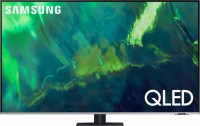 | Outdated Product Size ("): 75; Operating system: Smart TV (proprietary system); CPU: Samsung Quantum 4K; Screen coating: anti-glare; Resolution (px): 3840x2160; Frame rate (Hz): 100/120; HDR support: HDR10+; Sound power (W): 20; Number of speakers: 2; Digital tuner: DVB-T2 (terrestrial); DVB-C (cable) E-Catalog uses affiliate links compensated by our partners. |


We recommend products in stockTVs Samsung →

for consoles and PC, 75 ", 4K, 100/120 Hz, QLED, Edge LED, HDR10+, FreeSync, 4K upscaling, Smart TV, Wi-Fi, AirPlay 2, LAN, voice control, assistant, T2 tuner

flagship, for consoles and PC, 75 ", 4K, 100/120 Hz, game mode 144 Hz, QLED, Mini LED, HDR10+, Dolby Vision, FreeSync, 4K upscaling, Google TV, Wi-Fi, AirPlay 2, Google Cast, LAN, subwoofer, many speakers, voice control, assistant, T2 tuner
flagship, for consoles and PC, 75 ", 4K, 100/120 Hz, QLED, Mini LED, HDR10, Dolby Vision, 4K upscaling, Google TV, Wi-Fi, AirPlay 2, Google Cast, LAN, subwoofer, many speakers, voice control, assistant, T2 tuner

75 ", 4K, 100/120 Hz, game mode 144 Hz, QLED, HDR10+, Dolby Vision, FreeSync, 4K upscaling, Google TV, Wi-Fi, AirPlay 2, LAN, voice control, assistant, T2 tuner

for consoles and PC, 75 ", 4K, 100/120 Hz, game mode 144 Hz, NanoCell, Mini LED, HDR10, Dolby Vision, FreeSync, 4K upscaling, Smart TV, Wi-Fi, AirPlay 2, Google Cast, LAN, voice control, assistant, T2 tuner

for consoles and PC, 77 ", 4K, 100/120 Hz, game mode 144 Hz, OLED, HDR10, Dolby Vision, FreeSync, 4K upscaling, Smart TV, Wi-Fi, AirPlay 2, Google Cast, LAN, subwoofer, voice control, assistant, T2 tuner
for consoles and PC, 77 ", 4K, 100/120 Hz, game mode 144 Hz, OLED, HDR10, Dolby Vision, FreeSync, 4K upscaling, Smart TV, Wi-Fi, Matter, AirPlay 2, Google Cast, LAN, subwoofer, voice control, assistant, T2 tuner

for consoles and PC, 77 ", 4K, 100/120 Hz, game mode 165 Hz, OLED, HDR10, Dolby Vision, FreeSync, 4K upscaling, Smart TV, Wi-Fi, Matter, AirPlay 2, Google Cast, LAN, subwoofer, voice control, assistant, T2 tuner

for consoles and PC, 75 ", 4K, 100/120 Hz, game mode 180 Hz, RGB-Mini LED (RGB LED), HDR10+, Dolby Vision 2, FreeSync, 4K upscaling, Smart TV, Wi-Fi, AirPlay 2, LAN, subwoofer, many speakers, voice control, assistant, T2 tuner

flagship, for consoles and PC, 77 ", 4K, 100/120 Hz, game mode 165 Hz, OLED, HDR10, Dolby Vision, FreeSync, 4K upscaling, Smart TV, Wi-Fi, Matter, AirPlay 2, Google Cast, LAN, subwoofer, many speakers, voice control, assistant, T2 tuner

flagship, for consoles and PC, 77 ", 4K, 100/120 Hz, game mode 165 Hz, OLED, HDR10, Dolby Vision, FreeSync, 4K upscaling, Smart TV, Wi-Fi, Matter, AirPlay 2, Google Cast, LAN, subwoofer, many speakers, voice control, assistant, T2 tuner

flagship, for consoles and PC, 77 ", 4K, 100/120 Hz, game mode 144 Hz, OLED, HDR10, Dolby Vision, FreeSync, 4K upscaling, Smart TV, Wi-Fi, AirPlay 2, Google Cast, LAN, subwoofer, many speakers, voice control, assistant, T2 tuner

flagship, for consoles and PC, 75 ", 4K, 100/120 Hz, game mode 165 Hz, Micro RGB (RGB LED), HDR10+, FreeSync, 4K upscaling, Pantone, Smart TV, Wi-Fi, Matter, AirPlay 2, Google Cast, LAN, subwoofer, many speakers, voice control, assistant, T2 tuner
for consoles and PC, 77 ", 4K, 100/120 Hz, OLED, HDR10, Dolby Vision, FreeSync, 4K upscaling, Smart TV, Wi-Fi, LAN, subwoofer, voice control, assistant, T2 tuner
flagship, for consoles and PC, 77 ", 4K, 100/120 Hz, OLED, HDR10, Dolby Vision, 4K upscaling, Google TV, Wi-Fi, AirPlay 2, Google Cast, LAN, subwoofer, many speakers, voice control, assistant, T2 tuner
Samsung QE-75Q77A
Screen:75 ", 3840x2160 px, 100/120 Hz, Direct Dual LED
Picture:FreeSync, 4K upscaling, HDR, brightness enhancement
Multimedia:T2 tuner, Smart TV, Wi-Fi, LAN
Controls:voice, assistant
All specifications
Specifications QE-75Q77A
|
| ||||||||||||||||||||||||||||||||||||||||||||||||||||||||||||||||||||||||||||||||||||||||||


The information in the model description is for reference purposes.
Always clarify the specifications and configuration of the product with the online store manager before purchasing.
Catalog Samsung 2026 - new arrivals, bestsellers, and the most relevant models Samsung.
Always clarify the specifications and configuration of the product with the online store manager before purchasing.
Catalog Samsung 2026 - new arrivals, bestsellers, and the most relevant models Samsung.
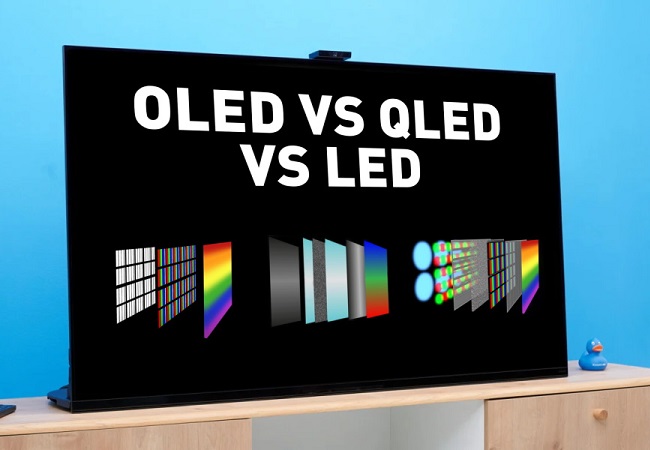
Which TV sensor is the best? And which one is optimal in terms of price and quality?We study the pros and cons of modern TV matrices
How to choose a TV diagonal and resolution for your room?Is it always worth taking a larger TV? Perhaps 55" will be too much for a small room, but 32" is a perfect option?
Series Samsung Q7 (QLED, 120Hz)Compare using chart →
43 ", 4K, 50/60 Hz, QLED, HDR10+, 4K upscaling, Pantone, Smart TV, Wi-Fi, Matter, LAN, voice control, assistant
55 ", 4K, 50/60 Hz, QLED, HDR10+, 4K upscaling, Pantone, Smart TV, Wi-Fi, Matter, AirPlay 2, LAN, voice control, assistant

65 ", 4K, 50/60 Hz, QLED, HDR10+, 4K upscaling, Pantone, Smart TV, Wi-Fi, Matter, AirPlay 2, LAN, voice control, assistant
75 ", 4K, 50/60 Hz, QLED, HDR10+, 4K upscaling, Pantone, Smart TV, Wi-Fi, Matter, AirPlay 2, LAN, voice control, assistant
85 ", 4K, 50/60 Hz, QLED, HDR10+, 4K upscaling, Pantone, Smart TV, Wi-Fi, Matter, LAN, voice control, assistant
for consoles and PC, 98 ", 4K, 100/120 Hz, QLED, HDR10+, 4K upscaling, Pantone, Smart TV, Wi-Fi, Matter, LAN, voice control, assistant
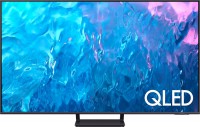
55 ", 4K, 100/120 Hz, QLED, Direct Dual LED, HDR10+, FreeSync, 4K upscaling, Smart TV, Wi-Fi, LAN, voice control, assistant
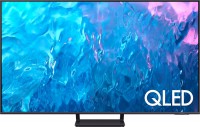
65 ", 4K, 100/120 Hz, QLED, Direct Dual LED, HDR10+, FreeSync, 4K upscaling, Smart TV, Wi-Fi, LAN, voice control, assistant
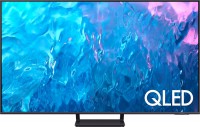
75 ", 4K, 100/120 Hz, QLED, Direct Dual LED, HDR10+, FreeSync, 4K upscaling, Smart TV, Wi-Fi, LAN, voice control, assistant
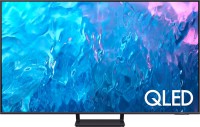
85 ", 4K, 100/120 Hz, QLED, Direct Dual LED, HDR10+, FreeSync, 4K upscaling, Smart TV, Wi-Fi, LAN, voice control, assistant
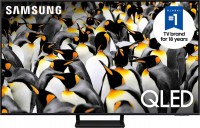
for consoles and PC, 75 ", 4K, 100/120 Hz, QLED, Dual LED, HDR10+, FreeSync, 4K upscaling, Pantone, Smart TV, Wi-Fi, Matter, LAN, voice control, assistant
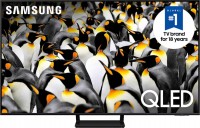
for consoles and PC, 85 ", 4K, 100/120 Hz, QLED, Dual LED, HDR10+, FreeSync, 4K upscaling, Pantone, Smart TV, Wi-Fi, Matter, LAN, voice control, assistant
AccessoriesAll accessories for Samsung QE-75Q77A →
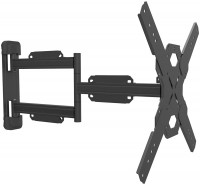
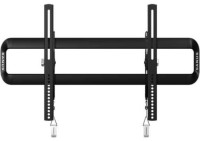

Works great on its own Can only work on its own, not intended for connecting external devices via HDMI. Do not buy under any circumstances if you have a home theater, Blu-ray player, or set-top box (Android, satellite, cable, no matter which one)! Unfortunately, I don't have a gaming console to test movie playback on it.  AXE KÖNIG: use Samsung QE-55Q77A less than month AXE KÖNIG: use Samsung QE-55Q77A less than month |
Add Review
1. When supplying standard video 24 frames/sec to any HDMI from any source, there appears a monstrous input lag and very noticeable judder (shaking and frame skipping) - a regular film, regardless of resolution, turns into a random slideshow (including in HDR). It doesn't matter what the signal source is. The only solution is forcibly switching the HDMI mode to "PC", but in this mode, image settings are entirely unavailable, you cannot select Filmmaker Mode or Cinema mode, and watching a film in such conditions is eye-straining. There's no such issue with video at 30 frames/sec or 60 frames/sec, but the vast majority of film content is at 23.976 frames/sec, making it unwatchable from external HDMI inputs. All sharpness settings have been tried 800 times with different variations - all in vain. So a Bluray film with a home theater can only be watched either in slow slideshow mode or in "eye-watering" mode. I haven't noticed such problems with playback through the TV's built-in means, but...
2. The HDMI-eARC setting is broken. More precisely, enabling it completely disables audio passthrough to the home theater via the return channel. It doesn't matter what audio codec is in the video content, the TV tries to send DTHD to the home theater, which collapses after 2-3 seconds and switches to lousy PCM. If you don't touch eARC, then in regular ARC it correctly passes DD and DD+. In addition to Samsung's refusal from DTS, this is a monstrous blow to home cinema enthusiasts.