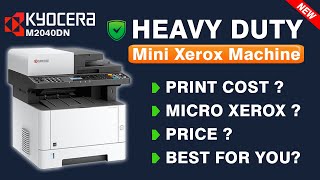
Kyocera ECOSYS M2040DN (1102S33NL0)
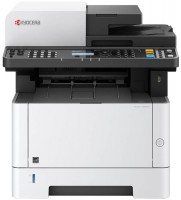 | Outdated Product High-performance 3-in-1 laser multifunction printer with automatic duplex (two-sided) monochrome printing and automatic document feeder. The model is focused on use in small / medium offices and is easily integrated into the existing network infrastructure using the Fast Ethernet LAN port. Proprietary laser engine guarantees fast/quality output or multi-page copying at speeds up to 40 ppm. The maximum resolution in printer mode reaches 1200x1200 dpi, which is quite enough for printing high quality documents. The maximum scanning resolution is 600x600 dpi; in the copy mode, the CIS-sensor works with details of 200x200 or 300x300 dpi. Moreover, copying can be performed both while maintaining the original size of the document, and with scaling in the range from 25 to 400%, and the scaling ste...p is adjusted with an accuracy of 1%. The Kyocera ECOSYS M2040DN All-In-One is capable of direct printing of TIFF, PDF, JPEG and XPS files from USB storage media. The paper feed tray is designed for 350 pages, which is convenient for significant daily print volumes. Thanks to a capacious toner cartridge with an impressive resource (7200 pages) and a durable proprietary photoconductor (up to 100,000 pages), a relatively low cost per print is ensured. E-Catalog uses affiliate links compensated by our partners. |


High-performance 3-in-1 laser multifunction printer with automatic duplex (two-sided) monochrome printing and automatic document feeder. The model is focused on use in small / medium offices and is easily integrated into the existing network infrastructure using the Fast Ethernet LAN port. Proprietary laser engine guarantees fast/quality output or multi-page copying at speeds up to 40 ppm.
The maximum resolution in printer mode reaches 1200x1200 dpi, which is quite enough for printing high quality documents. The maximum scanning resolution is 600x600 dpi; in the copy mode, the CIS-sensor works with details of 200x200 or 300x300 dpi. Moreover, copying can be performed both while maintaining the original size of the document, and with scaling in the range from 25 to 400%, and the scaling step is adjusted with an accuracy of 1%.
The Kyocera ECOSYS M2040DN All-In-One is capable of direct printing of TIFF, PDF, JPEG and XPS files from USB storage media. The paper feed tray is designed for 350 pages, which is convenient for significant daily print volumes. Thanks to a capacious toner cartridge with an impressive resource (7200 pages) and a durable proprietary photoconductor (up to 100,000 pages), a relatively low cost per print is ensured.
|
| ||||||||||||||||||||||||||||||||||||||||||||||||||||||||||||||||||||||||||||||||||||||||


Always clarify the specifications and configuration of the product with the online store manager before purchasing.
Catalog Kyocera 2026 - new arrivals, bestsellers, and the most relevant models Kyocera.
Pretty good printer for the money The cartridge refills easily, although the toner is expensive. I was very pleased with the double-sided scanning, the first time I encounter this, accountants are delighted Firewood for it can either be taken on a disk to the printer, or somewhere in the antediluvian forums on someone's cloud. No other way  Dmitriy: use Kyocera ECOSYS M2040DN few months Dmitriy: use Kyocera ECOSYS M2040DN few months |
The MFP is a "jack of all trades" with low printing costs. Speed, service, and functionality. Single-pass duplex scanner, duplex printing, network scanner operation, sending images to different computers on the network. The price of a compatible cartridge with a chip is 10 rubles more expensive than refilling the old one. The stove requires attention after 35-40 thousand pages of printing. Viktor Vakulenko: use Kyocera ECOSYS M2040DN more than year |
If you can buy an MFP every time the cartridge runs out, then it's YOURS!!! Its only plus is the price. After replacing the cartridge, it showed an error "non-original cartridge" and stopped printing, although the cartridge was purchased as a spare along with the MFP. use Kyocera ECOSYS M2040DN month or more |