
HP 15-dw3000 [15-DW3033DX 405F6UA]
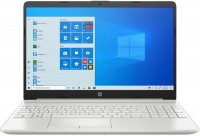 | Outdated Product Display:15.6 ", 1920x1080 (16:9) CPU:Core i3, 1115G4, 3 GHz Graphics card:UHD Graphics Xe G4 48EUs RAM:8 GB Storage:SSD M.2 NVMe, 256 GB Laptop weight:1.75 kg E-Catalog uses affiliate links compensated by our partners. |


Configurations HP 15-dw3000 1
Specifications
HP 15-dw3000 [15-DW3033DX 405F6UA] | |||||||||||||||||||||||||||||||||||||||||||||||||||||||||||||||||||||||||||||||||||||||||||||||||||||||||||||||||||||||||||||||||||||||||||||||||||||||||||||||||||||||||||||||||||||||
|
| ||||||||||||||||||||||||||||||||||||||||||||||||||||||||||||||||||||||||||||||||||||||||||||||||||||||||||||||||||||||||||||||||||||||||||||||||||||||||||||||||||||||||||||||||||||||


The information in the model description is for reference purposes.
Always clarify the specifications and configuration of the product with the online store manager before purchasing.
Catalog HP 2026 - new arrivals, bestsellers, and the most relevant models HP.
Always clarify the specifications and configuration of the product with the online store manager before purchasing.
Catalog HP 2026 - new arrivals, bestsellers, and the most relevant models HP.
Prices HP 15-dw3000 [15-DW3033DX 405F6UA]
This model is currently not available for sale.
Follow us for updates.
Follow us for updates.
Series HP 11-xx / 14-xx / 15-xx / 17-xx (low-cost)
ultrabook, 14 ", 1366x768 (16:9), *VA, Athlon, 7120U, 2.4 GHz, RAM 4 GB, LPDDR5, Radeon 610M, SSD M.2 NVMe, 128 GB, Win 11 Home, USB-A 5Gbps, USB-C 5Gbps, Wi-Fi 6, fast charge, long life, 1.4 kg
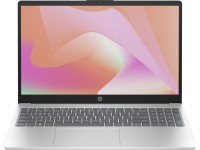
15.6 ", touch, 1920x1080 (16:9), IPS, Ryzen 5, 7520U, 2.8 GHz, RAM 8 GB, LPDDR5, Radeon 610M, SSD M.2 NVMe, 1 TB, Win 11 Home, USB-A 5Gbps, USB-C 5Gbps, Wi-Fi 6, fast charge, long life, 1.59 kg
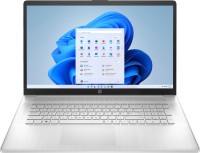
17.3 ", touch, 1600x900 (16:9), IPS, Ryzen 5, 7430U, 2.3 GHz, RAM 16 GB, DDR4, no RAM upgrade, Vega 7, SSD M.2, 1 TB, Win 11 Home, USB-A 5Gbps, USB-C 5Gbps, Wi-Fi 6, fast charge, long life, 2.07 kg

17.3 ", 1920x1080 (16:9), IPS, Core i7, 1355U, 1.2 GHz, RAM 16 GB, DDR4, no RAM upgrade, Iris Xe Graphics G7 96EUs, SSD M.2 NVMe, 1 TB, Win 11 Home, USB-A 5Gbps, USB-C 5Gbps, fast charge, 2.08 kg

ultrabook, 14 ", 1366x768 (16:9), *VA, Processor N-series, N150, 1 GHz, RAM 4 GB, DDR4, UHD Graphics 24EUs, built-in UFS, 128 GB, Win 11 Home, USB-A 5Gbps, USB-C 10Gbps, Wi-Fi 6, fast charge, long life, 1.5 kg

ultrabook, 14 ", 1366x768 (16:9), *VA, Processor N-series, N150, 1 GHz, RAM 4 GB, DDR4, UHD Graphics 24EUs, built-in UFS, 128 GB, Win 11 Home, USB-A 5Gbps, USB-C 10Gbps, Wi-Fi 6, fast charge, long life, 1.5 kg
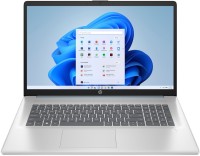
17.3 ", touch, 1600x900 (16:9), TN+film, Processor N-series, N100, 1 GHz, RAM 4 GB, DDR4, UHD Graphics 24EUs, built-in UFS, 128 GB, Win 11 Home (S mode), USB-A 5Gbps, USB-C 5Gbps, Wi-Fi 6, fast charge, fingerprint scanner, 2.08 kg
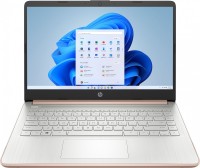
14 ", 1366x768 (16:9), TN+film, Celeron, N4120, 1.1 GHz, RAM 4 GB, DDR4, UHD Graphics 600, built-in eMMC, 128 GB, Win 11 Home (S mode), USB-A 5Gbps, USB-C 5Gbps, fast charge, 1.47 kg
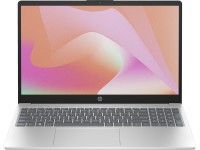
15.6 ", touch, 1920x1080 (16:9), IPS, Core i7, 1355U, 1.2 GHz, RAM 16 GB, DDR4, no RAM upgrade, Iris Xe Graphics G7 96EUs, SSD M.2 NVMe, 512 GB, Win 11 Home, USB-A 5Gbps, USB-C 5Gbps, Wi-Fi 6, fast charge, 1.59 kg
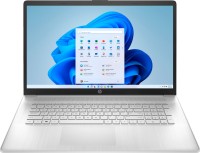
17.3 ", 1920x1080 (16:9), IPS, Core i3, N305, 1.8 GHz, RAM 8 GB, DDR4, UHD Graphics Xe 32EUs, SSD M.2 NVMe, 512 GB, Win 11 Home, USB-A 5Gbps, USB-C 5Gbps, Wi-Fi 6, fast charge, 2.08 kg
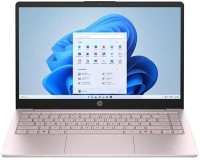
ultrabook, 14 ", 1366x768 (16:9), IPS, Processor N-series, N150, 1 GHz, RAM 4 GB, DDR4, UHD Graphics 24EUs, built-in UFS, 128 GB, Win 11 Home (S mode), USB-A 5Gbps, USB-C 5Gbps, Wi-Fi 6, fast charge, 1.4 kg
15.6 ", touch, 1920x1080 (16:9), IPS, Core i5, 1334U, 0.9 GHz, RAM 8 GB, DDR5, Iris Xe Graphics G7 80EUs, SSD M.2 NVMe, 512 GB, Win 11 Home, USB-A 5Gbps, USB-C 5Gbps, Wi-Fi 6, fast charge, 1.59 kg
15.6 ", 1920x1080 (16:9), IPS, Core i3, N305, 1.8 GHz, RAM 8 GB, DDR4, UHD Graphics Xe 32EUs, SSD M.2 NVMe, 256 GB, Win 11 Home, USB-A 5Gbps, USB-C 5Gbps, Wi-Fi 6, fast charge, long life, 1.59 kg

14 ", 1366x768 (16:9), *VA, Celeron, N4500, 1.1 GHz, RAM 4 GB, DDR4, UHD Graphics, built-in eMMC, 64 GB, Win 11 Home (S mode), USB-A 5Gbps, USB-C 5Gbps, Wi-Fi 6, fast charge, 1.5 kg
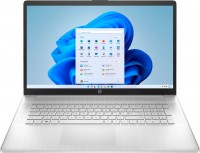
17.3 ", 1920x1080 (16:9), IPS, Core i3, N305, 1.8 GHz, RAM 8 GB, DDR4, UHD Graphics Xe 32EUs, SSD M.2 NVMe, 256 GB, Win 11 Home, USB-A 5Gbps, USB-C 5Gbps, Wi-Fi 6, fast charge, fingerprint scanner, 2.08 kg
15.6 ", touch, 1920x1080 (16:9), IPS, Core 5, 120U, 0.9 GHz, RAM 16 GB, DDR5, no RAM upgrade, Iris Xe Graphics G7 80EUs, SSD M.2 NVMe, 512 GB, Win 11 Home, USB-A 5Gbps, USB-C 5Gbps, Wi-Fi 6, fast charge, long life, 1.59 kg
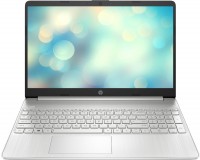
15.6 ", 1366x768 (16:9), TN+film, Ryzen 3, 5300U, 2.6 GHz, RAM 8 GB, DDR4, Vega 6, SSD M.2 NVMe, 256 GB, Win 11 Home, USB-A 5Gbps, USB-C 5Gbps, Wi-Fi 6, long life, 1.7 kg
15.6 ", 1920x1080 (16:9), IPS, Core i5, 1334U, 0.9 GHz, RAM 8 GB, DDR4, Iris Xe Graphics G7 80EUs, SSD M.2 NVMe, 512 GB, Win 11 Home, USB-A 5Gbps, USB-C 5Gbps, Wi-Fi 6, fast charge, 1.59 kg

17.3 ", touch, 1600x900 (16:9), IPS, Core i3, 1215U, 0.9 GHz, RAM 12 GB, DDR4, UHD Graphics 64EUs, SSD M.2 NVMe, 512 GB, Win 11 Home, USB-A 5Gbps, USB-C 5Gbps, fast charge, 2.08 kg
15.6 ", touch, 1366x768 (16:9), *VA, Athlon, 7120U, 2.4 GHz, RAM 4 GB, LPDDR5, Radeon 610M, SSD M.2 NVMe, 256 GB, Win 11 Home, USB-A 5Gbps, USB-C 5Gbps, Wi-Fi 6, fast charge, fingerprint scanner, long life, 1.59 kg
AccessoriesAll accessories for HP 15-DW3033DX 405F6UA →


Model overview based on user reviews
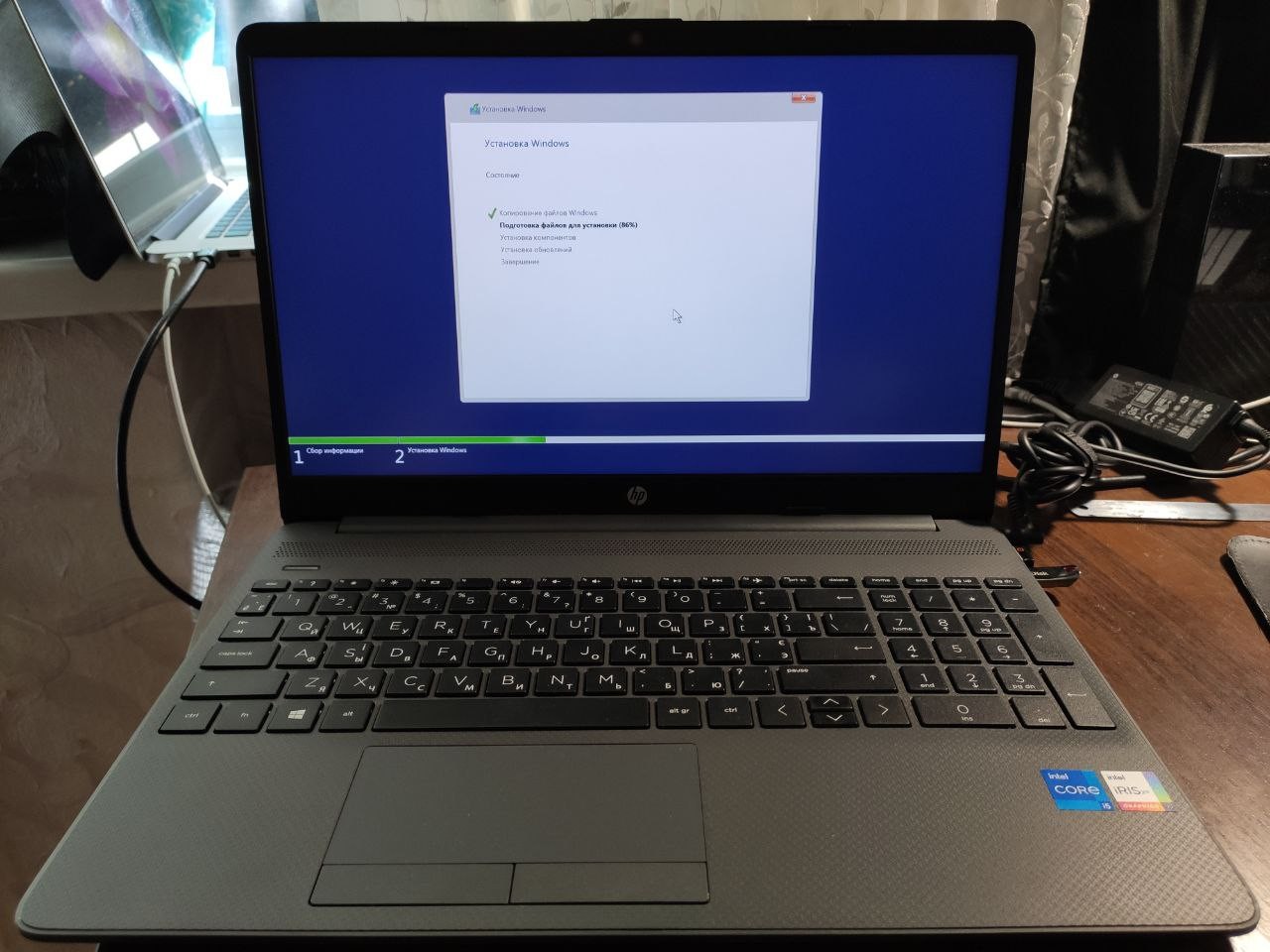
The HP 15-dw3000 laptop is praised for being lightweight and having an excellent appearance, featuring a vibrant IPS screen with a resolution of 1920x1080. It is equipped with a speedy i5 processor from the "Tiger Lake" series, 2 x 4 GB DDR4 RAM, and an NVIDIA GeForce MX350 graphics card with 2 GB of video memory. The device also includes a Samsung SSD with NVMe support and a backlit keyboard. Users appreciate the rapid performance and the promise of up to 9 hours of battery life. However, some challenges during Windows 10 installation were noted, such as the need for a USB mouse due to the touchpad not being detected initially and the requirement to download specific drivers for the SATA controller. Despite these installation hurdles, the laptop is considered definitely worth the money for its overall performance and features.
Pros
Cons
The device is lightweight, has an excellent appearance, a vibrant IPS screen 1920x1080, a speedy i5 processor; 2.4GHz; "Tiger Lake", RAM 2 x 4 GB; DDR4; 2666 MHz, NVIDIA GeForce MX350 graphics with 2 GB of video memory, Samsung SSD; M2; 512 GB; not "Evo", but with NVMe support. The entire keyboard is backlit (mode switch F5), they promise battery life up to 9 hours. Installing Windows 10 from a USB, with all preparatory steps completed (see comment), took me 10 minutes from pressing the power button to the desktop. Without preparation, during a regular Windows 10 installation from a flash drive, several inconveniences may arise: The touchpad (touch panel) will not be detected until the full installation of Windows 10 is complete. Prepare a USB mouse. The laptop has only two USB ports, one will hold the flash drive, the other the mouse. Not all USB storage devices are recognized in USB 3.0 ports. I recommend using Transcend USB 3.0 standard flash drives. During the Windows 10 installation, at the stage of selecting a location for installation, you will not see any partitions due to the absence of necessary drivers in Windows 10 for the SATA controller to function (solution in the comments). |

Helped a friend choose the dw-3015ua model, https://ftp.hp.com/pub/softpaq/sp108501-109000/sp1 Rapid HP Support. |

Add Review
Video reviews

Start Davinci Resolve HP LAPTOP 15-dw3000 i7-1165G7 SAMSUANG MZNLH128HBHQ-000H1 SKHYNIX 3200 #shorts
19 March 2023410 view

Start ATOM WITH HP LAPTOP 15-dw3000 i7-1165G7 SAMSUANG MZNLH128HBHQ-000H1 SK HYNIX 3200MHz #shorts
19 March 2023397 view

Start Mozilla HP LAPTOP 15-dw3000 i7-1165G7 SAMSUANG MZNLH128HBHQ-000H1 SK HYNIX 3200MHz #shorts
7 April 2023304 view

Start Visual Studio HP LAPTOP 15-dw3000 i7-1165G7 SAMSUANG MZNLH128HBHQ-000H1 SKHYNIX 3200MHz#shorts
19 March 2023275 view

Start BRAVE WITH HP LAPTOP 15-dw3000 i7-1165G7 SAMSUANG MZNLH128HBHQ-000H1 SK HYNIX 3200MHz #shorts
10 April 2023270 view

Start PowerPoint HP LAPTOP 15-dw3000 i7-1165G7 SAMSUANG MZNLH128HBHQ-000H1 SK HYNIX 3200MHz #shorts
10 April 2023268 view

Start EXCEL WITH HP LAPTOP 15-dw3000 i7-1165G7 SAMSUANG MZNLH128HBHQ-000H1 SK HYNIX 3200MHz #shorts
10 April 2023257 view

Start Filmora WITH HP LAPTOP 15-dw3000 i7-1165G7 SAMSUANG MZNLH128HBHQ-000H1 SKHYNIX 3200MHz #shorts
19 March 2023252 view

Start ACCESS WITH HP LAPTOP 15-dw3000 i7-1165G7 SAMSUANG MZNLH128HBHQ-000H1 SK HYNIX 3200MHz #shorts
10 April 2023233 view

Start Chrome HP LAPTOP 15-dw3000 i7-1165G7 SAMSUANG MZNLH128HBHQ-000H1 SK HYNIX 3200MHz #shorts
7 April 2023223 view
Start Word WITH HP LAPTOP 15-dw3000 i7-1165G7 SAMSUANG MZNLH128HBHQ-000H1 SK HYNIX 3200MHz #shorts
10 April 2023222 view

Premier Pro Start HP LAPTOP 15-dw3000 i7-1165G7 SAMSUANG MZNLH128HBHQ-000H1 SK HYNIX 3200MHz #shorts
14 March 2023151 view

Start Illustrator WITH HP 15-dw3000 i7-1165G7 SAMSUANG MZNLH128HBHQ-000H1 SK HYNIX 3200MHz #shorts
14 March 2023138 view

SPEEDTEST HP 15-dw3000 VS 15-dw2000 i7-1165G7 VS I7-1065G7 SANDISK VS SAMSUANG IRIS PLUS VS XE
25 February 2023117 view

FULL EXPERIENCE HP 15-dw3000 VS 15-dw2000 i7-1165G7 VS I7-1065G7 SANDISK VS SAMSUANG IRIS PLUS VS XE
25 February 202379 view

Start PUBLISHER HP LAPTOP 15-dw3000 i7-1165G7 SAMSUANG MZNLH128HBHQ-000H1 SK HYNIX 3200MHz #shorts
10 April 202347 view

Start Edge WITH HP LAPTOP 15-dw3000 i7-1165G7 SAMSUANG MZNLH128HBHQ-000H1 SK HYNIX 3200MHz #shorts
7 April 202347 view

Start Audition HP LAPTOP 15-dw3000 i7-1165G7 SAMSUANG MZNLH128HBHQ-000H1 SK HYNIX 3200MHz #shorts
15 March 202326 view

What is Horsepower? A Horse Review
6 June 201792 432 view

HP 15-dw3000 series laptop SSD replacement
7 March 20229 762 view

Unboxing: HP Elite Dragonfly Business-Convertible - Deutsch / German
6 January 20205 714 view

HP 27es Display unboxing and first look
23 September 20173 225 view

UNBOXING DAN REVIEW HP KOLABORASI INFINIX HOT 12 X AOV + GAMING TEST
19 June 20223 133 view

HP Envy Pro 6422 Wireless WiFi Set Up, Unboxing, Install Setup Ink, Scan Alignment Page, review !!
14 October 20203 028 view

How to replace SSD HP Laptop PC 15-dw3000
15 October 20222 764 view

GPT52 LA-K201P REV 1.0 Boardview Hp 15-dw3000
8 March 2023909 view

HP Victus 15.6 Gaming Laptop Unboxing and Initial Thoughts!
19 June 2022434 view

Unboxing & Installation HP Office Jet Pro 8022e | All-in-One Printer
24 June 2022282 view

WEATHERTECH FLOORLINER HP for the 2011-2022 JEEP GRAND CHEROKEE WK Unboxing, Installation & Review
20 June 2022277 view

HP Gaming budget harga 2jtan. Unboxing Infinix Hot 11S NFC 128/6gb. Featuring Son Goku Super Saiyan
22 June 2022218 view

i7-1165G7 VS I7-1065G7 BENCHMARKING HP 15-dw3000 VS 15-dw2000 SANDISK VS SAMSUANG IRIS PLUS VS XE
2 March 2023216 view

Start Photoshop HP LAPTOP 15-dw3000 i7-1165G7 SAMSUANG MZNLH128HBHQ-000H1 SK HYNIX 3200MHz #shorts
15 March 2023162 view

POWER ON TEST BOOT SYSTEM HP 15-dw3000 i7-1165G7 SAMSUANG MZNLH128HBHQ-000H1 SKHYNIX 3200MHz #shorts
14 March 2023134 view
We recommend
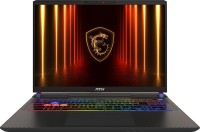
display 16 ", 2560x1600 (16:10), CPU Intel, Core Ultra 9, GPU RTX 5080, RAM 16 / 32 GB, storage 1 TB / 2 TB, weight 2.7 kg

display 16.2 ", 3456x2234, CPU, Apple M5 Max, GPU M5 Max 32-Core / M5 Max 40-Core, RAM 36 - 128 GB, storage 2 TB, weight 2.14 kg
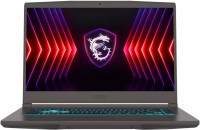
display 15.6 ", 1920x1080 (16:9), CPU Intel, Core i5 / Core i7, GPU RTX 4050, RAM 16 GB, storage 512 GB / 1 TB, weight 1.86 kg

display 16.2 ", 3456x2234, CPU, Apple M5 Pro, GPU M5 Pro 20-Core, RAM 24 / 48 GB, storage 1 TB, weight 2.14 kg

display 13.6 ", 2560x1664, CPU, Apple M5, GPU M5 10-core / M5 8-core, RAM 16 - 32 GB, storage 512 GB / 1 TB, weight 1.23 kg
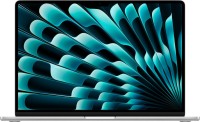
display 15.3 ", 2880x1864, CPU, Apple M5, GPU M5 10-core, RAM 16 / 24 GB, storage 512 GB - 2 TB, weight 1.5 kg

display 16 ", 2560x1600 (16:10), CPU Intel, Core Ultra 9, GPU RTX 5070 Ti, RAM 32 GB, storage 1 TB / 2 TB, weight 2.4 kg

display 16.2 ", 3456x2234, CPU, Apple M4 Pro, GPU M4 Pro 20-Core, RAM 24 / 48 GB, storage 512 GB, weight 2.14 kg
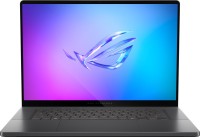
display 16 ", 2560x1600 (16:10), CPU Intel, Core Ultra 9, GPU RTX 5070, RAM 16 / 32 GB, storage 1 TB, weight 1.95 kg
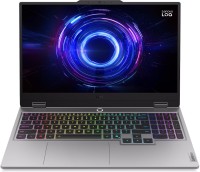
display 15.6 ", 1920x1080 (16:9), CPU Intel, Core i7, GPU RTX 5050 / RTX 5060, RAM 16 GB, storage 512 GB / 1 TB, weight 2.4 kg

display 13 ", 2408x1506 (16:10), CPU, Apple A18 Pro, GPU A18 Pro 5‑core, RAM 8 GB, storage 256 GB / 512 GB, weight 1.23 kg
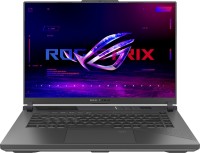
display 16 ", 1920x1200 (16:10), CPU AMD, Ryzen 9, GPU RTX 5070, RAM 16 / 32 GB, storage 1 TB, weight 2.5 kg
p-15-f2000-laptop-pc-series/35900344/model/35900346 Select "Driver - Storage"; "Intel Rapid Storage Technology Driver 18.0.0.1135 Rev.A". The driver has the signature sp108979.exe, download it. Direct link to download the driver: https://ftp.hp.com/pub/softpaq/sp108501-109000/sp108979.exe Extract the driver (for example using "WinRAR") into a separate folder, name it "sata". Create a bootable Windows 10 flash drive; 64 bit (20H2 or 20H2 v2). Copy the "sata" folder, with the unpacked driver, to the root of the ready installation flash drive. At the stage of selecting the partition for installation, an empty window "Where do you want to install Windows" will appear, click "Load", then "Browse", select our installation flash drive, double-click on it, the contents open, find our prepared "sata" folder, double-click on it, find the "F6" folder in it, select it with a single click and click "OK". In the next window, two "Intel RST" drivers appear that we need to install. After installing the drivers, "unallocated space" will appear. This is our SSD with a remaining useful capacity of about 470 GB, select it. After installing and activating the system, install updates, and the missing drivers will be pulled automatically.