
Eizo FlexScan S2242WSEK 22 " black
 | Outdated Product Product type: monitor; Size ("): 22; Panel type: *VA; Treatment: matte; Resolution: 1920x1080 (16:9); Response time GtG (ms): 6; Viewing angle vert.: 178; Horizontal viewing angle: 178; Brightness (cd/m²): 350; Static contrast: 1 200:1; Video transmission: VGA; DVI; DVI-D; USB-A: 2.0; Connectors (optional): Portrait pivot E-Catalog uses affiliate links compensated by our partners. |


We recommend products in stockMonitors Eizo →

21.5 ", 1920x1080 (16:9), *VA, response 7 ms, 75 Hz, 6-bit + FRC (16.7M Colors), 16.7M, VGA, HDMI, DisplayPort, mini DisplayPort, ХАБ: USB-A 2x2.0, speakers

22 ", 1920x1080 (16:9), *VA, response 6 ms, 60 Hz, 16.7M Colors, 16.7M, VGA, HDMI, DisplayPort, speakers, TÜV Rheinland
22 ", 1920x1080 (16:9), *VA, response 4 ms, 75 Hz, 8-bit + FRC (1.07B Colors), 1.07B, sRGB 99 %, VGA, HDMI, DisplayPort, ХАБ: USB-A 2x2.0, speakers
22 ", 1920x1080 (16:9), *VA, response 4 ms, 75 Hz, 8-bit (16.7M Colors), 16.7M, sRGB 99 %, VGA, HDMI, DisplayPort, ХАБ: USB-A 2x2.0, speakers

21.5 ", 1920x1080 (16:9), *VA, response 5 ms, 120 Hz, 6-bit + FRC (16.7M Colors), sRGB 104 %, VGA, HDMI, DisplayPort, ХАБ: USB-A 4x5Gbps, speakers

21.5 ", 1920x1080 (16:9), *VA, response 4 ms, 100 Hz, 16.7M Colors, VGA, HDMI, DisplayPort, speakers, AMD FreeSync
21.5 ", 1920x1080 (16:9), *VA, response 4 ms, 75 Hz, 16.7M Colors, 16.7M, sRGB 100.9 %, VGA, HDMI, DisplayPort, ХАБ: USB-A 4x5Gbps, speakers, VESA Adaptive-Sync, HDR
21.5 ", 1920x1080 (16:9), *VA, MPRT 1 ms, 100 Hz, 16.7M Colors, 16.7M, sRGB 96 %, HDMI, DisplayPort, ХАБ: USB-A 2x2.0, speakers, VESA Adaptive-Sync
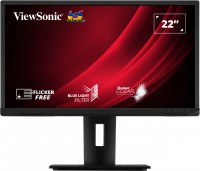
21.5 ", 1920x1080 (16:9), *VA, response 5 ms, 60 Hz, 8-bit (16.7M Colors), 16.7M, sRGB 103 %, VGA, HDMI, DisplayPort, ХАБ: USB-A 4x5Gbps, speakers
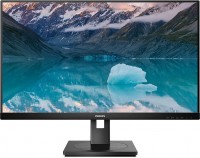
21.5 ", 1920x1080 (16:9), *VA, response 4 ms, 75 Hz, 8-bit (16.7M Colors), 16.7M, sRGB 102 %, VGA, HDMI, DisplayPort, ХАБ: USB-A 4x5Gbps, speakers, VESA Adaptive-Sync
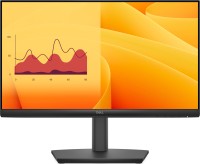
21.5 ", 1920x1080 (16:9), *VA, response 5 ms, 100 Hz, 16.7M Colors, 16.7M, VGA, HDMI, DisplayPort, speakers, TÜV Rheinland
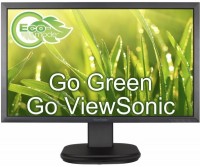
22 ", 1920x1080 (16:9), *VA, response 5 ms, 60 Hz, sRGB 96 %, VGA, HDMI, DisplayPort, ХАБ: USB-A 2x2.0, speakers
21.5 ", 1920x1080 (16:9), *VA, response 5 ms, 75 Hz, 16.7M Colors, 16.7M, VGA, HDMI, DisplayPort, speakers, TÜV Rheinland
touch, 22 ", 1920x1080 (16:9), *VA, response 12 ms, 75 Hz, VGA, DVI-D, HDMI, ХАБ: USB-A 4x5Gbps, speakers
touch, 21.5 ", 1920x1080 (16:9), *VA, response 6.8 ms, 75 Hz, 8-bit (16.7M Colors), 16.7M, VGA, DVI-D, HDMI, ХАБ: USB-A 2x2.0, speakers
Eizo FlexScan S2242WSEK 22 " black
Screen size:22 "
Resolution:1920x1080 (16:9)
Panel:*VA, response 6 ms
Frequency:76 Hz
Contrast:1 200:1
Brightness:350 cd/m²
Connectors:DVI, DVI-D, VGA
All specifications
Specifications FlexScan S2242WSEK
|
| ||||||||||||||||||||||||||||||||||||||||||||||||||||||||||||||||||


The information in the model description is for reference purposes.
Always clarify the specifications and configuration of the product with the online store manager before purchasing.
Catalog Eizo 2026 - new arrivals, bestsellers, and the most relevant models Eizo.
Always clarify the specifications and configuration of the product with the online store manager before purchasing.
Catalog Eizo 2026 - new arrivals, bestsellers, and the most relevant models Eizo.
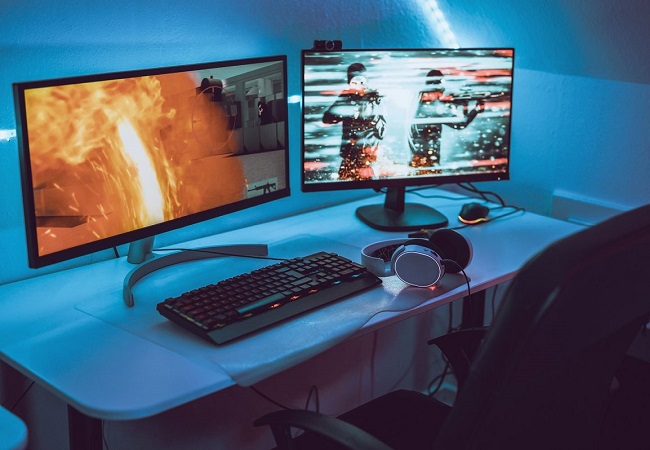
How to Choose a Gaming MonitorWe understand matrix types, suitable resolution, FreeSync and other important aspects when choosing a gaming monitor
Monitor matrices types: TN+film, IPS, VA, OLED, QLED and QD-OLEDCurrent types of monitor matrices, their pros and cons, as well as recommendations for selection
Series Eizo FlexScan (professional)Compare using chart →
24 ", 1920x1080 (16:9), IPS, response 5 ms, 60 Hz, HDMI, DisplayPort, USB-C (DP Alt Mode), ХАБ: USB-A 4x5Gbps, speakers
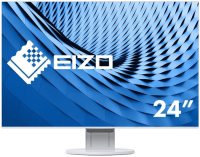
24 ", 1920x1200 (16:10), IPS, response 5 ms, 60 Hz, 8-bit (16.7M Colors), 16.7M, HDMI, DisplayPort, ХАБ: USB-A 5Gbps, speakers
Additional features monitor Eizo FlexScan S2242WSEK:
Optimal brightness with Auto EcoView
The Auto EcoView sensor on the front of the monitor (this is an upgraded version of the BrightRegulator) measures the amount of light in the room and sets the screen to the optimum brightness to match the brightness of a sheet of paper in typical office lighting. Since the screen brightness is not too bright, eye strain is reduced and power consumption is reduced — up to 52% reduction compared to a monitor with Auto EcoView turned off at the factory brightness level of 100%.
Direct Energy Savings
The monitor consumes less than 1.5 watts of power when using the power save mode and the sleep timer, and there is no power consumption when turned off using the main power switch. With the ever-increasing cost of powering offices, zero consumption saves energy and cuts costs in the long run.
Save energy with EcoView Index
The user-selectable savings indicator reflects the energy savings associated with choosing brightness, which encourages environmentally conscious work. If the EcoView Index is fully highlighted, it means that the monitor is operating in optimal consumption mode.
Centralized energy management
EIZO's EcoView NET software enables companies with large numbers of monitors in their offices to reduce energy consumption, resulting in long-term savings and a reduced carbon footprint (ie the equivalent amount of carbon dioxide and other greenhouse gases produced). The programme provides centralized control of the power settings of monitors in the network, including the brightness level, as well as turning the Auto EcoView function on and off. The software includes server and client programs compatible with Windows XP, Vista, Server 2003 and Server 2008.
DVI input level adjustment
This function is used to compensate for the deterioration in image quality that may occur when the monitor is connected to signal splitters or when using a long cable.
Individual gamma adjustment
To ensure greater image uniformity in multi-monitor systems, EIZO factory carefully adjusts the gamma value to minimize gamma variation between monitors.
Selecting the Fine Contrast Mode
To provide the best viewing experience for various images, the Fine Contrast function provides modes for office applications (text mode), movies (film mode), graphics (photo mode), web browsing (sRGB mode), and user mode. . Modes are switched automatically using the supplied ScreenManager Pro for LCD software or manually by pressing a button.
Small Speakers
The 0.5W speakers are hidden in the monitor housing, which allows you to play sound while keeping the frame size to a minimum. If you need more volume, you can attach a separate i-Sound L3 speaker system with two 0.9W speakers to the bottom of the monitor.
Better work efficiency, less eye fatigue
In 2008, EIZO conducted a study to investigate the relationship between eye strain and monitor use. The study found that features like Auto EcoView, ergonomic stands and EyeCare software helped reduce eye fatigue and increase work efficiency by 12.5%.
Eye Care Utility
The new EIZO EyeCare utility regularly encourages the user to take breaks, which contributes to a healthier work environment and prevents eye fatigue associated with prolonged screen work.
Stand EzUp
The comfortable EzUp stand provides 153mm height adjustment, 25° tilt, 344° swivel and portrait rotation.
Wide colour gamut
The colour gamut can reproduce 95% of the Adobe RGB space, so the monitor can display most of the colours in a photograph taken in Adobe RGB mode and output most of the CMYK spaces used in the printing business. For digital photography enthusiasts, it is compatible with the optional EIZO EasyPIX Colour Matching Kit, which includes the EasyPIX software and the EIZO EX1 colorimetric sensor. With EasyPIX, users can define and save monitor settings by creating colour profiles to help match monitor and print colours.
Commitment to quality
In monitor manufacturing, it is now common to outsource work to third parties. EIZO manufactures its products in the same way it has done for 40 years of its existence: with its own people in its factories. As a result, EIZO maintains tight control over workmanship and offers the industry's only 5-year limited manufacturer's warranty.
Warranty and Compliance
A five-year warranty guarantees a long life of the monitor, while compliance with major industry standards such as TCO 03 and TUV Ergonomics guarantees high viewing comfort. The EIZO Eco Products 2009 label implies strict internal requirements for production and packaging. This label requires the monitor's power consumption to be zero when turned off and the product's environmental profile to be presented on the EIZO website.
- Height adjustment
- Auto EcoView automatically sets the perfect brightness level
- EzUp stand provides 165mm height adjustment, 25° tilt, 344° swivel, and in-plane rotation to portrait position
Optimal brightness with Auto EcoView
The Auto EcoView sensor on the front of the monitor (this is an upgraded version of the BrightRegulator) measures the amount of light in the room and sets the screen to the optimum brightness to match the brightness of a sheet of paper in typical office lighting. Since the screen brightness is not too bright, eye strain is reduced and power consumption is reduced — up to 52% reduction compared to a monitor with Auto EcoView turned off at the factory brightness level of 100%.
Direct Energy Savings
The monitor consumes less than 1.5 watts of power when using the power save mode and the sleep timer, and there is no power consumption when turned off using the main power switch. With the ever-increasing cost of powering offices, zero consumption saves energy and cuts costs in the long run.
Save energy with EcoView Index
The user-selectable savings indicator reflects the energy savings associated with choosing brightness, which encourages environmentally conscious work. If the EcoView Index is fully highlighted, it means that the monitor is operating in optimal consumption mode.
Centralized energy management
EIZO's EcoView NET software enables companies with large numbers of monitors in their offices to reduce energy consumption, resulting in long-term savings and a reduced carbon footprint (ie the equivalent amount of carbon dioxide and other greenhouse gases produced). The programme provides centralized control of the power settings of monitors in the network, including the brightness level, as well as turning the Auto EcoView function on and off. The software includes server and client programs compatible with Windows XP, Vista, Server 2003 and Server 2008.
DVI input level adjustment
This function is used to compensate for the deterioration in image quality that may occur when the monitor is connected to signal splitters or when using a long cable.
Individual gamma adjustment
To ensure greater image uniformity in multi-monitor systems, EIZO factory carefully adjusts the gamma value to minimize gamma variation between monitors.
Selecting the Fine Contrast Mode
To provide the best viewing experience for various images, the Fine Contrast function provides modes for office applications (text mode), movies (film mode), graphics (photo mode), web browsing (sRGB mode), and user mode. . Modes are switched automatically using the supplied ScreenManager Pro for LCD software or manually by pressing a button.
Small Speakers
The 0.5W speakers are hidden in the monitor housing, which allows you to play sound while keeping the frame size to a minimum. If you need more volume, you can attach a separate i-Sound L3 speaker system with two 0.9W speakers to the bottom of the monitor.
Better work efficiency, less eye fatigue
In 2008, EIZO conducted a study to investigate the relationship between eye strain and monitor use. The study found that features like Auto EcoView, ergonomic stands and EyeCare software helped reduce eye fatigue and increase work efficiency by 12.5%.
Eye Care Utility
The new EIZO EyeCare utility regularly encourages the user to take breaks, which contributes to a healthier work environment and prevents eye fatigue associated with prolonged screen work.
Stand EzUp
The comfortable EzUp stand provides 153mm height adjustment, 25° tilt, 344° swivel and portrait rotation.
Wide colour gamut
The colour gamut can reproduce 95% of the Adobe RGB space, so the monitor can display most of the colours in a photograph taken in Adobe RGB mode and output most of the CMYK spaces used in the printing business. For digital photography enthusiasts, it is compatible with the optional EIZO EasyPIX Colour Matching Kit, which includes the EasyPIX software and the EIZO EX1 colorimetric sensor. With EasyPIX, users can define and save monitor settings by creating colour profiles to help match monitor and print colours.
Commitment to quality
In monitor manufacturing, it is now common to outsource work to third parties. EIZO manufactures its products in the same way it has done for 40 years of its existence: with its own people in its factories. As a result, EIZO maintains tight control over workmanship and offers the industry's only 5-year limited manufacturer's warranty.
Warranty and Compliance
A five-year warranty guarantees a long life of the monitor, while compliance with major industry standards such as TCO 03 and TUV Ergonomics guarantees high viewing comfort. The EIZO Eco Products 2009 label implies strict internal requirements for production and packaging. This label requires the monitor's power consumption to be zero when turned off and the product's environmental profile to be presented on the EIZO website.