
Canon PIXMA MX495
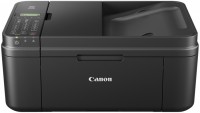 | Outdated Product Paper size: A4; Print Type: inkjet; Output Type: colour; Number of colors: 4; B/W printing (ppm): 9; Colour printing (ppm): 4; Photo printing (sec/page): 70; Autofeed (sheets): 20; Black Ink Page Yield (pages): 180; Colour Ink Page Yield (pages): 180; PC connection (USB); Wi-Fi: Wi-Fi 4 (802.11n) E-Catalog uses affiliate links compensated by our partners. |


We recommend products in stockAll-in-One Printers Canon →
colour, flowers 4, inkjet, A4, printing 4800x1200 dpi, 2-side print, photo print, scanning 600х1200 dpi, autoscan, Wi-Fi Direct, AirPrint, fax machine
colour, flowers 4, inkjet, A4, printing 4800x1200 dpi, 2-side print, photo print, scanning 1200х1200 dpi, autoscan, RAM 256 MB, Wi-Fi Direct, AirPrint, fax machine
colour, flowers 5, inkjet, A4, printing 4800x1200 dpi, 2-side print, photo print, scanning 1200х2400 dpi, autoscan, LAN, Wi-Fi Direct, AirPrint, Bluetooth, card reader, fax machine
colour, flowers 4, inkjet, CISS, A4, printing 4800x1200 dpi, photo print, scanning 600х1200 dpi, autoscan, Wi-Fi Direct, AirPrint, fax machine
colour, flowers 4, inkjet, CISS, A4, printing 4800x1200 dpi, 2-side print, photo print, scanning 1200х2400 dpi, autoscan, LAN, Wi-Fi Direct, AirPrint, fax machine
Canon PIXMA MX495
Type:colour, flowers 4, inkjet
Format:A4
Connection:USB B, Wi-Fi 4 (802.11n)
Print Resolution:4800x1200 dpi
Scanning:600х1200 dpi
B/W printing:9 ppm
Colour print:4 ppm
Photo printing:70 sec/page
Number of cartridges:2 pcs
All specifications
Specifications PIXMA MX495
|
| |||||||||||||||||||||||||||||||||||||||||||||||||||||||||||||||||||||||||||||||||||||

The information in the model description is for reference purposes.
Always clarify the specifications and configuration of the product with the online store manager before purchasing.
Catalog Canon 2026 - new arrivals, bestsellers, and the most relevant models Canon.
Always clarify the specifications and configuration of the product with the online store manager before purchasing.
Catalog Canon 2026 - new arrivals, bestsellers, and the most relevant models Canon.
Series Canon PIXMA (inkjet cartridges)
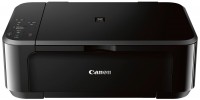
colour, flowers 4, inkjet, A4, printing 4800x1200 dpi, 2-side print, photo print, scanning 1200х2400 dpi, AirPrint, no display
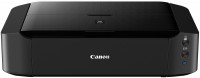
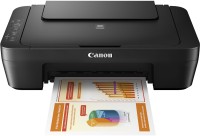
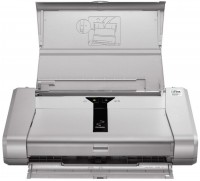

colour, flowers 4, inkjet, A4, printing 1200х1200 dpi, 2-side print, photo print, scanning 1200х2400 dpi, autoscan, AirPrint
AccessoriesAll accessories for Canon PIXMA MX495 →
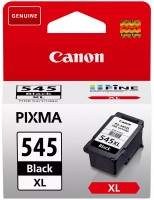
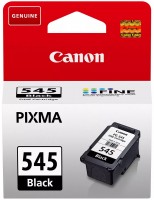
I needed a small color printer with copier functions for my home, and without hesitation I chose Canon. At work I have come across their laser models many times and I can say that they know their stuff. I didn't have such success with the inkjet printer. You had to first look at how much consumables cost and only then make a choice and spend the money. It works equally well as a printer, scanner or copier. In all three guises he showed his best side. There are only minor complaints about the scanner, but even then they are more grumbling than significant disadvantages. Prints quickly, just like an inkjet. In high quality, approximately 8.5-9 ppm in black and white. The color turns out twice as slow. Photos take the longest to print, but if they are printed on special paper, the quality is excellent. The scanner has automatic sheet feed, which is convenient for copying a multi-page document. First, scanning using autofeed, and then sending the resulting files for printing in a series. There is Wi-Fi, with which you can print from the cloud or from a smartphone. But I haven’t needed either one or the other yet. Canon's pricing policy for consumables is dismal. After the starter cartridge set ran out, which was about a week later, I decided to buy full-sized, original ones and ... was slightly taken aback. The black cartridge with a capacity of 120 pages cost 400 UAH, and the color one of about the same capacity was 480 UAH. So, the set totaled almost 900 UAH! I googled and found a variant of the black cartridge with increased capacity, PG-445XL, with a yield of 400 pages. I bought it and now I take it for refilling, 75 UAH per procedure, I've refilled it twice already. The scanner did not exactly upset me, but I have seen better devices. Firstly, it's slow at high-quality scanning, but for a budget device, that's forgivable. But secondly, it has no depth of field whatsoever. If the document being scanned is slightly away from the scanner glass, at best it comes out heavily distorted, but more often than not it doesn't come out at all. |
Add Review
Video reviews
Additional features all-in-one printer Canon PIXMA MX495:
- Support for Apple AirPrint, Google Cloud Print (mobile printing)