
Canon i-SENSYS MF237W
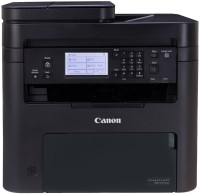
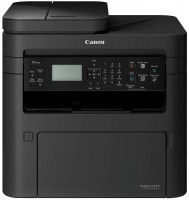
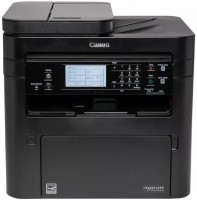
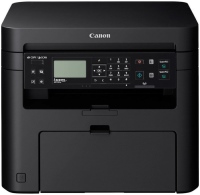
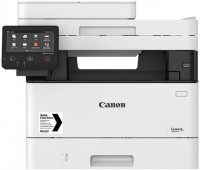
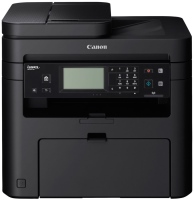 | Outdated Product High-performance laser multifunction device 4-in-1 supporting high-quality A4 monochrome printing, color scanning, copying with on-the-fly scaling, and faxing. Positioned as a mid-range product intended for small/medium offices. Features a good set of network interfaces and a mechanism for the automatic document feeder of the flatbed scanner, allowing for quick copying/scanning of documents up to 35 pages. Thanks to the built-in Fast Ethernet port and Wi-Fi 4 module, it integrates seamlessly into existing wired/wireless network infrastructure. Fully supports direct and cloud printing of documents and images from laptops/smartphones/tablets running Windows, Android, and iOS. The Canon i-SENSYS MF237W MFP swiftly enters operational mode upon "hot/cold" star...t. This feature, along with a decent printing speed (up to 23 pages/min), ensures fast output/copying of large multi-page documents. Capable of handling extremely high peak loads (up to 10,000 pages/month), the recommended print volume is 2,000 pages/month. Equipped with a spacious paper input tray (250 sheets) and a control panel with a touch monochrome display. E-Catalog uses affiliate links compensated by our partners. |


High-performance laser multifunction device 4-in-1 supporting high-quality A4 monochrome printing, color scanning, copying with on-the-fly scaling, and faxing. Positioned as a mid-range product intended for small/medium offices. Features a good set of network interfaces and a mechanism for the automatic document feeder of the flatbed scanner, allowing for quick copying/scanning of documents up to 35 pages.
Thanks to the built-in Fast Ethernet port and Wi-Fi 4 module, it integrates seamlessly into existing wired/wireless network infrastructure. Fully supports direct and cloud printing of documents and images from laptops/smartphones/tablets running Windows, Android, and iOS. The Canon i-SENSYS MF237W MFP swiftly enters operational mode upon "hot/cold" start. This feature, along with a decent printing speed (up to 23 pages/min), ensures fast output/copying of large multi-page documents. Capable of handling extremely high peak loads (up to 10,000 pages/month), the recommended print volume is 2,000 pages/month. Equipped with a spacious paper input tray (250 sheets) and a control panel with a touch monochrome display.
|
| ||||||||||||||||||||||||||||||||||||||||||||||||||||||||||||||||||||||||||||||||||||||||||

Always clarify the specifications and configuration of the product with the online store manager before purchasing.
Catalog Canon 2026 - new arrivals, bestsellers, and the most relevant models Canon.

0 1 1 2 |
I work at one of the major national technical universities and am responsible for the information infrastructure of our department. Voluntarily, of course )) When there's budget to buy a computer, laptop, components, and office equipment, it's usually me who spends it (with the head of the department's permission, of course, but he usually doesn't get involved). This MFP was initially purchased as a network printer for our research group. Five people print on it from three desktops and two laptops. Modern, durable and productive MFP for small workgroups. It delivers the first sheet very quickly (about 6 seconds) and generally prints quite quickly, something like 20 ppm. Thanks to the built-in Ethernet port, I made it a network one, it works stably, does not fall off and does not freeze. I was pleased with the correct work with print queues. How the scanner showed itself at 8 out of 10. With simple copying, the scanner ruler moves very quickly, but as I understand this resolution is 300x300dpi, the full optical resolution of 600x600 dpi requires a little more time. The scanner takes colors well, of course it turns out. The cartridge is quite capacious, 2400 sheets. You don't have to fill too often. It works quite noisily, but since it usually has a small daily print volume, this is not annoying. But printing annual reports will be something else ((There is no driver for Windows XP. I understand that it would be wrong to sigh about this in 2017, but I had one old machine under Piggy in LAN, it is through a COM port with a specific works with the device, so rearranging the system on it is not an option. It would be convenient to send documents to and from printing, but not to this printer (( A CIS-based scanner has a weak depth of field, which affects the quality of scanning printed building spreads. Well, I’ll also complain about the price of branded consumables, although all serious brands now have such a tryndets. |
you should not save on an MFP so that you don’t spend money on consumables later An excellent MFP from Canon Wi-Fi - no need to hassle with wires and installation location, plus any PC or Smartphone can print without any fuss... Auto-feeder for Scanner and Copier - no need to constantly lift the lid, it's mega convenient and fast..... Scanning - with a button on the MFP, no need to run to the PC for this..... Does not block cartridge refilling and does not block "third-party" cartridges.... the price is pricey, but it's worth it |
by 4. NO DOUBLE SIDED PRINTING. Big minus!!! |


