
Brother MFC-7860DWR
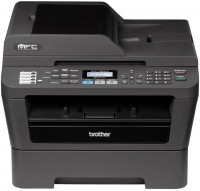 | Outdated Product Paper size: A4; Print Type: laser; Output Type: monochrome; B/W printing (ppm): 26; Double-side printing; Autofeed (sheets): 35; Black Ink Page Yield (pages): 1200; OPC drum cycle (ths pages): 12; PC connection (USB); network connection (LAN); Wi-Fi: Wi-Fi 4 (802.11n); Display: monochrome E-Catalog uses affiliate links compensated by our partners. |


Brother MFC-7860DWR
Type:monochrome, laser
Format:A4
Connection:USB B, LAN, Wi-Fi 4 (802.11n)
Print Resolution:2400х600 dpi
Scanning:600х2400 dpi
B/W printing:26 ppm
Number of cartridges:1 pcs
All specifications
Specifications MFC-7860DWR
|
| |||||||||||||||||||||||||||||||||||||||||||||||||||||||||||||||||||||||||||||||||||||||


The information in the model description is for reference purposes.
Always clarify the specifications and configuration of the product with the online store manager before purchasing.
Catalog Brother 2026 - new arrivals, bestsellers, and the most relevant models Brother.
Always clarify the specifications and configuration of the product with the online store manager before purchasing.
Catalog Brother 2026 - new arrivals, bestsellers, and the most relevant models Brother.
Series Brother MFC (with fax)Compare using chart →
monochrome, laser, A4, printing 1200х1200 dpi, 2-side print, scanning 1200х1200 dpi, autoscan, RAM 512 MB, LAN, Wi-Fi Direct, AirPrint, fax machine
colour, flowers 4, inkjet, A3, printing 4800x1200 dpi, 2-side print, scanning 1200х2400 dpi, 2-side scanning, autoscan, RAM 512 MB, LAN, Wi-Fi Direct, AirPrint, NFC, fax machine
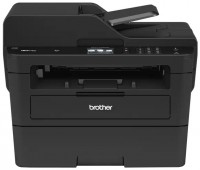
monochrome, laser, A4, printing 2400х600 dpi, 2-side print, scanning 600х2400 dpi, autoscan, RAM 256 MB, LAN, Wi-Fi Direct, AirPrint, NFC, fax machine, low noise
colour, flowers 4, inkjet, A4, printing 6000x1200 dpi, 2-side print, scanning 1200х2400 dpi, autoscan, RAM 128 MB, LAN, Wi-Fi Direct, AirPrint, card reader, fax machine
colour, flowers 4, inkjet, A4, printing 6000x1200 dpi, 2-side print, scanning 1200х2400 dpi, autoscan, RAM 128 MB, LAN, Wi-Fi Direct, AirPrint, card reader, fax machine
colour, flowers 4, inkjet, A4, printing 6000x1200 dpi, 2-side print, scanning 1200х1200 dpi, autoscan, RAM 512 MB, Wi-Fi Direct, AirPrint, fax machine

colour, flowers 4, inkjet, A4, printing 1200х600 dpi, 2-side print, scanning 19200x19200 dpi, RAM 256 MB, Wi-Fi Direct, AirPrint
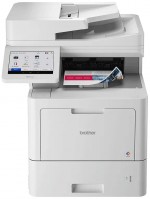
colour, flowers 4, LED, A4, printing 2400х600 dpi, 2-side print, scanning 600х600 dpi, autoscan, RAM 2048 MB, LAN, NFC, fax machine
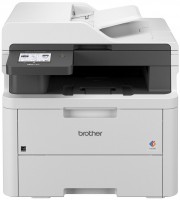
colour, flowers 4, LED, A4, printing 2400х600 dpi, 2-side print, scanning 1200х1200 dpi, autoscan, RAM 512 MB, Wi-Fi Direct, AirPrint, fax machine

colour, flowers 4, inkjet, A4, printing 600х600 dpi, 2-side print, scanning 1200х2400 dpi, autoscan, RAM 256 MB, LAN, Wi-Fi Direct, AirPrint, fax machine
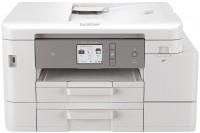
colour, flowers 4, inkjet, A4, printing 4800x1200 dpi, 2-side print, scanning 1200x4800 dpi, autoscan, RAM 128 MB, LAN, Wi-Fi Direct, AirPrint, NFC, card reader, fax machine
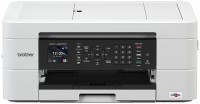
colour, flowers 4, inkjet, A4, printing 6000x1200 dpi, 2-side print, scanning 1200х2400 dpi, autoscan, RAM 128 MB, Wi-Fi Direct, AirPrint, fax machine
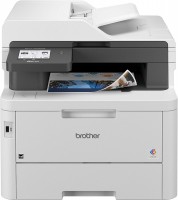
colour, flowers 4, LED, A4, printing 2400х600 dpi, 2-side print, scanning 1200х1200 dpi, 2-side scanning, autoscan, RAM 512 MB, LAN, Wi-Fi Direct, AirPrint, fax machine

colour, flowers 4, inkjet, A4, printing 6000x1200 dpi, 2-side print, scanning 19200x19200 dpi, autoscan, RAM 256 MB, Wi-Fi Direct, AirPrint, fax machine
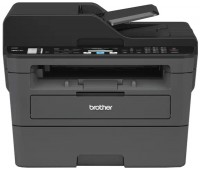
monochrome, laser, A4, printing 2400х600 dpi, 2-side print, scanning 600х2400 dpi, autoscan, RAM 64 MB, LAN, fax machine, low noise
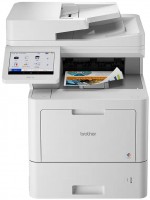
colour, flowers 4, LED, A4, printing 2400х600 dpi, 2-side print, scanning 600х600 dpi, autoscan, RAM 2048 MB, LAN, NFC, fax machine, hDD, 8 GB
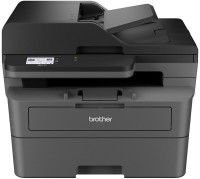
monochrome, laser, A4, printing 1200х1200 dpi, 2-side print, scanning 1200х1200 dpi, autoscan, RAM 128 MB, LAN, Wi-Fi Direct, AirPrint, fax machine

colour, flowers 4, inkjet, A3, printing 4800x1200 dpi, 2-side print, scanning 1200х2400 dpi, autoscan, RAM 512 MB, LAN, Wi-Fi Direct, AirPrint, fax machine
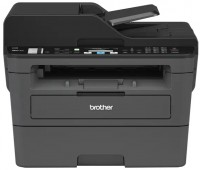
monochrome, laser, A4, printing 2400х600 dpi, 2-side print, scanning 600х2400 dpi, autoscan, RAM 64 MB, LAN, Wi-Fi Direct, AirPrint, fax machine, low noise
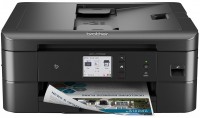
colour, flowers 4, inkjet, A4, printing 6000x1200 dpi, 2-side print, scanning 19200x19200 dpi, autoscan, RAM 128 MB, Wi-Fi Direct, AirPrint, NFC, card reader, fax machine
We bought an MFP for an office with 20 employees. During all this time, the only complaints were about the noise level. But this is not fatal, this device is not installed in the bedroom :) Otherwise, we are completely satisfied. Before that there was Samsung. But much simpler and slower. In the end, I took it home and installed this miracle instead. And he did the right thing. Just a great device for a small office. And Samsung is much more suitable for home use. If only because of the lack of Wi-Fi. Very good technique. Simple, convenient and reliable in operation. There is everything you need, including a fax (very rarely, but sometimes we use it too). You can refill cartridges without any problems. Warms up quickly and prints quickly. Duplex printing is possible. The cartridge resource is quite solid. Wireless printing is possible. And directly from mobile devices. I've already printed out a bunch of documents from my Samsung Galaxy. Connected to the office network without any problems. I’m glad that you can not only print on the grid, but also scan it. After several months of use, it has never failed. The user instructions are clear, everything is written in human language, we figured it out right away. My only complaint is about the noise. And both to the noise when printing and to the noise of the cooler. It is not just loud, but also with some kind of unpleasant tonality. You can hear it even in another room. Moreover, it is difficult to listen to this for a long time. Fortunately, the MFP falls asleep quite quickly and those sitting next to it do not have too much trouble. We tried to solve this problem through the service center, but they never helped us. From the descriptions on the Internet I realized that this is quite normal for this model. There are no more complaints. use Brother MFC-7860DWR month or more i recommend it should buy |
Add Review
Additional features all-in-one printer Brother MFC-7860DWR:
- Sending faxes over the Internet (I-Fax)
- 200 speed dials, 8 group dials
We recommendCompare using chart →

monochrome, laser, A4, printing 1200х1200 dpi, 2-side print, autoscan, RAM 512 MB, LAN, Wi-Fi Direct, AirPrint, fax machine
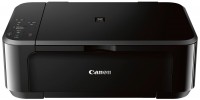
colour, flowers 4, inkjet, A4, printing 4800x1200 dpi, 2-side print, photo print, scanning 1200х2400 dpi, AirPrint, no display
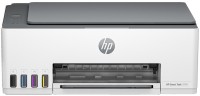
colour, flowers 4, inkjet, CISS, A4, printing 4800x1200 dpi, photo print, scanning 1200х1200 dpi, RAM 64 MB, fast CPU, Wi-Fi Direct, AirPrint, Bluetooth
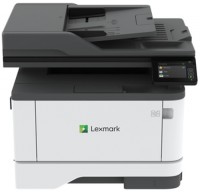
monochrome, laser, A4, printing 2400х600 dpi, 2-side print, scanning 600х600 dpi, 2-side scanning, autoscan, RAM 512 MB, fast CPU, LAN, fax machine
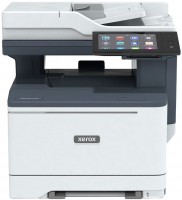
colour, laser, A4, printing 1200х1200 dpi, 2-side print, scanning 1200х1200 dpi, 2-side scanning, autoscan, RAM 2048 MB, fast CPU, LAN, NFC, fax machine, hDD, 32 GB
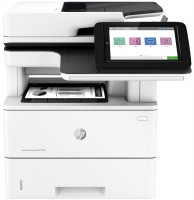
monochrome, laser, A4, printing 1200х1200 dpi, 2-side print, scanning 600х600 dpi, 2-side scanning, autoscan, RAM 1780 MB, fast CPU, LAN
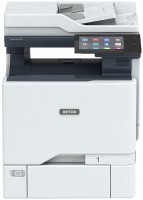
colour, laser, A4, printing 1200х1200 dpi, 2-side print, scanning 1200х1200 dpi, 2-side scanning, autoscan, RAM 4096 MB, fast CPU, LAN, NFC, fax machine, hDD, 32 GB
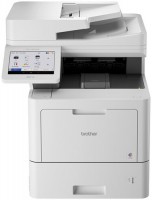
colour, flowers 4, LED, A4, printing 2400х600 dpi, 2-side print, scanning 600х600 dpi, 2-side scanning, autoscan, RAM 2048 MB, LAN, NFC, fax machine
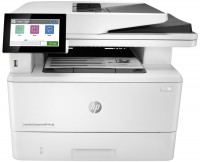
monochrome, laser, A4, printing 1200х1200 dpi, 2-side print, scanning 600х600 dpi, 2-side scanning, autoscan, RAM 2048 MB, LAN, fax machine, hDD, 16 GB
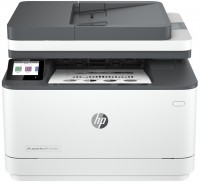
monochrome, laser, A4, printing 1200х1200 dpi, 2-side print, scanning 1200х1200 dpi, autoscan, RAM 512 MB, LAN, Wi-Fi Direct, AirPrint, Bluetooth, fax machine
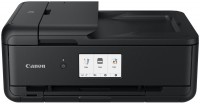
colour, flowers 6, inkjet, A3, printing 4800x1200 dpi, 2-side print, photo print, scanning 1200х2400 dpi, autoscan, LAN, Wi-Fi Direct, AirPrint, Bluetooth, card reader
monochrome, laser, A4, printing 600х600 dpi, 2-side print, scanning 600х600 dpi, autoscan, RAM 64 MB, LAN, Wi-Fi Direct, AirPrint, Bluetooth