
Asus TUF Gaming K3 Blue Switch
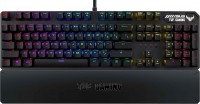 | Outdated Product Connection: wired; Type: for game; Form factor: 100% (full size); Layout: ANSI; Key profile: high; Switch technology: mechanical; Switches: Kailh Blue (Clicky); Anti-Ghosting; #KRO: N-KRO; Fn key; Cyrillic colour: transparent; Volume control: fn; Built-in memory; Game mode; Lighting: RGB E-Catalog uses affiliate links compensated by our partners. |


We recommend products in stockKeyboards Asus →
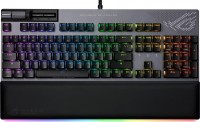
play (for kids), mechanical, 100% (full size), wired, additional keys: 2, backlight, RGB backlight
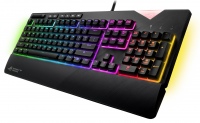
play (for kids), mechanical, 100% (full size), wired, additional keys: 6, backlight, RGB backlight

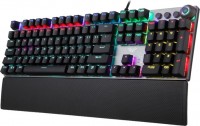
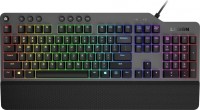
play (for kids), mechanical, 100% (full size), wired, additional keys: 8, backlight, RGB backlight
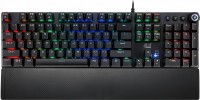
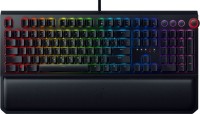
play (for kids), mechanical, 100% (full size), wired, additional keys: 4, backlight, USB hub, headphone output, RGB backlight

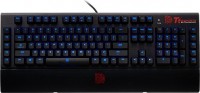

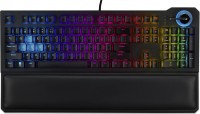
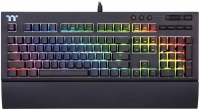
play (for kids), mechanical, 100% (full size), wired, additional keys: 8, backlight, USB hub, headphone output, RGB backlight
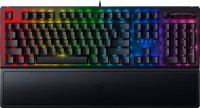
play (for kids), mechanical, 100% (full size), wired, additional keys: 1, backlight, RGB backlight
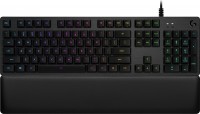
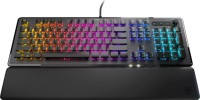
play (for kids), mechanical, 100% (full size), wired, additional keys: 3, backlight, RGB backlight
Asus TUF Gaming K3 Blue Switch | |||||||||||||||||||||||||||||||||||||||||||||||||||||||||||||||||||||||||||
|
| ||||||||||||||||||||||||||||||||||||||||||||||||||||||||||||||||||||||||||


The information in the model description is for reference purposes.
Always clarify the specifications and configuration of the product with the online store manager before purchasing.
Catalog Asus 2026 - new arrivals, bestsellers, and the most relevant models Asus.
Always clarify the specifications and configuration of the product with the online store manager before purchasing.
Catalog Asus 2026 - new arrivals, bestsellers, and the most relevant models Asus.
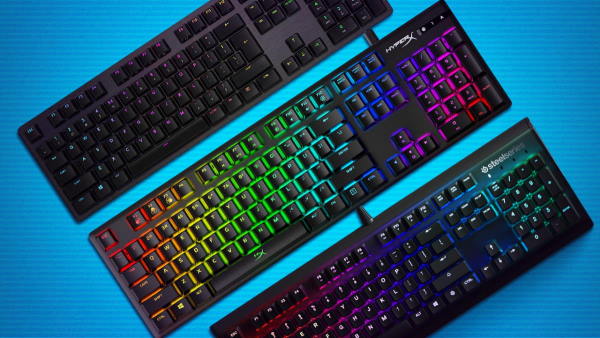
How to choose a gaming keyboardLet's look at the differences between the types of switches and additional equipment for gaming keyboards
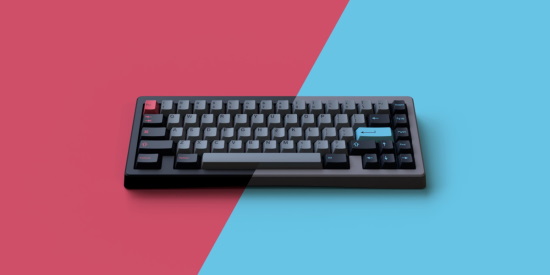
Differences between different types of keyboards, their sizes and types of layoutsUnderstanding how a full-sized keyboard differs from TKL and what is the difference between layouts
Series Asus TUF Gaming
gaming mouse, wired, USB-A, with memory, buttons: 5, programmable, + wheel, свитчи: mechanical, up to 60 mln, RGB backlight, sensor 8000 DPI
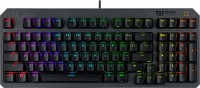
play (for kids), optical, 1800 (compact full-size), wired, backlight, water resistance, RGB backlight
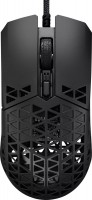
gaming mouse, wired, USB-A, with memory, buttons: 5, programmable, + wheel, свитчи: mechanical, Kailh GM 4.0, up to 60 mln, sensor 16000 DPI
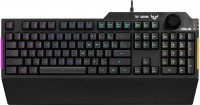
play (for kids), membrane, 100% (full size), wired, additional keys: with macros, backlight, water resistance, RGB backlight
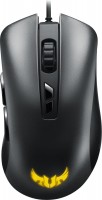
gaming mouse, wired, USB-A, with memory, buttons: 6, programmable, + wheel, свитчи: mechanical, Omron, up to 20 mln, RGB backlight, sensor 7000 DPI
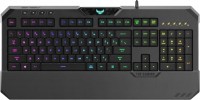
play (for kids), mechanical-membrane, 100% (full size), wired, additional keys: 4, backlight, water resistance, RGB backlight
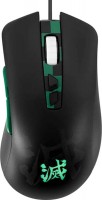
gaming mouse, wired, USB-A, with memory, buttons: 6, programmable, + wheel, свитчи: mechanical, Omron, RGB backlight, sensor 7000 DPI

play (for kids), optical, 1800 (compact full-size), wired, backlight, water resistance, RGB backlight


I've been using this keyboard for 2 years. I can say that the keyboard isn't bad, but for its price, it could be better. In the first month of usage, the blue color stopped working on one key, and I thought it wasn't critical, but now the blue color doesn't work on five keys. I don't know, maybe I got a defective one because I haven't seen anyone online write about this issue. Moving on to sound. I got it with red switches and thought it would be quiet, but all the keys except the long ones are quiet. Overall, I can't recommend buying this keyboard. It's better to buy a Hator. - Backlighting of English letters - Wrist rest - Loud stabilizers on long keys (especially the spacebar) - Over time, the blue color stopped working on some keys - For this price, they could have used PBT keycaps - Cyrillic lighting is poor  Malen: use Asus TUF Gaming K3 Red Switch more than year Malen: use Asus TUF Gaming K3 Red Switch more than year |
I've been using this keyboard for 3 months now (got it with red switches). During the purchase, I had a few questions: Are the Russian letters backlit? How were the symbols applied? Is the cable really as thick as they say in the reviews? And is it too noisy? Let's start with the backlighting of the Russian letters, yes, they are illuminated, but it's only well-visible in the dark or under poor lighting. In daylight, the Russian letters aren't as brightly lit, while the English ones are clear. Regarding the application of symbols, as far as I can tell, they seem to be laser-etched (but so far nothing has worn off and everything is perfectly visible). The cable, in my opinion, isn’t that thick. As for the noise, it's hard to say as this is my first keyboard, but I like the sounds! Overall, the keyboard is top-notch! - Functionality - Ability to create your own backlight - Convenient magnetic brush stand - Backlight customization available both from the PC and the keyboard itself - Much more Nothing. Only now, due to the matte finish of the keycaps, traces remain, but it is quite possible to wipe them off. |

Horror, when buying this keyboard, I expected at least 3 years of stability, but it broke after a year, and the warranty had expired. It lasted exactly 1 year, then almost all the keys stopped working, they either don't press at all or double click, and a month later it completely died. The keyboard was used very carefully. Beautiful, convenient, pleasant backlight Thick connection cable that splits and takes up two USBs. The price is not justified. |
Add Review
Video reviews

ASUS TUF Gaming K3 RGB mechanical keyboard Review and Unboxing(Hindi)
11 November 202028 269 view
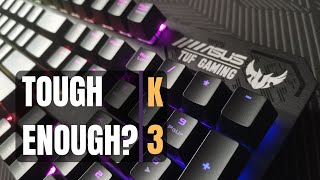
Are pre-built mechanical keyboards still worth buying? ASUS TUF K3 - TAGALOG REVIEW | Tito Gaming
1 November 202019 065 view

ASUS TUF GAMING PERIPHERALS: WORTH BUYING? (K3/M3/H3/P3)
23 December 202012 199 view

Asus TUF K3 RGB Mechanical Gaming Keyboard Unboxing and Review
16 December 20216 050 view

Unboxing the ASUS TUF GAMING K3 Mechanical keyboard
31 October 20224 733 view

Best Budget Mechanical Keyboard for Gaming | Asus TUF Gaming K3 RGB Keyboard
15 June 20234 495 view

Asus TUF Gaming K3 Mechanical keyboard
11 August 2023658 view

ASUS TUF K3 x GIGAWARE PUDDING KEYCAPS
6 April 2021523 view

Sweet and Tuf– 2021 ASUS TUF K3 Gaming Keyboard Review
17 March 2021445 view

Asus TUF K3 Gaming Keyboard Unboxing
28 November 2020155 view