
Asus ExpertBook B5 OLED B5302CEA [B5302CEA-XH74]
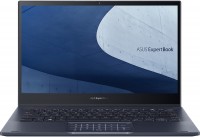 | Outdated Product PRO / ExpertBookultrabookextreme battery lifeOLEDRAM upgradeSSD M.2USB-C 40G (USB4)fast chargeWi-Fi 6waterproofbacklightfingerprint scannergood DCI-P3 Display:13.3 ", 1920x1080 (16:9) CPU:Core i7, 1165G7, 2.8 GHz Graphics card:Iris Xe Graphics G7 96EUs RAM:16 GB Storage:SSD M.2 NVMe, 512 GB Laptop weight:1.2 kg E-Catalog uses affiliate links compensated by our partners. |


Configurations Asus ExpertBook B5 OLED B5302CEA 1
Specifications
Asus ExpertBook B5 OLED B5302CEA [B5302CEA-XH74] | |||||||||||||||||||||||||||||||||||||||||||||||||||||||||||||||||||||||||||||||||||||||||||||||||||||||||||||||||||||||||||||||||||||||||||||||||||||||||||||||||||||||||||||||||||||||||||||||||||
|
| ||||||||||||||||||||||||||||||||||||||||||||||||||||||||||||||||||||||||||||||||||||||||||||||||||||||||||||||||||||||||||||||||||||||||||||||||||||||||||||||||||||||||||||||||||||||||||||||||||


Connecting LAN (RJ-45) via an adapter from a microHDMI connector.
The information in the model description is for reference purposes.
Always clarify the specifications and configuration of the product with the online store manager before purchasing.
Catalog Asus 2026 - new arrivals, bestsellers, and the most relevant models Asus.
Always clarify the specifications and configuration of the product with the online store manager before purchasing.
Catalog Asus 2026 - new arrivals, bestsellers, and the most relevant models Asus.
Prices Asus ExpertBook B5 OLED B5302CEA [B5302CEA-XH74]
This model is currently not available for sale.
Follow us for updates.
Follow us for updates.
Series Asus PRO / ExpertBook (business)
15.6 ", 1920x1080 (16:9), TN+film, Core i7, 1165G7, 2.8 GHz, RAM 16 GB, DDR4, Iris Xe Graphics G7 96EUs, SSD M.2 NVMe, 512 GB, Win 10 Home, USB-A 10Gbps, USB-C 40G (USB4), Thunderbolt, Wi-Fi 6, fingerprint scanner, 1.73 kg
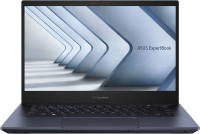
ultrabook, 14 ", 1920x1080 (16:9), IPS, Core i7, 1360P, 1.6 GHz, RAM 16 GB, DDR5, Iris Xe Graphics G7 96EUs, SSD M.2 NVMe, 512 GB, Win 11 Pro, USB-A 5Gbps, USB-A 10Gbps, USB-C 40G (USB4), Thunderbolt, Wi-Fi 6E, fast charge, fingerprint scanner, 3D face scanner, 1.29 kg
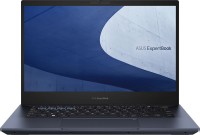
ultrabook, 14 ", 1920x1080 (16:9), IPS, Core i7, 1260P, 1.5 GHz, RAM 16 GB, DDR5, Iris Xe Graphics G7 96EUs, SSD M.2 NVMe, 1 TB, Win 11 Pro, USB-A 10Gbps, USB-C 40G (USB4), Thunderbolt, Wi-Fi 6E, fast charge, fingerprint scanner, 3D face scanner, long life, 1.25 kg
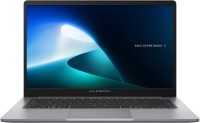
ultrabook, 14 ", 1920x1080 (16:9), IPS, Core i7, 13620H, 1.8 GHz, RAM 16 GB, DDR5, UHD Graphics 64EUs, SSD M.2 NVMe, 512 GB, Win 11 Pro, USB-A 5Gbps, USB-C 10Gbps, Wi-Fi 6, fingerprint scanner, 1.43 kg
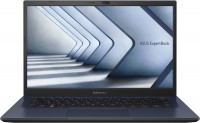
14 ", 1920x1080 (16:9), *VA, Core i5, 1335U, 0.9 GHz, RAM 16 GB, DDR4, Iris Xe Graphics G7 80EUs, SSD M.2 NVMe, 512 GB, Win 11 Pro, USB-A 5Gbps, USB-C 5Gbps, USB-C 10Gbps, Wi-Fi 6, fingerprint scanner, 1.5 kg
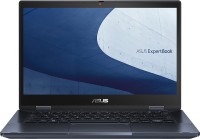
transformer 360°, 14 ", touch, 1920x1080 (16:9), *VA, Core 5, 120U, 0.9 GHz, RAM 8 GB, DDR4, Iris Xe Graphics G7 80EUs, SSD M.2 NVMe, 256 GB, Win 11 Pro, USB-A 5Gbps, USB-C 40G (USB4), Thunderbolt, Wi-Fi 6E, fingerprint scanner, 1.6 kg
AccessoriesAll accessories for Asus B5302CEA-XH74 →

Very nice screen; Powerful processor; Compact size; Presence of fingerprint sensor and camera shutter, NOT physical (i.e., software-based*) buttons for turning off the camera and microphone. Presence of indicator lights for Caps, Mic, Fn locks on the keys. Presence of a num-pad on the trackpad (when operating in this mode, the trackpad still works); Presence of key backlighting (quite bright, unfortunately - only one mode). Absolute quietness under low load (or in the relevant mode, at the cost of processor frequency); VERY, VERY good battery life (at least in comparison to my previous laptop), I got from 60% to 20% in about 4 hours, the first hour watching 1080p video (BDRip, from SSD) with high brightness through headphones, the next three hours connected to a QuadHD monitor while developing a small website. The laptop was in balanced mode the whole time. Passes the "MacBook test" — can be opened with one hand, very good hinges. Relatively quiet even under full load. Port position (not the most convenient in my case) Not the most optimal placement of the power button (on the side, which isn't very convenient when working with an external monitor and keyboard in front of the laptop) Short left Shift (due to French layout, maybe it's just my setup) Noise on startup (drops to 0 after a minute or two as mentioned above—not very loud, but noticeable without headphones).  Lyusya: use Asus ExpertBook B5 OLED B5302CEA less than month Lyusya: use Asus ExpertBook B5 OLED B5302CEA less than month |
Add Review
We recommend
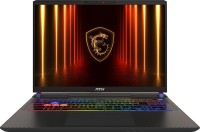
display 16 ", 2560x1600 (16:10), CPU Intel, Core Ultra 9, GPU RTX 5080, RAM 16 / 32 GB, storage 1 TB / 2 TB, weight 2.7 kg
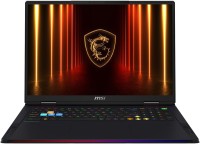
display 18 ", 2560x1600 (16:10) / 3840x2400 (16:10), CPU Intel, Core Ultra 9, GPU RTX 5090, RAM 64 GB, storage 2 TB / 4 TB, weight 3.6 kg

display 16 ", 1920x1200 (16:10), CPU AMD, Ryzen 9, GPU RTX 5070, RAM 32 GB, storage 1 TB, weight 2.2 kg
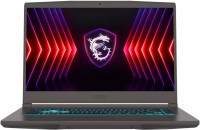
display 15.6 ", 1920x1080 (16:9), CPU Intel, Core i5 / Core i7, GPU RTX 4050, RAM 16 GB, storage 512 GB / 1 TB, weight 1.86 kg
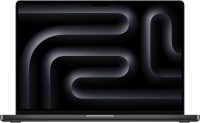
display 16.2 ", 3456x2234, CPU, Apple M5 Pro, GPU M5 Pro 20-Core, RAM 24 / 48 GB, storage 1 TB / 2 TB, weight 2.14 kg

display 13.6 ", 2560x1664, CPU, Apple M5, GPU M5 10-core / M5 8-core, RAM 16 - 32 GB, storage 512 GB / 1 TB, weight 1.23 kg
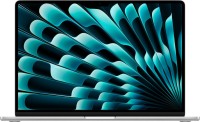
display 15.3 ", 2880x1864, CPU, Apple M5, GPU M5 10-core, RAM 16 / 24 GB, storage 512 GB / 1 TB, weight 1.5 kg
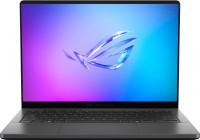
display 14 ", 2880x1800 (16:10), CPU AMD, Ryzen AI, GPU RTX 5070 Ti, RAM 32 GB, storage 1 TB, weight 1.5 kg

display 16 ", 2560x1600 (16:10), CPU AMD, Ryzen 7, GPU RTX 5060, RAM 32 GB, storage 1 TB, weight 2.2 kg
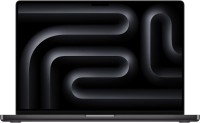
display 16.2 ", 3456x2234, CPU, Apple M4 Pro, GPU M4 Pro 20-Core, RAM 24 / 48 GB, storage 512 GB, weight 2.14 kg
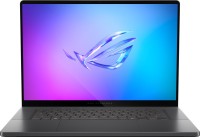
display 16 ", 2560x1600 (16:10), CPU Intel, Core Ultra 9, GPU RTX 5070, RAM 16 / 32 GB, storage 1 TB, weight 1.95 kg
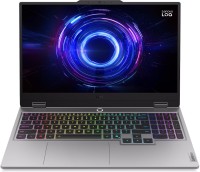
display 15.6 ", 1920x1080 (16:9), CPU Intel, Core i5 / Core i7, GPU RTX 5050, RAM 12 / 16 GB, storage 512 GB / 1 TB, weight 2.4 kg
So far - I'm pleased with it, both in terms of battery life, adequate power, and dimensions.
If you get it with the system, there's a lot of additional software pre-installed, which I recommend removing. Keep MyAsus, as it's useful for adjusting some laptop settings. (That's if you don't need Asus Cloud or any other specific features). In this software, you can change the battery charge limit (100%, 80%, 60%) to extend its lifespan. You can adjust monitor colors, dimming, OLED matrix refresh, etc. Turn noise cancellation on or off, adjust trackpad settings (which has its functionality here), and more.
A cool feature, but works poorly - Target Mode - everything except the window in focus becomes dimmer thanks to a filter (saves battery).
Next - the screen, it's really pleasantly impressive in terms of colors, and since it's OLED, it handles dark scenes, too. If you set a black background, it looks just like when the laptop is asleep.
Since I have a second monitor - it's often set to black and all apps on it are minimized so the screen doesn't burn out.
Processor power - it's enough for me, I work in IT, and it's sufficient. I haven't conducted more detailed testing yet.
Graphics power - it outputs 4K video absolutely smoothly, and you can play some simple games (War Thunder) in FullHD on low settings with 40-50+ FPS (100% rendering). More complex ones - simply no.
Ergonomics in my case - not great. I'd like TypeC ports on both sides, but it's still okay.