
Acer Nitro Mouse (NP.MCE11.00G)
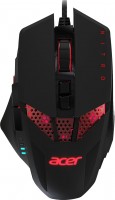 | Outdated Product Product type: mouse; Connection: wired; Sensor: optical; Type: for game; Sensor Resolution (DPI): 4000; Max. acceleration (G): 20; Buttons: 7; Sniper button; Side buttons; DPI-button; DPI level indicator; Lighting: multicolor; Cable: Interface: USB-A; E-Catalog uses affiliate links compensated by our partners. |


We recommend products in stockMice Acer →
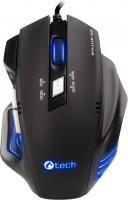
gaming mouse, wired, USB-A, buttons: 6, programmable, + wheel, RGB backlight, sensor 7200 DPI
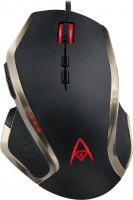
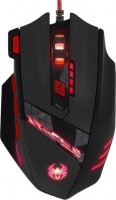
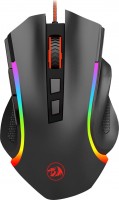
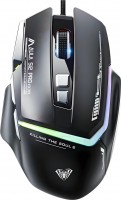
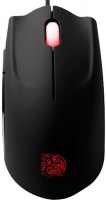
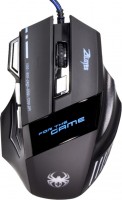
gaming mouse, wired, USB-A, buttons: 8, programmable, + wheel, weight adjustment, sensor 3500 DPI
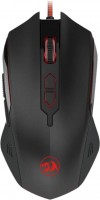
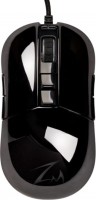
gaming mouse, wired, USB-A, with memory, buttons: 6, programmable, + wheel, sensor 10000 DPI
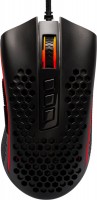
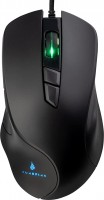
gaming mouse, wired, USB-A, buttons: 7, programmable, + wheel, RGB backlight, sensor 12400 DPI
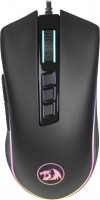
gaming mouse, wired, USB-A, with memory, buttons: 7, programmable, + wheel, sensor 10000 DPI
Acer Nitro Mouse Nitrolots of buttons | |||||||||||||||||||||||||||||||||||||||||||||||||||||||
|
| ||||||||||||||||||||||||||||||||||||||||||||||||||||||


The information in the model description is for reference purposes.
Always clarify the specifications and configuration of the product with the online store manager before purchasing.
Catalog Acer 2026 - new arrivals, bestsellers, and the most relevant models Acer.
Always clarify the specifications and configuration of the product with the online store manager before purchasing.
Catalog Acer 2026 - new arrivals, bestsellers, and the most relevant models Acer.
How to choose a gaming mouseWe'll look at grip types, sensor sensitivity, pushbutton switches, and other important nuances
How to choose a mouse for games, office tasks and creative workLet's explore the nuances of the computer mouse market together and find the perfect options that match your requirements
AccessoriesAll accessories for Acer Nitro Mouse →




2 0 2 0 |
I got curious and bought this mouse for myself. It comfortably fits in the hand both with a palm grip and a claw grip. The sensor, although optical, does not have any issues, as I used it both on a desk and on a mousepad. There are 6 dpi switching modes - 1000 - 1500 - 2000 - 2500 - 3000 - 4000. Each switch has its own individual backlight color for the mouse. Besides this, on the left side, there are 4 small LEDs that show which mode is currently selected. The size of the rodent, as well as its design. Possibility of weight adjustment (4 removable weights). Personally, I was pleased with the wheel; it’s hard to press (you won’t be able to click on it by accident), but the scrolling is felt well. The cable is braided. There is no software, even for basic color adjustments. The side buttons are loose and it doesn’t look like it’s a defect. use Acer Nitro Mouse few months |
I bought it in my city a year ago at a discount for 1,700 rubles. I use it every day, nothing has peeled off, nothing is broken, there is no double click. Grounded like a sports car, incredibly comfortable for an average hand The backlighting is non-intrusive The click is pleasant and precise I use the wheel intensively and it is still in good condition It won't suit aesthetes - there is a slight rattling if you shake it, but it does not affect functionality. |

Less than six months of infrequent use and the coating begins to peel. I don't recommend it 4000dpi and that's it There is play in the buttons, the coating is very poor use Acer Nitro Mouse few months |
3 out of 4 user review(s) shown
1 more user review(s)