
Acer Extensa 15 EX215-32 [EX215-32-P1SE] (NX.EGNER.00E)
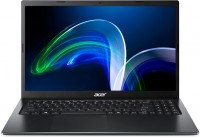 | Outdated Product Display:15.6 ", 1920x1080 (16:9) CPU:Pentium, N6000, 1.1 GHz Graphics card:UHD Graphics RAM:4 GB Storage:SSD M.2 NVMe Laptop weight:1.9 kg E-Catalog uses affiliate links compensated by our partners. |


We recommend products in stockLaptops Acer →
15.6 ", 1920x1080 (16:9), *VA, Core i5, 1035G1, 1 GHz, RAM 12 GB, DDR4, UHD Graphics G1, SSD M.2 NVMe, 256 GB, Win 10 Home, USB-A 5Gbps, 1.96 kg
15.6 ", 1920x1080 (16:9), TN+film, Ryzen 3, 5300U, 2.6 GHz, RAM 8 GB, DDR4, Vega 6, SSD M.2 NVMe, 256 GB, Win 10 Pro, USB-A 5Gbps, USB-C 10Gbps, Wi-Fi 6, fast charge, fingerprint scanner, 1.7 kg
15.6 ", 1920x1080 (16:9), IPS, Core i7, 1165G7, 2.8 GHz, RAM 8 GB, DDR4, Iris Xe Graphics G7 96EUs, SSD M.2 NVMe, 512 GB, Win 10 Pro, USB-A 5Gbps, USB-C 10Gbps, USB-C 40G (USB4), Thunderbolt, Wi-Fi 6, fast charge, fingerprint scanner, 1.7 kg
Configurations Acer Extensa 15 EX215-32 1
Specifications
Acer Extensa 15 EX215-32 [EX215-32-P1SE] | |||||||||||||||||||||||||||||||||||||||||||||||||||||||||||||||||||||||||||||||||||||||||||||||||||||||||||||||||||||||||||||||||||||||||||||||||||||||||||||||||||||||||
|
| ||||||||||||||||||||||||||||||||||||||||||||||||||||||||||||||||||||||||||||||||||||||||||||||||||||||||||||||||||||||||||||||||||||||||||||||||||||||||||||||||||||||||


The information in the model description is for reference purposes.
Always clarify the specifications and configuration of the product with the online store manager before purchasing.
Catalog Acer 2026 - new arrivals, bestsellers, and the most relevant models Acer.
Always clarify the specifications and configuration of the product with the online store manager before purchasing.
Catalog Acer 2026 - new arrivals, bestsellers, and the most relevant models Acer.
Prices Acer Extensa 15 EX215-32 [EX215-32-P1SE]
This model is currently not available for sale.
Follow us for updates.
Follow us for updates.
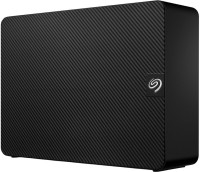
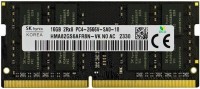
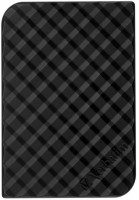
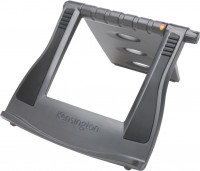
AccessoriesAll accessories for Acer EX215-32-P1SE →




i've been using this contraption for three months now, and I have some things to share: my mom said the budget was $425, choose whatever you want. I started looking at the shelves – only dual-core machines – then I saw a laptop with a quad-core processor and a full UHD630, not UHD600 or Vega2. I wondered – does it have two RAM slots? Turns out it does, and there's also room for a 2.5". The consultants were advising me to get a PC with Ryzen 2200g, but the uselessness of that PC and my knowledge solidified my choice. They didn't get the bonus... And so I examined the contents – papers, the power supply, the laptop, and a pleasant surprise – 4 screws for 2.5". After a few seconds of shock, I proceeded to explore; the UHD630 handles 2 4K30 videos or one 4K60. I launched FHD YouTube, a video call + FHD60 video capture –> the laptop felt great. Only with 4K60 video did it struggle. Speaking of CPU power, it easily runs Chrome with 10 tabs and 7 programs, 4 of which are in split screen, it doesn't care. On the subject of gaming, the integrated graphics are loaded at 100%, the CPU at 30-40%. The processor remains calm even with the "loss" of two cores in VM Box. Word, Excel, PowerPoint – like sunflower seeds even simultaneously, even with Torrent, Spotify, YouTube running in the background. Even at peak load in games, it switches between programs instantly. Boot time for me specifically on Windows 11 Pro is 13-16 seconds. Initially thought that the RJ45 was just an accessory, but thanks to this port, I installed the drivers for WiFi... For budget gamers – GFN works in FHD60 and possibly 4K as long as the internet is good... Time shows that with bad internet, AV1 saves the day, even 8K could. +price-performance ratio - $353 +AV1 decoding +4K60 video encoding +4 cores +ethernet or rj45 or LAN +silence - not audible at night, even quieter during the day +SSD - there were options for its price on HDD too +keyboard - not very loud, convenient +touchpad - large, supports many gestures (by standards of someone seeing gestures for the first time) +numpad - if you get used to it. Calculator, password input, scrolling through feed is easier and alt code table +USB versions - 2 USB 3.2 gen 1, my respect, best you can get for its price +extra buttons (del, prtscrn, insert...) - very convenient +port placement - no awkward moments when two USB sticks couldn't fit +"UPGRADEABILITY" or upgrade potential +frequencies are slightly higher than advertised - instead of 2.8Ghz, you get 2.83Ghz +camera LED - not a trick, lights up when the camera is on, cannot be disabled by software (hackers can't hide) +drivers, available everywhere - everything worked flawlessly on Linux, no issues on Win10 and great on Win11, but not sure about 7 and 8 - Screen. It's terrible, especially for movies. - Media buttons are inconveniently placed, I can barely use them with one hand, even mine. - The body creaks. The lower part creaks, the seam parallel to the screen. It only creaks when pressed, but it's annoying. - The cooling system is abysmally designed; even though the processor is very cool, closing the vents under the fan is an odd choice when heavier models don't have this issue. - Loud touchpad, when I press this button - the click is audible even through the fan noise during a stress test and music. - Very poor webcam, I think even button phones have better cameras. The noise from the webcam is indescribable, definitely test it in-store. - Doesn't open to 180 degrees, although Lenovo can do this. - Poor gray hinge, it looks like gray hair, but worse. - Power supply heats up even under minor load. - 4GB RAM is insufficient for DaVinci Resolve, Adobe Photoshop 2022, WSA, and some games.  Prapor Vinsent: use Acer Extensa 15 EX215-32 few months Prapor Vinsent: use Acer Extensa 15 EX215-32 few months |
Add Review
Video reviews