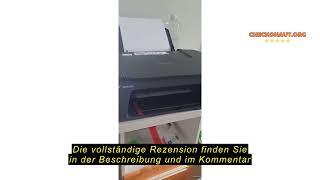
Canon PIXMA TS3750i (6671C006)
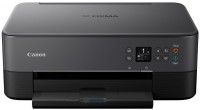
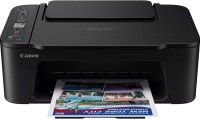 | Expecting restock An affordable 3-in-1 inkjet multifunction device with automatic duplex printing and home photo printing capabilities. This model offers an optimal combination of functionality and price for users with small print volumes. Despite its entry-level positioning, the device features automatic duplex printing—a feature typically found in more expensive models, which saves paper and creates professional-looking documents. The combination of pigment black ink for sharp text and water-soluble color ink for vibrant images ensures versatile use. The Canon PIXMA TS3750i MFP stands out with its 3.7-inch monochrome display—unusually large for devices in this class—significantly simplifying menu navigation and performing copy operations without a computer. Wireless capabilities include Wi-Fi 4, Wi-Fi Dir...ect technology for direct smartphone connection, and AirPrint support for Apple device owners. The maximum print resolution of 4800x1200 dpi allows for high-quality photo creation, although the photo print speed of 65 seconds per image is more suitable for occasional use. The two-cartridge system with the availability of high-capacity XL cartridges helps reduce printing costs with regular use. The compact dimensions (435x327x145 mm) and low noise level of 48 dB make the device convenient for placement in living spaces. E-Catalog uses affiliate links compensated by our partners. |


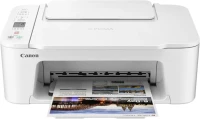
An affordable 3-in-1 inkjet multifunction device with automatic duplex printing and home photo printing capabilities. This model offers an optimal combination of functionality and price for users with small print volumes. Despite its entry-level positioning, the device features automatic duplex printing—a feature typically found in more expensive models, which saves paper and creates professional-looking documents.
The combination of pigment black ink for sharp text and water-soluble color ink for vibrant images ensures versatile use. The Canon PIXMA TS3750i MFP stands out with its 3.7-inch monochrome display—unusually large for devices in this class—significantly simplifying menu navigation and performing copy operations without a computer. Wireless capabilities include Wi-Fi 4, Wi-Fi Direct technology for direct smartphone connection, and AirPrint support for Apple device owners.
The maximum print resolution of 4800x1200 dpi allows for high-quality photo creation, although the photo print speed of 65 seconds per image is more suitable for occasional use. The two-cartridge system with the availability of high-capacity XL cartridges helps reduce printing costs with regular use. The compact dimensions (435x327x145 mm) and low noise level of 48 dB make the device convenient for placement in living spaces.
|
| ||||||||||||||||||||||||||||||||||||||||||||||||||||||||||||||||||||||||||||||||||||||||||


Always clarify the specifications and configuration of the product with the online store manager before purchasing.
Catalog Canon 2026 - new arrivals, bestsellers, and the most relevant models Canon.


I bought a printer for home use, mainly for printing books with colored covers right away with "Barva" ink at EUR 90 for 4 bottles (colored ink labeled "for CL-446/CL-56" and black ink labeled "for PG-445/PG-46"). Out of the box, the black cartridge lasted for 50 printed A4 pages, I am not sure about color yet as I haven't tested it. I liked how it prints. I immediately turned on the quiet mode, because in standard mode the paper feed mechanism makes a lot of noise. I refilled the black cartridge with a syringe. Just in case, as recommended, after stopping the cartridges, I turned off the power (unplugged the cable) and only turned it back on after installing the refilled cartridge. For your information, the volume of the black cartridge is 8 ml. The volume of each color in the colored cartridge is around 3 ml. Drill or poke a hole approximately 2-3 mm. Remove air from the syringe. Do not touch the contacts or nozzles. Additionally, as soon as you notice there is no ink, remove the paper and don't burn the nozzles. You need to print every 3 days, just press the button with the screwdriver and click "OK." Couldn't set up wireless connection on Android, followed the instructions exactly, but it just won't find it. Compact, budget, portable design Wireless connection not established |