
Verbatim Store n Go Style 53195 2 TB
 | Expecting restock Placement: external; Type: HDD; Volume: 2 TB; Form factor ("): 2.5; Connection: USB-A 10Gbps; Manufacturer's warranty: 2 years; Cache memory (MB): 8; RPM: 5400 rpm; E-Catalog uses affiliate links compensated by our partners. |








Verbatim Store n Go Style 53195 2 TB | ||||||||||||||||||||||||||||||||||||||||||||||||
|
| |||||||||||||||||||||||||||||||||||||||||||||||

Always clarify the specifications and configuration of the product with the online store manager before purchasing.
Catalog Verbatim 2026 - new arrivals, bestsellers, and the most relevant models Verbatim.




Nothing The hard disk is constantly working, it does not turn off even when it is not being accessed.  Volodimir : use Verbatim 53223 less than month Volodimir : use Verbatim 53223 less than month |
Well-known hard drive in a new package
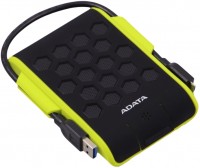
Initially, the Store n Go line included functional, but rather unprepossessing external HDDs. When hard drive manufacturers realized that it was not only a tool, but also an accessory, Verbatim updated the line with a standalone Store n Go design version with asymmetric ends and a tile-like grooved finish. To be honest, the wow effect still didn’t work out, mods are unlikely to run to the store for this, but it has definitely become more interesting.
High speed performance
The disk itself is hidden in a patterned protective cover made of dark plastic. It works on USB 3.2 gen1 but supports older USB 2. It has a spindle speed of 5400 rpm and shows good maximum sequential read and write data at 118 and 117 MB / s, respectively. These are excellent indicators that practically hit the ceiling of HDD capabilities. For comparison, the second version of Store n Go at best reached hundreds of MB / s in both directions.
Automatic shutdown when idle
It is impossible to ignore several extremely useful utilities from Verbatim. Green Button allows you to automatically turn off the power during idle time, thereby extending the life of the hard drive. And Nero Backup allows you to greatly simplify and automate the process of backing up the necessary files by setting a schedule. For example, save a folder with working projects every Friday. However this utility works adequately only on computers with Windows, due to problems with Time Machine, we, alas, failed to succeed on MacOS.
There is a utility included that supposedly sets the drive's shutdown time, but it doesn't work for me. I couldn't run this utility on two computers. Really buggy software.