
Samsung SL-C430W (SS230M)
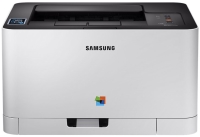 | Outdated Product Print formats: A4; Print type: laser; Output type: colour; Number of colors: 4; Mono print (ppm): 18; Colour print (ppm): 4; Mono cartridge resource (page): 1500; Colour cartridge resource (pages): 1000; Data transfer: PC connection (USB-B); LAN; Wi-Fi: Wi-Fi 4 (802.11n); NFC; Wi-Fi Direct E-Catalog uses affiliate links compensated by our partners. |


We recommend products in stockPrinters Samsung →

colour, flowers 4, laser, A4, 1200x1200 dpi, b/w 18 ppm, color 18 ppm, Wi-Fi Direct, AirPrint

Samsung SL-C430W
Type:colour, laser
Format:A4
Connection:Wi-Fi, NFC, USB type B, LAN
Print Resolution:2400x600 dpi
B/W printing:18 ppm
Colour print:4 ppm
Number of cartridges:4
All specifications
Specifications SL-C430W
|
| |||||||||||||||||||||||||||||||||||||||||||||||||||||||||||||||||||||||||||||||||

The information in the model description is for reference purposes.
Always clarify the specifications and configuration of the product with the online store manager before purchasing.
Catalog Samsung 2026 - new arrivals, bestsellers, and the most relevant models Samsung.
Always clarify the specifications and configuration of the product with the online store manager before purchasing.
Catalog Samsung 2026 - new arrivals, bestsellers, and the most relevant models Samsung.
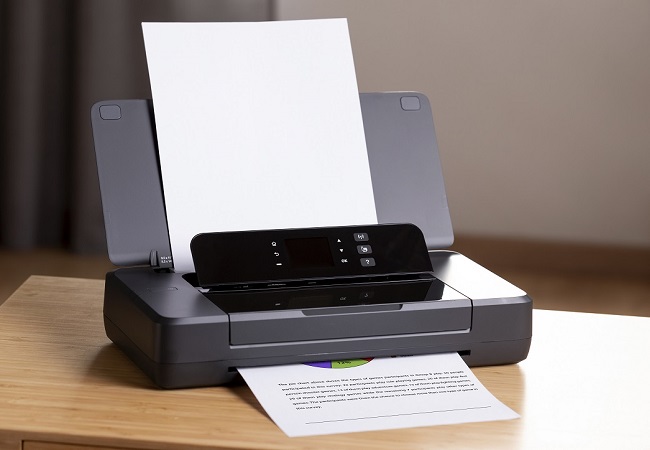
AccessoriesAll accessories for Samsung SL-C430W →
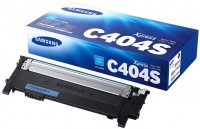
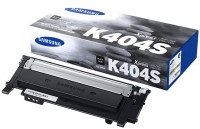
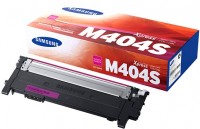
Having a good color printer at home is tempting. If you want text, you print out a sheet; if you want a color photo, you print it. But what to buy - an inkjet printer or a laser one? There was a time when there were no alternatives to inkjet models; color lasers cost as much as spaceships and were only purchased for home by oligarchs. But now the price of laser models has significantly decreased, and they have become quite competitive. Remembering my struggles with a dried-out inkjet Epson head (back in the 2000s), I decided to go for a laser model and bought this Samsung. Delivered, unpacked, connected with the included USB cable, the drivers for Windows 7 installed effortlessly. In black-and-white mode, it prints regular text very quickly, about 4-5 seconds per page. In color, the speed is understandably lower, and for photos, it takes about 30 seconds per page. For a laser printer, this might seem weak, but for color models, it's normal. In any case, it's two to three times better than modern inkjets. It prints color beautifully on glossy thick paper. Can handle paper density up to 220 g/m2. There is an issue with the quality of color photographs at high-quality settings. They turn out too dense and dark, with details in the shadows disappearing. In the same mode, the color balance is not quite maintained, with a noticeable shift towards red. Both problems can be solved by adjustments in the driver's software interface, so I think they'll fix it on a software level in the next driver release. A trademark feature of all affordable printer manufacturers is starter cartridges with half capacity. The capacity for color cartridges is 500 pages, and for black, 700. I've printed a couple of hundred black-and-white pages in two weeks, my wife printed some small stuff, and the rest got finished off by our school-age son. A set of new full cartridges costs approximately 4x1300=EUR 593, which means MORE EXPENSIVE THAN THE PRINTER ITSELF ))) |
Add Review
Video reviews
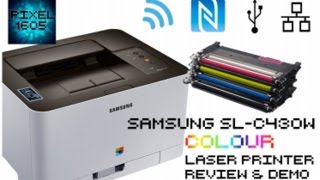
WIRELESS Samsung C430W COLOUR Laser Printer. Unboxing, Full setup and Demo
16 July 2016240 259 view
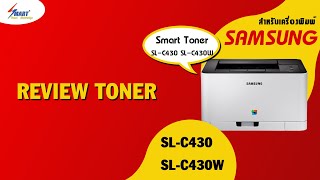
ตลับหมึกพิมพ์ Samsung Xpress SL-C430 SL-C430W | หมึกพิมพ์เลเซอร์ SL-C430 | CLT-404
27 July 20176 507 view