
Parblo Ninos M
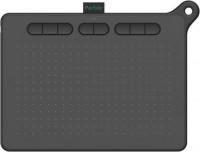 | Outdated Product Product type: graphics Tablet; Format: A4; Workspace (mm): 229x127; Connection type: wired; Connector on device: USB C; Compatibility: Windows; MacOS; Android; Reading height (mm): 10; Pressure levels: 8192; Pen angle: 60; Resolution (lpi): 5080; Response (PPS): 266; Size (mm): 280x214x9 E-Catalog uses affiliate links compensated by our partners. |


We recommend products in stockGraphics Tablets Parblo →
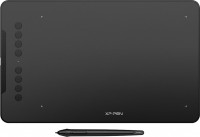
graphics Tablet, format A5, resolution 5080 lpi, 254x159 mm, 16:10, pressure levels 8192
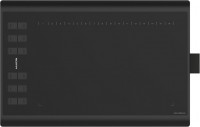
graphics Tablet, format A5, resolution 5080 lpi, 254x158 mm, 16:10, pressure levels 8192
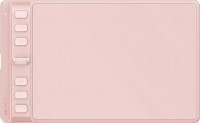
graphics Tablet, format A6, resolution 5080 lpi, 160x100 mm, 16:10, pressure levels 8192
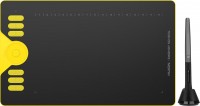
graphics Tablet, format A5, resolution 5080 lpi, 254x159 mm, 16:10, pressure levels 8192
Parblo Ninos M | ||||||||||||||||||||||||||||||||||||||||||||||||||||||||||||
|
| |||||||||||||||||||||||||||||||||||||||||||||||||||||||||||

The information in the model description is for reference purposes.
Always clarify the specifications and configuration of the product with the online store manager before purchasing.
Catalog Parblo 2026 - new arrivals, bestsellers, and the most relevant models Parblo.
Always clarify the specifications and configuration of the product with the online store manager before purchasing.
Catalog Parblo 2026 - new arrivals, bestsellers, and the most relevant models Parblo.
Model overview based on user reviews
The Parblo Ninos M is a mid-level graphic tablet suitable for both beginners and professionals, offering a compact and lightweight design ideal for mobile work. It features a workspace of 229x127 mm and eight customizable control keys, which users find beneficial for quick actions and shortcuts. The tablet supports pen tilt of ±60°, with a high sensitivity of 8192 pressure levels, ensuring accurate and smooth lines. Users have mixed reviews; some appreciate the ergonomics and quick response to hand pressure, while others experience issues such as delay when moving the stylus and driver problems. Despite being a budget-friendly option, it is praised for its satisfactory operation and ability to capture movements effectively, making it a convenient choice for digital drawing, illustration, and photo retouching.
Pros
Cons
I took eight control keys in advance, because this is exactly the number of keyboard shortcuts that I have for retouching. Anyone can program them using the manufacturer’s software. Ergonomics of a more expensive tablet, the ability to transfer a large volume of commands to hot keys. The operation is satisfactory, and the capture of all my movements is also satisfactory. Yes, I don’t particularly note anything for myself, I like it.  alexei: use Parblo Ninos M less than month alexei: use Parblo Ninos M less than month |
It's better to get the XP-Pen Deco M, after a week of use since purchase, the tablet rotated 90 degrees; I set 90 degrees in the drivers, and everything worked. But now the tablet has a delay when moving the stylus across the working area. None Delay when moving the stylus across the work area, drivers echo: use Parblo Ninos M few months |
I am satisfied with the quality of the drawing that it produces, despite the fact that this is a fairly budget technique. I initially took it as a “vacation” option, that is, the tablet that I don’t mind taking from home and taking with me everywhere. But in the end I completely switched to it, because it is very convenient and the quality of the drawing is excellent. Quick response to changes in hand pressure, confident slow line, comfortable buttons and sinking when pressed. - Kirill: use Parblo Ninos M few months |
Add Review
Video reviews

I Drew JAZZA, GAWX, VEXX & ZHC w/ ME using Parblo Ninos N7 (UNBOXING REVIEW)
26 October 20225 847 view

Parblo Ninos N - Is this $26 tablet worth your money?
24 August 20233 762 view

How to upgrade the firmware of Parblo A640V2, A610Plus V2, Ninos M/S? (Windows)
21 December 20202 947 view
Parblo Ninos Q Mobile Drawing Tablet for Android, MacOS, Windows and Harmony OS ❤︎ Emmy Lou
20 February 20242 860 view

Parblo Ninos Q ☆ Drawing Tablet for Mobile! [ UNBOXING & REVIEW ] ✨
8 May 20242 057 view

Parblo Ninos M Tablet Unboxing/Review + Africa Speedpaint Demo
16 December 20201 949 view

How to set up your Parblo Ninos on Mac
8 October 20201 746 view

Parblo Ninos N4/N7B Review | Medibang Speedpaint
10 August 20221 665 view

Parblo Ninos N Series Drawing Tablet—Make your drawing infinite fun
23 September 20221 444 view

Unboxing: Parblo Ninos M 9X5 Drawing Tablet
26 October 2021263 view
A mid-level graphic tablet that is suitable for both beginners and professionals. It can be described as a lightweight and convenient "workhorse". The main use of this tablet is digital drawing, illustration, graphic design and photo retouching. Due to its compactness and lightness (only 630 g), the device is convenient for mobile work and use outside the home. The Parblo Ninos M graphic tablet has fairly simple controls - eight buttons that speed up work, allowing you to customize quick actions. Pen tilt support of ±60 ° allows you to create natural strokes and work with shadows, and high sensitivity (8192 levels) ensures the accuracy and smoothness of lines. The response speed and resolution of the tablet are also at a professional level and provide all the possibilities for precise drawing.