
Kyocera TASKalfa 7353CI (1102XP3NL0)
 | Outdated Product Paper size: A3; Print Type: laser; Output Type: colour; B/W printing (ppm): 73; Colour printing (ppm): 65; Double-side printing; Autofeed (sheets): 270; Black Ink Page Yield (pages): 85000; Colour Ink Page Yield (pages): 40000; PC connection (USB); network connection (LAN); USB; card reader E-Catalog uses affiliate links compensated by our partners. |


Kyocera TASKalfa 7353CI
Type:colour, laser
Format:A3
Connection:USB B, LAN
Print Resolution:4800x1200 dpi
Scanning:600х600 dpi
B/W printing:73 ppm
Colour print:65 ppm
Number of cartridges:4 pcs
All specifications
Specifications TASKalfa 7353CI
|
| |||||||||||||||||||||||||||||||||||||||||||||||||||||||||||||||||||||||||||||||||||||||||||||


The information in the model description is for reference purposes.
Always clarify the specifications and configuration of the product with the online store manager before purchasing.
Catalog Kyocera 2026 - new arrivals, bestsellers, and the most relevant models Kyocera.
Always clarify the specifications and configuration of the product with the online store manager before purchasing.
Catalog Kyocera 2026 - new arrivals, bestsellers, and the most relevant models Kyocera.
We recommendCompare using chart →

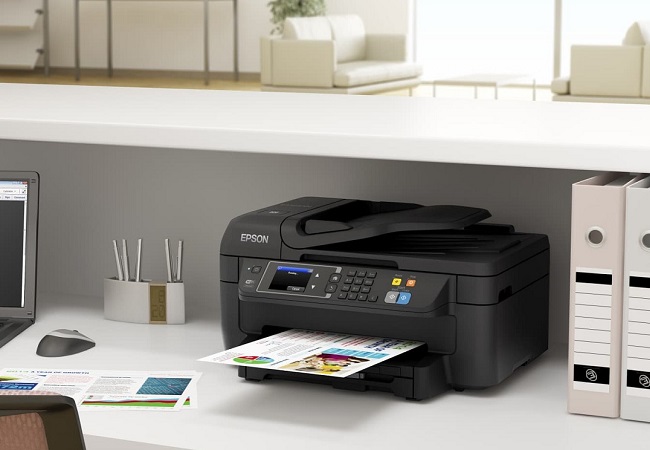
monochrome, laser, A4, printing 1200х1200 dpi, 2-side print, autoscan, RAM 512 MB, LAN, Wi-Fi Direct, AirPrint, fax machine
colour, flowers 4, inkjet, A4, printing 4800x1200 dpi, 2-side print, photo print, scanning 1200х2400 dpi, AirPrint, no display
monochrome, laser, A4, printing 2400х600 dpi, 2-side print, scanning 600х600 dpi, autoscan, RAM 512 MB, fast CPU, LAN, fax machine
monochrome, laser, A4, printing 2400х600 dpi, 2-side print, scanning 600х600 dpi, 2-side scanning, autoscan, RAM 512 MB, fast CPU, LAN, fax machine
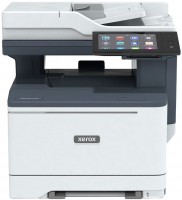
colour, laser, A4, printing 1200х1200 dpi, 2-side print, scanning 1200х1200 dpi, 2-side scanning, autoscan, RAM 2048 MB, fast CPU, LAN, NFC, fax machine, hDD, 32 GB
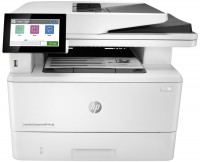
monochrome, laser, A4, printing 1200х1200 dpi, 2-side print, scanning 600х600 dpi, 2-side scanning, autoscan, RAM 2048 MB, LAN, fax machine, hDD, 16 GB
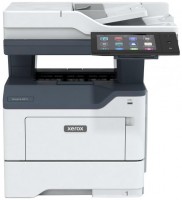
monochrome, laser, A4, printing 1200х1200 dpi, 2-side print, scanning 1200х1200 dpi, 2-side scanning, autoscan, RAM 2048 MB, fast CPU, LAN, NFC, fax machine, hDD, 32 GB
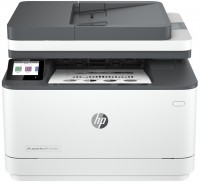
monochrome, laser, A4, printing 1200х1200 dpi, 2-side print, scanning 1200х1200 dpi, autoscan, RAM 512 MB, LAN, Wi-Fi Direct, AirPrint, Bluetooth, fax machine
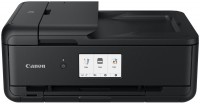
colour, flowers 6, inkjet, A3, printing 4800x1200 dpi, 2-side print, photo print, scanning 1200х2400 dpi, autoscan, LAN, Wi-Fi Direct, AirPrint, Bluetooth, card reader
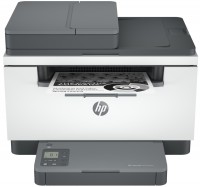
monochrome, laser, A4, printing 600х600 dpi, 2-side print, scanning 600х600 dpi, autoscan, RAM 64 MB, LAN, Wi-Fi Direct, AirPrint, Bluetooth
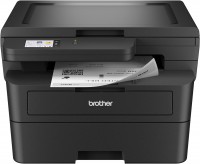
monochrome, laser, A4, printing 2400х600 dpi, 2-side print, scanning 1200х1200 dpi, RAM 256 MB, LAN, Wi-Fi Direct, AirPrint
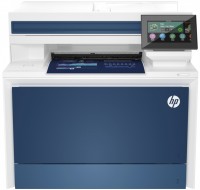
colour, laser, A4, printing 600х600 dpi, 2-side print, scanning 600х600 dpi, autoscan, RAM 512 MB, fast CPU, LAN, fax machine