
Konica Minolta Bizhub 223
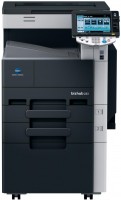 | Outdated Product Paper size: A3; Print Type: laser; Output Type: monochrome; B/W printing (ppm): 22; Double-side printing; Black Ink Page Yield (pages): 17500; PC connection (USB); network connection (LAN); USB; Display: touch color; Dimensions (mm): 623x794x700; E-Catalog uses affiliate links compensated by our partners. |


We recommend products in stockAll-in-One Printers Konica Minolta →

monochrome, laser, A3, printing 1200х1200 dpi, 2-side print, scanning 600х600 dpi, autoscan, RAM 256 MB, LAN, hDD, 40 GB
monochrome, laser, A3, printing 1200х1200 dpi, 2-side print, scanning 600х600 dpi, 2-side scanning, autoscan, RAM 2048 MB, fast CPU, LAN, NFC
monochrome, laser, A3, printing 1200х1200 dpi, 2-side print, scanning 600х600 dpi, autoscan, RAM 1024 MB, fast CPU, LAN, NFC
Konica Minolta Bizhub 223
Type:monochrome, laser
Format:A3
Connection:USB B, LAN
Print Resolution:1800х600 dpi
Scanning:600х600 dpi
B/W printing:22 ppm
Number of cartridges:1 pcs
All specifications
Specifications Bizhub 223
|
| ||||||||||||||||||||||||||||||||||||||||||||||||||||||||||||||||||||||||||||||||


The information in the model description is for reference purposes.
Always clarify the specifications and configuration of the product with the online store manager before purchasing.
Catalog Konica Minolta 2026 - new arrivals, bestsellers, and the most relevant models Konica Minolta.
Always clarify the specifications and configuration of the product with the online store manager before purchasing.
Catalog Konica Minolta 2026 - new arrivals, bestsellers, and the most relevant models Konica Minolta.
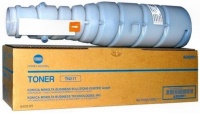
Model overview based on user reviews
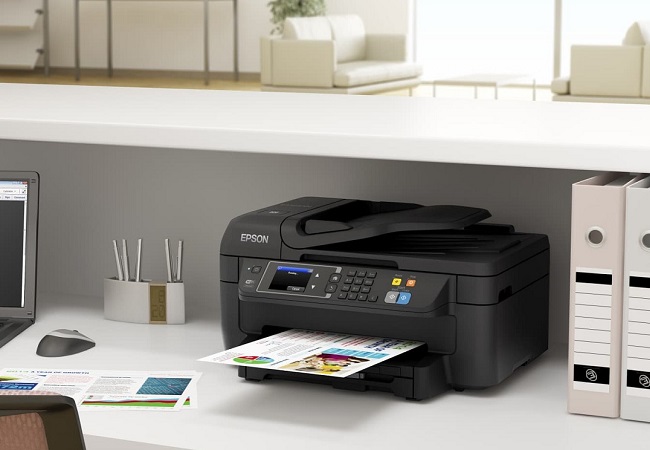
The Konica Minolta Bizhub 223 is an excellent device praised for its reliability, with no paper jams reported even when using poor quality paper over a period of four months. Users appreciate its high-speed performance and the convenient scan-to-network-folder feature. The device is also noted for its inexpensive consumables, making it cost-effective in the long run. While the large touchscreen can initially be intimidating, users find it manageable over time. Overall, it is regarded as a very high-quality device.
Pros
Cons
Excellent device, not a single paper jam in 4 months of use, even with poor quality paper. Really liked the scan-to-network-folder feature, high speed. Inexpensive consumables. At first, the large touchscreen is a bit intimidating, but you gradually get used to it.  Vadim: use Konica Minolta Bizhub 223 few months Vadim: use Konica Minolta Bizhub 223 few months |
Add Review
Video reviews

How to Refill and Reset Black Developing Unit on Konica MFP #konica #konicaminolta #copier
5 August 202230 257 view

Konica Minolta bizhub 363 423 How to Clear Paper jaming
7 September 202115 707 view
#Bizhub 227 287 367 Upper Fuser Roller Replacement
27 May 202213 334 view