
Huawei B593
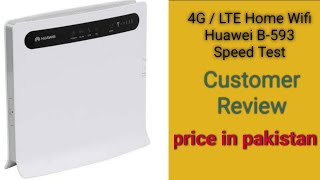
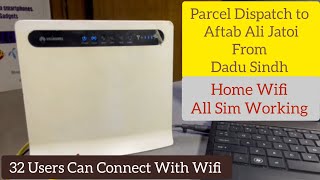
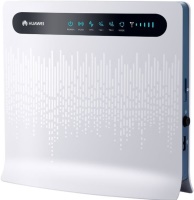 | Outdated Product Wireless router with built-in 3G/4G (LTE) modem, mainly designed to maintain Wi-Fi and wired network in a home or small office located outside the city. Thus, with its help, you can organize a connection to the global network away from traditional networks of cable Internet providers. The device is equipped with a radio module that supports all current data transmission technologies: 2G (EDGE/GPRS/GSM 850/900/1800/1900 MHz), 3G (HSUPA .htmHSDPA .htmUMTS .htmDC-HSPA+ 900/2100 MHz), 4G (LTE FDD) . In addition to a fairly sensitive built-in antenna, it is possible to connect two external antennas, including special directional ones with an amplifier and MIMO technology. This feature allows you to use the Huawei B593 router in conditions of poor and limited signal reception from 3G / 4G LTE ba...se stations. The built-in Wi-Fi module provides good 802.11b/g/n wireless coverage. Moreover, the use of the built-in Wi-Fi antenna allows you to implement a half-duplex mode of operation, providing a data exchange rate of up to 150 Mbps. In addition, the router is equipped with four LAN ports, on the basis of which a small local network can be built. There is also a USB port for connecting drives (FTP/Samba file server functionality) or a printer (print server functionality). The device is configured through a convenient and intuitive web interface. E-Catalog uses affiliate links compensated by our partners. |


Wireless router with built-in 3G/4G (LTE) modem, mainly designed to maintain Wi-Fi and wired network in a home or small office located outside the city. Thus, with its help, you can organize a connection to the global network away from traditional networks of cable Internet providers. The device is equipped with a radio module that supports all current data transmission technologies: 2G (EDGE/GPRS/GSM 850/900/1800/1900 MHz), 3G (HSUPA .htmHSDPA .htmUMTS .htmDC-HSPA+ 900/2100 MHz), 4G (LTE FDD) .
In addition to a fairly sensitive built-in antenna, it is possible to connect two external antennas, including special directional ones with an amplifier and MIMO technology. This feature allows you to use the Huawei B593 router in conditions of poor and limited signal reception from 3G / 4G LTE base stations. The built-in Wi-Fi module provides good 802.11b/g/n wireless coverage.
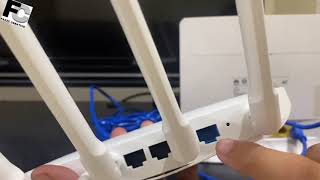
Moreover, the use of the built-in Wi-Fi antenna allows you to implement a half-duplex mode of operation, providing a data exchange rate of up to 150 Mbps. In addition, the router is equipped with four LAN ports, on the basis of which a small local network can be built. There is also a USB port for connecting drives (FTP/Samba file server functionality) or a printer (print server functionality). The device is configured through a convenient and intuitive web interface.
|
| ||||||||||||||||||||||||||||||||||||||||||||||||||||||||||||||||||||||

Always clarify the specifications and configuration of the product with the online store manager before purchasing.
Catalog Huawei 2026 - new arrivals, bestsellers, and the most relevant models Huawei.
works steadily (especially with firmware v200......), maintains good speed, and is easy to set up (everything except the print server). However, the print server can also be configured (it takes longer to set up). There is an option to set up a guest network. Disappointed by the limitation on the number of clients connected to WiFi simultaneously (32 clients), but experimentally, it was possible to exceed this limitation by connecting to the router with a cable from the simplest access point distributing the internet supposedly "through the cable." Theoretically, up to 252 clients can be connected through the cable. use Huawei B593 more than year |
Addition to the previous comment: The cable to the antenna, about 10m long, worked for around a year, but by spring, it started malfunctioning horribly. Download test showed 10 Mbit, but upload was 0.1. and often there was no internet at all. The situation was fixed by shortening the cable to 2m and using a 75 ohm antenna cable instead of 50 ohm. Then the upload increased to 2-4 Mbit. And now it seems to be working okay. Infotip 2 on the cable: 2m 50 ohm, upload was up to 2.5 Mbit. But when a 75 ohm was used, upload increased to 3.5 Mbit. Norm Norm use Huawei B593 month or more i recommend it should buy |
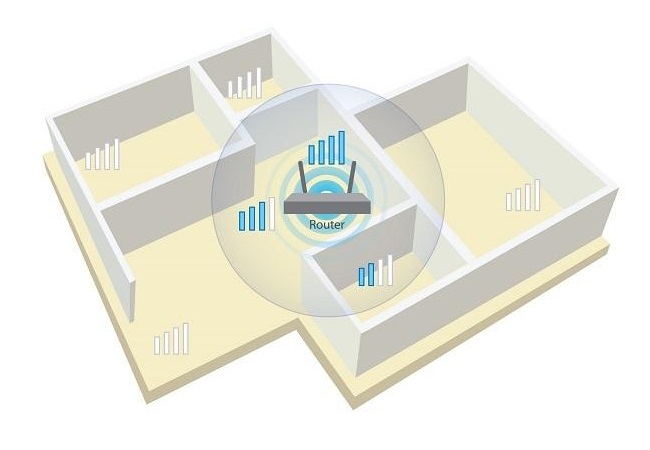
clarification: the 3G external antenna started working from the right antenna socket. I got it for a company building 3G outside of the city (50 km from Lviv), the distance to Lifecell tower is 2-3 km, to Kyivstar is 10-12 km. with an original 21 dB antenna (because it's expensive, 1000 UAH). Kyivstar doesn't even connect. Lifecell with an external antenna works well, average speed in speed test is 8 Mbps, torrent accelerated to 1.5 MBps. This is all over wifi. But the wifi is weak, in a two-story house I placed it on the first floor in the middle of the building. On the first floor in the corners, it already catches 2/4. But in another brick building 5 meters away - it barely catches 1/4 bar. I thought it would be better. Whether it cuts the speed - I haven't tried, but I think that this router should handle a speed of up to 20 Mbps easily. Conclusion: if you need a router with simple setup, and 2 in 1 (modem router) so you don't have to play around with connecting and not worry that they might conflict, as well as automatic internet recovery - then this option is suitable. Ease of installation, clarity of signal a little expensive, not really tight wifi, no good antennas for wifi/ use Huawei B593 less than month |









- 2 FXS ports
.be/TXXDm5jZ_4M)