
HP LaserJet Pro M225DN
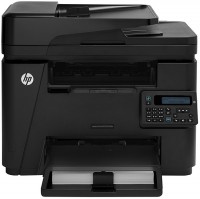 | Outdated Product Paper size: A4; Print Type: laser; Output Type: monochrome; B/W printing (ppm): 26; Autofeed (sheets): 35; Black Ink Page Yield (pages): 1500; PC connection (USB); network connection (LAN); Display: monochrome; built-in fax; Dimensions (mm): 442x288x370; E-Catalog uses affiliate links compensated by our partners. |


We recommend products in stockAll-in-One Printers HP →
monochrome, laser, A4, printing 1200х1200 dpi, 2-side print, scanning 1200х1200 dpi, autoscan, RAM 256 MB, LAN, fax machine
monochrome, laser, A4, printing 2400х600 dpi, 2-side print, scanning 600х600 dpi, autoscan, RAM 256 MB, LAN, Wi-Fi Direct, AirPrint, fax machine
HP LaserJet Pro M225DN
Type:monochrome, laser
Format:A4
Connection:USB B, LAN
Print Resolution:600х600 dpi
Scanning:1200х1200 dpi
B/W printing:26 ppm
Number of cartridges:1 pcs
All specifications
Specifications LaserJet Pro M225DN
|
| |||||||||||||||||||||||||||||||||||||||||||||||||||||||||||||||||||||||||||||||||

The information in the model description is for reference purposes.
Always clarify the specifications and configuration of the product with the online store manager before purchasing.
Catalog HP 2026 - new arrivals, bestsellers, and the most relevant models HP.
Always clarify the specifications and configuration of the product with the online store manager before purchasing.
Catalog HP 2026 - new arrivals, bestsellers, and the most relevant models HP.
Series HP LaserJet (laser, office)
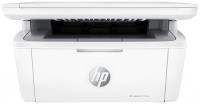
monochrome, laser, A4, printing 600х600 dpi, scanning 600х600 dpi, RAM 64 MB, Wi-Fi Direct, AirPrint, Bluetooth
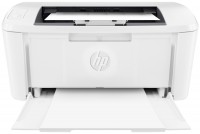
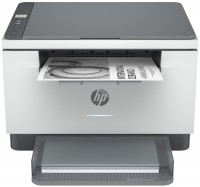
monochrome, laser, A4, printing 600х600 dpi, 2-side print, scanning 600х600 dpi, RAM 64 MB, LAN, Wi-Fi Direct, AirPrint, Bluetooth
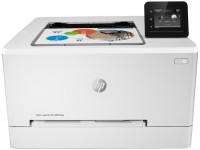
colour, flowers 4, laser, A4, 600x600 dpi, b/w 21 ppm, color 21 ppm, Wi-Fi Direct, AirPrint
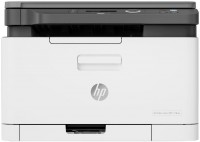
colour, flowers 4, laser, A4, printing 600х600 dpi, scanning 600х600 dpi, RAM 128 MB, LAN, Wi-Fi Direct, AirPrint
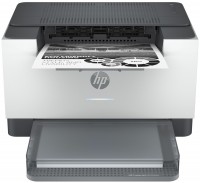
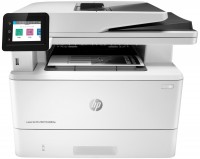
monochrome, laser, A4, printing 1200х1200 dpi, 2-side print, scanning 1200х1200 dpi, 2-side scanning, autoscan, RAM 512 MB, fast CPU, LAN, Wi-Fi Direct, AirPrint, Bluetooth, fax machine
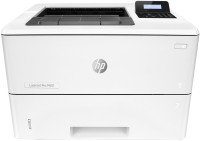
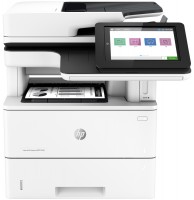
monochrome, laser, A4, printing 1200х1200 dpi, 2-side print, scanning 600х600 dpi, 2-side scanning, autoscan, RAM 1780 MB, fast CPU, LAN, fax machine, hDD, 320 GB
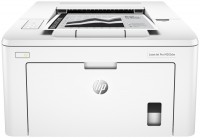
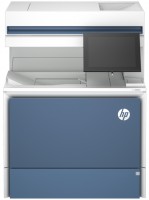
colour, laser, A4, printing 1200х1200 dpi, 2-side print, scanning 600х600 dpi, 2-side scanning, autoscan, RAM 6144 MB, fast CPU, LAN, hDD, 500 GB
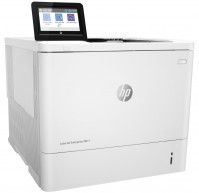
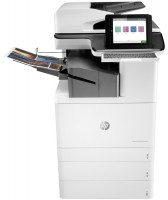
colour, laser, A3, printing 1200х1200 dpi, 2-side print, scanning 600х600 dpi, 2-side scanning, autoscan, RAM 5120 MB, fast CPU, LAN, Wi-Fi Direct, AirPrint, Bluetooth, fax machine, hDD, 500 GB
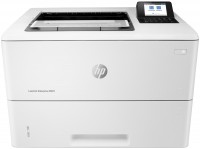
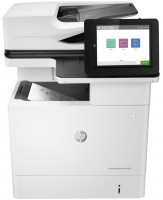
monochrome, laser, A4, printing 1200х1200 dpi, 2-side print, scanning 600х600 dpi, 2-side scanning, autoscan, RAM 1536 MB, fast CPU, LAN, hDD, 500 GB
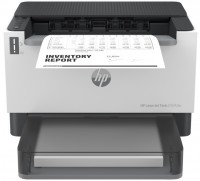
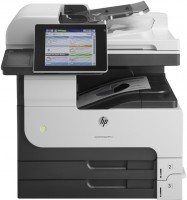
monochrome, laser, A3, printing 1200х1200 dpi, 2-side print, scanning 600х600 dpi, 2-side scanning, autoscan, RAM 1024 MB, LAN, hDD, 320 GB
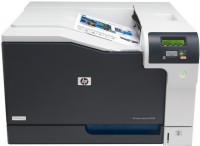
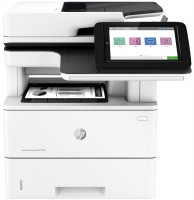
monochrome, laser, A4, printing 1200х1200 dpi, 2-side print, scanning 600х600 dpi, 2-side scanning, autoscan, RAM 1780 MB, fast CPU, LAN
AccessoriesAll accessories for HP LaserJet Pro M225DN →
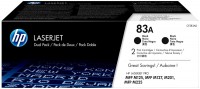
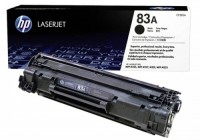
At work, at the university, in our group, the Samsung laser printer finally broke down. I write about this with relief because it had just become a nuisance for everyone. You'd have to look hard to find a printer fussier about paper feeding, and there were also issues with drivers for new operating systems. In short, this device was bought as a replacement. Let me say right away, it's like night and day, or rather the other way around. HP, as usual, is on top, and although we know that Canon makes laser printers and MFPs for HP, this in no way diminishes the achievements of HP engineers. The following tasks were set for this device: printing large documents (reports of 250-300 pages are not uncommon), printing over a network (i.e., using this printer as a network printer), copying black-and-white documents, and scanning experimental samples in color (foil, records). As for printing, everything is excellent (let's not overpraise!). A two-hundred-page document prints in one session in less than 10 minutes. In comparison, our previous printer needed over 25 minutes for that. It connected to the standard Ethernet network in a couple of minutes, and the rest of the setup took no more than half an hour. Now any computer in the workgroup can directly send documents for printing. Sometimes collisions occur, understandably, but this is more of a staff discipline issue. Copying is fast, and the scanner's automatic feeder can be very helpful at times. It scans color samples well, but remember, its depth of field is weak, so it's not suitable for embossed surfaces. The starter cartridge turned out to be very small. The HP 83A cartridge purchased to replace it, with a capacity of 1500 pages, also turned out to be small, and only the thoughtfully chosen second original HP 83X cartridge with a capacity of 2200 pages was more or less satisfactory. So, an additional 4000 UAH was spent on cartridges. Fortunately, refilling them is inexpensive. |
Add Review