
HP LaserJet Pro M176N (CF547A)
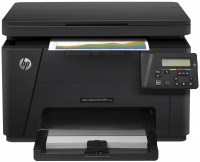 | Outdated Product Paper size: A4; Print Type: laser; Output Type: colour; B/W printing (ppm): 16; Colour printing (ppm): 4; Black Ink Page Yield (pages): 1300; Colour Ink Page Yield (pages): 1000; PC connection (USB); network connection (LAN); Display: monochrome; Dimensions (mm): 423x425x280; E-Catalog uses affiliate links compensated by our partners. |


We recommend products in stockAll-in-One Printers HP →
colour, flowers 4, laser, A4, printing 600х600 dpi, scanning 600х600 dpi, RAM 128 MB, LAN, Wi-Fi Direct, AirPrint
HP LaserJet Pro M176N
Type:colour, laser
Format:A4
Connection:USB B, LAN
Print Resolution:600х600 dpi
Scanning:1200х1200 dpi
B/W printing:16 ppm
Colour print:4 ppm
Number of cartridges:4 pcs
All specifications
Specifications LaserJet Pro M176N
|
| |||||||||||||||||||||||||||||||||||||||||||||||||||||||||||||||||||||||||||||||||||

The information in the model description is for reference purposes.
Always clarify the specifications and configuration of the product with the online store manager before purchasing.
Catalog HP 2026 - new arrivals, bestsellers, and the most relevant models HP.
Always clarify the specifications and configuration of the product with the online store manager before purchasing.
Catalog HP 2026 - new arrivals, bestsellers, and the most relevant models HP.
Series HP LaserJet (laser, office)
monochrome, laser, A4, printing 600х600 dpi, scanning 600х600 dpi, RAM 64 MB, Wi-Fi Direct, AirPrint, Bluetooth
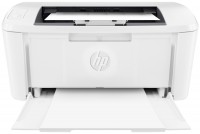
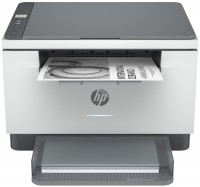
monochrome, laser, A4, printing 600х600 dpi, 2-side print, scanning 600х600 dpi, RAM 64 MB, LAN, Wi-Fi Direct, AirPrint, Bluetooth
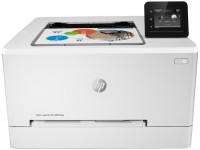
colour, flowers 4, laser, A4, 600x600 dpi, b/w 21 ppm, color 21 ppm, Wi-Fi Direct, AirPrint
colour, flowers 4, laser, A4, printing 600х600 dpi, scanning 600х600 dpi, RAM 128 MB, LAN, Wi-Fi Direct, AirPrint
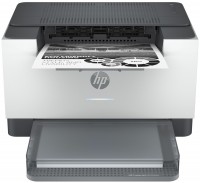
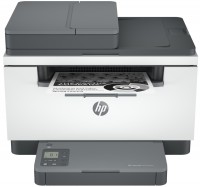
monochrome, laser, A4, printing 600х600 dpi, 2-side print, scanning 600х600 dpi, autoscan, RAM 64 MB, LAN, Wi-Fi Direct, AirPrint, Bluetooth
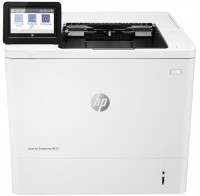
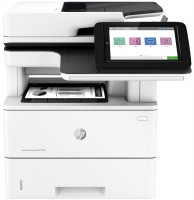
monochrome, laser, A4, printing 1200х1200 dpi, 2-side print, scanning 600х600 dpi, 2-side scanning, autoscan, RAM 1780 MB, fast CPU, LAN
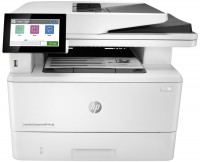
monochrome, laser, A4, printing 1200х1200 dpi, 2-side print, scanning 600х600 dpi, 2-side scanning, autoscan, RAM 2048 MB, LAN, fax machine, hDD, 16 GB
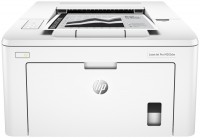
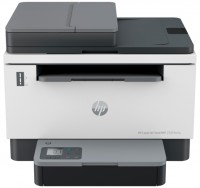
monochrome, laser, A4, printing 600х600 dpi, 2-side print, scanning 600х600 dpi, autoscan, RAM 64 MB, LAN, Wi-Fi Direct, AirPrint, Bluetooth
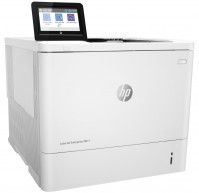
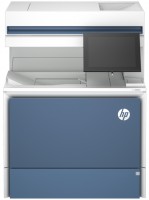
colour, laser, A4, printing 1200х1200 dpi, 2-side print, scanning 600х600 dpi, 2-side scanning, autoscan, RAM 6144 MB, fast CPU, LAN, hDD, 500 GB
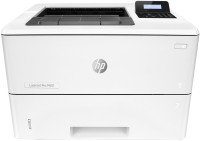
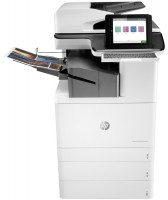
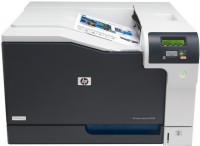
colour, laser, A3, printing 1200х1200 dpi, 2-side print, scanning 600х600 dpi, 2-side scanning, autoscan, RAM 5120 MB, fast CPU, LAN, Wi-Fi Direct, AirPrint, Bluetooth, fax machine, hDD, 500 GB
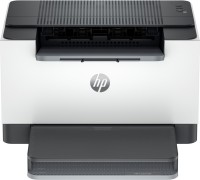
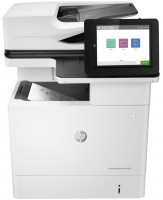
monochrome, laser, A4, printing 1200х1200 dpi, 2-side print, scanning 600х600 dpi, 2-side scanning, autoscan, RAM 1536 MB, fast CPU, LAN, hDD, 500 GB
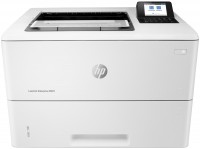
AccessoriesAll accessories for HP LaserJet Pro M176N →
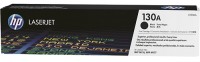
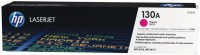
I bought an MFP so that, in addition to regular black-and-white printing, I could make color handouts for presentations. Printing volumes did not promise to be large (about 1000 b/w sheets per month and up to 300 sheets of color graphics) so, in principle, it would be possible to use an inkjet machine. But I’ve already dealt with liquid ink systems a couple of times and don’t want to anymore. Either the cartridge will run out at the most inopportune moment, and the factory versions are always of a ridiculous size (usually from 150 to 300, occasionally up to 500 pages), then somewhere in the continuous ink supply system a problem will occur and one color will disappear. In short, I chose a laser MFP for reasons of reliability. Well, a manufacturer like HP is good in this sense. Print speed and quality are excellent. In b/w it slaps 16 sheets per minute, simple color graphics about 3-4 l/min. Just like expensive inkjet printers, it can print borderless. It copies quickly, but the resolution is average, only 300 dpi. This is enough to copy b/w documents, but if you need to make a photorealistic color copy, you will have to do this via a PC. One could be indignant about this, but this is a color laser MFP with a price tag of less than $300))) It has a simple and understandable control panel with a monochrome LCD screen. Works fine on a 100Mbps network. Equipped with full-fledged refilled cartridges, no stripped-down starter kits, everything is fair. He's also slow-witted, the first page comes out very slowly - for the b/w version it's at least a quarter of a minute, and if you're printing in color, it's at least 30 seconds. Photorealistic graphics don't come out very well, IMHO, the resolution is not enough. Since this is an entry-level color MFP, its cartridges are not the most capacious. Okay, still color ones with a guaranteed print volume of 1000 pages (5% coverage), but here they poured only 1300 pages of black toner. For a laser printer, this is somehow frivolous. The prices for original cartridges are, of course, inflated. But you can take compatible BASF ones, they are at least two times cheaper than the original ones, and consider that there is no difference in print quality. The only disadvantage of using such substitutes is potential problems with the service, if God forbid you will have to apply under warranty. |
Add Review