Hoco GA1
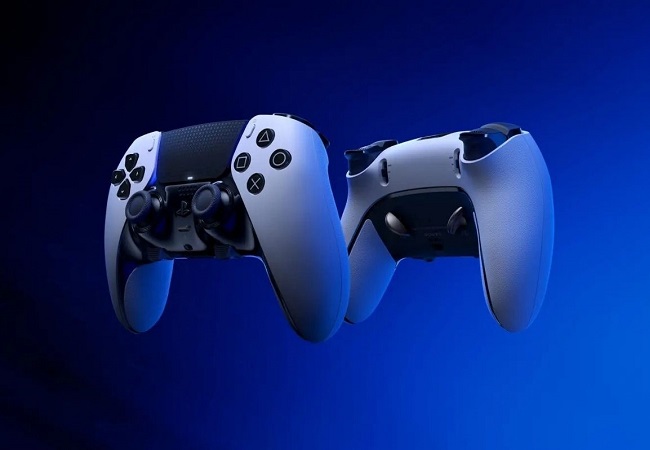
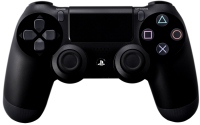
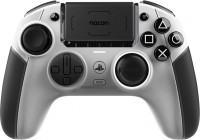
 | Expecting restock Wireless multi-platform controller model of 2026, designed for PlayStation 4 and Windows PC users. The manufacturer Hoco positions the model as an affordable alternative to the standard DualShock 4 with an enhanced feature set. In layout, the gamepad is indeed close to Sony controllers: both sticks are symmetrically placed at the bottom, with a touch panel — the same touchpad used in the PlayStation system interface and in some exclusive games for additional input — located in the center. The Hoco GA1 gamepad connects via Bluetooth 4.2 with a range of about 10 m, supporting Windows PCs and PS4 (also games from the PS4 era running on PS5 in backward compatibility mode). It features 13 buttons, including two additional programmable keys on the back for easy access to frequently used actions...without removing your thumbs from the sticks. Immersive features include dual vibration, a gyroscope with a 3D accelerometer (for tilt control), a built-in speaker, and customizable RGB lighting. The front houses a 3.5 mm jack for wired headset connection, useful for voice chats in online games. The power is autonomous: a lithium-ion battery with a capacity of 800 mAh ensures up to 8 hours of gaming on a single charge, charging is via USB-C port. The body is made of ABS plastic with ergonomic grips, measuring 161×112×65 mm and weighing only 205 g.
Affordable alternative to Sony's DualShock 4, Enhanced feature set, Symmetrical stick layout, Bluetooth 4.2 connectivity with a 10-meter range, Two additional programmable keys, Dual vibration and tilt control, Customizable RGB lighting, Ergonomic ABS plastic body. E-Catalog uses affiliate links compensated by our partners. |


Hoco GA1 | |||||||||||||||||||||||||||||||||||||||||||||||||||||||||||||||||||||||||||||||
|
| ||||||||||||||||||||||||||||||||||||||||||||||||||||||||||||||||||||||||||||||


Wireless multi-platform controller model of 2026, designed for PlayStation 4 and Windows PC users. The manufacturer Hoco positions the model as an affordable alternative to the standard DualShock 4 with an enhanced feature set. In layout, the gamepad is indeed close to Sony controllers: both sticks are symmetrically placed at the bottom, with a touch panel — the same touchpad used in the PlayStation system interface and in some exclusive games for additional input — located in the center.
The Hoco GA1 gamepad connects via Bluetooth 4.2 with a range of about 10 m, supporting Windows PCs and PS4 (also games from the PS4 era running on PS5 in backward compatibility mode). It features 13 buttons, including two additional programmable keys on the back for easy access to frequently used actions without removing your thumbs from the sticks. Immersive features include dual vibration, a gyroscope with a 3D accelerometer (for tilt control), a built-in speaker, and customizable RGB lighting.
The front houses a 3.5 mm jack for wired headset connection, useful for voice chats in online games. The power is autonomous: a lithium-ion battery with a capacity of 800 mAh ensures up to 8 hours of gaming on a single charge, charging is via USB-C port. The body is made of ABS plastic with ergonomic grips, measuring 161×112×65 mm and weighing only 205 g. Affordable alternative to Sony's DualShock 4, Enhanced feature set, Symmetrical stick layout, Bluetooth 4.2 connectivity with a 10-meter range, Two additional programmable keys, Dual vibration and tilt control, Customizable RGB lighting, Ergonomic ABS plastic body.
Always clarify the specifications and configuration of the product with the online store manager before purchasing.